
DEWENWILS B0D2RMRXMP
Contents
DEWENWILS Indoor Countdown Timer Outlet User Manual
Model: B0D2RMRXMP
1. Product Overview
The DEWENWILS Indoor Countdown Timer Outlet is a versatile digital timer designed to provide convenient and energy-saving control over your indoor electrical appliances. It features customizable countdown settings, a daily repeat function, and a compact design that won't block other outlets. Equipped with a backup battery, it retains your programming during power outages.

Image 1.1: Front view of the DEWENWILS Indoor Countdown Timer Outlet, showing the digital display and control buttons.
Key Features:
- Customizable Countdown: Set precise countdown times up to 20 hours using +1min, -1min, and +30min buttons.
- Repeat Mode: Automatically repeats your settings daily, ideal for recurring tasks and home security.
- Compact Design: Slim profile ensures it does not obstruct adjacent outlets.
- Large Screen Display: Clear digital display for easy viewing of timer status.
- Memory Function: Built-in backup battery preserves settings for up to 3 months.
- Safety: 3-prong grounded outlet for enhanced safety.
2. Safety Information
Please read and understand all safety instructions before using this product. Failure to follow these instructions may result in electric shock, fire, or serious injury.
- For indoor use only. Do not expose to water or moisture.
- Do not exceed the electrical ratings: 125V, 60Hz, 15A/1000W, 1/2 HP.
- Do not use with appliances that require continuous supervision, such as heating appliances or power tools.
- Ensure the timer is fully inserted into a grounded outlet.
- Keep out of reach of children.
- Do not disassemble or modify the device.
3. Product Components
Familiarize yourself with the various parts of your DEWENWILS Indoor Countdown Timer Outlet:
- Digital Display: Shows current time, countdown, and mode.
- +1 Min Button: Increases countdown time by one minute.
- -1 Min Button: Decreases countdown time by one minute.
- +30 Min Button: Increases countdown time by thirty minutes.
- Repeat Button: Activates or deactivates the daily repeat function.
- Mode Switch (Side): Selects between ON, OFF, and AUTO modes.
- Reset Pinhole: Used to reset the timer to factory settings.
- Grounded Outlet: For plugging in your appliance.
Image 3.1: Diagram of the timer outlet highlighting its buttons, display, and side switch.
4. Setup Instructions
4.1 Initial Setup and Reset
Upon first use or after a prolonged period of being unplugged, it is recommended to reset the timer.
- Insert the timer into a standard 3-prong grounded wall outlet.
- Using a small pin or paperclip, gently press the Reset pinhole located on the device. The display will clear and reset.

Image 4.1: Visual guide for resetting the timer and setting a program.
4.2 Selecting Operating Mode
The timer has a side switch to select its operating mode:
- ON: The connected appliance will remain continuously ON. The timer function is bypassed.
- OFF: The connected appliance will remain continuously OFF. The timer function is bypassed.
- AUTO: The timer will operate according to your programmed countdown and repeat settings.

Image 4.2: Close-up of the mode selection switch on the side of the timer.
5. Operating Instructions
5.1 Setting a Countdown Program
To set a countdown for your appliance:
- Ensure the side switch is set to AUTO.
- Press the +1 Min, -1 Min, or +30 Min buttons to adjust the desired countdown time. The display will show the set time. You can long-press the buttons for faster adjustment. The maximum setting is 19 hours and 59 minutes.
- Once the desired time is set, the countdown will begin automatically. The display will show 'ON AUTO' and the remaining time.

Image 5.1: Example of a one-time countdown setting for an appliance.
5.2 Using the Daily Repeat Mode
The repeat mode allows the timer to automatically execute the set countdown program every day at the same time.
- Set your desired countdown time as described in Section 5.1.
- Press the Repeat button. A small 'R' indicator will appear on the display, confirming that the repeat mode is active.
- The timer will now automatically turn on and off at the programmed interval daily. To deactivate, press the Repeat button again.
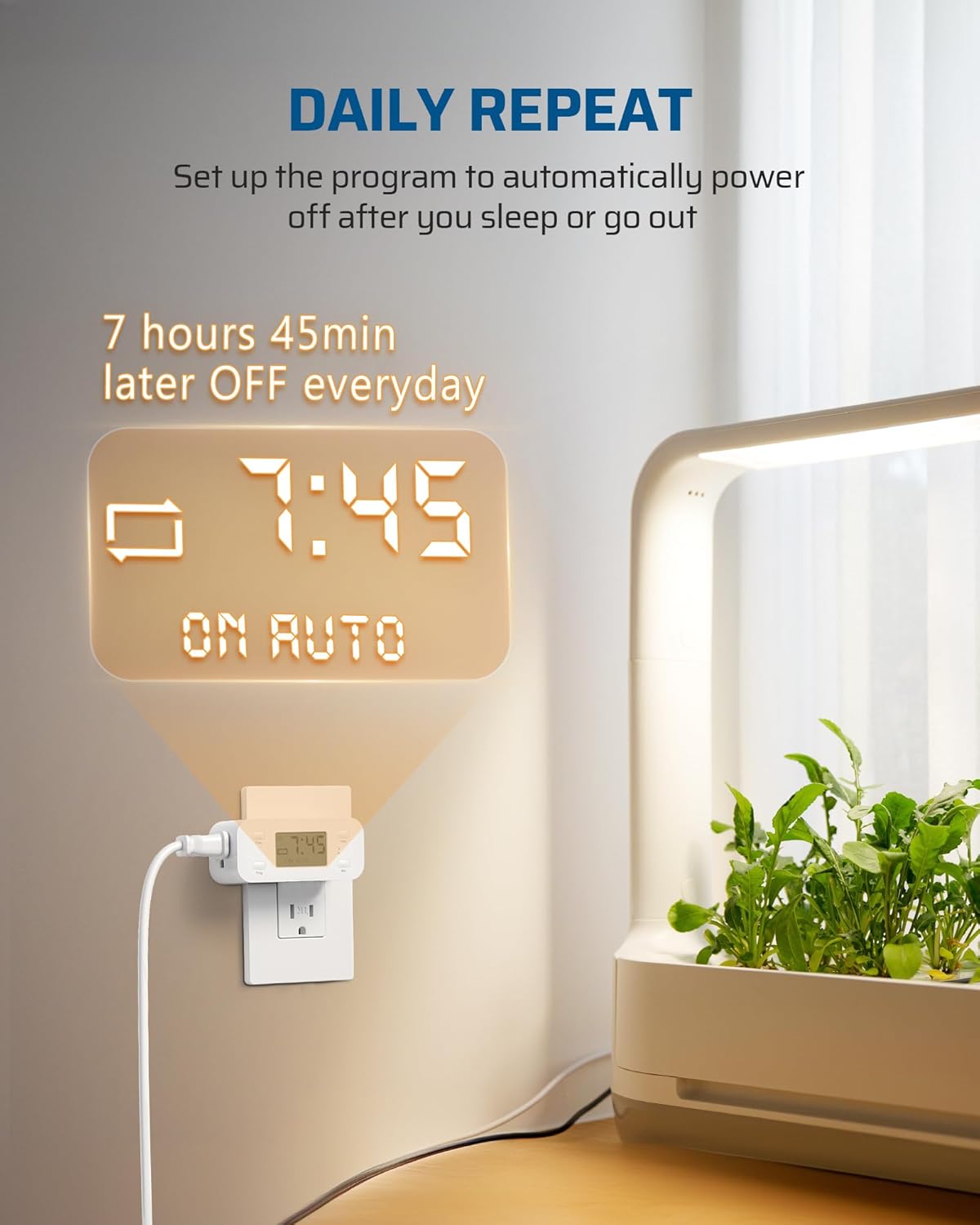
Image 5.2: The timer set for a daily repeating schedule, useful for plant lights or other regular tasks.
5.3 Applications
This timer is suitable for a wide range of indoor applications, enhancing convenience and energy efficiency:
- Coffee makers
- Curling irons and hair straighteners
- Fans
- Indoor lights (e.g., floor lamps, table lamps, Christmas lights)
- Chargers
- Plant grow lights
- Aquarium lights
- Reptile lights

Image 5.3: Common household appliances compatible with the timer.

Image 5.4: The timer can be used for seasonal decorations like Christmas tree lights.
6. Maintenance
The DEWENWILS Indoor Countdown Timer Outlet requires minimal maintenance.
- Cleaning: Disconnect the timer from the power outlet before cleaning. Wipe the exterior with a soft, dry cloth. Do not use abrasive cleaners or solvents.
- Storage: If storing the timer for an extended period, ensure it is unplugged and kept in a cool, dry place away from direct sunlight. The internal battery will retain settings for up to 3 months.
7. Troubleshooting
If you encounter issues with your timer, please refer to the following common problems and solutions:
| Problem | Possible Cause | Solution |
|---|---|---|
| Timer not turning ON/OFF as programmed. | Mode switch is not set to AUTO. Incorrect program setting. | Ensure the side switch is set to AUTO. Re-check your countdown and repeat settings. |
| Display is blank or not responding. | No power to the outlet. Internal battery depleted (if unplugged for long). | Check if the wall outlet has power. Plug the timer in for a few minutes to allow the internal battery to charge. Perform a reset. |
| Settings are lost after power outage. | Internal backup battery is low or depleted. | Keep the timer plugged in for at least 4 hours to fully charge the internal battery. If issues persist, the battery may need replacement (contact support). |
| Appliance connected to timer is not working. | Appliance is faulty. Timer is in OFF mode. | Test the appliance by plugging it directly into a wall outlet. Ensure the timer's side switch is set to ON or AUTO with a valid program. |
8. Specifications
Technical specifications for the DEWENWILS Indoor Countdown Timer Outlet:
| Attribute | Value |
|---|---|
| Model | B0D2RMRXMP |
| Brand | DEWENWILS |
| Color | White |
| Material | Plastic |
| Product Dimensions (DxWxH) | 3.62"D x 1.81"W x 2.6"H |
| Item Weight | 3.66 ounces |
| Electrical Rating | 125V, 60Hz, 15A/1000W, 1/2 HP |
| Screen Size | 2.6 Inches |
| Max Countdown Time | 19 hours 59 minutes |
| Country of Origin | China |
9. Warranty and Support
DEWENWILS products are designed for reliability and performance. For warranty information, technical support, or customer service inquiries, please contact DEWENWILS directly through their official website or the retailer where the product was purchased.
Please have your model number (B0D2RMRXMP) and purchase date ready when contacting support.
Ask a question about this manual
Ask about setup, troubleshooting, compatibility, parts, safety, or missing instructions. Manuals+ will review the question and use this page’s manual context to help answer it.