
1. Introduction
Thank you for choosing the Csasan V90 Wireless Earbuds. These earbuds are designed for sports and active lifestyles, offering superior sound quality, comfort, and durability. Featuring Bluetooth 5.3 for stable connectivity, IP7 waterproof rating for resistance against sweat and rain, and intuitive touch controls, the V90 earbuds provide an immersive audio experience for all your activities.
This manual provides detailed instructions on how to set up, operate, and maintain your earbuds to ensure optimal performance and longevity.

Image: Csasan V90 Wireless Earbuds with their charging case, showcasing the sleek white design and digital battery display.
2. What's in the Box
- 2x Sports Earbuds (Left and Right)
- 3x Pairs of Eartips (S/M/L)
- 1x Type C Charging Box
- 1x USB-C Charging Cable
- 1x Detailed User Manual

Image: A visual representation of all items included in the Csasan V90 Wireless Earbuds package.
3. Specifications
| Feature | Detail |
|---|---|
| Model Name | V90 |
| Connectivity Technology | Wireless (Bluetooth 5.3) |
| Audio Driver Size | 13 Millimeters |
| Waterproof Rating | IP7 |
| Earbud Battery Life | Up to 8 hours (single charge) |
| Total Playtime (with charging case) | Up to 48 hours |
| Charging Time | 1.5 Hours (earbuds & case) |
| Control Method | Touch |
| Noise Control | CVC8.0 Noise Reduction (for calls) |
| Ear Placement | Over Ear |
| Item Weight | 3.52 ounces (total) |
4. Setup & Pairing
For first-time use, please make sure both the earbuds and the charging case are fully charged before first use.
4.1 Initial Pairing
- Take both earbuds out of the charging case. Both earbuds will power on and start pairing automatically. If the earbuds are not connected to your device for more than 5 minutes, they will automatically turn off. Press the MFB button for about 3 seconds to manually turn on the earbuds when prompted "Power on". One earbud will flash a white light, while the other earbud will flash a white light every three seconds, indicating that the wireless earphones have completed pairing.
- Enable the Bluetooth pairing mode on your phone device, search and select "V90" to connect. You should hear a voice prompt "Connected" when wearing earbuds.
- If the indicator light of the earbud is off, it means the phone is connected.
- Automatic connection: By default, the earbuds will connect to the last paired phone automatically when powered on.

Image: Visual guide for the one-step auto pairing feature of the V90 earbuds.
4.2 Pairing Demonstration Video
Video: This video demonstrates the unboxing, specifications, features, charging process, and pairing of the V90 Wireless Earbuds. It provides a comprehensive visual guide to getting started with your new earbuds.
5. Operating Instructions (Smart Touch Control)
The V90 earbuds feature intuitive touch controls for easy management of music, calls, and voice assistants.
| Function | Action |
|---|---|
| Play/Pause Music | Tap either earbud twice |
| Previous Track | Press and hold Left earbud for 2 seconds |
| Next Track | Press and hold Right earbud for 2 seconds |
| Volume Up | Tap Right earbud once |
| Volume Down | Tap Left earbud once |
| Answer Call | Tap either earbud once |
| Hang Up Call | Press and hold either earbud for 2 seconds |
| Reject Incoming Call | Press and hold either earbud for 2 seconds |
| Activate Voice Assistant (Siri, Google Assistant, etc.) | Tap either earbud three times |

Image: A detailed diagram showing the various touch control gestures for music playback, call management, and voice assistant activation.
6. Charging
The Csasan V90 earbuds and charging case provide extended playtime. The charging case features a smart LED display to show battery levels.
6.1 Earbuds Charging
- Place the earbuds into the charging case. Ensure they are correctly seated.
- The indicator light on the earbuds will show white while charging.
- The earbuds will stop charging automatically when fully charged.
6.2 Case Charging
- Connect the provided USB-C charging cable to the charging port on the case and a suitable USB power source.
- The digital display on the charging case will flash and show the battery level in real-time.
- When fully charged, the display will show "100".
- A full charge for both earbuds and case takes approximately 1.5 hours.
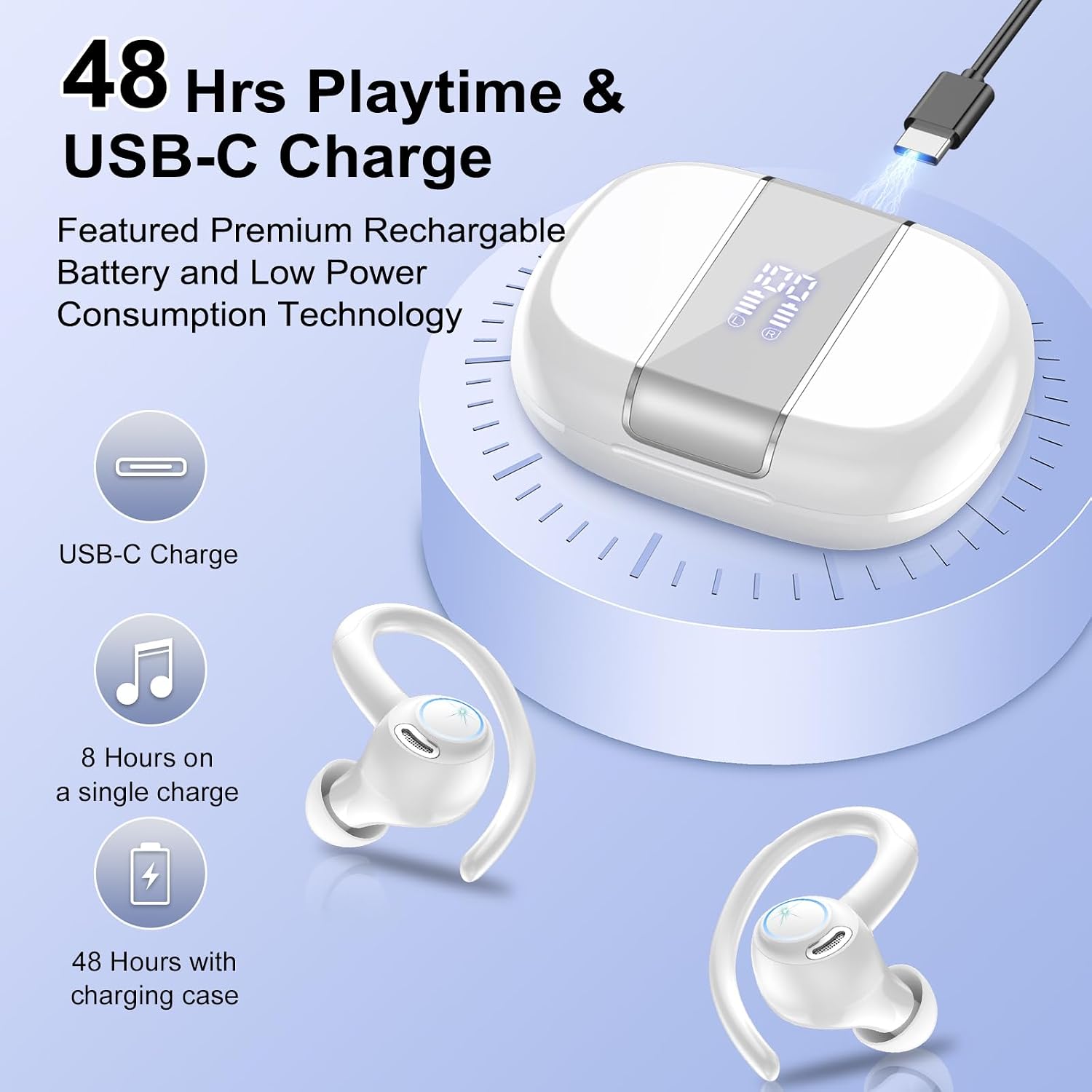
Image: The V90 charging case with USB-C cable, illustrating the 48-hour total playtime and 8 hours per single earbud charge.
7. Maintenance
Proper maintenance ensures the longevity and optimal performance of your Csasan V90 earbuds.
- Cleaning: Regularly clean the earbuds, especially the ear tips and charging contacts, with a soft, dry cloth. If necessary, use a cotton swab lightly dampened with alcohol to clean the magnet connectors on the earbuds and charging case.
- Storage: When not in use, store the earbuds in their charging case to protect them from dust, moisture, and physical damage. If the earbuds have not been used for more than 3 months, we recommend that you charge them.
- Temperature: Do not expose the earbuds to high or low temperatures, and do not use the earbuds during a thunderstorm.
- Water Exposure: While IP7 waterproof, avoid prolonged submersion in water. Dry the earbuds thoroughly if they get wet from sweat or rain before placing them back in the charging case.
- Handling: Do not disassemble the earbuds. Avoid free fall or violent shock to the device. Keep the device away from sources of fire and do not place the device in water.
- Charger: Please use a charger approved by FCC (Federal Communications Commission).
- Supervision: Children aged 12 and under require adult supervision.
8. Troubleshooting
If you encounter any issues with your Csasan V90 earbuds, try the following solutions:
- Earbuds not charging or turning on:
- Ensure the charging cable is securely connected to both the case and the power source.
- Clean the magnet connectors on the earbuds and charging case with an alcohol wipe to resolve potential oxidation issues.
- Put the earbuds in the charging case; they will turn off immediately and the charging case will start charging automatically.
- Earbuds not pairing/connecting:
- Ensure Bluetooth is enabled on your device and the earbuds are within range (up to 10 meters).
- Place both earbuds back into the charging case, close the lid, wait a few seconds, then open the lid and take them out again to re-initiate pairing mode.
- If the issue persists, try forgetting "V90" from your device's Bluetooth settings and repeat the initial pairing process.
- Sound quality issues (low volume, distorted sound):
- Adjust the volume on both your device and the earbuds.
- Ensure the earbuds are properly seated in your ears and the ear tips are the correct size for a secure fit.
- Clean any earwax or debris from the earbud speakers.
- Only one earbud working:
- Place both earbuds back into the charging case, close the lid, and then take them out again. This often re-syncs them.
- Ensure both earbuds have sufficient battery charge.
- If using a single earbud, ensure the other earbud is in the case or powered off.
9. Warranty & Support
Csasan offers a 2-year warranty for the V90 Wireless Earbuds, covering manufacturing defects and ensuring product quality.
For any inquiries, technical assistance, or warranty claims, please contact Csasan customer service. We aim to provide a 24-hour customer service response to address your needs promptly.
You can find more information and support by visiting the official Csasan store on Amazon or contacting their support channels.

Image: Icons representing Csasan's 2-year warranty and 24-hour customer service commitment.


