1. Product Overview
The WORX 20V Cordless Seed Spreader WG869 is designed for efficient and precise distribution of various granular materials across your lawn or garden. This lightweight, handheld broadcast spreader simplifies tasks such as seeding, fertilizing, applying ice-melt, and distributing weed control solutions. It features adjustable speed and flow rate settings to accommodate different material types and coverage requirements.
2. What's Included
Your WORX 20V Cordless Seed Spreader WG869 package includes the following components:
- WORX 20V Cordless Spreader (WG869)
- 2.0Ah 20V Power Share Battery
- Battery Charger
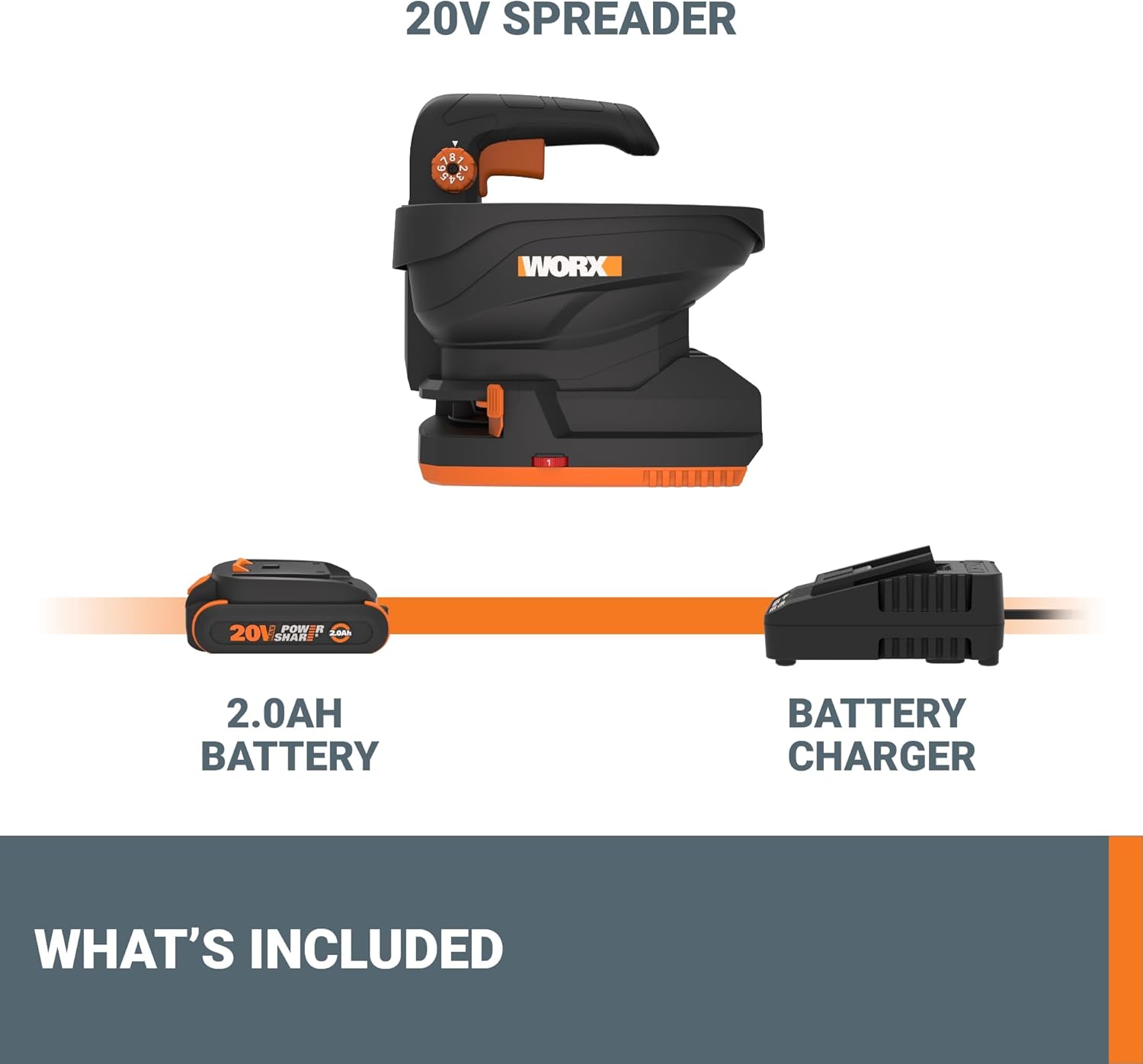
Figure 2.1: Components included with the WORX WG869 Spreader: the spreader unit, a 20V battery, and a charger.
3. Setup
3.1 Battery Installation and Charging
- Ensure the battery is fully charged before first use. Connect the charger to a power outlet and insert the battery. The indicator light on the charger will show charging status.
- To install the battery, align the battery pack with the battery port on the bottom of the spreader. Slide the battery into place until it clicks securely.
- To remove the battery, press the battery release button and slide the battery out.
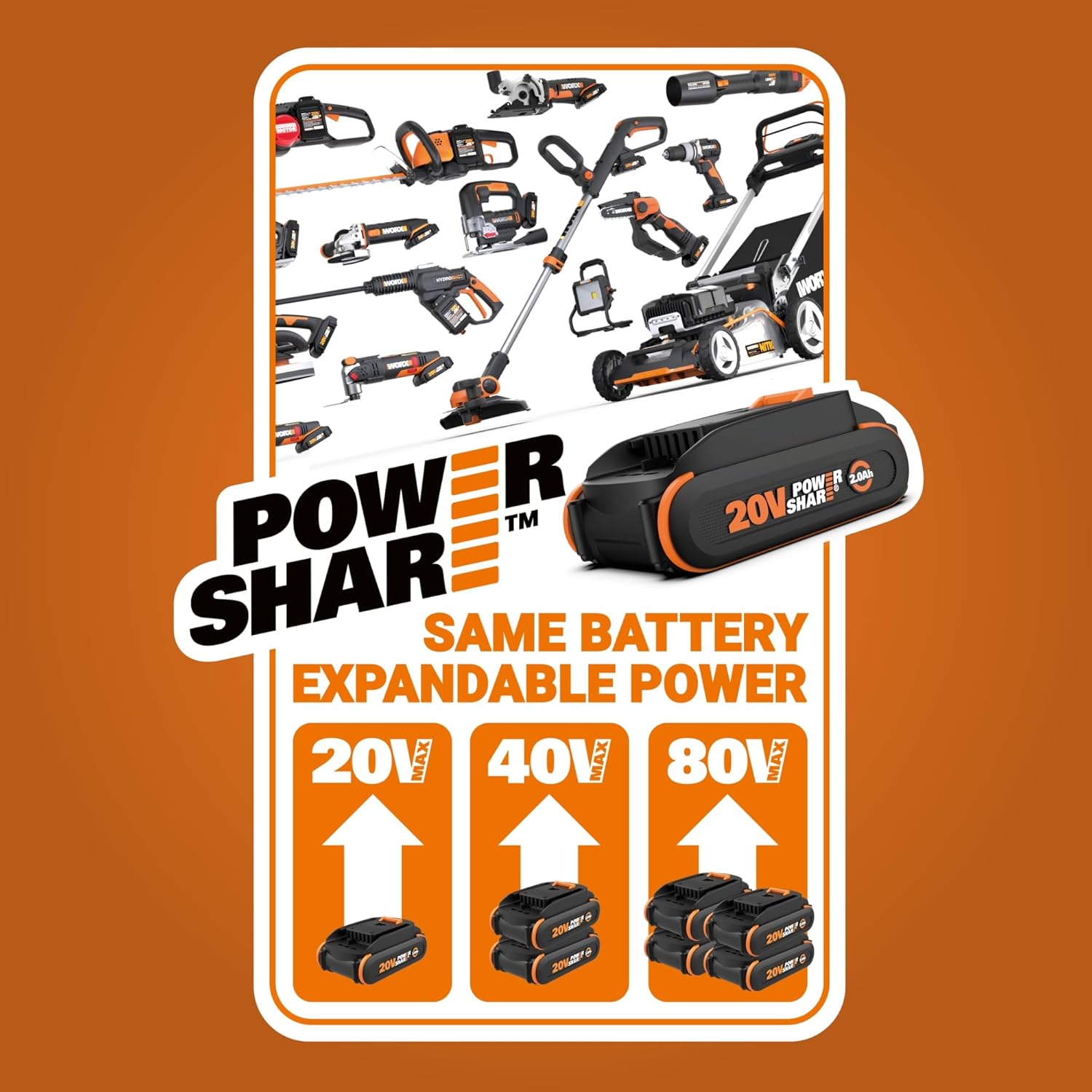
Figure 3.1: The WORX Power Share battery system, highlighting compatibility with other WORX 20V tools.
3.2 Filling the Hopper
- Ensure the spreader is turned off and the flow rate setting is closed to prevent material from spilling.
- Open the hopper lid.
- Carefully pour the desired granular material (seed, fertilizer, ice-melt, etc.) into the hopper. Do not overfill.
- Close the hopper lid securely.

Figure 3.2: Filling the spreader hopper with granular material.
4. Operating Instructions
4.1 Powering On/Off
To power on the spreader, press the power button located on the handle. To power off, press the power button again.
4.2 Adjusting Spreading Speed
The spreader features 6-speed settings to control the broadcast distance. Rotate the speed control dial on the handle to select the desired speed. Higher settings increase the spreading distance up to a maximum of 5 feet.
4.3 Adjusting Flow Rate
The 8-setting baffle allows you to optimize the flow rate for different material types. Rotate the flow rate dial to select the appropriate setting:
- Levels 1-2: Suitable for fine seeds.
- Levels 3-4: Ideal for light fertilizers.
- Levels 5-6: Recommended for heavy fertilizers.
- Levels 7-8: Best for pearled fertilizers and ice-melt.
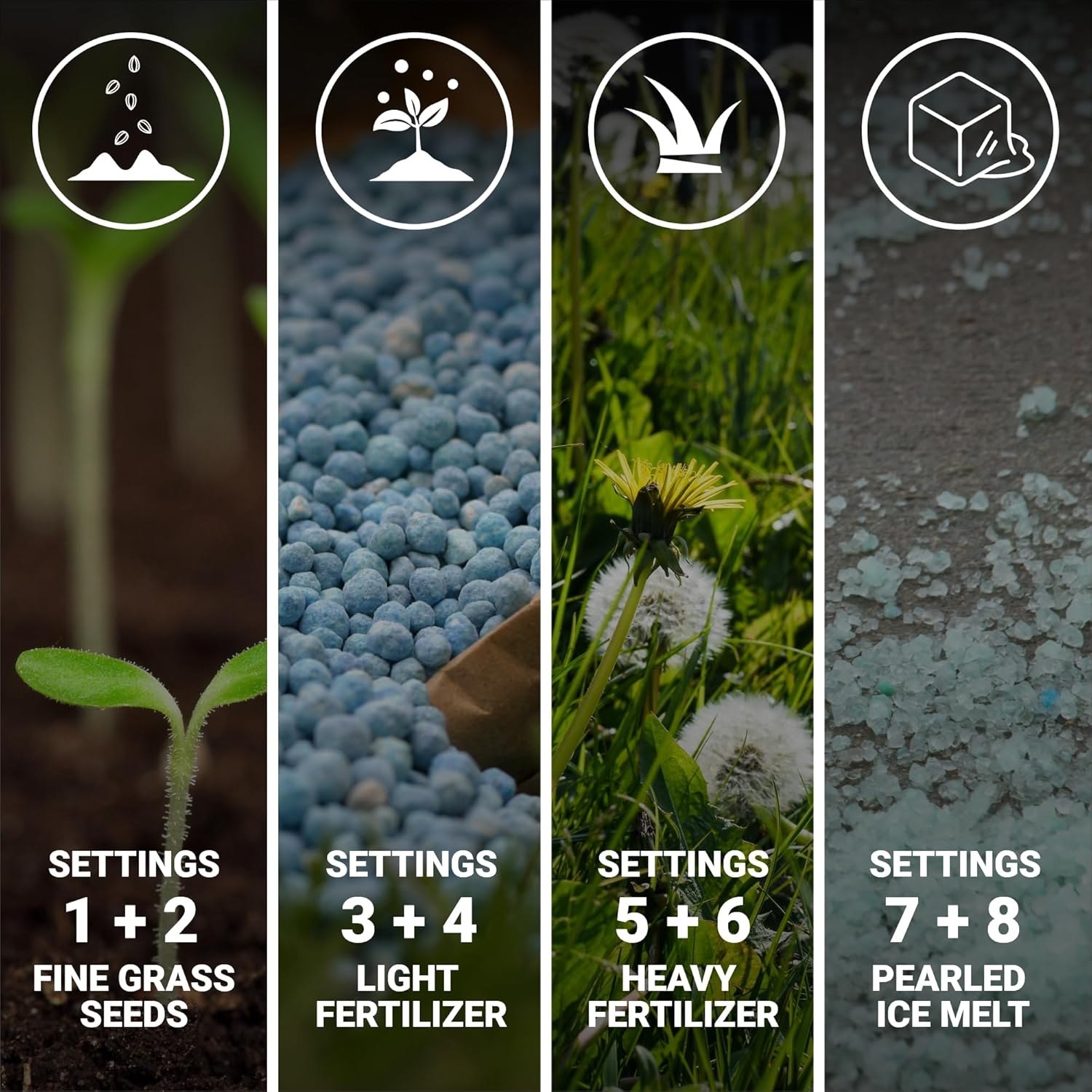
Figure 4.1: Flow rate settings guide for various granular materials.
4.4 Using the Edge-Control Deflector
To prevent material from spreading into unwanted areas like driveways, gardens, or patios, engage the edge-control deflector. This feature helps maintain precise application along borders.

Figure 4.2: Detailed view of the speed control, flow rate settings, and edge-control deflector.
4.5 General Operation
Once the battery is installed and the hopper is filled, select your desired speed and flow rate settings. Hold the spreader comfortably with one hand using the trigger handle. Walk at a steady pace while operating the spreader to ensure even distribution. The anti-clog agitator helps prevent blockages and promotes consistent material flow.

Figure 4.3: Operating the WORX Cordless Spreader for lawn care.

Figure 4.4: Using the spreader for ice-melt application.
5. Maintenance
5.1 Cleaning
After each use, especially when spreading corrosive materials like certain fertilizers or ice-melt, it is crucial to clean the spreader thoroughly. Remove any remaining material from the hopper. Wipe down the interior and exterior surfaces with a damp cloth. Ensure all moving parts are free of debris. Allow the spreader to dry completely before storage.
5.2 Storage
Store the spreader in a dry, protected area away from direct sunlight and extreme temperatures. Remove the battery from the spreader before long-term storage. Store the battery in a cool, dry place.
6. Troubleshooting
- Spreader Not Turning On: Ensure the battery is fully charged and properly inserted into the tool. Check if the power button is functioning correctly.
- Material Not Spreading Evenly or Not Spreading at All:
- Check the flow rate setting; adjust it according to the material type.
- Inspect the hopper for clogs. The anti-clog agitator is designed to prevent this, but very damp or sticky materials might still cause issues. Clear any obstructions.
- Ensure the material is dry and free-flowing.
- Reduced Spreading Distance: Verify the speed setting is appropriate for the desired distance. Ensure the battery has sufficient charge.
7. Specifications
| Model Number | WG869 |
| Power Source | 20V Lithium Ion Battery |
| Max Spreading Distance | 5 ft. |
| Coverage Area per Load | Up to 4600 sq. ft. |
| Speed Settings | 6 |
| Flow Rate Settings | 8 |
| Item Weight | 3.1 pounds |
| Product Dimensions | 10.2 x 8.5 x 10.9 inches |
8. Warranty and Support
For warranty information, technical support, or service inquiries, please refer to the warranty card included with your product or visit the official WORX website. You may also contact WORX customer service directly for assistance.