
Introduction
This manual provides comprehensive instructions for the setup, operation, maintenance, and troubleshooting of your e-vibra A5C Silent Vibrating Alarm Watch. Please read this manual carefully to ensure proper use and to maximize the watch's functionality.
The e-vibra A5C is designed to provide discreet vibrating reminders for various daily activities, including medication schedules, potty training, time management, and general daily routines. Its silent vibration ensures reminders without disturbing others.
Product Overview
The e-vibra A5C features a digital display, a soft silicone wristband, and a rechargeable battery. It is equipped with multiple alarm settings and a countdown timer function.

Image: The e-vibra A5C watch worn on a wrist, showing its digital display.
Setup
1. Charging the Watch
Before initial use, fully charge the watch. The watch module is integrated into the band and requires careful removal for charging.
- Step 1: Gently remove the watch module from the silicone wristband. Locate the end of the band that conceals the USB charging strip.
- Step 2: Carefully pull the watch module out of the band to expose the USB charging strips. Avoid excessive force to prevent damage.
- Step 3: Insert the exposed USB charging strips into a universal USB port (e.g., computer, USB wall adapter).

Image: Visual guide for charging the e-vibra A5C watch, detailing the steps to access and use the integrated USB charging strips.
A full charge typically takes approximately 0.5 hours. A fully charged watch can operate for 8-35 days, depending on usage frequency of alarms and vibrations.
2. Initial Time Setting
Refer to the included user manual for specific button functions to set the time. The watch supports both 12-hour and 24-hour time formats.
Operating Instructions
1. Setting Alarms
The e-vibra A5C allows setting up to 15 individual vibrating alarms. These alarms can be set for specific times (e.g., 6:55 AM, 10:15 PM) and do not need to be reset daily. The silent vibration provides discreet reminders without sound.
- Accessing Alarm Settings: Use the designated buttons on the watch to navigate to the alarm setting menu.
- Setting Time: Adjust the hour and minute for each alarm slot.
- Activating/Deactivating Alarms: Ensure each desired alarm is activated within the settings.
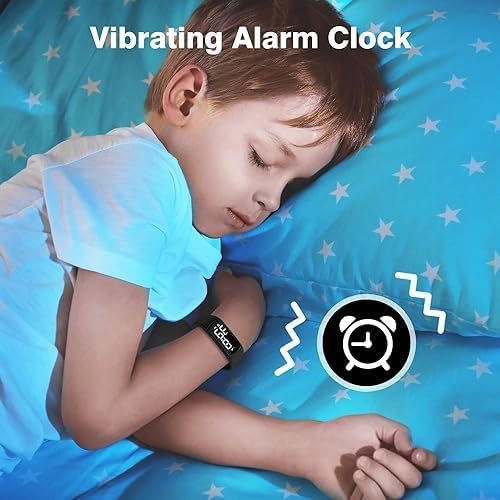
Image: The watch provides silent vibrating alarms, ideal for discreet reminders without disturbing others.
2. Using the Countdown Timer
The watch includes a preset countdown timer function with auto-repeat vibration. Available preset durations include 1, 5, 10, 15, 30, 45, 60, 90, 120, and 180 minutes.
- Selecting Timer: Navigate to the timer function using the watch buttons.
- Choosing Duration: Select the desired countdown duration from the available presets.
- Starting Timer: Activate the timer. The watch will vibrate upon completion and can be set to auto-repeat.
3. Water Resistance
The e-vibra A5C watch is water-resistant up to 30 meters. This means it is suitable for daily use, such as washing hands or playing with water. It is not recommended for swimming, diving, or prolonged submersion.

Image: The watch demonstrating its water resistance, suitable for splashes and hand washing.
Maintenance
1. Cleaning
To clean your watch, wipe it with a soft, damp cloth. Avoid using harsh chemicals or abrasive materials, which can damage the silicone band or display.
2. Battery Care
Recharge the watch when the battery indicator is low. Regular charging helps maintain battery health. Avoid completely draining the battery frequently. The watch saves all alarm settings even when powered off or during charging.
Troubleshooting
- Difficulty Setting Alarms/Time: The watch uses two buttons for navigation and setting. Refer to the detailed instructions in the included user manual for precise button sequences. Practice the steps without urgency.
- Watch is "Locked" or Unresponsive: If the watch becomes unresponsive, try connecting it to a charger. A low battery can sometimes cause unexpected behavior. If the issue persists, consult the full user manual for a reset procedure or contact customer support.
- Vibration is Weak or Non-existent:
- Ensure the watch is fully charged. Vibration strength can decrease with low battery.
- Check that the alarm or timer function is correctly activated.
- Ensure the watch is worn snugly on the wrist for optimal vibration sensation.
- Intermittent Functionality: If the watch stops working randomly, ensure it is fully charged. If the problem continues, it may indicate a hardware issue.
- Charging Port Difficulty: The USB charging strips are integrated into the band. When removing the module for charging, apply gentle, even pressure. Avoid twisting or forcing the module to prevent damage to the charging strips or the band.
Specifications
| Model Number | A5C |
| Brand | e-vibra |
| Product Dimensions | 4.32 x 6.86 x 6.35 cm; 45 g |
| Wrist Fit | Approx. 4.1" - 7.7" (11cm - 19.5cm) |
| Band Material | Soft Silicone |
| Display Type | Digital LED |
| Movement Type | Quartz |
| Water Resistance Depth | 30 Meters (Water Resistant) |
| Battery | 1 Lithium Ion battery (rechargeable) |
| Charging Time | Approx. 0.5 hours |
| Battery Life | 8-35 days (depending on usage) |
| Alarms | Up to 15 individual vibrating alarms |
| Timer | Preset countdown timer with auto-repeat |
| Time Format | 12/24 hour display |

Image: Dimensions of the watch and its soft silicone band, indicating wrist fit range.
Warranty and Support
For warranty information or technical support, please refer to the documentation included with your purchase or contact e-vibra customer service through the retailer where the product was purchased. Please retain your proof of purchase for warranty claims.
The manufacturer, e-vibra, is committed to providing quality products and support.