
1. Introduction
Thank you for choosing the Tronsmart KH02 Kids Wireless Headphones. This manual provides detailed instructions for setting up, operating, maintaining, and troubleshooting your headphones to ensure a safe and enjoyable listening experience for children.
2. What's in the Box
- 1 x Tronsmart KH02 Wireless Kids Headphones
- 1 x Warranty Card
- 1 x User Manual
- 1 x Type-C Cable
- 1 x Aux-in Cable
3. Product Overview
The Tronsmart KH02 headphones are designed for children, featuring a volume limit function, long battery life, and a comfortable, durable design. They support both wireless (Bluetooth) and wired (3.5mm Aux-in) connections.

Image: Tronsmart KH02 Kids Wireless Headphones in Princess Pink, showcasing the overall design.
Video: An overview of the Tronsmart KH02 Wireless Kids Headphones, highlighting features like portability, durability, comfortable fit, safe volume control, long playtime, and dual mode (wireless/wired).
4. Setup and Connection
4.1 Charging the Headphones
Before first use, fully charge the headphones. Connect the provided Type-C cable to the charging port on the headphones and the other end to a USB power source. A full charge takes approximately 2 hours and provides up to 45 hours of playtime.

Image: A child enjoying music with Tronsmart KH02 headphones, emphasizing the 45-hour battery life.
4.2 Wireless (Bluetooth) Connection
- Power On: Press and hold the 'Multifunction' button for 2 seconds to turn on the headphones. The indicator light will flash, indicating pairing mode.
- Enable Bluetooth: On your device (smartphone, tablet, etc.), go to the Bluetooth settings and ensure Bluetooth is enabled.
- Pair: Search for "Tronsmart KH02" in the list of available devices and select it to connect. Once connected, the indicator light will stop flashing.
Video: Demonstrates how to operate the Tronsmart KH02 Wireless Kids Headphones, including power on, Bluetooth pairing, music control, and call management.

Image: Tronsmart KH02 headphones demonstrating wireless connectivity with a smartphone.
4.3 Wired Connection (3.5mm Aux-in)
To use the headphones in wired mode, simply plug the provided 3.5mm Aux-in cable into the headphone's audio jack and the other end into your device's 3.5mm audio output. This mode is useful when the battery is depleted or for devices without Bluetooth connectivity.

Image: Children using Tronsmart KH02 headphones in both wireless and wired modes.
5. Operating Instructions
5.1 Basic Controls
- Power On/Off: Press and hold the 'Multifunction' button for 2 seconds.
- Play/Pause Music: Press the 'Multifunction' button once.
- Volume Up: Press the 'Volume +' button once.
- Volume Down: Press the 'Volume -' button once.
- Next Track: Press and hold the 'Volume +' button for 2 seconds.
- Previous Track: Press and hold the 'Volume -' button for 2 seconds.
- Answer/End Call: Press the 'Multifunction' button once.
- Reject Call: Double-press the 'Multifunction' button.
5.2 Volume Limit Control
The headphones feature a three-level volume control switch to protect children's hearing. You can select between 74dB, 85dB, and 93dB depending on the environment and age of the child. Adjust the switch located on the earcup to your desired volume limit.

Image: Visual representation of the volume limit settings (74dB for sleep, 85dB for study, 93dB for travel).
5.3 Built-in HD Microphone
The integrated HD microphone allows for clear, hands-free calls, making the headphones suitable for online learning or communication.

Image: Child using headphones with a laptop, highlighting the built-in HD microphone.
6. Maintenance
6.1 Cleaning
Wipe the headphones with a soft, dry cloth. Do not use abrasive cleaners or solvents. Keep the charging port and audio jack free of dust and debris.
6.2 Storage
The headphones feature a foldable design for compact storage and portability. When not in use, fold them to save space and protect them from damage. Store in a cool, dry place away from extreme temperatures.

Image: Features of the Tronsmart KH02 headphones, including adjustable headband, soft ear pads, eco-friendly materials, and foldable design.
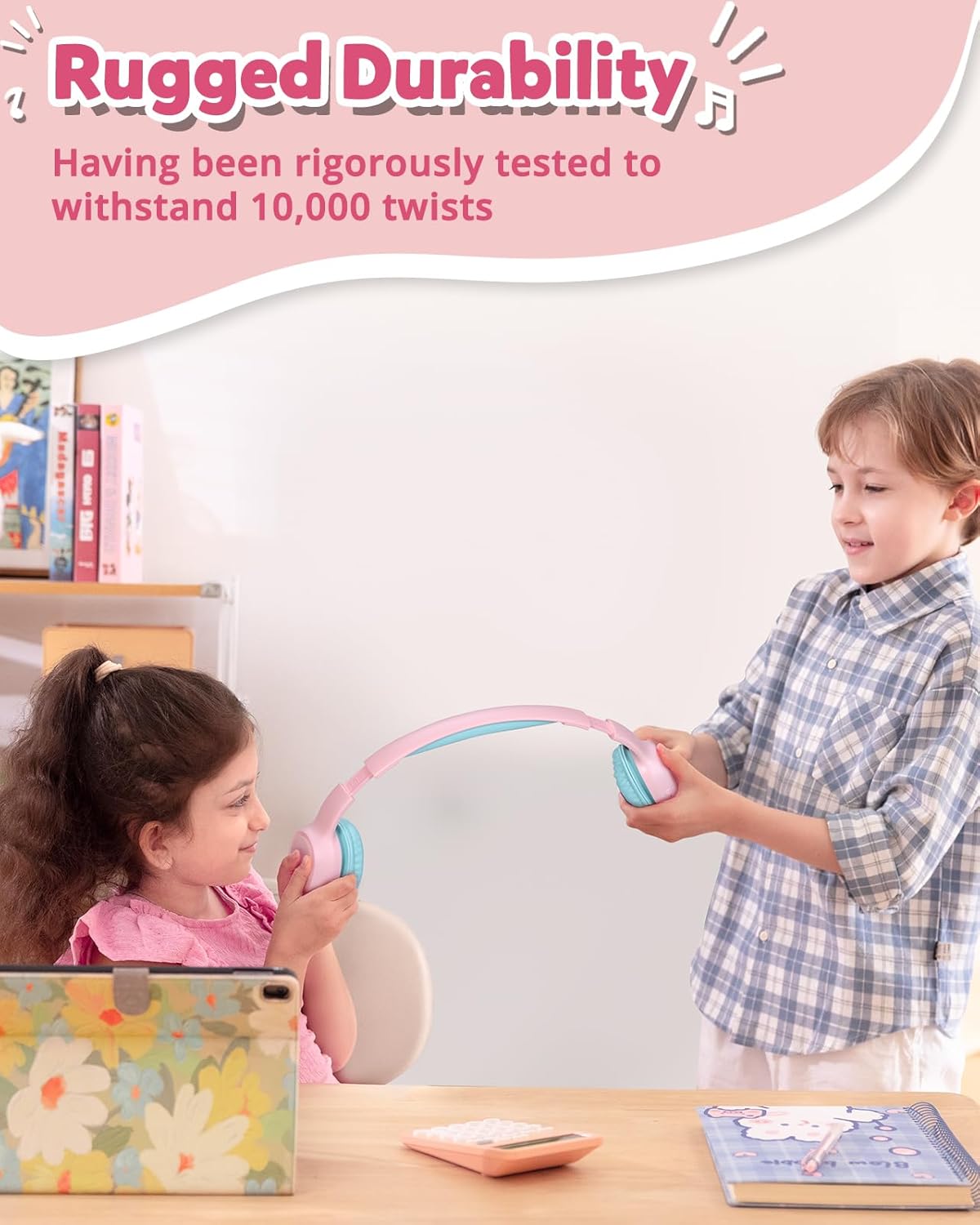
Image: Children demonstrating the durability and flexibility of the headphones' headband.
7. Troubleshooting
- Headphones not turning on: Ensure the headphones are fully charged.
- Cannot pair with device:
- Ensure Bluetooth is enabled on your device and the headphones are in pairing mode.
- Move the headphones closer to your device.
- Try resetting the headphones by pressing and holding the 'Multifunction' and 'Volume +' buttons simultaneously for 5 seconds.
- No sound or low volume:
- Check the volume level on both the headphones and your connected device.
- Ensure the headphones are properly connected (Bluetooth or wired).
- Verify the volume limit switch is set to an appropriate level.
- Poor call quality: Ensure the microphone is not obstructed and you are in an area with good signal strength.
8. Specifications
| Feature | Detail |
|---|---|
| Model Name | KH02 |
| Connectivity Technology | Wireless (Bluetooth 5.3) |
| Headphones Jack | 3.5 mm Jack |
| Volume Limit | 74dB, 85dB, 93dB |
| Battery Life | Up to 45 Hours |
| Charging Time | 2 Hours |
| Built-in Microphone | Yes (HD Mic) |
| Foldable Design | Yes |
| Adjustable Headband | Yes (Four levels) |
| Earpad Material | Imitation Protein Leather |
| Material | Eco-friendly Plastic |
| Item Weight | 5.9 ounces |
| Product Dimensions | 6.17 x 2.89 x 7.07 inches |
| Bluetooth Range | 49 Feet |
| Frequency Response | 20 Hz |
| Sensitivity | 93 dB |
| Impedance | 8 Ohms |
9. Warranty and Support
The Tronsmart KH02 Kids Wireless Headphones come with a Warranty Card. Please refer to the card for specific warranty terms and conditions. For product support, technical assistance, or further inquiries, please contact Tronsmart customer service through their official website or the retailer where the product was purchased.


