
1. Introduction
This manual provides instructions for the K&F CONCEPT Camera Backpack B10 (KF13.164) 25L. This backpack is designed for photographers, offering a large capacity and versatile storage solutions for camera gear, lenses, drones, and a 15.6-inch laptop. It features durable construction and includes a rain cover for weather protection.
2. Setup
2.1 Package Contents
Verify that all items are present in the package:
- Camera Backpack x1
- Dividers x4
- Long Velcro straps x2
- Rain Cover x1

Image: Package contents including the backpack, dividers, Velcro straps, and rain cover.
2.2 Configuring Internal Storage
The backpack features a three-tiered compartmentalization system with adjustable padded dividers. These dividers can be rearranged using their Velcro attachments to customize the internal space according to your equipment needs.
- Upper Compartment: Suitable for a 200mm lens or a DJI Mavic Air 2 drone.
- Medium Compartment: Accommodates one camera and two standard lenses, or two cameras.
- Lower Compartment: Designed for three standard lenses, or one camera and one lens.

Image: Examples of internal storage configurations for cameras, lenses, and drones.
2.3 Attaching a Tripod
A dedicated side compartment with a strap and buckle is provided for securely transporting a tripod or holding a water bottle. Insert one end of the tripod into the pull-out pouch and secure the other end with the adjustable strap.

Image: Demonstrates how to attach a tripod to the side of the backpack and the rain cover storage.
3. Operating the Backpack
3.1 Quick Access Features
The backpack is designed with side and top openings for quick access to your camera and accessories, allowing you to retrieve gear efficiently without fully opening the main compartment.

Image: Illustrates quick access to camera gear via side and top openings.
3.2 Laptop and Accessory Storage
A padded compartment is included to safely store laptops, MacBooks, and tablets up to 15.6 inches. Additional functional pockets are available for smaller items such as SD cards, cell phones, wallets, and keys.

Image: Details of the backpack's features, including waterproof fabric, buckles, laptop compartment, and mesh pockets.
3.3 Wearing and Comfort
The backpack features thick back padding and generous shoulder straps for comfort during extended wear. The ergonomic design helps distribute weight evenly. Note that this model does not include a chest strap.
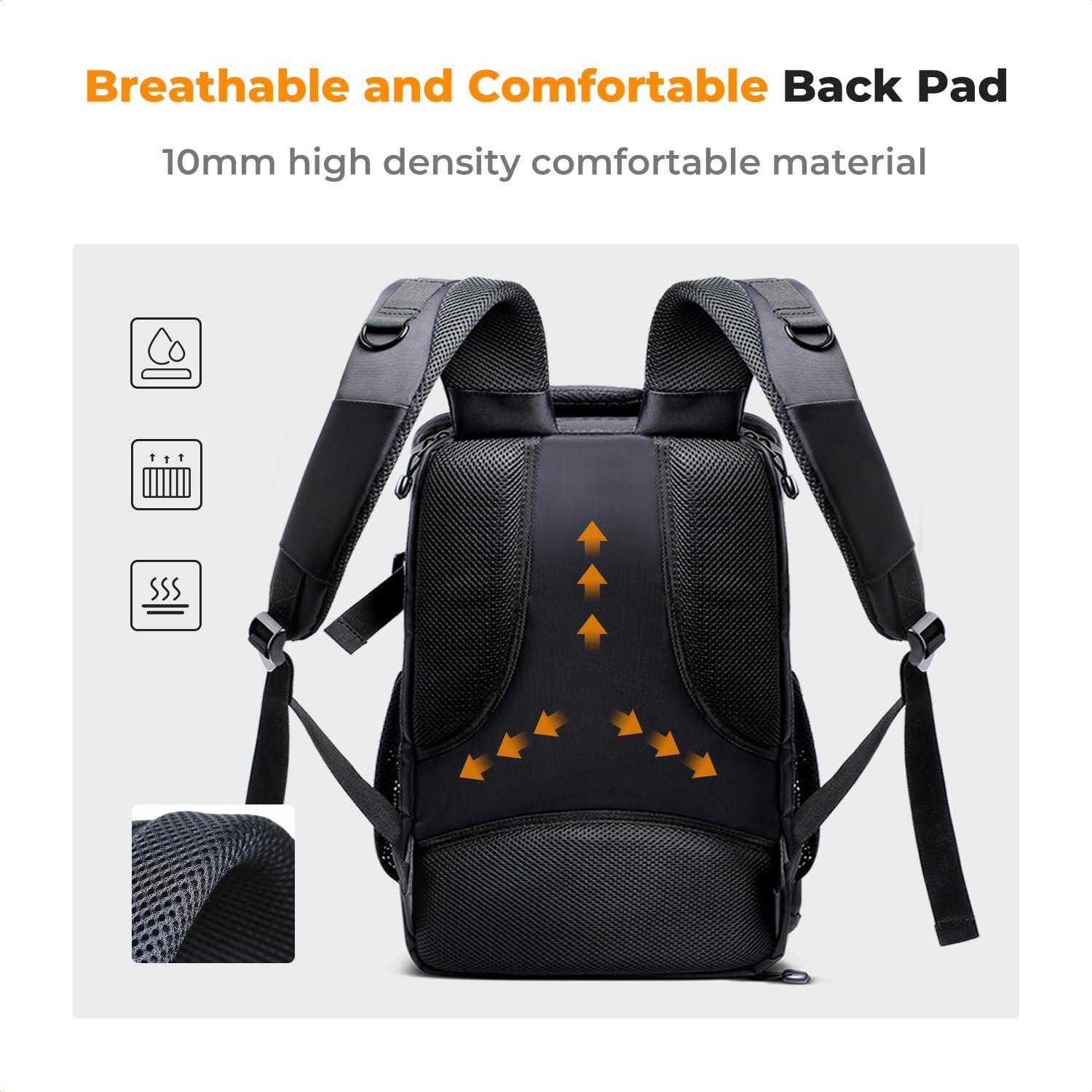
Image: Detailed view of the backpack's breathable and comfortable back padding.
4. Maintenance
To clean the backpack, wipe it with a damp cloth. Avoid using harsh chemicals or abrasive materials that could damage the fabric or coatings. Ensure the backpack is completely dry before storing to prevent mold or mildew.
5. Troubleshooting
If you encounter any issues with your K&F CONCEPT Camera Backpack, please refer to the following general advice:
- Zippers sticking: Apply a small amount of zipper lubricant or graphite (from a pencil) to the zipper teeth.
- Dividers not holding: Ensure the Velcro on the dividers and inside the backpack is clean and free of debris for optimal adhesion.
- Water resistance: While the backpack is made of durable material and includes a rain cover, it is not fully waterproof. For heavy rain, always use the provided rain cover.
For further assistance, please contact K&F CONCEPT customer support.
6. Specifications
| Dimension (D x W x H) | 9.4" x 11.8" x 9.4" (24cm x 30cm x 44cm) |
| Storage Volume | 25 Liters |
| Item Weight | 1300 g |
| Material Type | Polyester |
| Compatible Device Size (Laptop) | Up to 15.6 inches |
| Number of Compartments | 9 |
| Number of Pockets | 6 |
| Water Resistance Level | Not Water Resistant (Rain cover included) |
| Color | 01-black-grey |
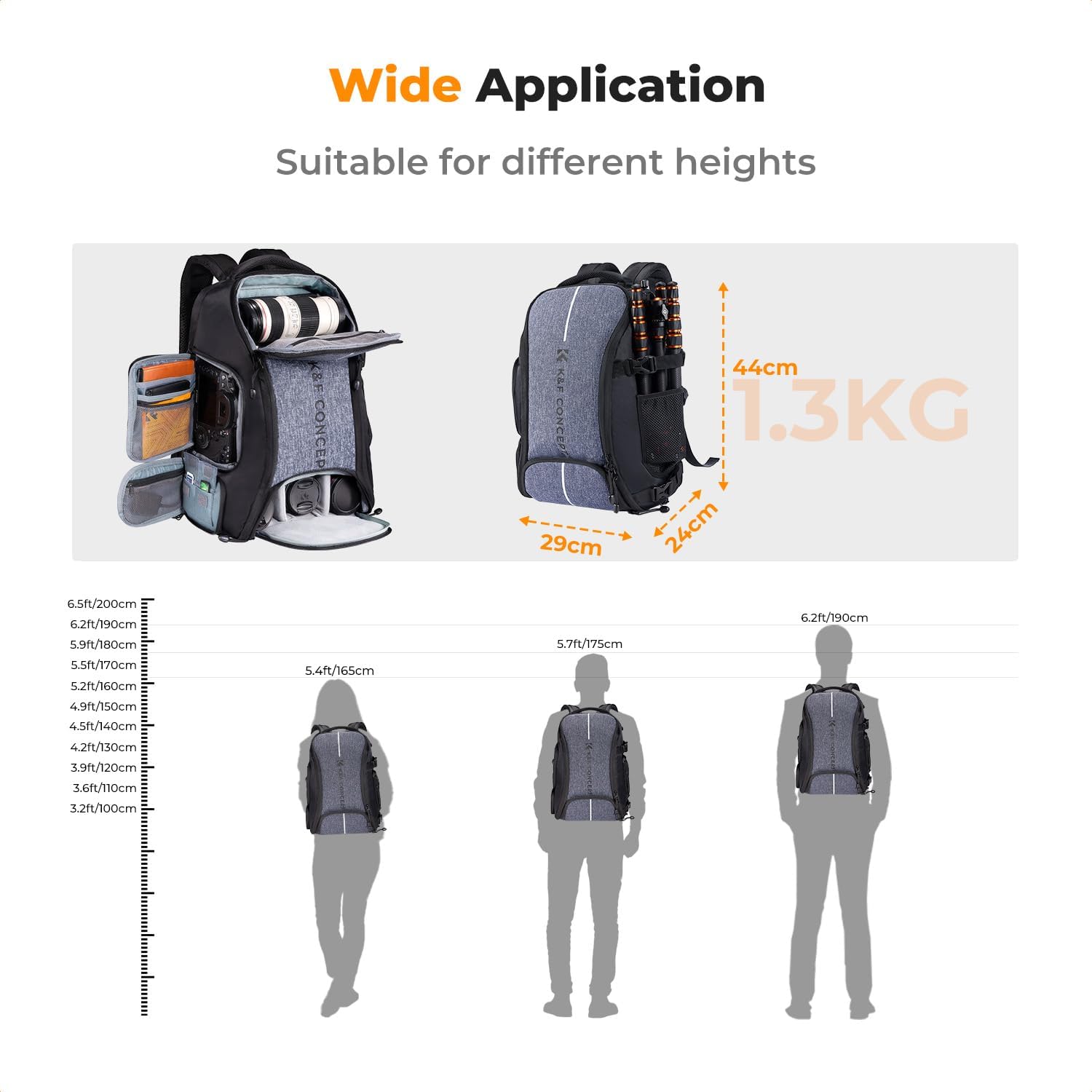
Image: Backpack dimensions and weight, with visual scale reference.
7. Product Videos
7.1 K&F CONCEPT 25L Camera Backpack Overview
Video: This video provides a general overview of the K&F CONCEPT 25L Camera Backpack, showcasing its features and capacity. (Duration: 0:59)
7.2 K&F Concept Multifunctional Camera Backpack Demonstration
Video: A demonstration of the K&F Concept Multifunctional Camera Backpack, highlighting its various compartments and practical uses. (Duration: 0:44)
8. Warranty and Support
8.1 Warranty Information
The K&F CONCEPT Camera Backpack B10 (KF13.164) 25L comes with a 6-month warranty from the date of purchase. This warranty covers manufacturing defects under normal use. Please retain your proof of purchase for warranty claims.
8.2 Customer Support
For any questions, concerns, or warranty claims, please contact K&F CONCEPT customer support through their official website or the retailer where the product was purchased. Provide your model number (KF13.164) and purchase details for efficient service.
