1. Introduction
This manual provides detailed instructions for the installation, operation, and maintenance of your CAMECHO Android 13 car radio. This 9-inch touch display unit is designed for VW Beetle models from 2004 to 2010 and features navigation, wireless CarPlay, Android Auto, Bluetooth, HiFi audio, RDS/FM radio, and steering wheel control support, along with a rearview camera.
2. Safety Information
- Always ensure the vehicle is turned off and the battery is disconnected before performing any installation or wiring.
- Incorrect installation can lead to vehicle damage or electrical malfunction. If unsure, seek professional assistance.
- Do not operate the device in a way that distracts you from driving. Always prioritize road safety.
- Keep the device away from water and extreme temperatures.
- Use only approved accessories and cables.
3. Package Contents
Verify that all items are present in the package:
- CAMECHO Android 13 Car Radio Unit
- Power Cable
- Radio Antenna
- GPS Antenna
- RCA Cables
- USB Cables
- AHD Rear Camera
- External Microphone
- Installation Tools
- User Manual

Figure 3.1: Overview of product dimensions, interfaces, wiring, and included accessories.
4. Installation
4.1 General Installation Notes
- Ensure compatibility with your VW Beetle (2004-2010) model.
- Carefully remove the original car radio unit.
- Connect the provided wiring harnesses to the car's existing connectors.
- Securely mount the new CAMECHO car radio into the dashboard.
4.2 Wiring Diagram
Refer to the following diagram for proper wiring connections. Each cable is labeled for easy identification.
Figure 4.1: Detailed wiring connections including power, RCA, and USB ports.
4.3 Rearview Camera Wiring
Connect the rearview camera as shown in the diagram. The camera provides a wide viewing angle, is waterproof, and offers night vision for safe parking.
Figure 4.2: Rearview camera wiring method, connecting to the monitor and reverse lamp.
5. Operating Instructions
5.1 Wireless/Wired CarPlay & Android Auto
The unit supports both wireless and wired connections for Apple CarPlay and Android Auto. Connect your smartphone via USB or Wi-Fi to access navigation, make calls, send/receive messages, and play music through the car radio interface.

Figure 5.1: CarPlay and Android Auto interfaces on the car radio display.
5.2 GPS Navigation & WiFi
The car radio features a built-in GPS receiver for online and offline navigation. Connect to Wi-Fi or a mobile hotspot to access online maps, browse the internet, and download various applications like YouTube, TikTok, and Spotify.

Figure 5.2: GPS navigation and various online applications accessible via Wi-Fi.
5.3 Bluetooth Functionality
Utilize the integrated Bluetooth for hands-free calling, Bluetooth music streaming, and address book synchronization. This ensures clear sound quality and stable performance.

Figure 5.3: Bluetooth calling and music playback interface.
5.4 FM/RDS Radio
Access 18 preset FM stations. The RDS (Radio Data System) feature allows for quick reception of emergency messages and traffic information, enhancing your driving experience with real-time news and weather broadcasts.
Figure 5.4: FM/RDS radio interface with station selection.
5.5 Steering Wheel Control (SWC)
The unit supports original steering wheel controls, allowing you to manage audio and other functions without taking your hands off the wheel, promoting safer driving.
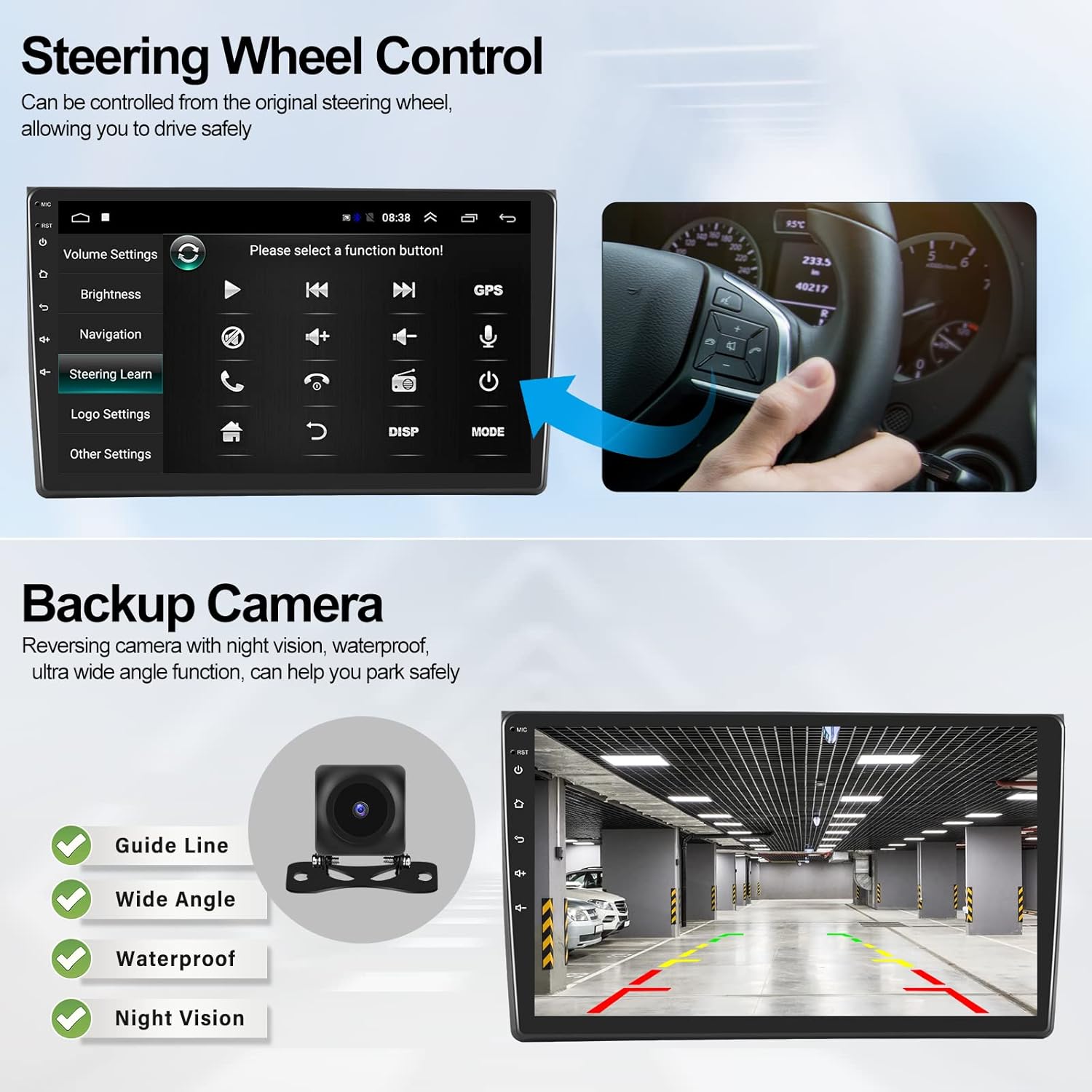
Figure 5.5: Steering wheel control learning interface.
5.6 Backup Camera
The included AHD rearview camera provides a wide viewing angle, is waterproof, and offers good night vision, assisting you in parking safely in various environments.
Figure 5.6: Rearview camera display with guide lines.
5.7 Split Screen Function
The split-screen feature allows two applications to run simultaneously on the display, such as navigation and music playback, enhancing multitasking capabilities.
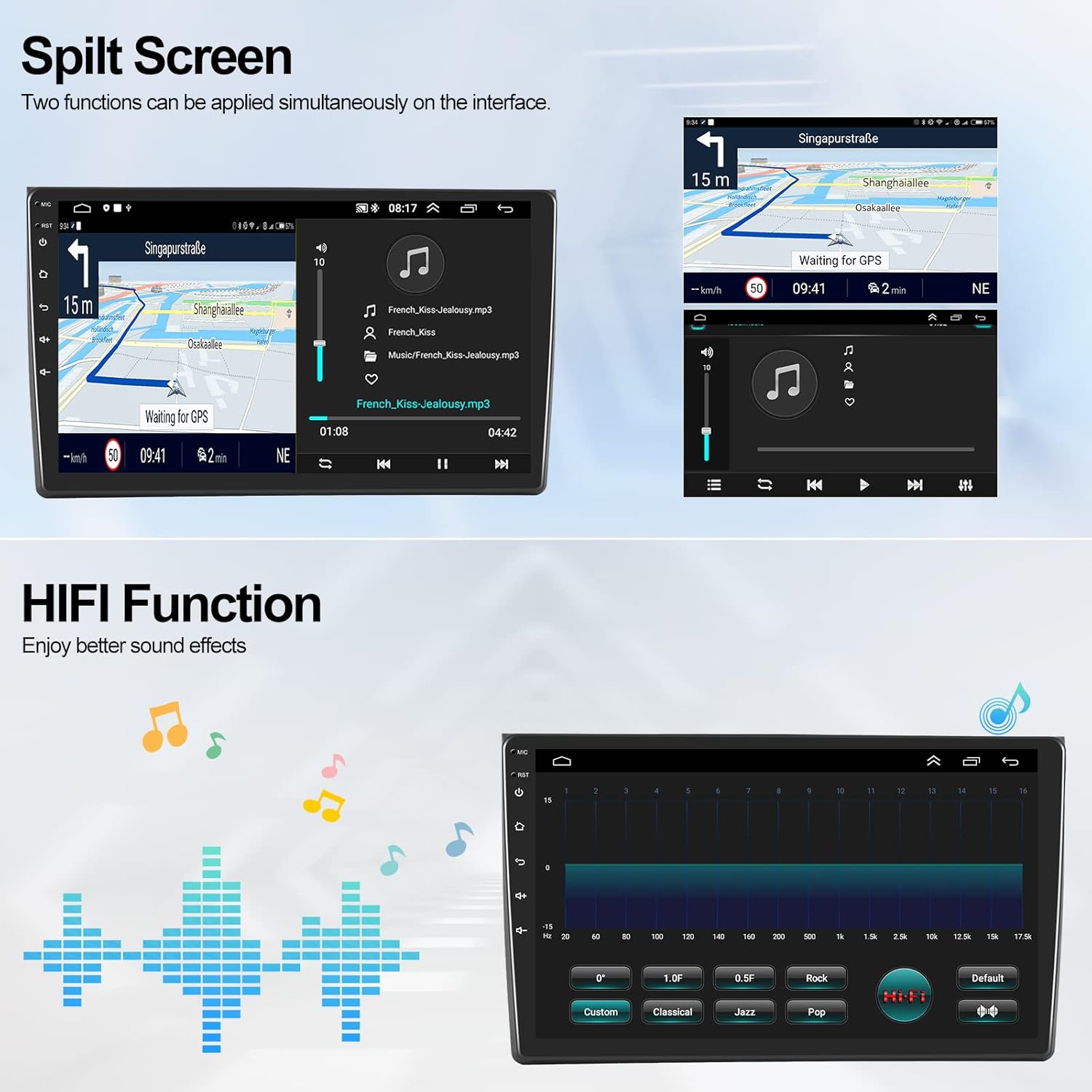
Figure 5.7: Split screen displaying navigation and music.
5.8 HiFi Function
Experience enhanced sound effects with the integrated HiFi function, allowing for a richer audio experience.
Figure 5.8: HiFi equalizer settings for sound customization.
5.9 Optional Functions
The unit supports various external accessories for expanded functionality:
- External OBD2: For vehicle diagnostics.
- DAB+: For digital audio broadcasting.
- Voice Control: For hands-free operation.
- Subwoofer: For enhanced bass output.

Figure 5.9: Visual representation of optional functions and compatible accessories.
6. Maintenance
- Cleaning: Use a soft, dry cloth to clean the display and exterior. Avoid abrasive cleaners or solvents.
- Software Updates: Periodically check for software updates to ensure optimal performance and access to new features. Updates are typically available via Wi-Fi.
- Environmental Conditions: Avoid exposing the unit to extreme heat, cold, or humidity, which can affect its lifespan and performance.
7. Troubleshooting
If you encounter issues, refer to the following common problems and solutions:
- No Power: Check all power connections and fuses. Ensure the vehicle's ignition is on.
- No Sound: Verify speaker connections. Check volume settings and ensure mute is not activated. Confirm audio output mode is correctly set.
- GPS Signal Loss: Ensure the GPS antenna is properly installed and has a clear view of the sky. Check navigation app settings.
- Bluetooth Connectivity Issues: Ensure Bluetooth is enabled on both the car radio and your smartphone. Try unpairing and re-pairing the devices.
- Touchscreen Unresponsive: Restart the unit. If the issue persists, a factory reset might be necessary (refer to settings menu).
- Rearview Camera Not Displaying: Check camera wiring connections. Ensure the reverse gear is engaged.
8. Specifications
| Feature | Specification |
|---|---|
| Brand | CAMECHO |
| Model Number | A7335A3012H1MI2 |
| Operating System | Android 13 |
| Screen Size | 9 Inch |
| Display Type | Color Display |
| Resolution | 1024 x 600 |
| Connectivity | USB, Bluetooth, Wi-Fi |
| Special Features | Android Auto, Apple CarPlay, FM Tuner, HiFi, RDS |
| Audio Output Mode | Stereo |
| Output Wattage | 180 Watts |
| Compatible Devices | Smartphone |
| Media Format | WAV, WMA |
| Package Dimensions | 48.4 x 31 x 29.8 cm |
| Item Weight | 2.54 kg |
9. Warranty and Support
For technical support or warranty inquiries, please contact CAMECHO customer service. While specific warranty details are not provided in this manual, standard consumer rights apply.
Support Email: CAMECHOVIP@126.com
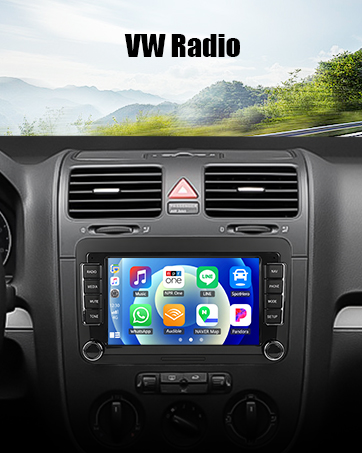
Figure 9.1: Contact information for customer support.


