
Introduction
This manual provides comprehensive instructions for the Armitron Sport 40-8231 Digital Chronograph Watch. Please read this manual thoroughly to understand the watch's features and functions, ensuring optimal use and longevity of your timepiece.
Setup
Upon first use or after a battery replacement, your watch may require initial setup for time and date. Familiarize yourself with the watch's buttons and display before proceeding.

Image: Front view of the Armitron Sport 40-8231 Digital Chronograph Watch, displaying its digital time and sub-dials.
Operating Instructions
The Armitron Sport 40-8231 watch features multiple modes and functions accessible via the side buttons. The primary functions include time display, chronograph, lap time, alarm, and military time.
Button Functions
The watch typically has four buttons: SET, MODE, ST/SP (Start/Stop), and RESET/LIGHT. Specific button labels may vary slightly depending on the watch model.
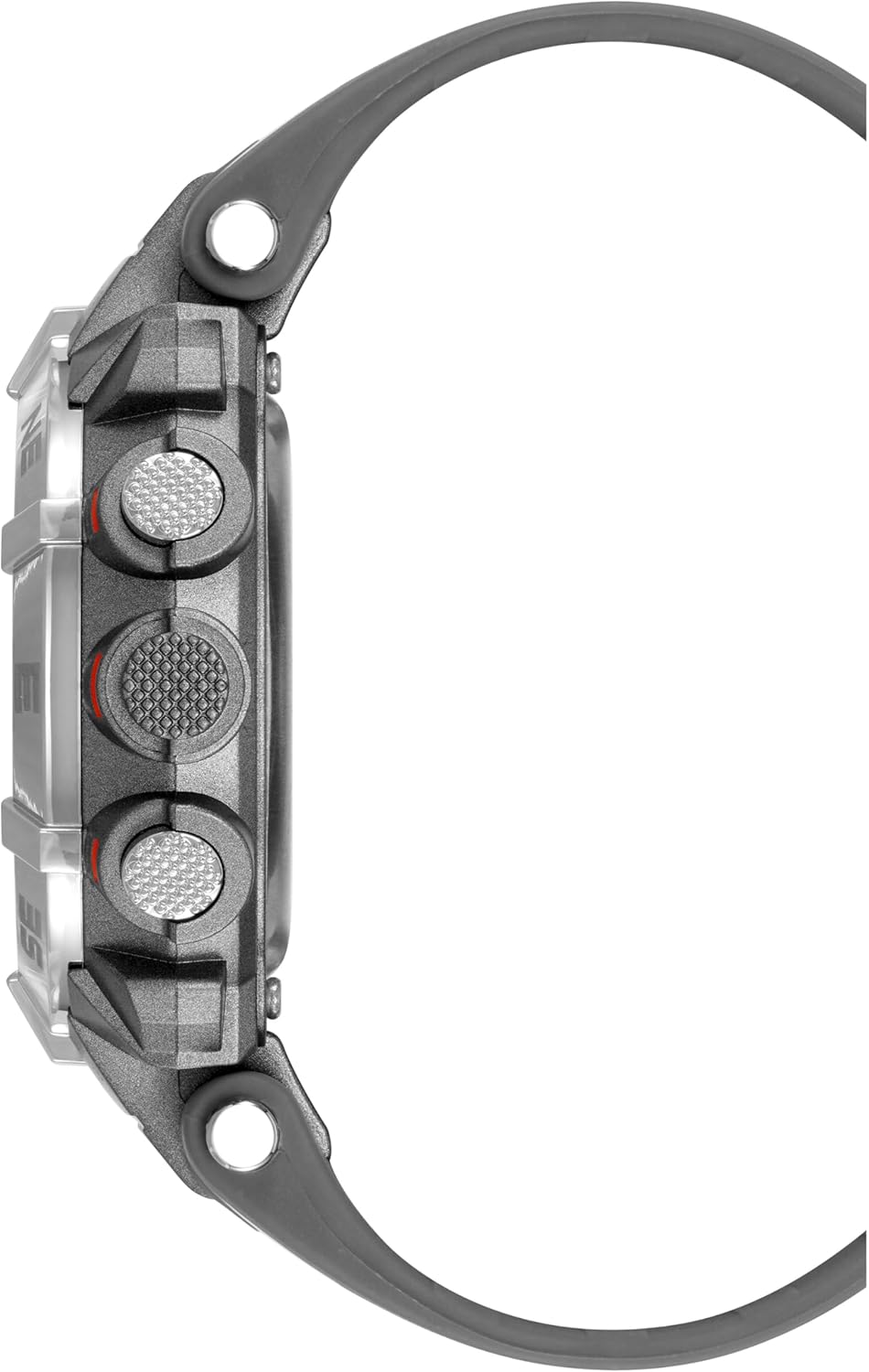
Image: Side view of the Armitron Sport 40-8231 Digital Chronograph Watch, highlighting the control buttons on the side of the case.
Setting Time and Date
- In normal time display mode, press the MODE button repeatedly until the time setting mode is activated. This is usually indicated by flashing digits on the display.
- Use the SET button to select the digit or setting you wish to adjust (e.g., hours, minutes, year, month, day).
- Use the ST/SP or RESET/LIGHT button to increase or decrease the selected value.
- Once all settings are correct, press the MODE button to exit the setting mode and return to normal time display.
Using the Chronograph (Stopwatch)
- Press the MODE button to navigate to the chronograph mode. The display will typically show "00:00:00".
- Press the ST/SP button to start the stopwatch.
- Press the ST/SP button again to pause the stopwatch.
- To resume timing, press ST/SP. To reset the stopwatch to zero, press the RESET/LIGHT button while the stopwatch is paused.
Setting the Alarm
- Press the MODE button to navigate to the alarm setting mode.
- Use the SET button to select the hour or minute digits you wish to adjust.
- Use the ST/SP or RESET/LIGHT button to adjust the alarm time.
- Press MODE to confirm the alarm time and exit the setting mode.
- To activate or deactivate the alarm, typically press ST/SP or RESET/LIGHT while in alarm mode. An alarm icon will appear on the display when the alarm is active.
Using the Backlight
Press the RESET/LIGHT button to illuminate the display for approximately three seconds, providing visibility in low-light conditions.
Maintenance
To ensure the longevity and proper functioning of your Armitron Sport watch, follow these maintenance guidelines:
- Cleaning: Wipe the watch case and strap regularly with a soft, damp cloth. Avoid using harsh chemicals, solvents, or abrasive materials, as these can damage the watch's finish or seals.
- Water Resistance: The watch is water resistant to 100 meters (330 feet). This makes it suitable for showering, swimming, and snorkeling. Important: Do not press any buttons while the watch is submerged in water. Avoid exposure to hot water or steam (e.g., hot showers, saunas), as this can compromise the water resistance seals over time.
- Battery Replacement: When the display dims, becomes erratic, or stops functioning, the battery may need replacement. This procedure should be performed by a qualified watch technician to ensure proper sealing and maintain the watch's water resistance.
- Storage: Store the watch in a cool, dry place away from direct sunlight, extreme temperatures, and strong magnetic fields when not in use.

Image: Back view of the Armitron Sport 40-8231 Digital Chronograph Watch, showing the stainless steel case back with water resistance markings.
Troubleshooting
If you encounter issues with your watch, refer to the following common problems and their potential solutions:
| Problem | Possible Cause | Solution |
|---|---|---|
| Display is blank or dim. | Low battery. | Replace the battery. This should be done by a professional to maintain water resistance. |
| Time is incorrect. | Time needs to be set or reset after a power interruption. | Refer to the "Setting Time and Date" instructions in this manual. |
| Buttons are unresponsive. | Watch may be in a locked mode, or the battery is critically low. | Try pressing all buttons to see if any respond. If not, consider battery replacement. If the issue persists, contact support. |
| Water or condensation inside the watch. | Water resistance compromised due to impact, age, or improper handling (e.g., pressing buttons underwater). | Immediately take the watch to a qualified technician for inspection and repair. Avoid further water exposure. |
Specifications
- Model: Armitron Sport 40-8231
- Case Material: Resin
- Case Diameter: Approximately 44mm
- Strap Material: Resin
- Movement: Japanese Quartz with Digital Display
- Water Resistance: 100 meters (330 feet)
- Functions: Chronograph, Lap Time, Alarm, Military Time, Backlight with three-second delay, Day/Date Display
- Display: LCD
Warranty and Support
Armitron watches typically come with a limited warranty covering manufacturing defects. For specific warranty details, including coverage period and terms, please refer to the warranty card included with your original purchase or visit the official Armitron website. Keep your proof of purchase for warranty claims.
For customer support, product registration, service inquiries, or to locate an authorized service center, please contact Armitron customer service through their official channels. You can often find contact information and FAQs on their website.
Official Armitron Website: www.armitron.com


