
1. Product Overview
The Armitron Sport 45-7004 is a unisex digital chronograph watch designed for durability and functionality. It features a black resin case with a grey top ring, an LCD display, and a comfortable black nylon strap with a hook-and-loop closure. This watch is water-resistant up to 330 feet (100 meters) and includes various functions such as a chronograph, lap time, alarm, dual time, military time, and a backlight.

Figure 1: Front view of the Armitron Sport 45-7004 watch. This image displays the watch's digital face, showing the time, day, and date, along with the 'Armitron' branding and 'Water Resist 330 FT' text.
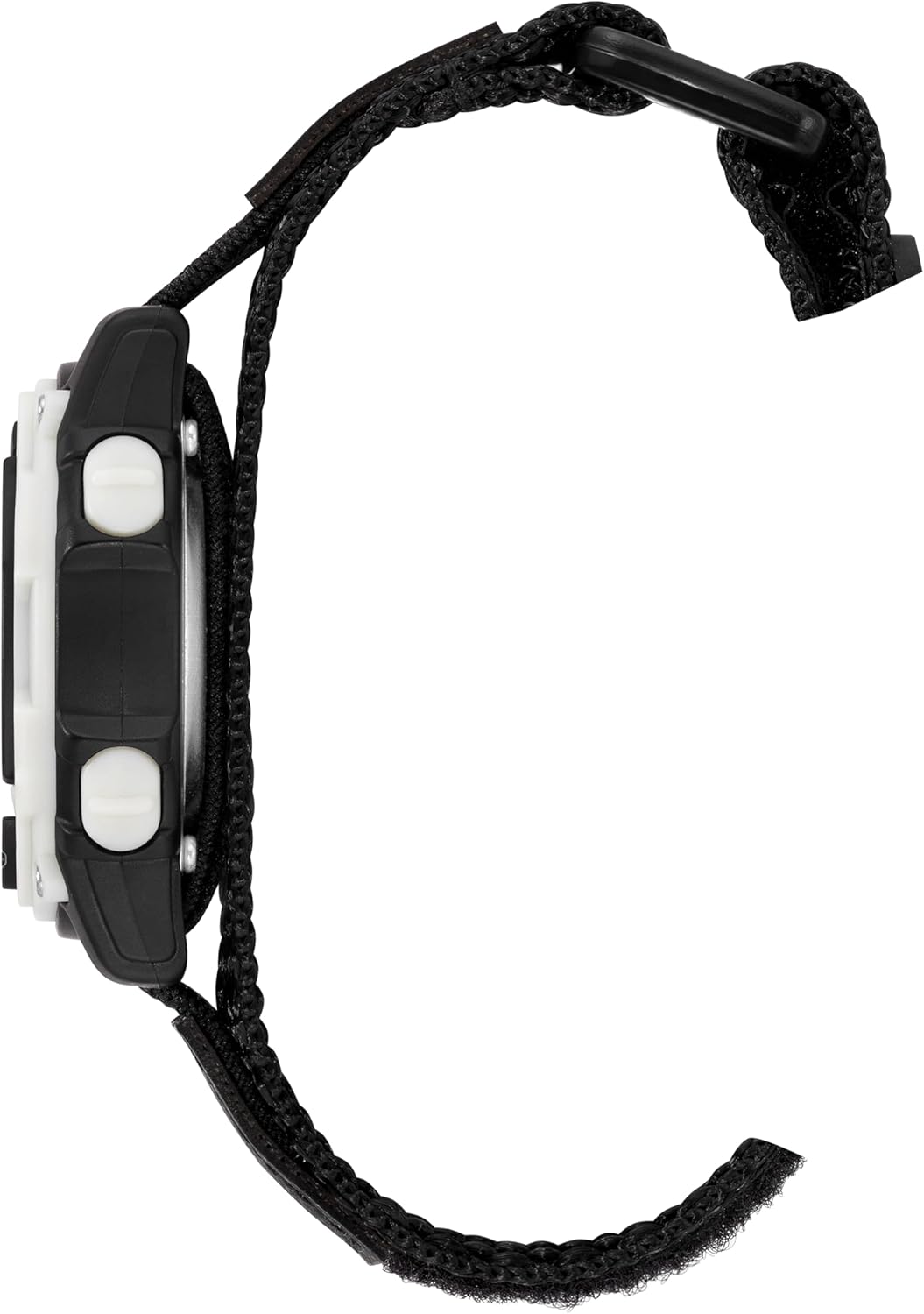
Figure 2: Side profile of the Armitron Sport 45-7004 watch. This image shows the watch's thickness and the placement of the control buttons on the side of the case.
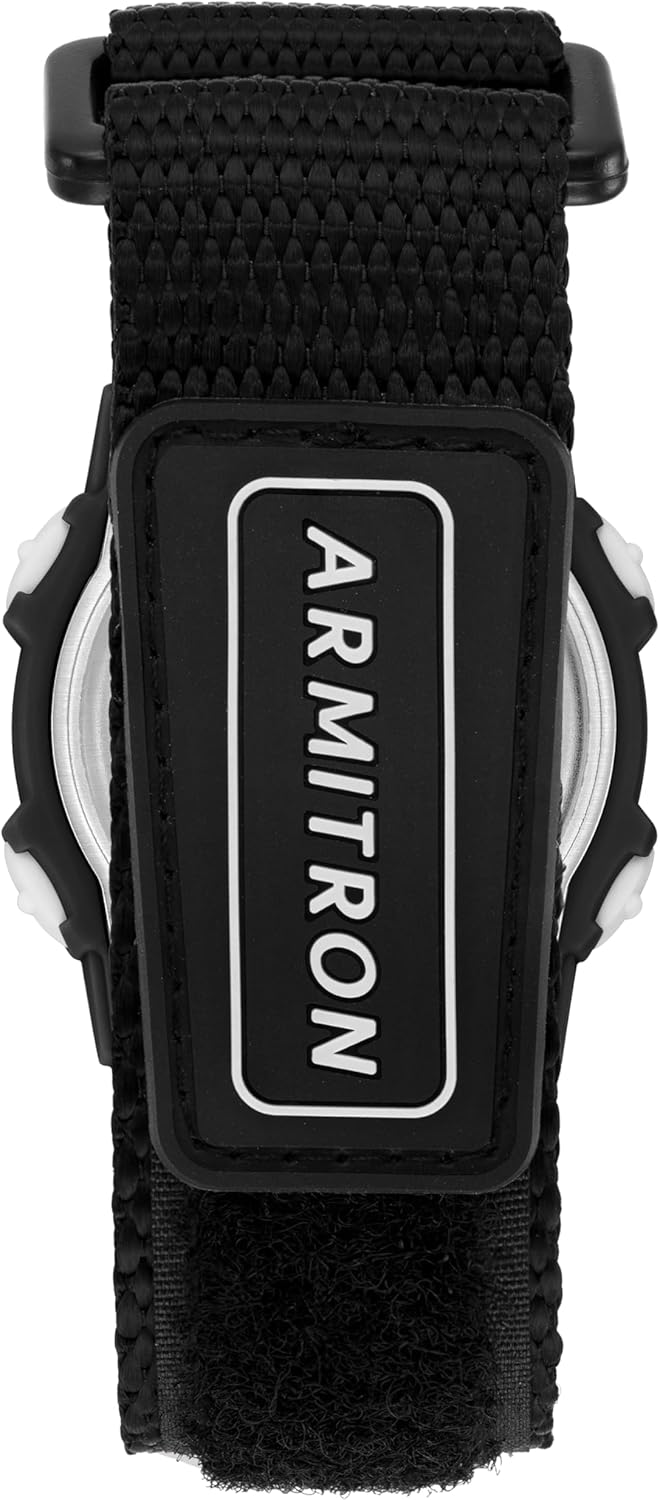
Figure 3: Rear view of the Armitron Sport 45-7004 watch. This image focuses on the durable black nylon strap and the 'ARMITRON' logo embossed on the strap's closure.
2. Initial Setup
Upon first use, you may need to set the time and date. The watch is powered by 1 product-specific battery, which is included.
2.1 Setting Time and Date
- Press the MODE button (usually on the bottom left) repeatedly until the time setting mode is displayed.
- The digits to be adjusted will typically flash. Use the RESET button (top left) to select the desired digit (e.g., hours, minutes, year, month, day).
- Use the ST/STP button (top right) to increase the selected digit. Hold to advance rapidly.
- Once all settings are correct, press the MODE button to exit the setting mode and return to normal time display.
2.2 Adjusting the Nylon Strap
The watch features a black nylon strap with a hook-and-loop closure for a secure and adjustable fit. Simply adjust the strap to your wrist size and press the hook-and-loop surfaces together to secure.
3. Operating Instructions
Your Armitron Sport watch offers several useful functions. Navigate through modes using the MODE button.
3.1 Time and Date Display
The default display shows the time (hours, minutes, seconds), day of the week, and date (month, day).
3.2 Chronograph (Stopwatch)
- Press MODE until 'CHRONO' or 'STW' is displayed.
- Press ST/STP to start the stopwatch.
- Press ST/STP again to stop the stopwatch.
- Press RESET to reset the stopwatch to zero.
3.3 Lap Time
While the chronograph is running, press RESET to record a lap time. The chronograph will continue running in the background. Press RESET again to return to the running chronograph display.
3.4 Alarm Function
- Press MODE until 'ALARM' or 'AL' is displayed.
- Use RESET and ST/STP buttons to set the desired alarm time, similar to setting the main time.
- Press MODE to confirm and activate the alarm.
- To turn the alarm on/off, typically press ST/STP while in alarm mode.
3.5 Dual Time
This function allows you to set and display a second time zone.
- Press MODE until 'DUAL TIME' or 'DT' is displayed.
- Use RESET and ST/STP buttons to set the second time zone.
- Press MODE to confirm.
3.6 Military Time (24-Hour Format)
The watch supports both 12-hour and 24-hour (military) time formats. This setting is usually toggled during the initial time setup or by pressing a specific button (often RESET or ST/STP) while in normal time display.
3.7 Backlight (EL)
To illuminate the display in low-light conditions, press the EL button (usually located on the bottom right or center front). The backlight will typically stay on for a few seconds.
4. Maintenance
Proper care will ensure the longevity of your Armitron Sport watch.
4.1 Water Resistance
This watch is water resistant to 330 feet (100M). This means it is suitable for showering, swimming, and snorkeling, but not for scuba diving. Do not operate buttons while the watch is wet or submerged.
4.2 Cleaning
Clean the watch case and strap with a soft, damp cloth. Avoid using harsh chemicals or abrasive materials.
4.3 Battery Replacement
The watch uses a product-specific battery. When the display dims or functions become erratic, it's time to replace the battery. It is recommended to have the battery replaced by a qualified watch technician to ensure proper sealing and maintain water resistance.
5. Troubleshooting
If you encounter issues with your watch, try these common troubleshooting steps:
- Blank or Dim Display: The battery may be low or depleted. Replace the battery.
- Incorrect Time/Date: Re-set the time and date following the instructions in Section 2.1.
- Buttons Unresponsive: Ensure the watch is not in a locked mode (if applicable, consult the full manual for specific lock features). If the issue persists, a battery replacement might be needed, or there could be an internal malfunction.
- Water Inside Display: If moisture appears inside the watch, stop using it immediately and take it to a qualified technician. This indicates a breach in the water resistance.
6. Specifications
| Feature | Detail |
|---|---|
| Model Number | 45-7004BGY |
| Case Material | Black Resin with Grey Top Ring |
| Display Type | LCD Digital |
| Strap Material | Black Nylon with Hook-and-Loop Closure |
| Water Resistance | 330 feet (100M) |
| Functions | Chronograph, Lap Time, Alarm, Dual Time, Military Time, Backlight |
| Battery | 1 Product Specific battery (included) |
| Package Dimensions | 4.49 x 3.43 x 2.72 inches |
| Item Weight | 3.35 ounces |
7. Warranty and Support
Your Armitron Sport watch comes with a limited warranty. For detailed warranty information, service, or additional support, please visit the official Armitron website or contact their customer service. Information regarding handling charges for repairs may apply.
Visit us at our website: WWW.ARMITRON.COM


