
1. Product Overview
The iDiskk Timed Lockbox is designed to assist in building better habits by providing a secure, timed enclosure for items that may cause distraction or temptation. It helps users disconnect from digital devices and other habits, promoting focus and well-being.
This lockbox is suitable for individuals seeking to reduce screen time, manage snacking, or control access to items like phones, game controllers, or remote controls. Its portable design allows for use in various settings, including kitchens, bedrooms, offices, or classrooms.
The internal dimensions of the lockbox are approximately 23.1 x 13.7 x 8.2 cm, offering sufficient space for multiple items. It can accommodate 7-8 phones (depending on thickness), tablets up to 8.5 inches (including iPad Mini), or 4-5 game controllers (depending on size). The lockbox features two charging slots, allowing devices to be charged while securely locked inside.
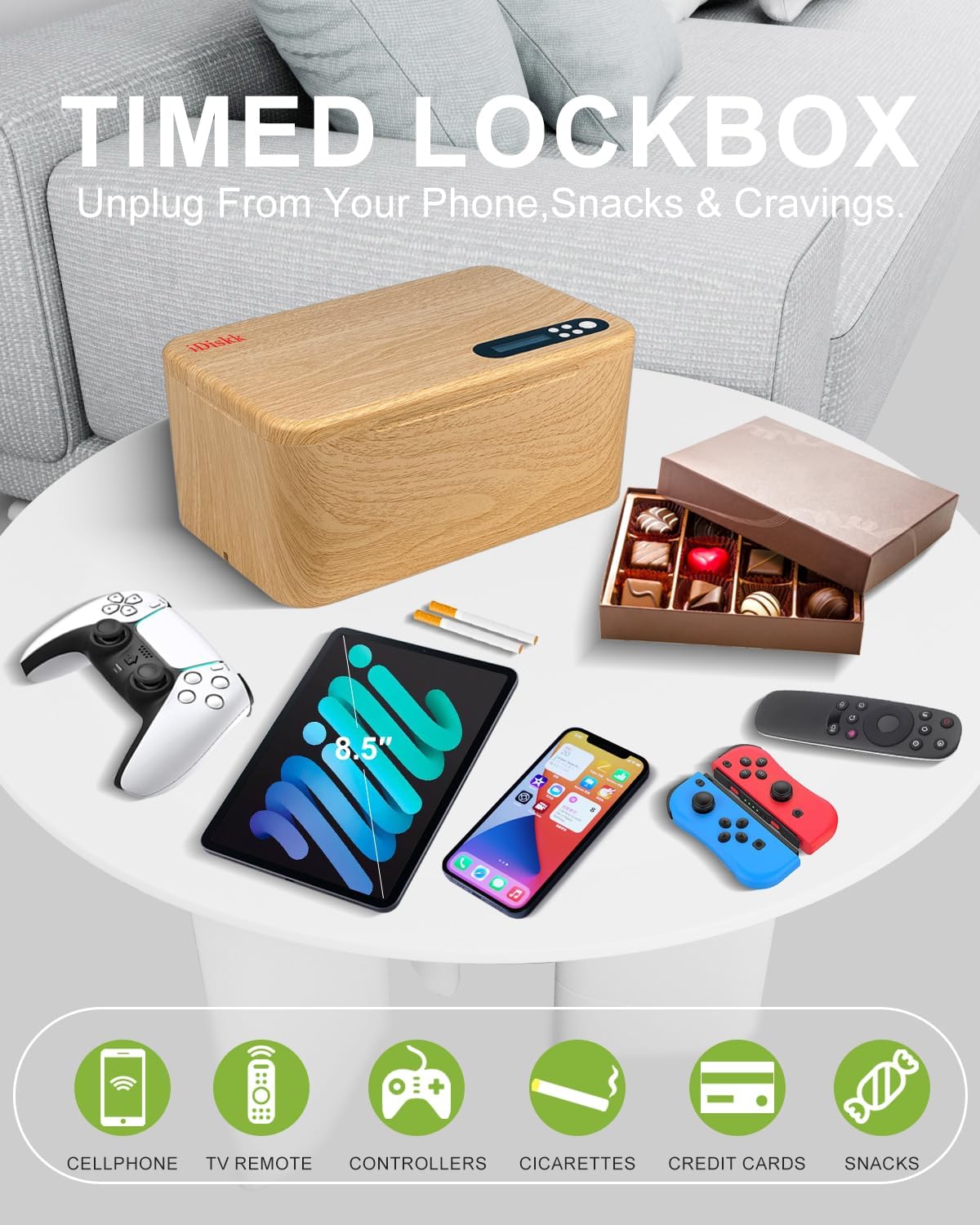
Image 1.1: The iDiskk Timed Lockbox, shown with examples of items it can secure, such as phones, game controllers, and snacks, to help manage distractions.

Image 1.2: The iDiskk Timed Lockbox placed on a coffee table, illustrating its integration into a home environment to help resist temptation and develop good habits.
2. Setup and Charging
Initial Setup
- Full Charge: Before initial use, fully charge the iDiskk Timed Lockbox.
- Regular Recharging: To maintain battery health, recharge the product every 2 to 3 months, even if not in active use.
- Activation after Prolonged Storage: If the product has been powered off for an extended period, connect it to a 5V 1A charger using the supplied USB-C cable for 10 to 20 minutes to activate it.
Material Information
The iDiskk Timed Lockbox is constructed from durable plastic, not alloy steel.
3. Operating Instructions
The iDiskk Timed Lockbox offers two primary modes: Self-Control Mode (with timer) and LockBox Mode (no timer).
Self-Control Mode (Timed Lock)
This mode allows you to set a specific duration for which the box will remain locked. The timer can be set from 1 minute up to 99 hours.
- Place Items: Put the desired items inside the lockbox and close the lid securely.
- Power On Screen: Press the power button once to illuminate the display screen.
- Set Time and Lock: Adjust the desired lock duration using the controls. Once the time is set, press the power button twice to initiate the locking sequence. The maximum setting time is 100 hours.
- Countdown Confirmation: A 10-second countdown will begin. During this period, you can press the power button once to cancel the lock if needed.
- Activation: After the 10-second countdown, the lockbox will activate and remain locked for the set duration.

Image 3.1: Visual guide for setting the countdown timer in Self-Control Mode, detailing button presses and screen displays.
LockBox Mode (Permanent Lock)
This mode keeps items locked indefinitely until manually unlocked (if an emergency unlock is used, see Troubleshooting). This mode does not use a timer for release.
Charging Devices While Locked
The lockbox is equipped with two charging slots, allowing you to charge your devices (e.g., phones) while they are securely stored inside.

Image 3.2: The iDiskk Timed Lockbox highlighting its internal dimensions and the convenient charging cord slots for devices.
4. Maintenance
To ensure optimal performance and longevity of your iDiskk Timed Lockbox, follow these maintenance guidelines:
- Battery Care: Recharge the internal battery every 2 to 3 months, even during periods of non-use, to prevent deep discharge and maintain battery health.
- Cleaning: Wipe the exterior with a soft, dry cloth. Avoid using abrasive cleaners or solvents.
- Storage: Store the lockbox in a cool, dry place away from direct sunlight and extreme temperatures.
5. Troubleshooting
Emergency Unlock Procedure
The iDiskk Timed Lockbox includes an emergency unlock feature for exceptional circumstances. This feature allows for up to five emergency unlock attempts when the box is locked.
To utilize emergency unlock attempts:
- Contact iDiskk support via email to request emergency unlock assistance.
- You will be provided with instructions to perform up to five emergency unlocks.
To reset and gain five additional emergency unlock attempts:
- Completely discharge the lockbox's battery.
- Fully recharge the lockbox.
This cycle can be repeated as needed. Please note that there is no physical reset button for emergency unlock. Each battery discharge and recharge cycle grants five new emergency unlock attempts.
6. Specifications
| Manufacturer | iDiskk |
| Model Number | LOCK04 |
| Product Dimensions (External) | 24.2 cm (W) x 14.8 cm (H) x 11 cm (D) |
| Product Dimensions (Internal) | 23.1 cm (L) x 13.7 cm (W) x 8.2 cm (H) |
| Weight | 600 Grams |
| Material | Plastic |
| Color | Wood |
| Capacity | 2 Liters |
| Battery Type | 1 Lithium-polymer (included) |
| Battery Composition | Lithium-ion |
| Included Components | USB-C cable, User manual |
| Lock Type | Timed Electronic Lock |
| Alarm | Audible |

Image 6.1: The iDiskk Timed Lockbox demonstrating its internal capacity, suitable for phones, tablets, game controllers, and snacks.
7. Warranty and Support
Warranty Information
The iDiskk Timed Lockbox comes with a manufacturer's warranty of 365 days from the date of purchase.
Customer Support
For any questions, technical assistance, or to utilize the emergency unlock feature, please contact iDiskk customer support. Refer to the product packaging or the official iDiskk website for specific contact details.
