
1. Product Overview
This product is an LCD display touch screen digitizer assembly designed for the Doogee S100 and S100 Pro smartphones. It is a replacement part intended to fix faulty screens, including issues such as cracks, broken pixels, unresponsive touch, display problems, or incorrect color display. This assembly is an LCD without a frame and is not an AMOLED original screen.
Compatible Models: Doogee S100, Doogee S100 Pro (6.58 inches)
Material: TFT LCD
Resolution: 1080x2408 pixels
Size: 6.58 inches
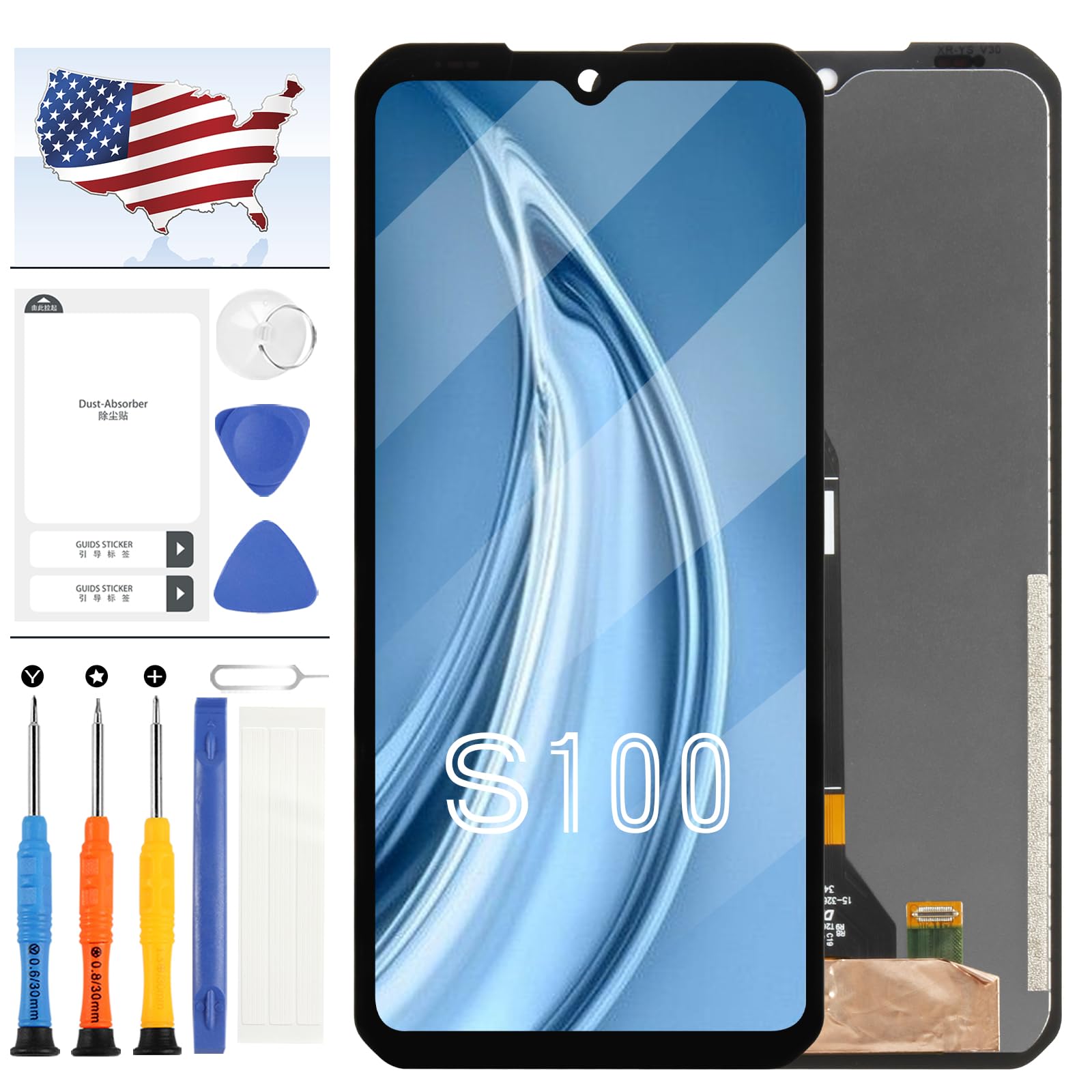
Image 1: Front and back view of the A-MIND LCD screen replacement for Doogee S100/S100 Pro.
2. Package Contents
The package includes the following items:
- 1x Screen Replacement for Doogee S100/S100 Pro
- 1x Strong Suction Cup
- 1x Triangle Opening Tool
- 1x Card Pin
- 1x Plastic Spudger
- 1x Free Tape
Please note that the included installation tools are universal and may not be perfectly suited for your specific phone model. Additional specialized tools may need to be acquired separately if required.
3. Important Safety Information and Pre-Installation Notes
Before attempting any repair, please read and understand the following critical information to ensure a safe and successful installation.
3.1. Pre-Installation Testing
- Do Not Remove Protective Film: When testing, do not remove any protective film or tags from the screen.
- Static Electricity Precaution: Pay close attention to the problem of static electricity. Before attempting any repair, ensure you ground yourself using an ESD (electrostatic discharge) strap. This prevents static electricity from damaging the electronic components within the phone.
- Eye Protection: Always wear eye protection during the repair process.
- Glass Splinters: Exercise caution to avoid cutting your fingers with glass splinters, especially if the original screen is broken.
- Simulated Testing: Screen replacement is a very fragile product. We strongly recommend performing a simulated test before full installation. This involves connecting the new replacement screen to the phone's motherboard (with the phone disassembled) and powering it on to verify functionality. If the test is successful, proceed with installation. If the screen does not display correctly, contact customer support immediately. Do not force installation if the screen is not functioning during the test.
3.2. Cable Handling
- Avoid Over-Bending: Ensure the LCD cable is not over-bent. Bending the cable beyond 90 degrees can cause a black display or other damage.

Image 2: The screen is supplied without a frame. Professional installation is recommended.

Image 3: Detail of the flex cable, highlighting the importance of careful handling.
4. Installation Procedure
This manual does not contain detailed step-by-step installation instructions. Screen replacement requires technical skill and precision. We highly recommend seeking professional assistance from a repair store if you are not experienced in phone repairs. If you choose to proceed with a DIY installation, please search for relevant installation videos on platforms like YouTube for comprehensive guidance. Careful preparation and adherence to safety guidelines are crucial.
5. Technical Specifications
| Specification | Detail |
|---|---|
| Compatible Models | Doogee S100, Doogee S100 Pro |
| Screen Size | 6.58 inches |
| Resolution | 1080x2408 pixels |
| Display Type | TFT LCD (Not AMOLED) |
| Frame | Without Frame |
| Item Weight | 0.16 ounces |
| Package Dimensions | 0.01 x 0.01 x 0.01 inches |
| ASIN | B0D2NV1532 |
| Manufacturer | A-MIND |
6. Troubleshooting
If you encounter any issues after installation, such as the screen not displaying, touch not working, or other functional problems, please consider the following:
- Recheck Connections: Ensure all flex cables are securely and correctly connected to the motherboard.
- Cable Integrity: Verify that no flex cables have been bent excessively (beyond 90 degrees) or damaged during installation.
- Static Discharge: Confirm that proper ESD precautions were taken during installation.
- Contact Support: If the issue persists after rechecking, please contact our customer service team for further assistance.
7. Warranty and Support
A-MIND is committed to providing high-quality products. All screens undergo strict quality control and are tested to ensure they are in good condition before shipment, free from scratches, dead areas, or pixel defects.
If you experience any problems with your order or the product, please contact our customer service team. We aim to provide assistance within 24 hours. For quality-related issues, as long as our screen has no man-made or physical damage, we can arrange for an exchange if it cannot function normally.