Introduction
This manual provides detailed instructions for the assembly, operation, and maintenance of your Furologee 40-inch Tall Nightstand. Designed for versatility, this nightstand features a built-in charging station, customizable LED lighting, two fabric drawers, and multiple storage shelves with a pegboard. Please read this manual thoroughly before assembly and use to ensure proper function and safety.
Important Safety Information
Warning: This product requires assembly. Use caution to avoid pinch points and sharp edges. Always secure the anti-tipping device to prevent the table from tipping over.
- Ensure all components are present and undamaged before beginning assembly.
- Follow assembly instructions carefully to prevent injury or damage to the product.
- Do not overtighten screws, as this may damage the frame.
- Place the nightstand on a flat, stable surface.
- Do not exceed the maximum weight recommendation of 50 pounds for the top surface.
- Keep liquids away from the charging station to prevent electrical hazards.
- Secure the anti-tipping device to a wall stud to prevent accidental tipping, especially in households with children or pets.
Package Contents
Verify that all parts listed below are included in your package. If any parts are missing or damaged, please contact customer support.
- Metal Frame components
- Engineered Wood Shelves (3 tiers)
- Fabric Drawers (2 units)
- Pegboard with 4 hooks and 2 folders
- Charging Station (2 AC outlets, 2 USB ports) with 4.9-foot power cord
- LED Light Strip
- Adjustable Feet (4 units)
- Assembly Guide
- Installation Tools (e.g., screwdriver)
- Anti-tipping device
Specifications
| Feature | Detail |
|---|---|
| Brand | Furologee |
| Product Dimensions (D x W x H) | 11.73"D x 15.75"W x 39.57"H |
| Item Weight | 14.6 Pounds |
| Maximum Weight Recommendation | 50 Pounds |
| Frame Material | Metal |
| Top Material Type | Engineered Wood |
| Number of Drawers | 2 |
| Number of Shelves | 3 (including top surface) |
| Charging Station | 2 AC Outlets (125V/12A), 2 USB Ports (5V/2A) |
| Power Cord Length | 4.9 feet |
| LED Lights | Multiple colors, brightness levels, dynamic modes (Key & APP control) |
| Color | White |
| Indoor/Outdoor Usage | Indoor |
Setup and Assembly
Assembly is required for this nightstand. Please follow the included assembly guide for detailed, step-by-step instructions. The process is designed to be straightforward, with all necessary hardware and tools provided and each accessory labeled.
- Unpack and Identify Parts: Carefully unpack all components and lay them out. Refer to the parts list in the assembly guide to ensure all pieces are present and undamaged.
- Assemble the Frame: Begin by connecting the metal frame sections as indicated in the guide. Ensure all connections are secure but avoid overtightening screws initially to allow for adjustments.
- Install Shelves: Attach the engineered wood shelves to the frame. The guide will specify the order and orientation.
- Integrate Charging Station: Secure the charging station unit to the designated area on the frame. Route the power cord as instructed.
- Attach Pegboard: Install the metal pegboard to the upper section of the frame.
- Insert Drawers: Place the fabric drawers into their respective compartments.
- Install LED Lights: Adhere the LED light strip to the specified location, typically under the top shelf or behind the pegboard. Connect it to the charging station or a separate power source if indicated.
- Attach Adjustable Feet: Screw in the adjustable feet at the base of the nightstand. Adjust them to ensure the table is level and stable.
- Secure Anti-Tipping Device: For safety, attach the anti-tipping device to the back of the nightstand and secure it to a wall stud using appropriate hardware (not always included, check guide).
- Final Tightening: Once all components are in place and aligned, carefully tighten all screws.

Figure 1: Fully assembled Furologee 40-inch Tall Nightstand. This image illustrates the overall structure and features, including the top shelf, pegboard, main surface, lower shelf, and two fabric drawers. The charging station is visible on the side.
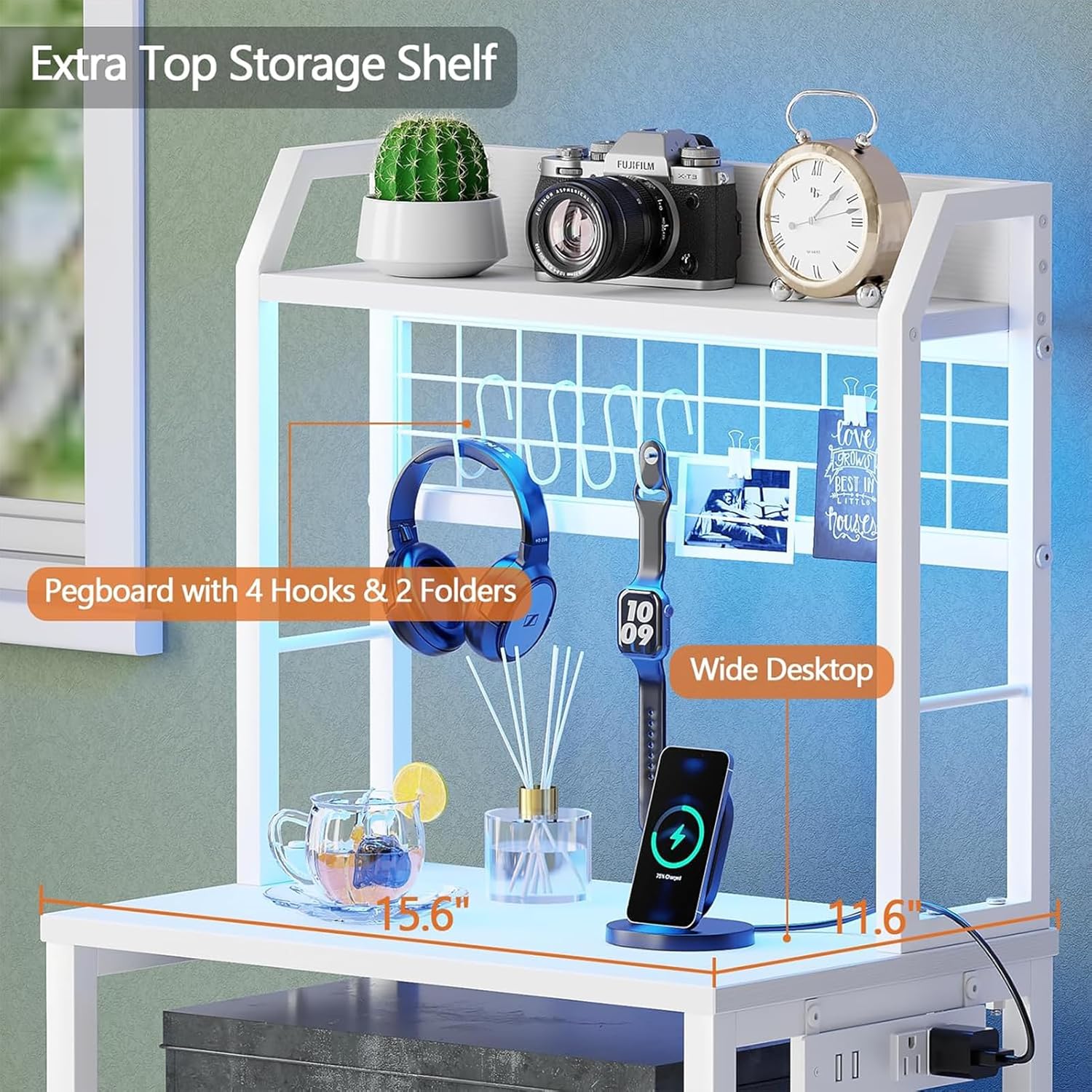
Figure 2: Detail of the top storage shelf and pegboard. The pegboard includes four hooks and two folders for organizing small items. The main surface below offers space for a phone, headphones, and other essentials.
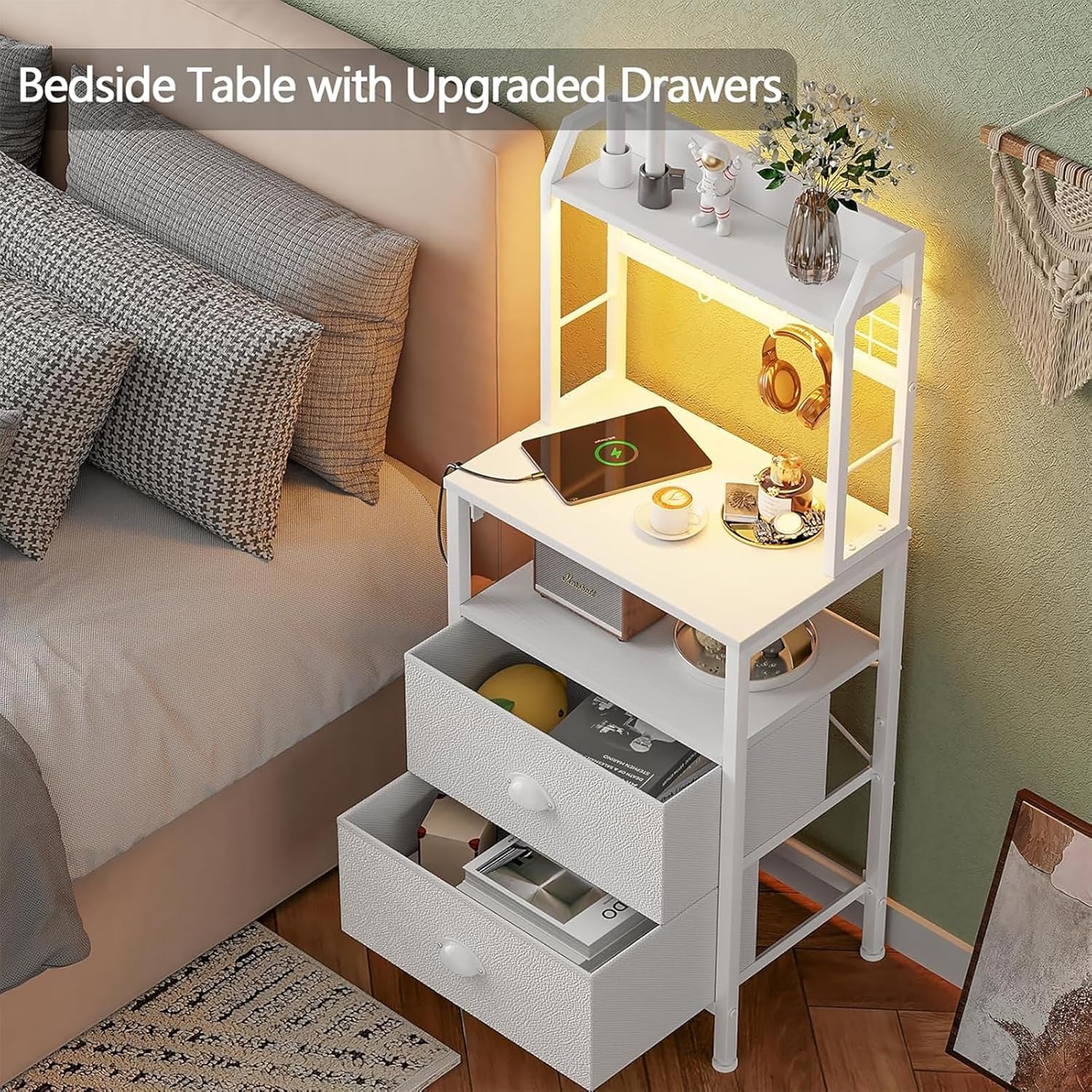
Figure 3: The two fabric drawers. These drawers are designed for storing personal items, offering a lightweight and breathable storage solution.
Operating Instructions
Charging Station
The integrated charging station provides convenient power access for your electronic devices.
- AC Outlets: Two 125V/12A AC outlets are available for plugging in standard electrical devices such as lamps, laptops, or other small appliances.
- USB Ports: Two 5V/2A USB ports are provided for charging mobile phones, tablets, Bluetooth earphones, smartwatches, and other USB-powered devices.
- Power Connection: Ensure the nightstand's 4.9-foot power cord is securely plugged into a functional wall outlet.

Figure 4: The integrated charging station. This image highlights the two AC outlets and two USB ports, demonstrating how devices can be conveniently charged directly from the nightstand.
LED Lights
The nightstand features LED lights with multiple color, brightness, and dynamic mode options, controllable via key control or a dedicated mobile application.
- Key Control: Use the physical button on the LED light strip's controller to cycle through various colors and modes. Pressing the button typically changes the color or mode, and holding it may adjust brightness or turn the lights on/off.
- APP Control: For advanced customization, download the associated mobile application (refer to the assembly guide for app details). The app allows for precise color selection (over 60,000 colors), brightness adjustment, and activation of dynamic modes, including music sync and timing functions.

Figure 5: Nightstand with LED lights. This image demonstrates the LED lighting feature, showcasing different color options and the visual impact in a bedroom environment. The app control interface is also depicted.
Video 1: Furologee Tall Nightstand with Charging Station & LED Lights. This video demonstrates the functionality of the LED lights, showcasing various colors and modes, as well as the charging station in use.
Storage Features
- 3 Tiers of Shelves: Utilize the top surface, the middle open shelf, and the shelf above the drawers for displaying decorations, books, or frequently accessed items.
- Pegboard: The metal pegboard with included hooks and folders is ideal for organizing small accessories such as keys, headphones, or jewelry.
- 2 Fabric Drawers: The two large fabric drawers provide enclosed storage for personal items, helping to keep your space tidy and dust-free.
Maintenance
Proper care will extend the life and appearance of your nightstand.
- Cleaning: Wipe surfaces with a damp cloth for general cleaning. For a thorough clean, follow with a dry cloth to prevent moisture damage.
- Avoid Harsh Chemicals: Do not use abrasive cleaners or strong chemical solvents, as these can damage the finish of the engineered wood and metal frame.
- Regular Checks: Periodically check all screws and connections to ensure they remain tight. Retighten if necessary.
- Drawer Care: The fabric drawers can be spot cleaned with a mild detergent and damp cloth. Allow to air dry completely.
Troubleshooting
If you encounter any issues with your Furologee nightstand, refer to the following common solutions:
- Unstable Table:
- Ensure all assembly screws are securely tightened.
- Adjust the leveling feet at the bottom of the nightstand to compensate for uneven floors.
- Charging Station Not Working:
- Verify that the nightstand's main power cord is firmly plugged into a live wall outlet.
- Check if the wall outlet itself is functional by plugging in another device.
- Ensure devices are properly connected to the AC outlets or USB ports.
- LED Lights Not Functioning:
- Confirm the LED light strip is correctly connected to its power source (e.g., charging station or adapter).
- Check the physical controller for any loose connections.
- If using APP control, ensure your device is properly paired and the app is updated.
- Drawers Not Sliding Smoothly:
- Ensure the fabric drawers are correctly inserted and not overloaded.
- Check for any obstructions within the drawer compartments.
If these steps do not resolve the issue, please contact customer support for further assistance.
Warranty and Support
Specific warranty details are not provided in the product information. For any warranty-related inquiries, product support, or to report missing/damaged parts, please contact Furologee customer service directly through the retailer where the product was purchased or via the official Furologee website.
Please have your purchase receipt and product model number (B0D2NJCPSB) available when contacting support.