
ROMOSS PEA27
ROMOSS 65W 27,000mAh Power Bank User Manual
Model: PEA27
Brand: ROMOSS
1. Introduction & Overview
The ROMOSS 65W 27,000mAh Power Bank (Model PEA27) is a high-capacity portable charger designed to keep your electronic devices powered on the go. Featuring advanced 65W Power Delivery (PD) technology, it offers rapid charging for laptops, tablets, smartphones, and other USB-powered devices. Its robust design and comprehensive safety features ensure reliable and secure power delivery, making it an ideal companion for travel, work, and daily use.

The ROMOSS 65W 27,000mAh Power Bank, showcasing its sleek design and digital display.
2. Product Features
- 27,000mAh High Capacity: Provides extensive power, capable of charging multiple devices over several days. This capacity is approved for air travel, making it a suitable companion for long journeys.
- 65W PD Fast Charging: Equipped with Power Delivery technology, allowing for rapid charging of compatible devices, including laptops, significantly reducing charging times.
- Multi-Device Charging: Features four output ports (2x USB-A, 2x USB-C) and two input ports (2x USB-C), enabling simultaneous charging of up to four devices.
- Universal Compatibility: Supports a wide range of devices, including smartphones, tablets, and laptops from various brands, utilizing common fast charging protocols.
- Comprehensive Safety Protection: Incorporates built-in safeguards against overcharging, overheating, short-circuiting, and other potential electrical issues, ensuring device safety.
- Digital Display: An integrated LED digital display screen clearly shows the remaining battery percentage, input/output status, and charging voltage/current.

The 27,000mAh capacity is suitable for air travel, providing ample power for long flights.
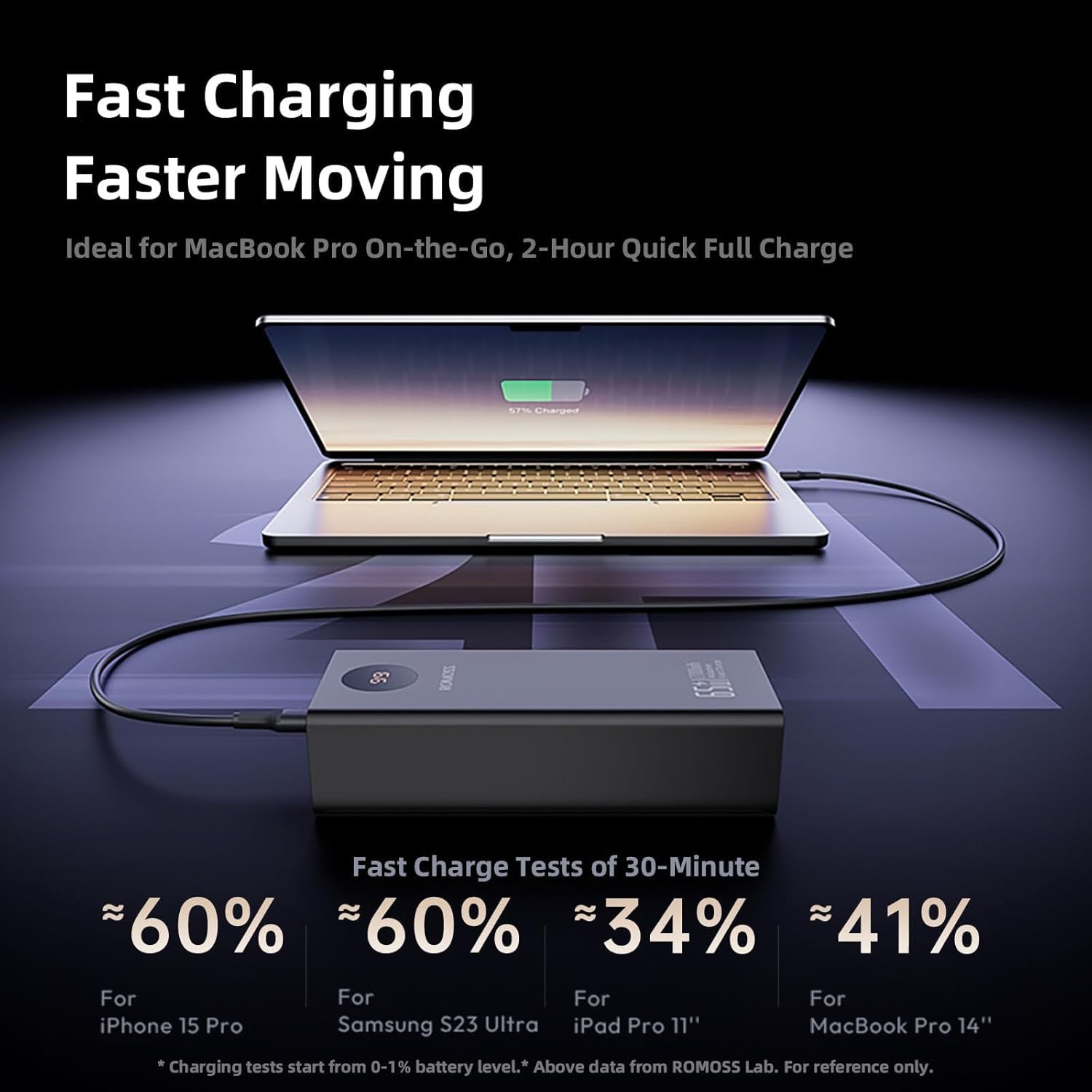
Experience fast charging for your laptop with the 65W Power Delivery output.

Charge up to four devices concurrently using the multiple output ports.
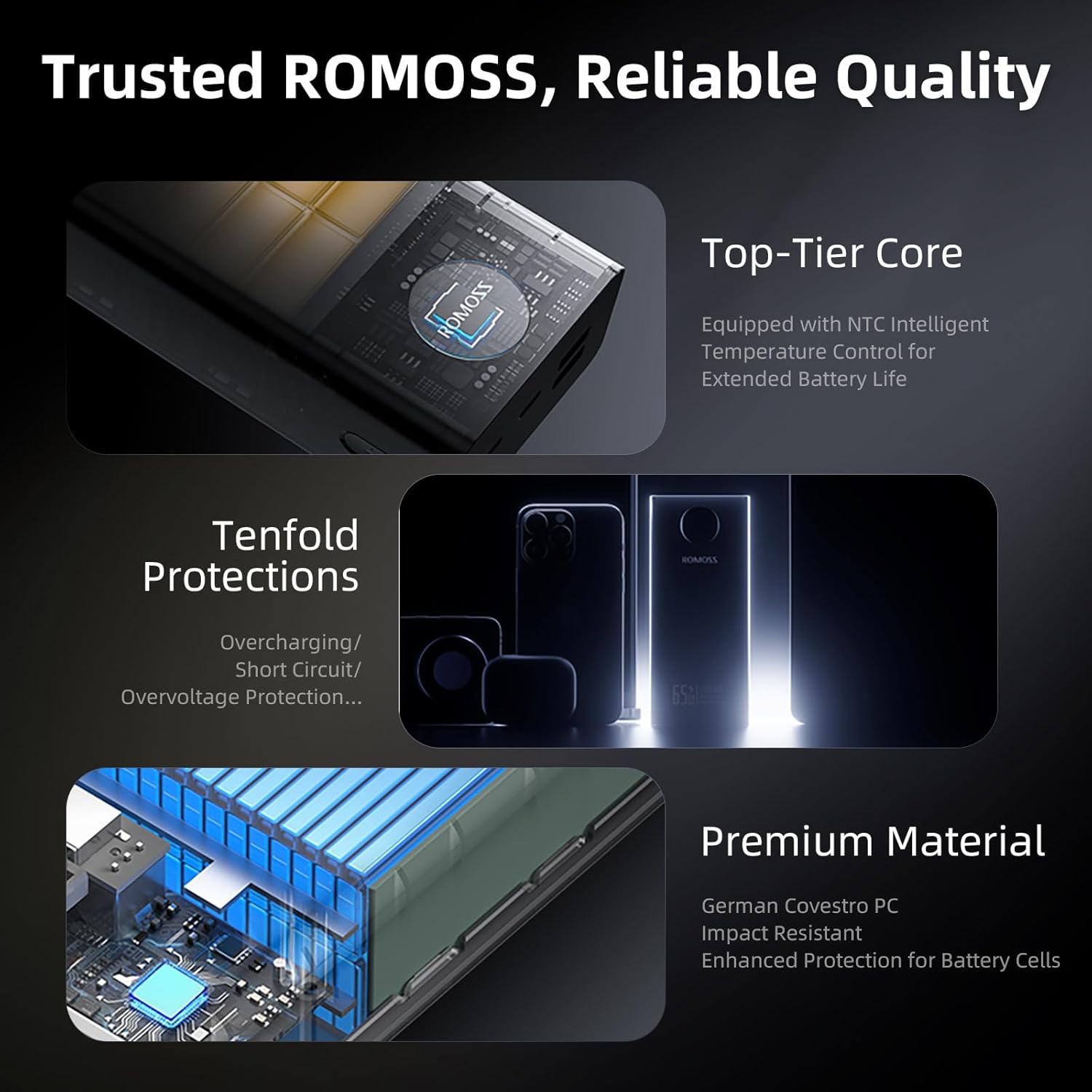
Advanced internal circuitry provides multiple layers of protection for safe charging.
3. Package Contents
Upon opening your ROMOSS 65W 27,000mAh Power Bank package, you should find the following items:
- ROMOSS 27,000mAh Power Bank (Model PEA27)
- 65W USB-C to USB-C Charging Cable
- User Manual (this document)

The power bank, USB-C cable, and user manual included in the package.
4. Setup
Initial Charging of the Power Bank
Before first use, it is recommended to fully charge your ROMOSS Power Bank. This ensures optimal battery performance and accuracy of the digital display.
- Connect the provided USB-C to USB-C cable to one of the power bank's USB-C input ports (C1 or C2).
- Connect the other end of the cable to a compatible USB wall charger (not included) with a power output of 65W or higher for fastest charging.
- The digital display on the power bank will illuminate, showing the charging progress as a percentage. It will display "100" when fully charged.
A full charge may take several hours depending on the power adapter used.
5. Operating Instructions
Charging Your Devices
The ROMOSS Power Bank can charge a wide array of devices using its multiple output ports.
- Identify the correct cable for your device (USB-A or USB-C).
- Connect one end of the charging cable to your device.
- Connect the other end of the cable to an available output port on the power bank (USB-A or USB-C).
- The power bank will automatically begin charging your device. The digital display will show the remaining battery percentage of the power bank.
For optimal fast charging, use the USB-C output port (C1) with a compatible USB-C to USB-C cable for devices that support Power Delivery (PD), such as laptops and certain smartphones.
Video Demonstrations
Demonstration of the ROMOSS 27,000mAh Portable Laptop Charger with 65W Fast Charging capabilities, highlighting its features and usage.
A concise overview video showcasing the ROMOSS 27,000mAh 65W Power Bank and its key functionalities.
6. Maintenance
Proper maintenance will extend the lifespan of your power bank.
- Cleaning: Use a soft, dry cloth to clean the surface of the power bank. Avoid using harsh chemicals or abrasive materials.
- Storage: Store the power bank in a cool, dry place away from direct sunlight, extreme temperatures, and humidity.
- Battery Care: To maintain battery health, fully charge the power bank at least once every three months, even if not in regular use. Avoid completely draining the battery for extended periods.
- Handling: Do not drop, disassemble, or attempt to repair the power bank yourself. This can damage the internal components and void the warranty.
7. Troubleshooting
If you encounter issues with your ROMOSS Power Bank, refer to the following common problems and solutions:
| Problem | Possible Cause | Solution |
|---|---|---|
| Power bank not charging | Loose cable connection, faulty wall adapter, damaged cable. | Ensure cables are securely connected. Try a different wall adapter or cable. |
| Device not charging from power bank | Loose cable connection, incompatible cable, power bank battery depleted. | Check cable connections. Ensure the power bank has sufficient charge. Try a different cable. |
| Slow charging | Using a non-fast charging port/cable, device not supporting fast charging. | Use the 65W USB-C PD port (C1) and a compatible PD cable for fast charging. Ensure your device supports fast charging. |
| Digital display not working | Power bank is off, internal issue. | Press the power button to activate the display. If the issue persists, contact customer support. |
8. Specifications
Detailed technical specifications for the ROMOSS 65W 27,000mAh Power Bank (Model PEA27).
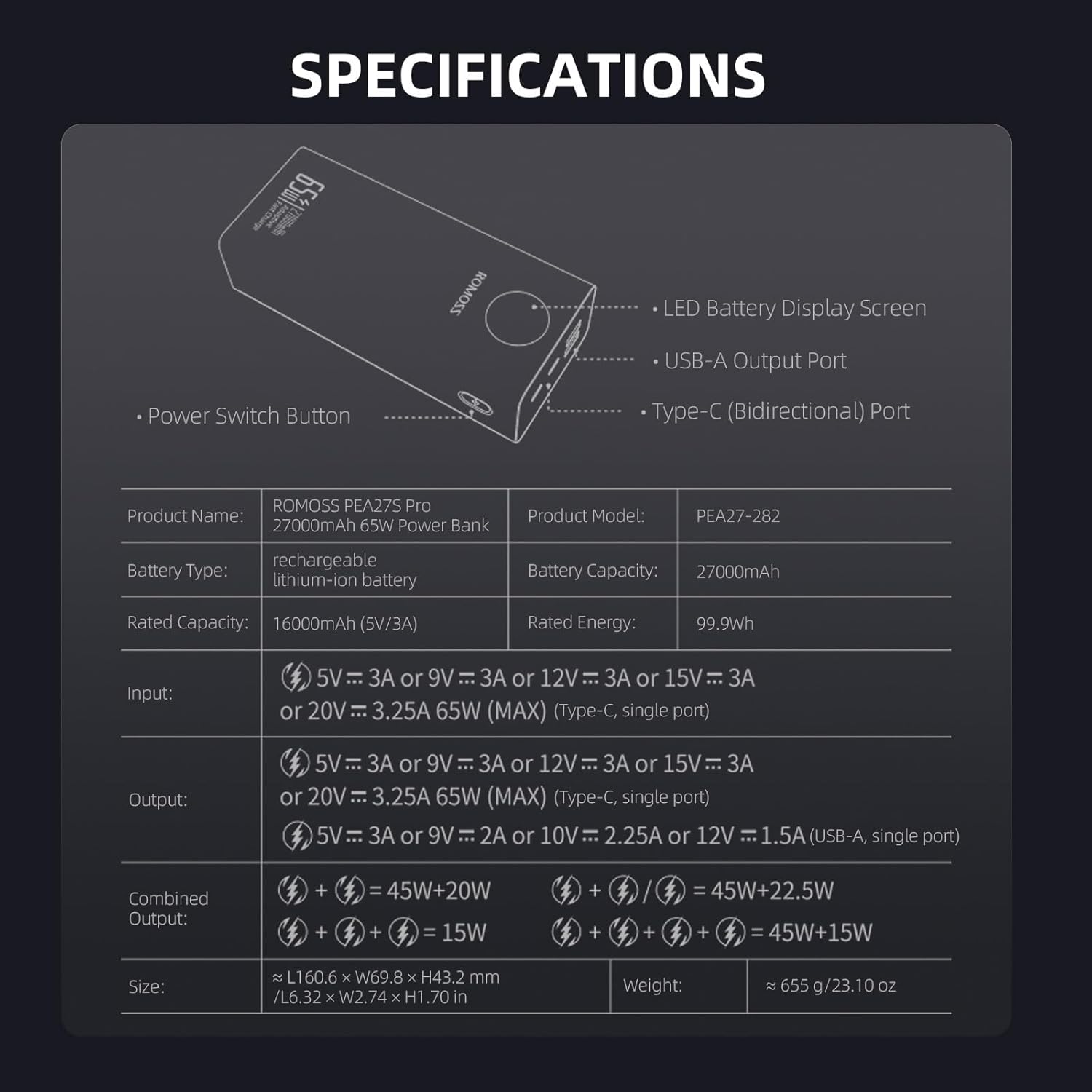
Visual representation of the power bank's ports and key specifications.
| Feature | Detail |
|---|---|
| Product Name | ROMOSS PEA27S Pro 27000mAh 65W Power Bank |
| Product Model | PEA27 |
| Battery Type | Rechargeable Lithium-ion Battery |
| Battery Capacity | 27000mAh |
| Rated Energy | 99.9Wh |
| Input (Type-C, single port) | 5V=3A or 9V=3A or 12V=3A or 15V=3A or 20V=3.25A 65W (MAX) |
| Output (Type-C, single port) | 5V=3A or 9V=3A or 12V=3A or 15V=3A or 20V=3.25A 65W (MAX) |
| Output (USB-A, single port) | 5V=3A or 9V=2A or 10V=2.25A or 12V=1.5A |
| Combined Output | Varies based on port combination (e.g., C1+C2: 45W+20W Max) |
| Product Dimensions | 6.67 x 3.21 x 1.73 inches (169.4 x 81.5 x 43.9 mm) |
| Item Weight | 1.44 pounds (approx. 655g) |
| Special Features | Digital Display, Auto Shut-Off, 65W Fast Charge |
9. Safety Information
Please read and follow these safety guidelines to prevent injury or damage to your device and the power bank:
- Do not expose the power bank to water, moisture, or extreme temperatures (above 45°C/113°F or below 0°C/32°F).
- Avoid dropping, puncturing, or disassembling the power bank.
- Keep out of reach of children.
- Do not use the power bank if it is visibly damaged, swollen, or leaking.
- Dispose of the power bank responsibly according to local regulations. Do not dispose of it in household waste.
- Use only original or certified compatible charging cables and adapters.
10. Warranty and Support
ROMOSS products are manufactured to high-quality standards. For information regarding warranty coverage, terms, and conditions, please refer to the warranty card included with your product or visit the official ROMOSS website. If you require technical assistance or have questions not covered in this manual, please contact ROMOSS customer support through their official channels.
Related documentsPEA27


Ask a question about this manual
Ask about setup, troubleshooting, compatibility, parts, safety, or missing instructions. Manuals+ will review the question and use this page’s manual context to help answer it.