
Realfit Realfit F3 Earbuds Pro
Realfit F3 Earbuds Pro True Wireless TWS User Manual
Model: Realfit F3 Earbuds Pro
1. Introduction
Thank you for choosing the Realfit F3 Earbuds Pro. These true wireless earbuds are designed to provide an immersive audio experience with advanced features such as Active Noise Cancellation (ANC), 360° Spatial Sound, and a dedicated gaming mode. This manual will guide you through the setup, operation, and maintenance of your new earbuds to ensure optimal performance and longevity.
2. What's in the Box
Please check the package contents to ensure all items are present:
- Realfit F3 Earbuds Pro (Left and Right)
- Charging Case
- USB Charging Cable
- User Manual
- Multiple Sizes of Ear Cushions (S, M, L)
3. Setup
3.1 Charging the Earbuds and Case
Before first use, fully charge the earbuds and the charging case. The charging case has a 300mAh battery capacity, and each earbud has a 30mAh battery capacity. A full charge takes approximately 1 hour.
- Connect the provided USB charging cable to the charging port on the case.
- Connect the other end of the cable to a USB power adapter (not included) or a computer's USB port.
- The indicator light on the charging case will show charging status. Once fully charged, the light will indicate completion (refer to the case's specific LED behavior).
- Place the earbuds into the charging case. They will automatically begin charging.

Image: Realfit F3 Earbuds Pro in their charging case, with the lid open, showing the earbuds nestled inside the yellow interior. A small green LED light is visible on the front of the case, indicating power or charging status.

Image: An illustration demonstrating the battery life of the Realfit F3 Earbuds Pro. It shows the earbuds in their charging case, connected to a charging cable. Below, icons indicate '26 hours Battery life with charging case', '5 hours Single battery life', and '90 hours Single battery life' (likely standby or with specific settings).
3.2 Pairing with Your Device
The Realfit F3 Earbuds Pro use Bluetooth 5.4 for stable and efficient connectivity.
- Open the charging case. The earbuds will automatically enter pairing mode (indicated by a flashing LED on the earbuds).
- On your device (smartphone, tablet, computer), enable Bluetooth.
- Search for available Bluetooth devices.
- Select "Realfit F3 Earbuds Pro" from the list.
- Once connected, the earbud indicator lights will stop flashing, and you will hear a confirmation tone.

Image: An illustration showing the Realfit F3 Earbuds Pro and their charging case, with a smartphone and a laptop icon, indicating quick device connection via Bluetooth 5.4. Text highlights the new Bluetooth 5.4 chip for stable connection and better sound effect.
4. Operating the Earbuds
4.1 Touch Controls
The Realfit F3 Earbuds Pro feature intuitive touch controls on each earbud. Specific functions may vary slightly based on the device and application.
| Action | Left Earbud | Right Earbud |
|---|---|---|
| Play/Pause | Single Tap | Single Tap |
| Next Track | Double Tap | Double Tap |
| Previous Track | Triple Tap | Triple Tap |
| Answer/End Call | Single Tap | Single Tap |
| Reject Call | Press and Hold (2s) | Press and Hold (2s) |
| ANC/Transparency/Normal Mode | Press and Hold (2s) | Press and Hold (2s) |
| Activate Voice Assistant | Quadruple Tap | Quadruple Tap |
4.2 Audio Modes
The earbuds offer three distinct audio modes to suit your environment:
- ANC Mode (Active Noise Cancellation): Reduces external noise for an immersive listening experience. Ideal for noisy environments.
- Transparency Mode: Allows you to hear your surroundings while still enjoying your audio. Useful for awareness in urban areas or during conversations.
- Normal Music Mode: Standard audio playback without noise cancellation or transparency features.

Image: The Realfit F3 Earbuds Pro in their open charging case, with both earbuds slightly elevated as if in use. Text overlay highlights "ANC active noise cancellation" and "Multi-scene quiet enjoyment", emphasizing the noise-cancelling feature.
4.3 Gaming Mode
For an enhanced gaming experience, the Realfit F3 Earbuds Pro feature a low-latency gaming mode (as low as 35ms). This mode minimizes audio delay, providing seamless gameplay with enhanced sound effects like footsteps and bass.
- To activate/deactivate Gaming Mode, refer to the touch control table or use the companion APP.
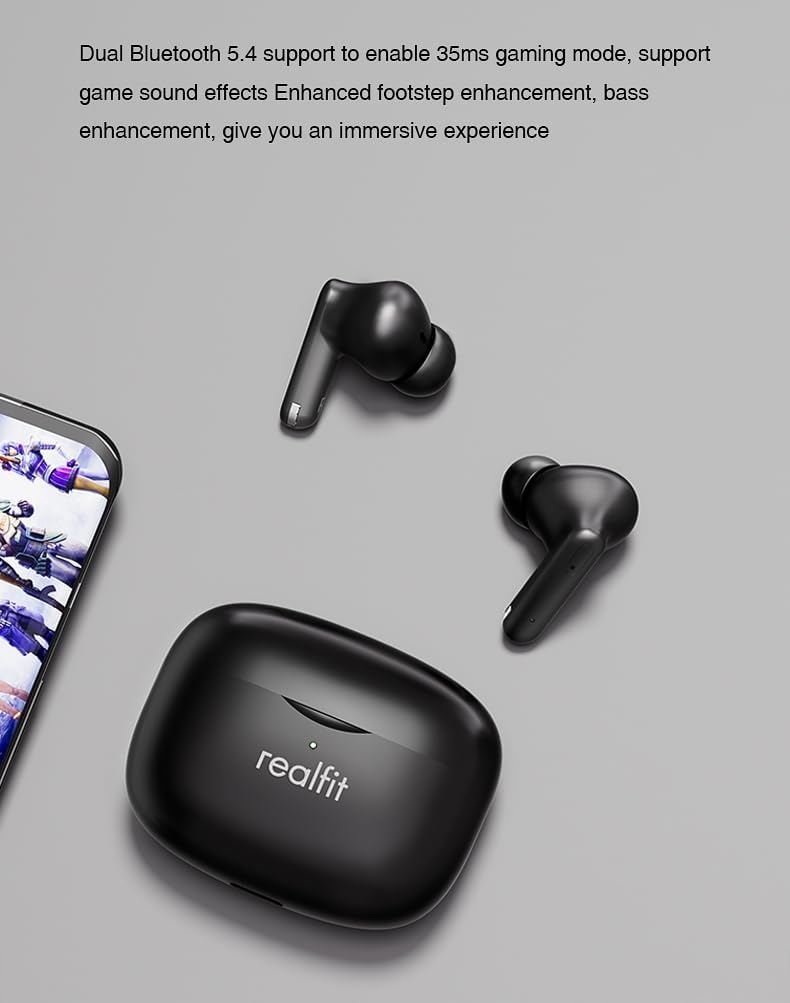
Image: The Realfit F3 Earbuds Pro and their charging case positioned next to a smartphone displaying a game. Text indicates "Dual Bluetooth 5.4 support to enable 35ms gaming mode, support game sound effects Enhanced footstep enhancement, bass enhancement, give you an immersive experience."
4.4 360° Spatial Sound
The earbuds offer 360° Spatial Sound, allowing you to pinpoint sound locations with precision. This feature is particularly beneficial for gamers who rely on directional audio cues.
4.5 ENC Call Functionality
The built-in microphone with Environmental Noise Cancellation (ENC) ensures clear communication during calls, reducing background noise for both the user and the listener.
4.6 APP Customization
Further customize your listening experience and control settings through the dedicated Realfit companion application. The app allows for noise reduction adjustments, EQ settings, key remapping, and changing the device name.

Image: A smartphone screen displaying the Realfit companion app interface. The app shows battery levels for both earbuds, options for 'Noise reduction', 'Shut down', 'Transparent', and a toggle for 'Game Mode'. Further settings like 'EQ setting' and 'Key setting' are also visible, indicating extensive customization options.
5. Maintenance
5.1 Cleaning
Regular cleaning helps maintain sound quality and hygiene:
- Use a soft, dry, lint-free cloth to wipe the earbuds and charging case.
- For earwax or debris in the ear tips/grilles, use a small, soft brush or cotton swab lightly dampened with isopropyl alcohol.
- Do not use abrasive cleaners or submerge the earbuds or case in water.
5.2 Storage
When not in use, store the earbuds in their charging case to protect them and keep them charged. Store in a cool, dry place away from extreme temperatures.
5.3 Ear Tip Replacement
The earbuds come with different silicone ear tip sizes to ensure a comfortable and personalized fit, which also affects noise reduction. If a tip is damaged or lost, replace it with one of the included spares or a compatible replacement.
6. Troubleshooting
If you encounter issues with your Realfit F3 Earbuds Pro, try the following solutions:
| Problem | Possible Solution |
|---|---|
| Earbuds not pairing | Ensure earbuds are charged. Place them back in the case, close, then open again to re-enter pairing mode. Turn Bluetooth off/on on your device. |
| No sound from one earbud | Check battery level of both earbuds. Try re-pairing. Ensure both earbuds are properly seated in the charging case. |
| Low volume or poor sound quality | Clean earbud grilles. Ensure ear tips are correctly sized and sealed in your ear. Adjust volume on your device. |
| Earbuds not charging | Ensure charging cable is securely connected. Check if the charging case has power. Clean charging contacts on earbuds and case. |
| Bluetooth connection unstable | Ensure no strong interference sources nearby. Keep earbuds within 8m of your device. Try resetting the earbuds (refer to APP or manufacturer's website for specific reset instructions). |
7. Specifications
| Feature | Detail |
|---|---|
| Model Name | Realfit F3 Earbuds Pro True Wireless Tws |
| Connectivity Technology | Wireless (Bluetooth) |
| Wireless Communication Technology | Bluetooth V5.4 |
| Headphone Battery Capacity | 30mAh (each earbud) |
| Charging Box Battery Capacity | 300mAh |
| Charging Time | Approx. 1 hour (earbuds and case) |
| Playtime (Single Charge) | Up to 5 hours |
| Total Playtime (with Charging Case) | Up to 28 hours |
| Transmission Distance | >8m |
| Noise Control | Active Noise Cancellation (ANC) |
| Microphone | Built-in with ENC (Environmental Noise Cancellation) |
| Control Method | Touch |
| Ear Placement | In Ear |
| Form Factor | In Ear |
| Color | Black |
| Item Weight | Approx. 2000 Grams (4.41 pounds - likely shipping weight) |
| Item Model Number | Realfit-F3-AUD |
8. Warranty and Support
For warranty information and technical support, please refer to the warranty card included in your package or visit the official Realfit website. Keep your proof of purchase for any warranty claims.
If you require further assistance, please contact Realfit customer service through the contact details provided on the official website or in your product documentation.
Ask a question about this manual
Ask about setup, troubleshooting, compatibility, parts, safety, or missing instructions. Manuals+ will review the question and use this page’s manual context to help answer it.