1. Introduction
This manual provides detailed instructions for the installation, operation, and maintenance of your Inefala 2+64G Android 15 Car Stereo Radio. This unit is designed as an upgraded replacement dash kit for Hyundai Accent models from 2006 to 2011. It features a 9-inch touch screen with 1024 x 600 resolution, supporting 1080P video playback. Key functionalities include Wireless CarPlay, Android Auto, Mirror Link, GPS navigation, WiFi connectivity, Bluetooth 4.2, and FM/RDS radio. Please read this manual thoroughly before installation and use to ensure proper function and safety.
2. Package Contents
Verify that all items listed below are included in your package:
- Inefala Android Radio for Hyundai Accent
- 1 x Power Cable
- 1 x RCA Harness
- 1 x GPS Antenna
- 1 x AHD Backup Camera
- 1 x Rear Camera Input Cable
- 1 x External Microphone
- 2 x USB Cable
- 1 x Installation Tool

3. Installation
This stereo is designed for direct replacement in Hyundai Accent models from 2006-2011. It includes an in-dash head unit, wiring harness cables, and a frame panel. No modification to your car's existing cables should be necessary. Ensure the power cable port on the detail page matches your original car's port before proceeding.
3.1 Pre-Installation Test
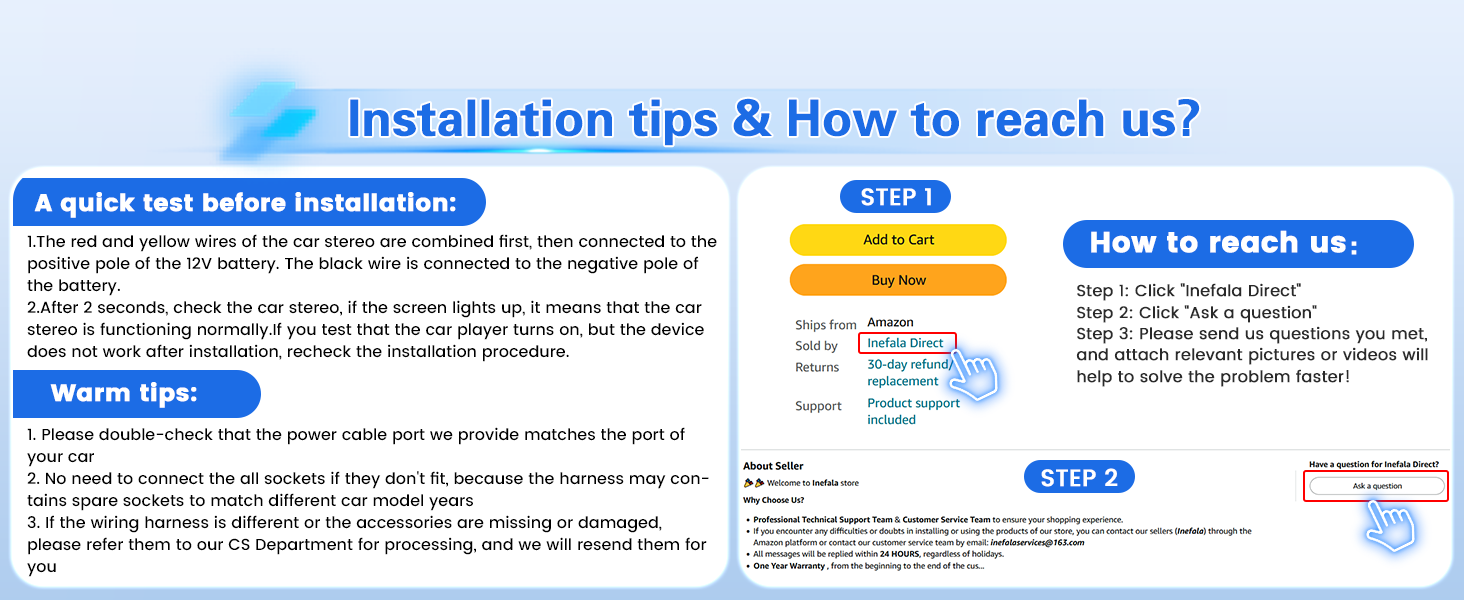
Before full installation, perform a quick test:
- Combine the red and yellow wires of the car stereo and connect them to the positive pole of the 12V battery.
- Connect the black wire to the negative pole of the battery.
- If the car stereo functions normally (screen turns on), proceed with the full installation. If not, recheck the connections.
3.2 Wiring Connections
Refer to the wiring diagram and port details for correct connections.
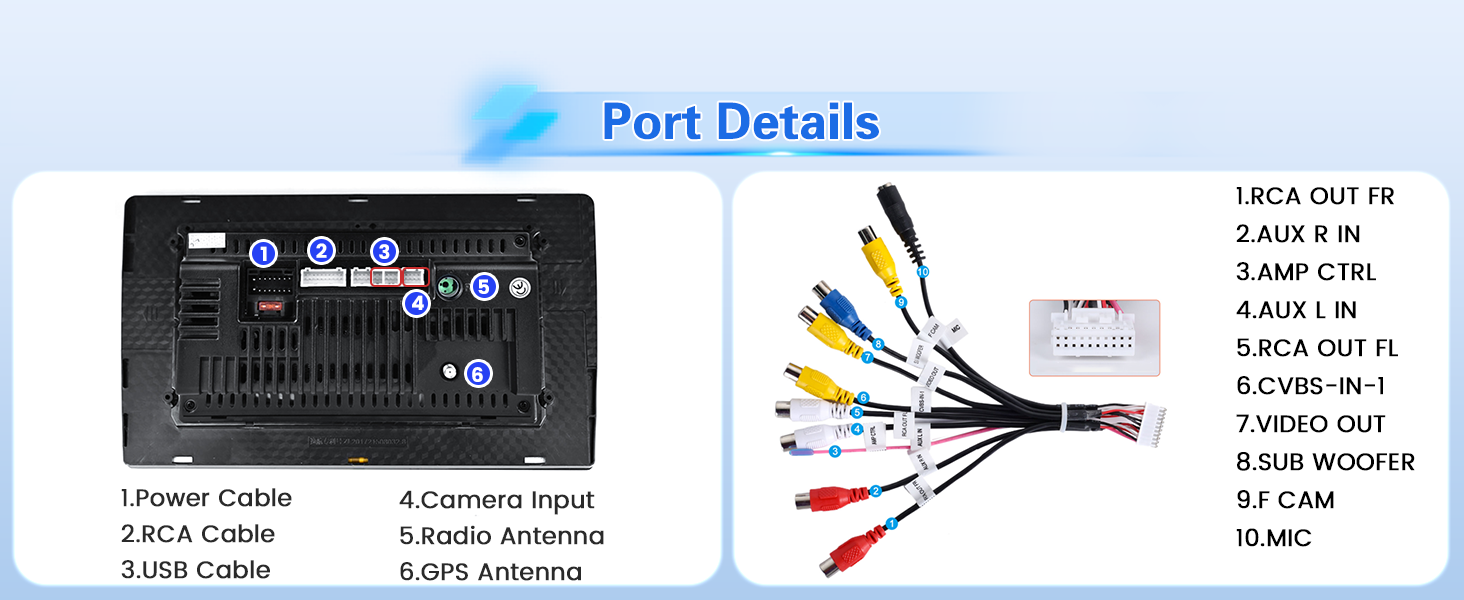
Important: If the wiring harness is different or accessories are missing/damaged, contact customer service for assistance.
3.3 AHD Backup Camera Installation
The waterproof AHD camera is included. Ensure the reversing input is plugged in, even if the camera is not used, to prevent WiFi and Bluetooth signal interference.
- Cable 1 and Cable 5: Connect to the positive pole of the car reversing light cable.
- Cable 2: Connect to the negative pole of the car reversing light cable.
- Cable 3 and Cable 4: Connect to the reverse trigger wire of the power cable. This connection is not needed if the power cable does not have this wire. Pull it out and connect it if the last step does not work.

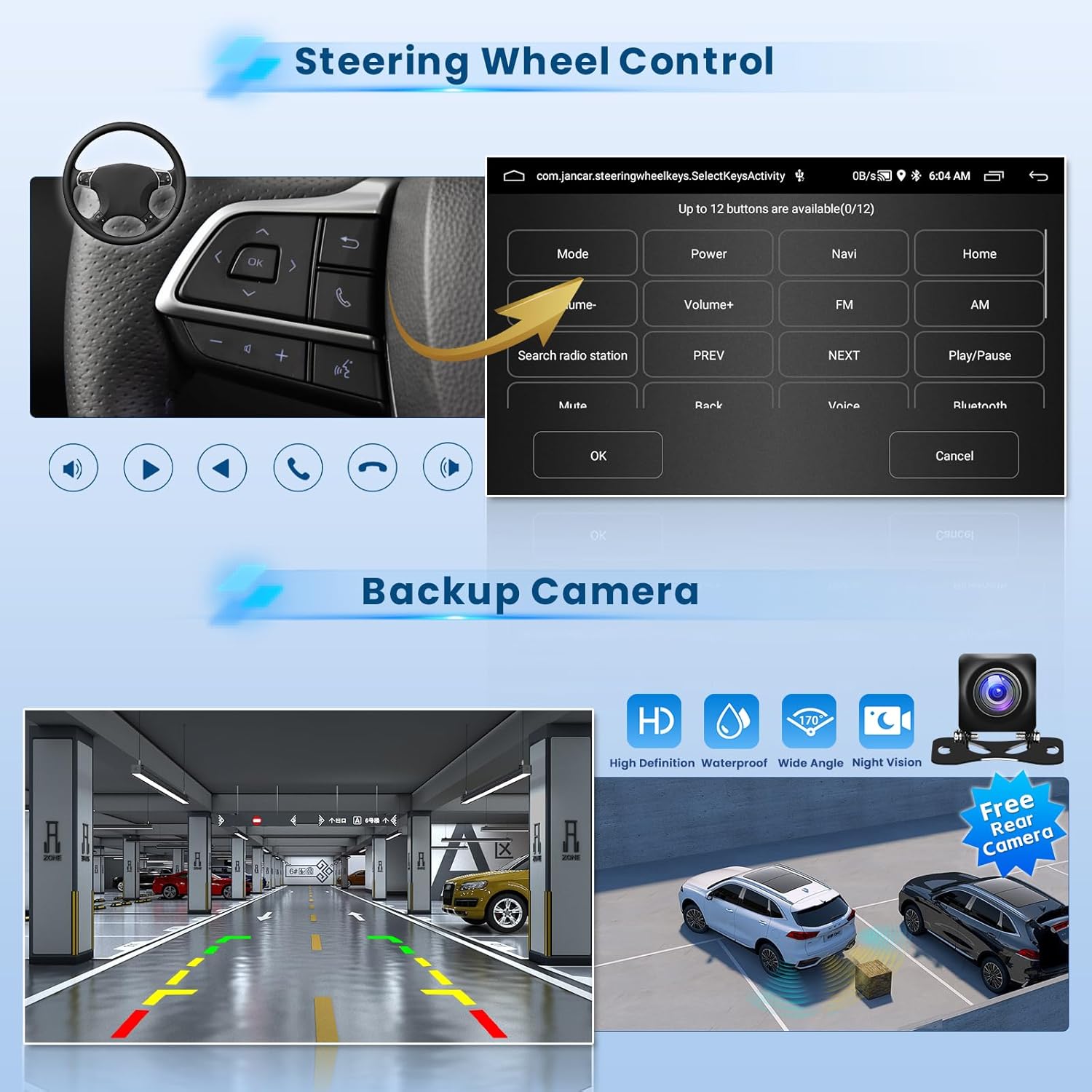
The camera provides a clear image day or night, automatically displaying when reverse gear is engaged.
3.4 Post-Installation Appearance

The stereo integrates seamlessly into the Hyundai Accent 2006-2011 dashboard, replacing the original unit with a modern touch screen display.
4. Operating Instructions
4.1 User Interface and Themes
The 9-inch touch screen features a 1024 x 600 resolution and a specially designed blue main UI. It offers 28 desktop themes for customization. To switch themes, long-press on a blank space on the desktop.
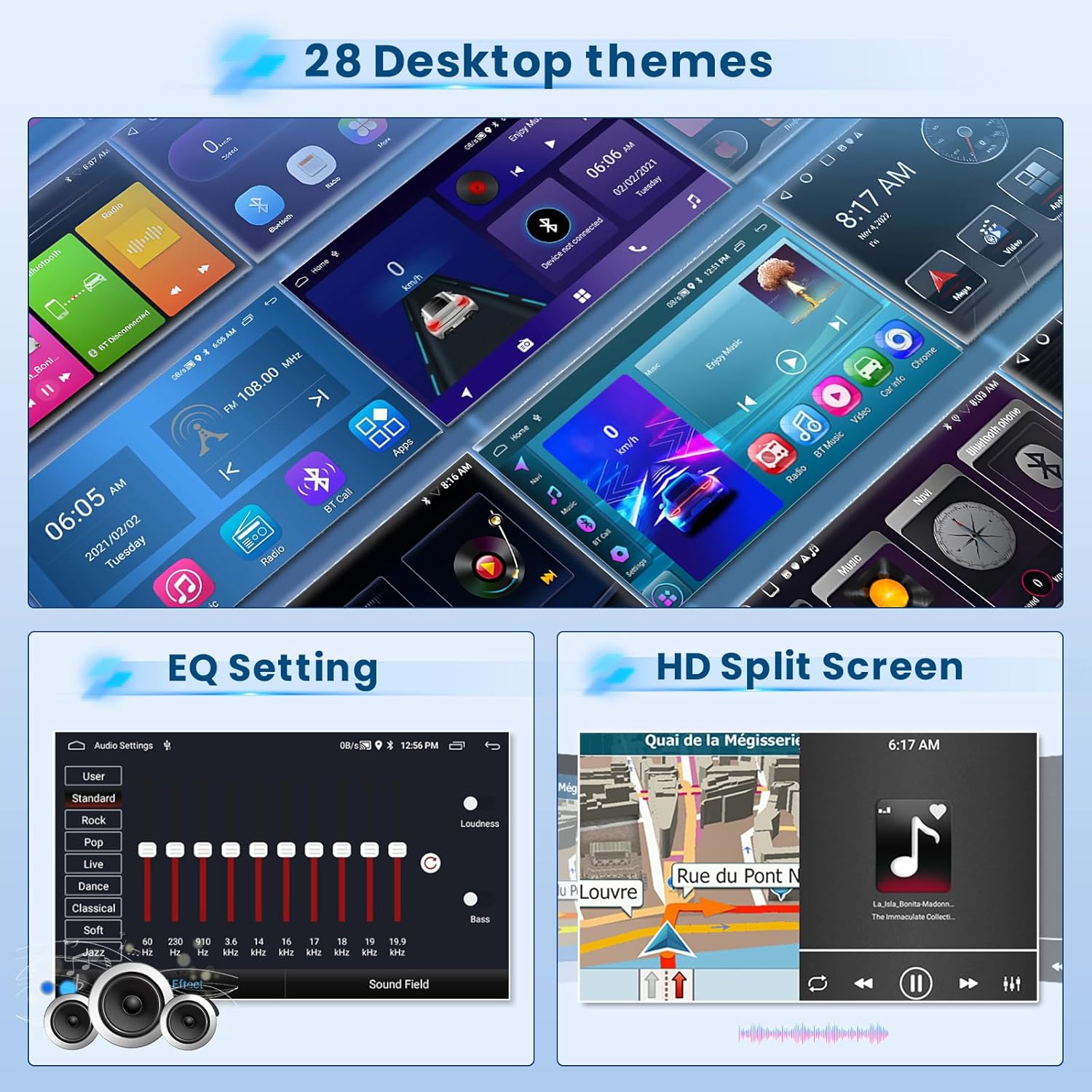
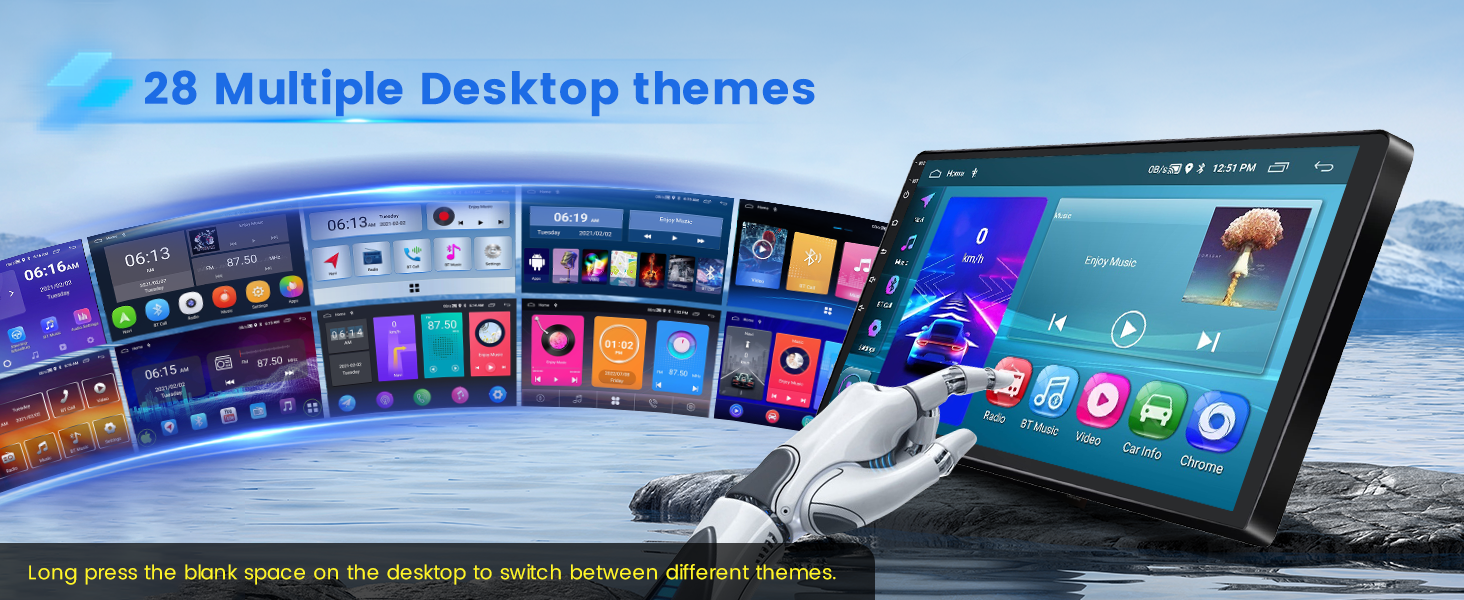
The device supports 1080P video playback for an enhanced visual experience.
4.2 Wireless CarPlay & Android Auto
The stereo supports both wireless and wired CarPlay and Android Auto. This allows for voice control and access to phone functions like music, navigation, calls, and messages.
- Wireless Connection: Turn on your phone's Bluetooth, search for the car stereo's Bluetooth, and pair it. If using an Android phone, you may need to install the "Android Auto" app in advance. After a few seconds, the CarPlay/Android Auto wireless connection will establish automatically.
- Wired Connection: Connect your iOS/Android phone via the phone's original USB cable. If using an Android phone, you may need to install the "Android Auto" app. The wired connection will establish automatically.
Note: For some Samsung and Huawei phones, Android Auto and Mirror Link functionality may not be supported. Ensure your phone has Google Services and the "Android Auto" app installed for Android Auto.
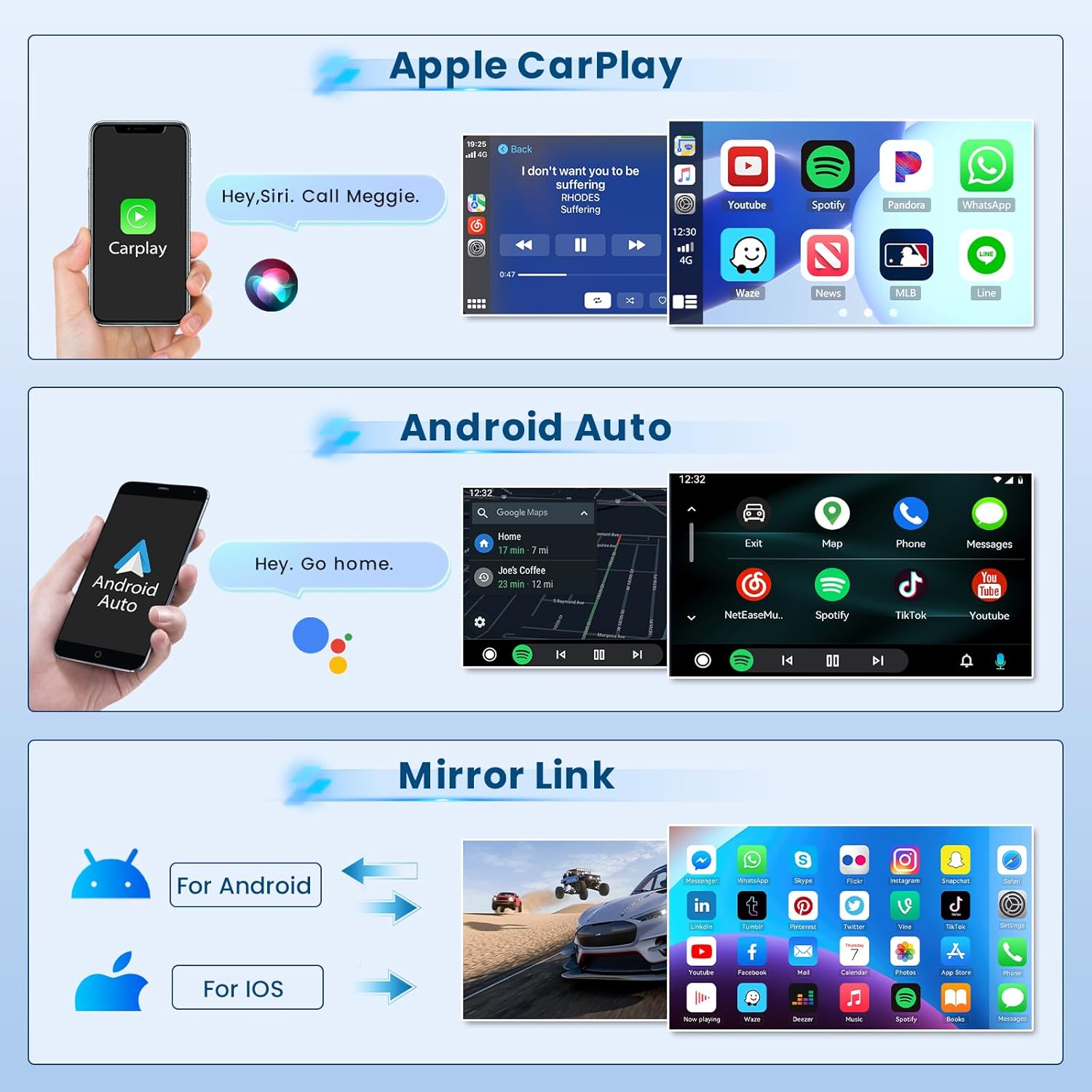

Video: Demonstration of the Android car radio upgrade function interface, including CarPlay and Android Auto connections.
4.3 Mirror Link (iOS/Android)
Mirror Link allows you to synchronize your cell phone's content, such as videos and navigation, to the car stereo's larger screen via the phone's original USB cable. iOS phones support one-way control, while Android phones support two-way control.
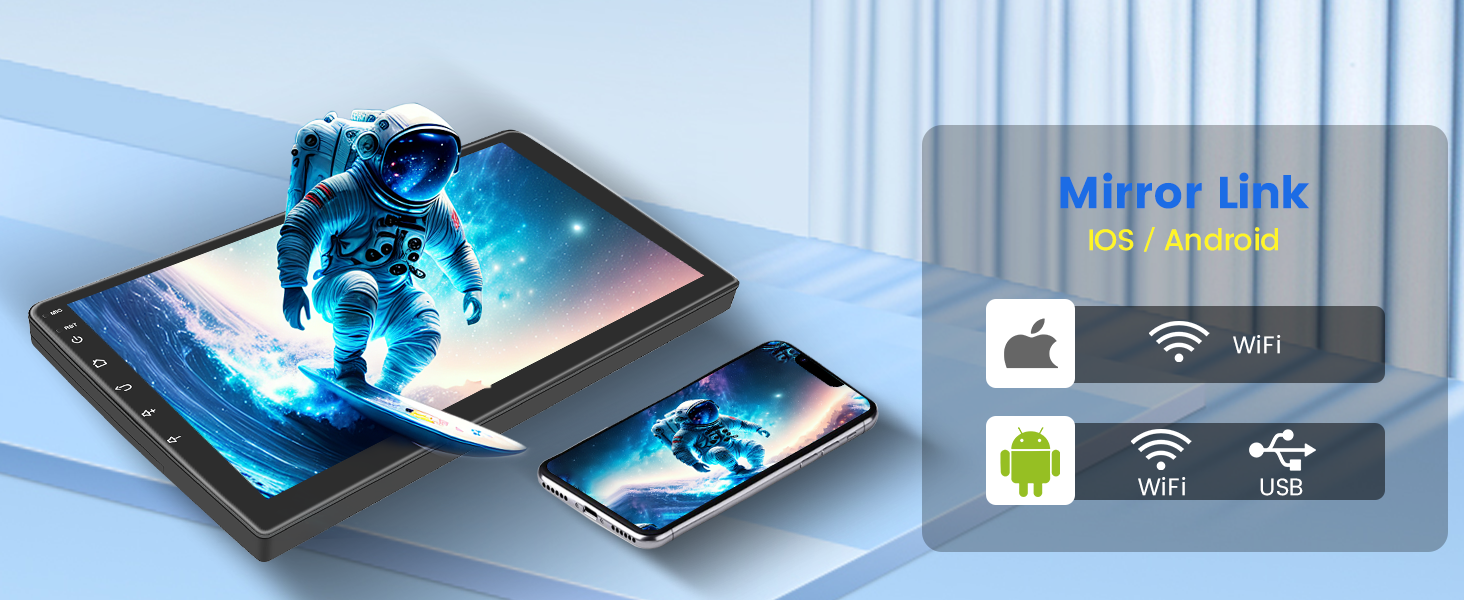
4.4 GPS Navigation & WiFi Connection
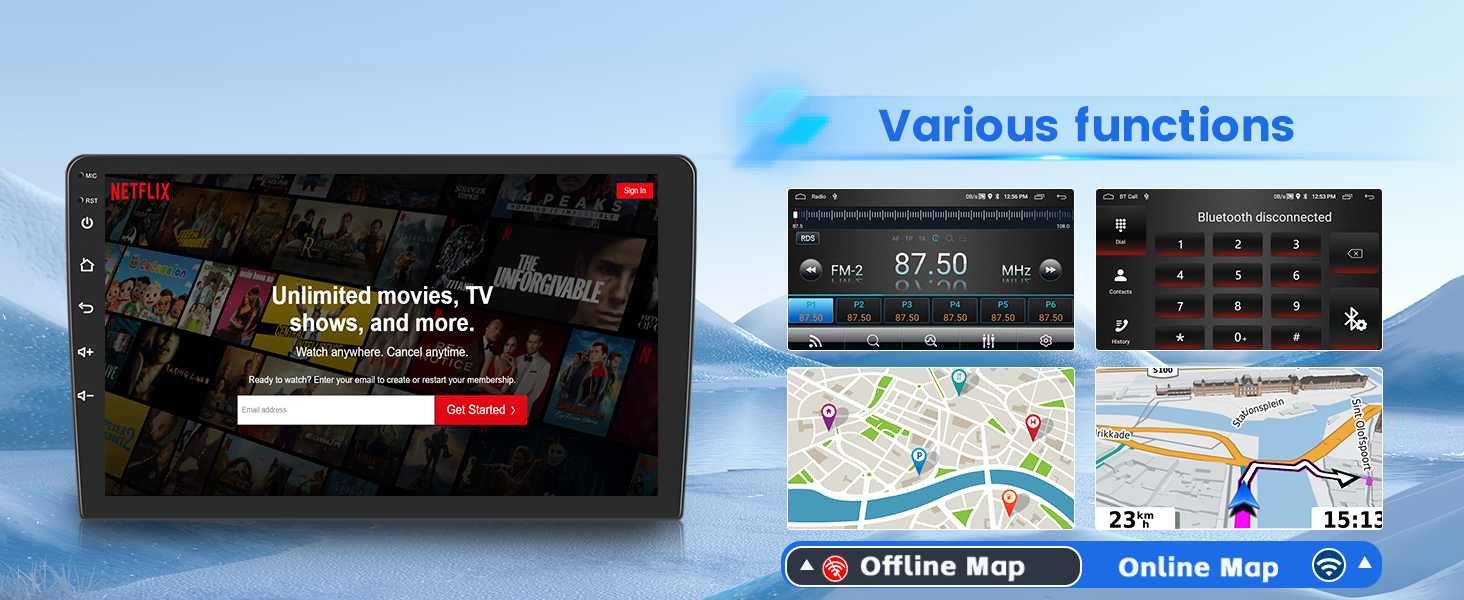
The unit supports both offline and online GPS navigation. You can download apps like Waze for offline maps or use online maps for real-time navigation. With WiFi connectivity, you can download various apps such as YouTube and TikTok for entertainment.

4.5 Bluetooth & FM/RDS Radio
The built-in Bluetooth 4.2 module enables hands-free calls, music playback, and phonebook download. The FM/RDS radio allows you to listen to music, real-time weather forecasts, traffic updates, and news. You can save up to 18 favorite radio stations.
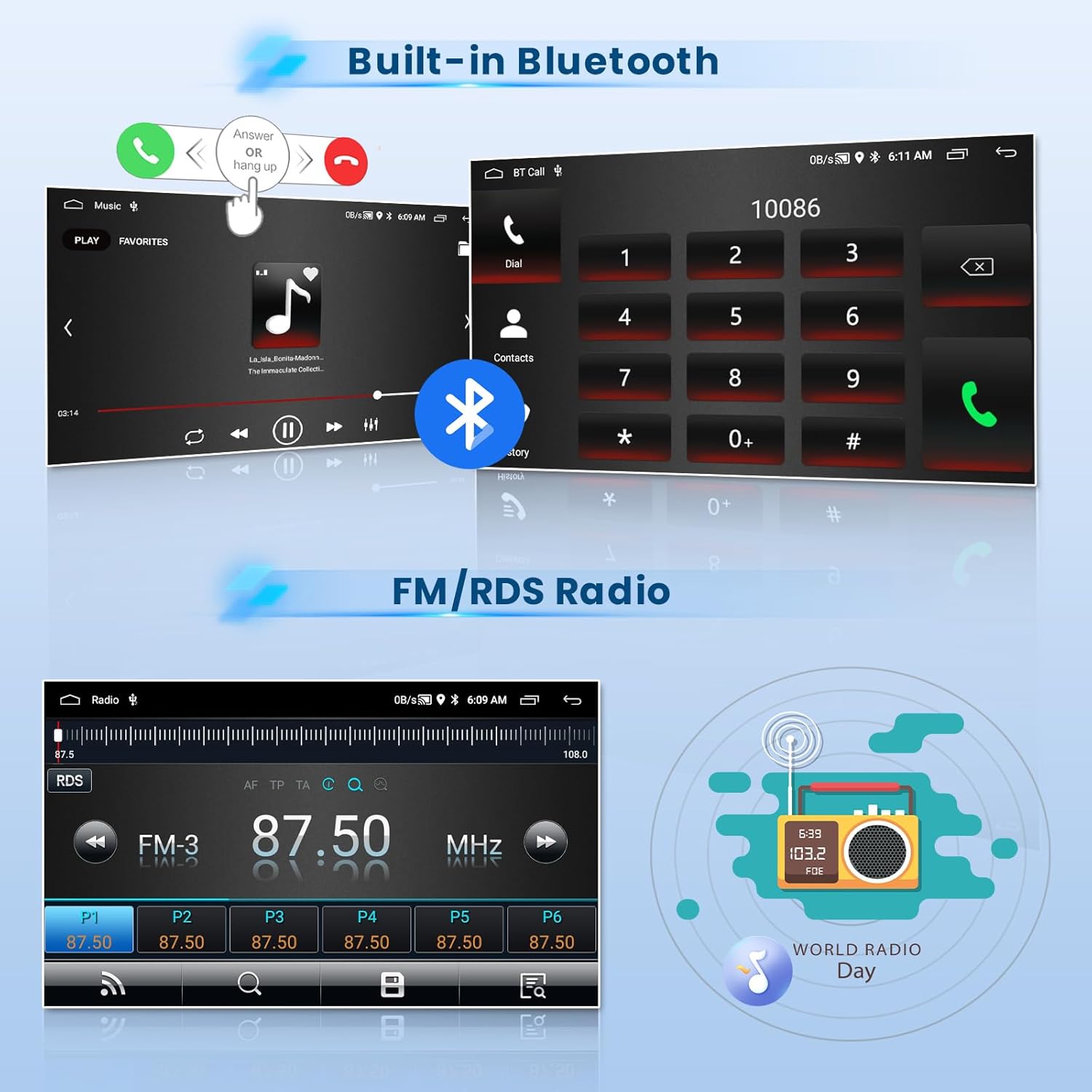
Video: Overview of the car stereo's features including FM/RDS radio, split screen, EQ settings, and Bluetooth connection.
4.6 Steering Wheel Control
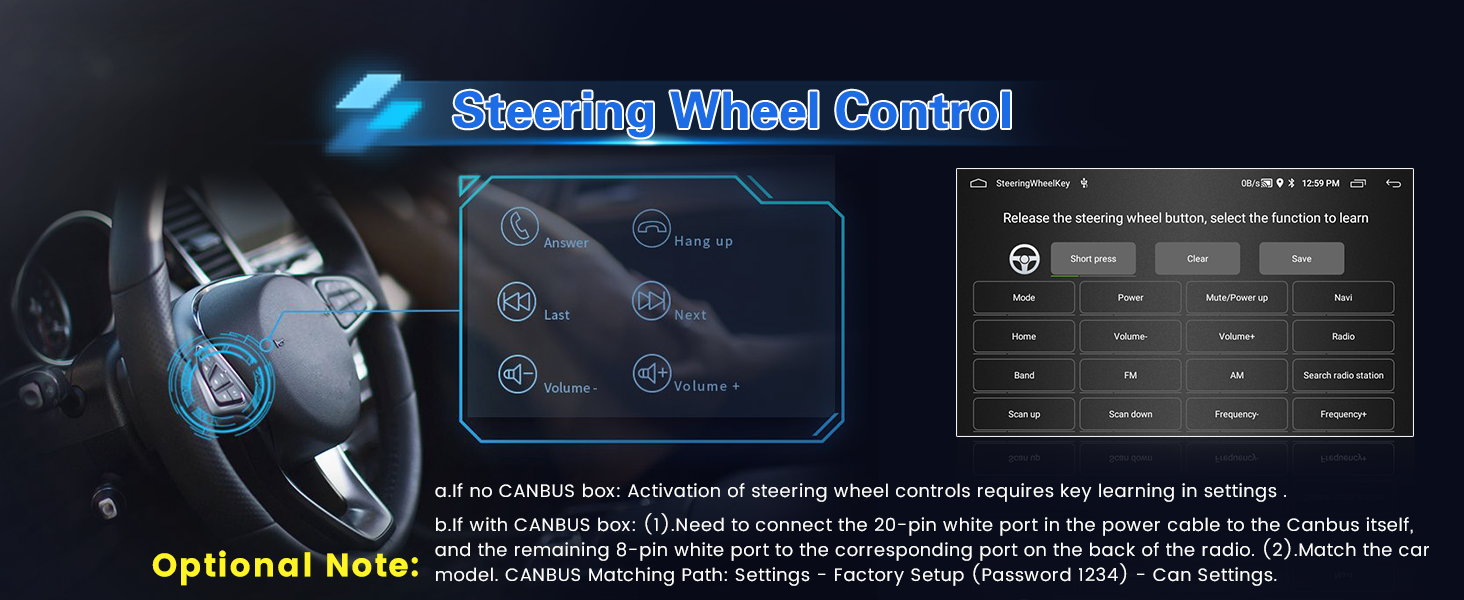
The car stereo supports steering wheel controls, allowing for quick reactions and adjustments without taking your hands off the wheel.
- Without CANBUS box: Activation of steering wheel controls requires key learning in settings.
- With CANBUS box:
- Connect the 20-pin white port in the power cable to the CANBUS itself, and the remaining 8-pin white port to the corresponding port on the back of the radio.
- Match the car model. CANBUS Matching Path: Settings -> Factory Setup (Password 1234) -> Can Settings.
4.7 EQ Sound Effects
The device offers adjustable EQ sound effects with presets like pop, rock, and jazz, allowing you to customize your listening experience.

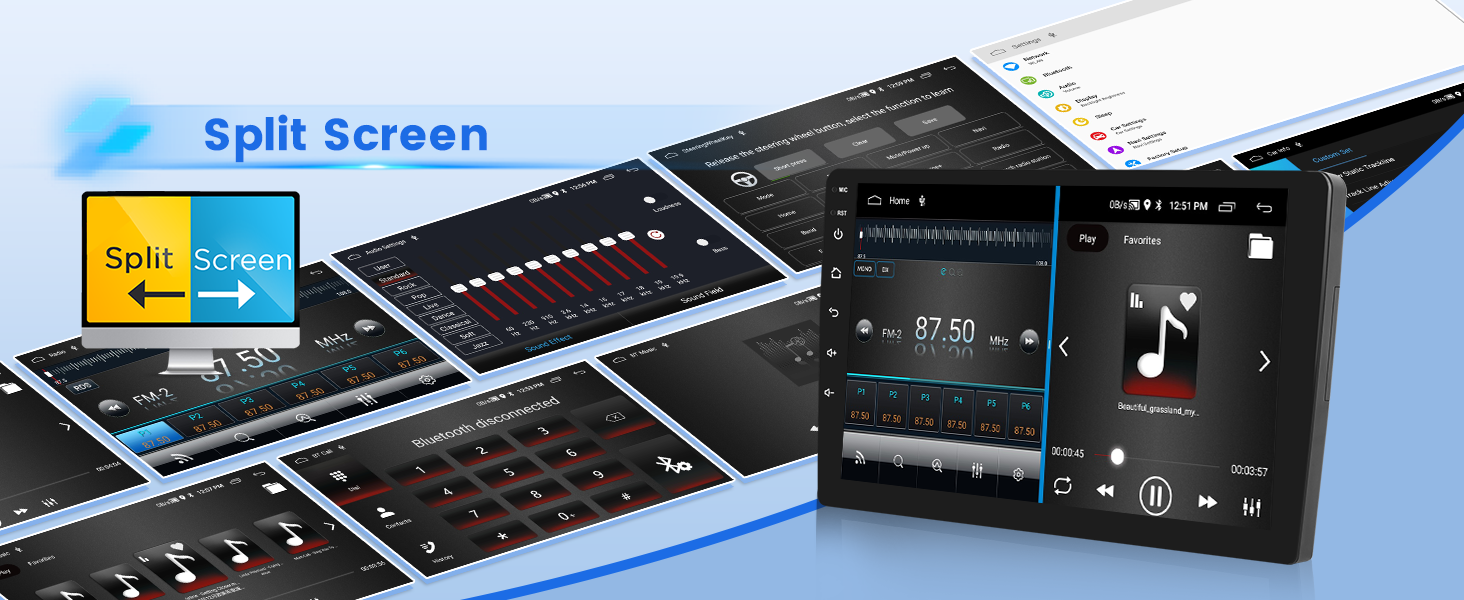
4.8 Split Screen Function
The split-screen function allows you to display and operate multiple applications simultaneously, such as navigation and FM radio.
4.9 USB DVR Support
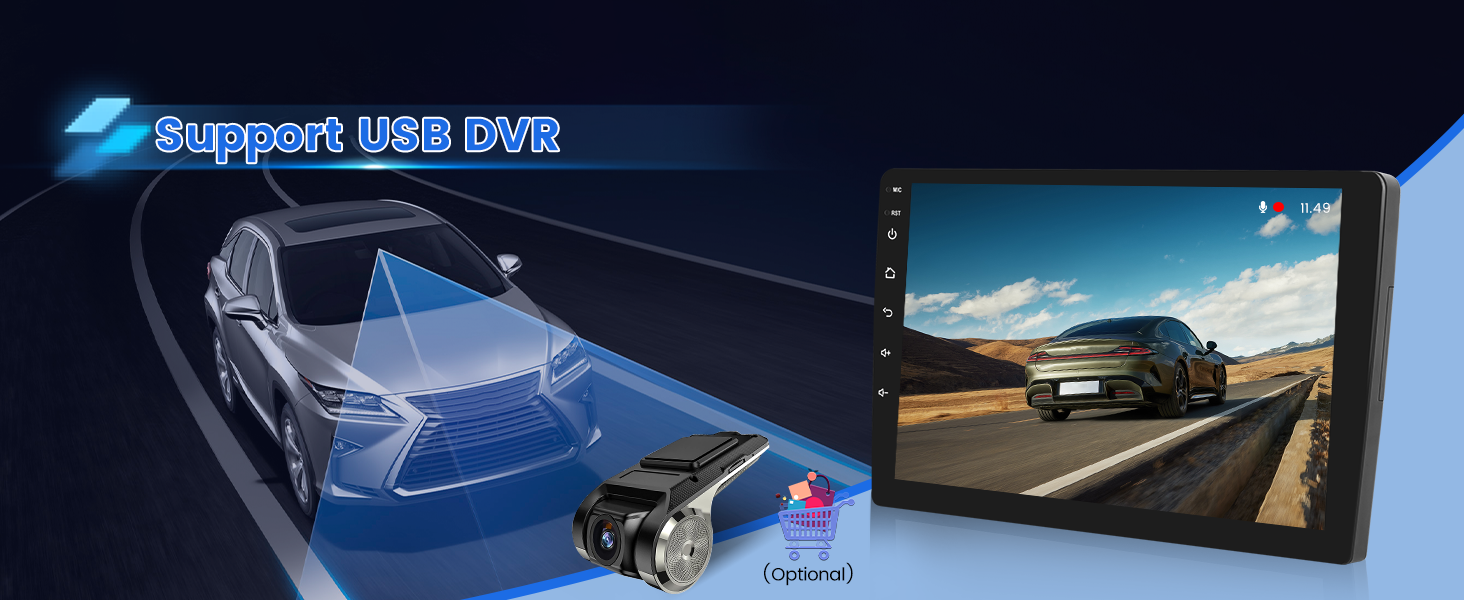
The unit supports USB DVR (Digital Video Recorder) functionality, allowing you to connect an optional USB camera for recording driving footage.
5. Maintenance
To ensure the longevity and optimal performance of your car stereo, follow these maintenance guidelines:
- Cleaning: Use a soft, dry cloth to clean the screen and exterior. Avoid abrasive cleaners or solvents that could damage the surface.
- Software Updates: Periodically check for software updates to ensure the system runs efficiently and has the latest features. Updates may be available through the device's settings or the manufacturer's website.
- Temperature: Avoid exposing the unit to extreme temperatures, both hot and cold, for extended periods.
- Power Supply: Ensure a stable 12V power supply. Fluctuations can affect performance and potentially damage the unit.
6. Troubleshooting
If you encounter issues with your car stereo, refer to the following common troubleshooting steps:
| Problem | Possible Cause | Solution |
|---|---|---|
| Unit does not power on. | Incorrect wiring; Blown fuse; Power supply issue. | Check power cable connections (red, yellow, black wires). Verify car fuse. Ensure stable 12V power. |
| No sound. | Volume too low; Mute activated; Speaker wiring issue. | Increase volume. Check if mute is active. Verify speaker connections. |
| CarPlay/Android Auto not connecting. | Incorrect phone settings; Incompatible phone; USB cable issue; Bluetooth not paired. | Ensure USB debugging is enabled for Android. Check phone compatibility. Try a different USB cable. Re-pair Bluetooth. |
| Backup camera not displaying. | Incorrect camera wiring; Camera malfunction. | Verify camera input cable and trigger wire connections. Ensure reversing input is connected. |
| Poor radio reception. | Antenna not connected; Weak signal area. | Ensure radio antenna is securely connected. Try scanning for stations in a different location. |
If the problem persists after attempting these solutions, please contact customer support.
7. Specifications
| Feature | Detail |
|---|---|
| Model Name | Inefala RM |
| Compatible Vehicle | Hyundai Accent 2006-2011 |
| Display Size | 9 Inches |
| Resolution | 1024*600 |
| Video Playback | 1080P |
| Operating System | Android 15 |
| Memory/Storage | 2GB RAM + 64GB Storage |
| Connectivity | Bluetooth 4.2, USB, Wi-Fi, Wireless CarPlay, Wireless Android Auto |
| Navigation | GPS (Offline/Online maps), Worldwide map type |
| Radio | FM/RDS Radio |
| Audio Output Mode | Stereo, EQ Setting |
| Voice Command | Microphone, Touchscreen (Siri/Google Voice Assistant via CarPlay/Android Auto) |
| Special Features | 28 Desktop Themes, Hands-free Bluetooth, Support Reverse Input, Steering Wheel Learning, Mirror Link, Split Screen, USB DVR Support |
| Item Weight | 3.52 pounds |
| Product Dimensions | 13.19 x 7.68 x 3.15 inches |
8. Warranty and Support
8.1 Warranty Information
The Inefala 2+64G Android 15 Car Stereo Radio comes with a 1 Year Warranty from the date of purchase. This warranty covers manufacturing defects and malfunctions under normal use. Please retain your proof of purchase for warranty claims.
For additional protection, 2-Year and 3-Year Protection Plans are available for purchase.
8.2 Customer Support
For technical assistance, installation queries, or any issues not covered in this manual, please contact Inefala customer support.
- Email: inefalaservices@163.com
- Online: Visit the Inefala store on Amazon and click "Ask a question" to send inquiries. Provide relevant pictures or videos to help resolve issues faster.