
1. Introduction
This manual provides essential instructions for the safe and efficient use of your GUY-TECH 45W USB-C AC Adapter Charger. This adapter is designed to provide reliable power to compatible USB-C devices, including laptops, tablets, and smartphones. Its compact design ensures portability, while built-in protection features safeguard your devices.
2. Safety Information
- Read all instructions before using the product.
- Do not expose the adapter to water, moisture, or extreme temperatures.
- Avoid dropping or subjecting the adapter to strong impacts.
- Do not attempt to disassemble, modify, or repair the adapter. Refer servicing to qualified personnel.
- Ensure the power outlet voltage is within the specified input range (100-240V).
- Unplug the adapter from the power outlet when not in use or during electrical storms.
- Keep out of reach of children.
- Use only with devices that require USB-C power delivery within the adapter's output specifications.
3. Package Contents
- 1 x GUY-TECH 45W USB-C AC Adapter Charger
4. Setup and Connection
Follow these steps to connect your AC adapter:
- Identify the USB-C port on your device. The USB-C connector is reversible and can be inserted in either orientation.
- Connect the USB-C end of the adapter cable into the USB-C charging port of your compatible device.
- Plug the AC adapter into a standard wall power outlet (100-240V AC).
- Ensure all connections are secure. Your device should indicate that it is charging.
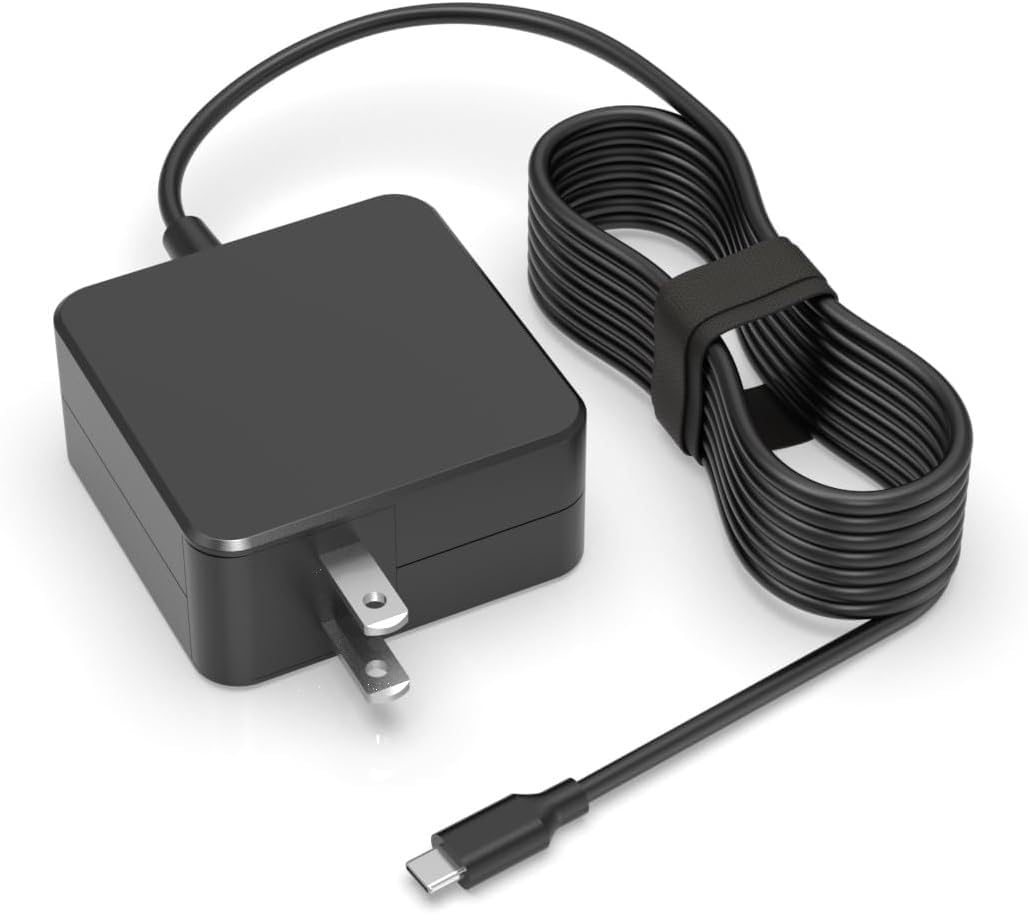
Figure 4.1: Connecting the USB-C adapter to a device's Type-C port.

Figure 4.2: The adapter in use, charging a laptop from a wall outlet.
5. Operating Instructions
The GUY-TECH 45W USB-C AC Adapter is designed for straightforward operation. Once connected, it automatically detects the power requirements of your compatible USB-C device and delivers the appropriate voltage and current up to its maximum output of 45W. This adapter is suitable for a wide range of USB-C powered devices.

Figure 5.1: The USB-C connector is compatible with a variety of modern devices.
Important Compatibility Note: This adapter uses a USB-C connector. It is not compatible with devices that use Micro-USB or other proprietary square-shaped connectors. Always verify your device's charging port type before connecting.

Figure 5.2: Ensure your device uses a USB-C port for compatibility.
6. Maintenance
- Cleaning: Disconnect the adapter from the power outlet and your device before cleaning. Use a soft, dry cloth to wipe the surface. Do not use liquid cleaners or aerosols.
- Storage: Store the adapter in a cool, dry place away from direct sunlight and extreme temperatures. Avoid wrapping the cable too tightly around the adapter to prevent damage to the cable or connectors.
- Inspection: Periodically inspect the adapter and cable for any signs of damage, such as frayed wires, bent pins, or cracks in the casing. If damage is found, discontinue use and replace the adapter.
7. Troubleshooting
- Device not charging:
- Ensure the adapter is securely plugged into both the wall outlet and your device.
- Verify that your device's charging port is clean and free of debris.
- Confirm that your device is compatible with USB-C charging and requires power within the adapter's specifications (up to 45W).
- Try a different wall outlet to rule out a power source issue.
- If possible, test the adapter with another compatible USB-C device or test your device with another known-good USB-C charger.
- Slow charging:
- Ensure your device is not running power-intensive applications while charging.
- Check if the cable is fully inserted into both the adapter and the device.
- Some devices may charge slower if they are in active use.
- Adapter feels warm:
- It is normal for the adapter to become warm during operation, especially under heavy load. However, if it becomes excessively hot to touch, disconnect it immediately and contact support.
8. Specifications
| Feature | Specification |
|---|---|
| Model | GUY-TECH 45W USB-C AC Adapter |
| Input | 100-240V ~ 50/60Hz |
| Output | 5V-3A / 9V-3A / 15V-3A / 20V-2.25A (Max 45W) |
| Connector Type | USB-C (Type-C) |
| Compatible Devices | Devices requiring USB-C power up to 45W, including GPD Pocket 2 Max, laptops, tablets, and smartphones. |
| Color | Black |
| Material | Composite, Metal, Plastic |
| Safety Certifications | CCC, CE, RoHS |
| Special Features | Over Voltage Protection, Over Current Protection, Short Circuit Protection, Over Heat Protection, Travel-friendly design. |
9. Warranty and Support
For warranty information or technical support, please refer to the documentation provided with your purchase or contact GUY-TECH customer service through the retailer where the product was purchased. Please have your product model and purchase details available when contacting support.


