
1. Introduction
Thank you for choosing the Wolezek BL-C80A 4-Head LED Grow Light. This product is designed to provide optimal lighting conditions for your indoor plants, promoting healthy growth from seedling to flowering stages. This manual provides essential information for the safe and effective use of your grow light. Please read it thoroughly before operation and retain it for future reference.
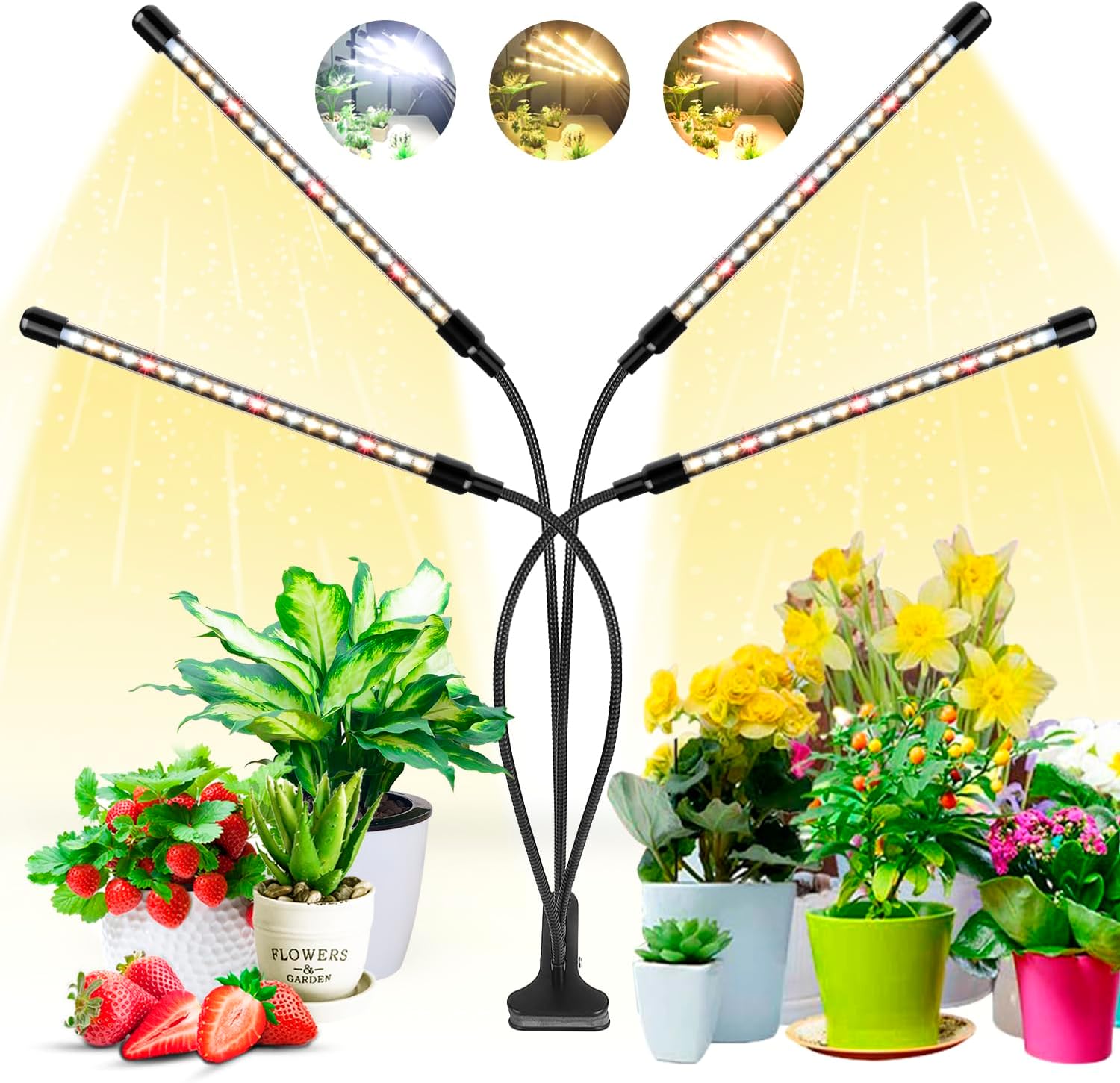
Image 1.1: The Wolezek 4-Head LED Grow Light illuminating various indoor plants.
2. Product Overview
2.1 Key Features
- Full Spectrum LED: Equipped with 80 LEDs (28x 5000K white, 40x 3000K warm white, 12x 660nm red) covering wavelengths from 380nm to 800nm, simulating natural sunlight for all plant growth stages.
- Wider Coverage: Four flexible 360-degree rotating goosenecks allow for broad and adjustable light distribution, suitable for multi-layered planting.
- Cycle Memory Timer: Integrated timer with 6, 12, or 16-hour settings. The light automatically turns on and off daily at the set time.
- Multiple Light Modes: Three distinct color modes (white, red + warm white, and mixed light) to cater to different plant needs.
- Dimmable Brightness: Five brightness levels (20% to 100%) for precise light intensity control.
- Secure Mounting: Features a non-slip clip for stable attachment to various surfaces.

Image 2.1: Full spectrum light distribution and LED types.
2.2 Package Contents
Ensure all items are present upon unboxing:
- Wolezek BL-C80A 4-Head LED Grow Light
- USB Power Adapter
- User Manual (this document)

Image 2.2: Contents of the Wolezek BL-C80A package.
3. Safety Instructions
To prevent injury or damage, please observe the following safety precautions:
- Do not look directly into the LED lights when they are on, as this may cause eye strain.
- Ensure the power supply voltage matches the product's requirements (120 Volts AC).
- Keep the grow light away from water and moisture. This product is not waterproof.
- Do not attempt to disassemble or modify the product. Refer all servicing to qualified personnel.
- Keep out of reach of children and pets.
- Ensure proper ventilation around the light to prevent overheating.
- Unplug the light from the power source before cleaning or when not in use for extended periods.
4. Setup
- Attach the Clip: Securely attach the non-slip clip to a stable surface such as a table edge, shelf, or plant stand. Ensure the surface thickness is compatible with the clip's opening (up to 2.5 inches).
- Position the Goosenecks: Adjust the four flexible 360-degree bendable goosenecks to direct light towards your plants. Each light bar is approximately 10.5 inches long, and the goosenecks are about 15.5 inches long, allowing for wide coverage.
- Connect Power: Insert the USB connector into the provided USB power adapter, then plug the adapter into a standard electrical outlet.

Image 4.1: The robust clip for secure mounting.

Image 4.2: The flexible gooseneck allows for 360-degree adjustment.

Image 4.3: Product dimensions and components for setup.
5. Operating Instructions
The Wolezek BL-C80A grow light features an inline control panel for easy operation.

Image 5.1: The inline control panel.
5.1 Control Panel Functions
- Brightness Adjustable Button (☀): Press to cycle through 5 dimming options: 20%, 40%, 60%, 80%, 100%.
- Switch Lighting Color Button (↻): Press to change between 3 light modes:
- White Light Only: Primarily 5000K white LEDs. Ideal for germination and early vegetative growth.
- Warm White + Red Light: Combination of 3000K warm white and 660nm red LEDs. Beneficial for flowering and fruiting stages.
- Full Spectrum (Mixed Light): All LEDs (white, warm white, red) are active, simulating natural sunlight for all growth phases.
- Timing Switch Button (◷): Press to set the automatic timer for 6, 12, or 16 hours. The light will turn on and off at the same time daily. The timer has a memory function, retaining the last setting.
- Power Button (⏻): Press to turn the grow light ON or OFF.
5.2 Light Modes and Dimming
Experiment with different light modes and brightness levels to find the optimal settings for your specific plants and growth stages.

White Light Only

Warm White + Red Light

Full Spectrum (Mixed Light)

Image 5.2: Overview of lighting modes, dimming, and timer settings.
5.3 Cycle Memory Timer
Once you set the timer (6, 12, or 16 hours), the light will automatically turn on for the set duration and then turn off. It will repeat this cycle every 24 hours. For example, if you set it for 12 hours at 8:00 AM, it will turn off at 8:00 PM and then turn on again at 8:00 AM the next day.
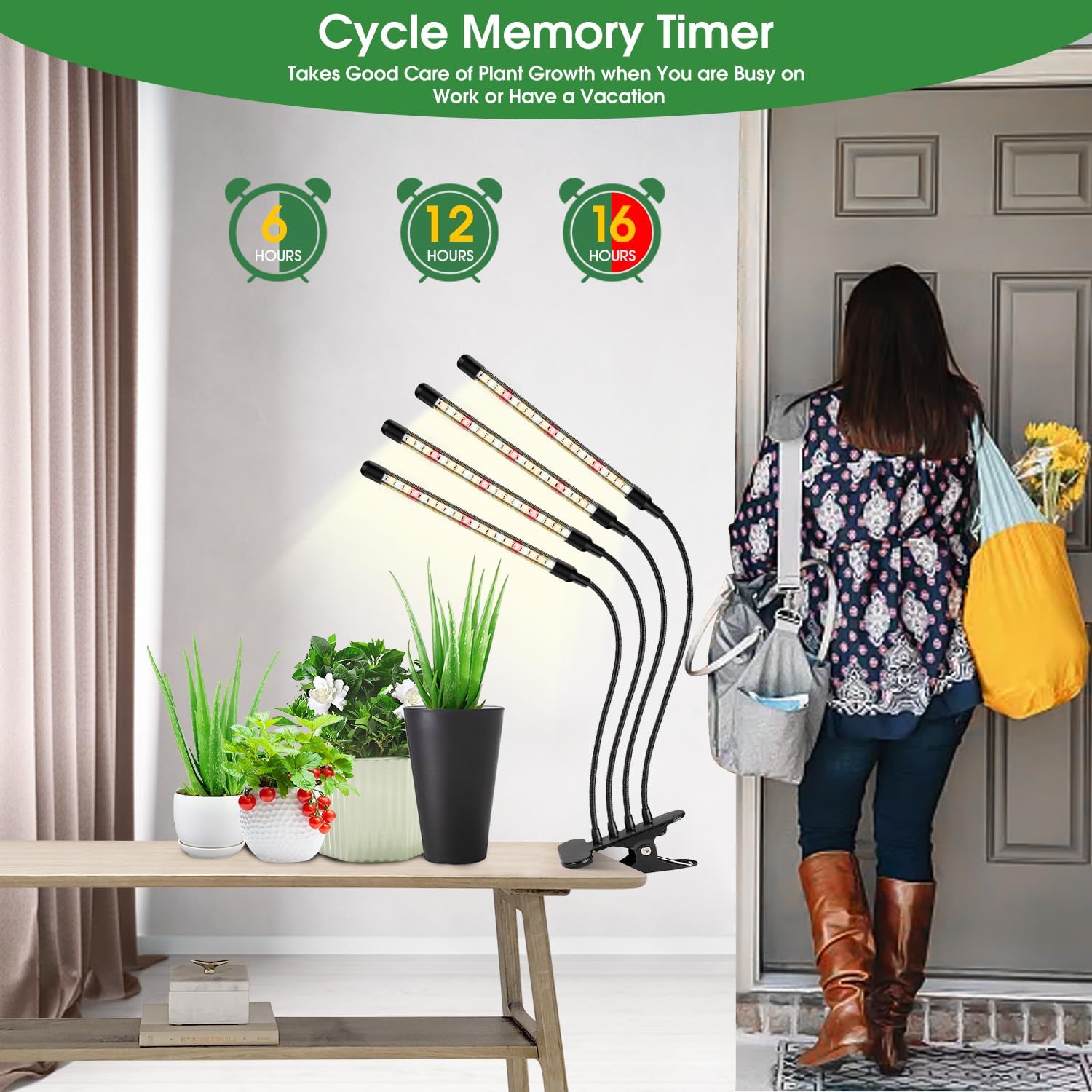
Image 5.3: The cycle memory timer ensures consistent light exposure for plants.
6. Maintenance
- Cleaning: Ensure the grow light is unplugged before cleaning. Use a soft, dry cloth to wipe down the light bars and control panel. Do not use liquid cleaners or abrasive materials.
- Storage: If storing the light for an extended period, unplug it, clean it, and store it in a cool, dry place away from direct sunlight.
7. Troubleshooting
| Problem | Possible Cause | Solution |
|---|---|---|
| Light does not turn on. | No power, loose connection, power button off. | Check if the adapter is securely plugged into the outlet and the USB cable is connected. Press the power button. Test the outlet with another device. |
| Timer function not working. | Timer not set correctly, power interruption. | Ensure the timer button is pressed to select 6H, 12H, or 16H. If power was interrupted, reset the timer. |
| Lights are dim or flickering. | Brightness setting too low, power issue. | Increase brightness using the brightness button. Check power connection. |
| Goosenecks do not hold position. | Over-extension, heavy object on light head. | Reposition the goosenecks to a more stable configuration. Ensure no external weight is applied to the light heads. |
8. Specifications
| Model Name | BL-C80A |
| Brand | Wolezek |
| Light Source Type | LED |
| Number of Light Sources | 80 |
| LED Configuration | 28x 5000K White, 40x 3000K Warm White, 12x 660nm Red |
| Spectrum | Full Spectrum (380nm to 800nm) |
| Wattage | 15 watts |
| Voltage | 120 Volts (AC) |
| Control Method | Push Button (Inline Controller) |
| Timer Settings | 6H, 12H, 16H (with Memory Function) |
| Dimming Options | 5 Levels (20%, 40%, 60%, 80%, 100%) |
| Material | Aluminum |
| Mounting Type | Clamp-mounted (Desktop) |
| Product Dimensions | 5.31 x 3.35 x 13.27 inches |
| Item Weight | 1.81 pounds |
| Indoor/Outdoor Usage | Indoor Only |
| Water Resistance Level | Not Water Resistant |
9. Warranty and Support
Wolezek offers 7x24 customer service. If you have any questions about your product or encounter any issues, please contact us via Amazon for prompt assistance. We are committed to ensuring your satisfaction.
For further support, please visit the Wolezek Store on Amazon.