
1. Introduction
This manual provides detailed instructions for the proper operation, maintenance, and troubleshooting of your BAOFENG UV-22R Two-Way Radio. Please read this manual thoroughly before using the device to ensure safe and efficient operation.
1.1 Safety Information
- Do not operate the radio in explosive atmospheres (e.g., flammable gases, dust particles, metallic powders).
- Do not expose the radio to direct sunlight for extended periods or place it near heating appliances.
- Use only BAOFENG approved batteries and chargers.
- Do not disassemble or modify the radio.
- Keep the radio away from medical devices to avoid interference.
1.2 Package Contents
Verify that all items are present in your package:
- 1x BAOFENG UV-22R Portable Radio
- 1x Original High Gain Antenna
- 1x Type-C Charger Cable
- 1x 2500mAh Li-ion Battery
- 1x Belt Clip
- 1x Sling
- 1x Charger (Desktop)
- 1x User’s Manual
- 1x Headset
- 1x 771 Antenna

Figure 1: BAOFENG UV-22R Radio and Accessories
This image displays the BAOFENG UV-22R radio unit alongside its standard accessories, including two antennas (one original high gain, one 771), a USB-C charging cable, and a headset. The radio features a 1.77-inch LCD screen and a full keypad.
2. Product Overview
The BAOFENG UV-22R is a versatile two-way radio designed for reliable communication. It features a 1.77-inch LCD screen, 999 memory channels, and USB-C charging capability.
2.1 Key Features
- Display: 1.77-inch LCD screen with full keyboard.
- Channels: Up to 999 programmable memory channels.
- Charging: USB-C charging for convenience.
- Power Output: 5W high power output.
- Frequency Range: VHF (144-148MHz) and UHF (420-450MHz).
- NOAA Weather Radio: Integrated NOAA weather alert function.
- Scanning: VFO scan, channel scan, CTC/DCS scan.
- Tones: 50 CTCSS tones and 105 DCS codes.
- VOX: Voice-activated transmit function.
- DTMF: DTMF encoder and manual dial.
- FM Radio: Built-in broadcast FM radio receiver.
- Battery: High capacity Li-ion battery (2500mAh).
- Dual Watch/Reception: Monitor two frequencies simultaneously.
- Programmable: PC programmable for advanced customization.

Figure 2: Key Specifications Display
This image highlights the core specifications of the BAOFENG UV-22R radio, including its 999 channel capacity, 5-watt high power output, and 1.77-inch screen. Note that the battery capacity is 2500mAh as per product specifications, despite the image indicating 2800mAh. The radio's front panel with its LCD and keypad is clearly visible.

Figure 3: 1.77-inch LCD Screen
A detailed view of the BAOFENG UV-22R's 1.77-inch color LCD screen, showcasing its ability to display frequencies and various menu options clearly. The screen is a central interface for operating the radio.

Figure 4: High Quality Voice Output
This diagram provides an exploded view of the BAOFENG UV-22R's internal speaker, highlighting its construction designed for clear and high-quality audio output during communication.
3. Setup
3.1 Battery Installation
- Align the battery pack with the grooves on the back of the radio.
- Slide the battery pack upwards until it clicks into place.
- To remove, press the battery release latch (usually at the bottom of the battery) and slide the battery downwards.
3.2 Antenna Attachment
- Screw the antenna clockwise into the connector on the top of the radio until it is finger-tight.
- Do not overtighten the antenna.
3.3 Charging the Battery
The UV-22R supports both desktop charger and USB-C direct charging.
- Desktop Charger: Place the radio (with battery installed) into the desktop charging cradle. Ensure the charging indicator light illuminates.
- USB-C Charging: Connect the provided USB-C cable to the USB-C port on the side of the radio and to a compatible USB power source (e.g., wall adapter, power bank, computer). The charging indicator will show charging status.
A full charge typically takes several hours. The indicator light will change when charging is complete.
3.4 Initial Power On
After installing the battery and antenna, rotate the power/volume knob clockwise to turn on the radio. The LCD screen will illuminate, and you will hear a power-on tone.
4. Basic Operation
4.1 Power On/Off and Volume Control
- Power On: Rotate the top-left knob clockwise until a click is heard and the screen illuminates.
- Power Off: Rotate the top-left knob counter-clockwise until a click is heard and the screen turns off.
- Volume Adjustment: After powering on, continue rotating the same knob clockwise to increase volume or counter-clockwise to decrease volume.
4.2 Channel Mode vs. Frequency Mode (VFO)
The UV-22R operates in two primary modes:
- Channel Mode: For selecting pre-programmed memory channels (e.g., Channel 001, Channel 002). Use the UP/DOWN arrow keys or the keypad to select a channel.
- Frequency Mode (VFO): For direct frequency input and manual tuning. Use the UP/DOWN arrow keys to adjust frequency or enter directly via the keypad.
Press the VFO/MR button (often labeled with a square icon) to switch between these modes.
4.3 Transmitting and Receiving
- Receiving: When a signal is detected on the selected frequency/channel, the radio will automatically open the squelch and you will hear the transmission.
- Transmitting: Press and hold the PTT (Push-To-Talk) button on the left side of the radio. Speak clearly into the microphone. Release the PTT button to stop transmitting and return to receive mode.
4.4 Keypad Lock
To prevent accidental key presses, you can lock the keypad. Press and hold the # key for a few seconds to toggle the keypad lock on or off. A lock icon will appear on the display when activated.
5. Advanced Features
5.1 Scanning Functions
The UV-22R offers various scanning capabilities:
- VFO Scan: Scans through a defined frequency range.
- Channel Scan: Scans through all programmed memory channels.
- CTCSS/DCS Scan: Detects CTCSS/DCS tones on an active signal.
To initiate scanning, press the SCAN button (often labeled with a triangle icon or on the # key). Press again to stop scanning.
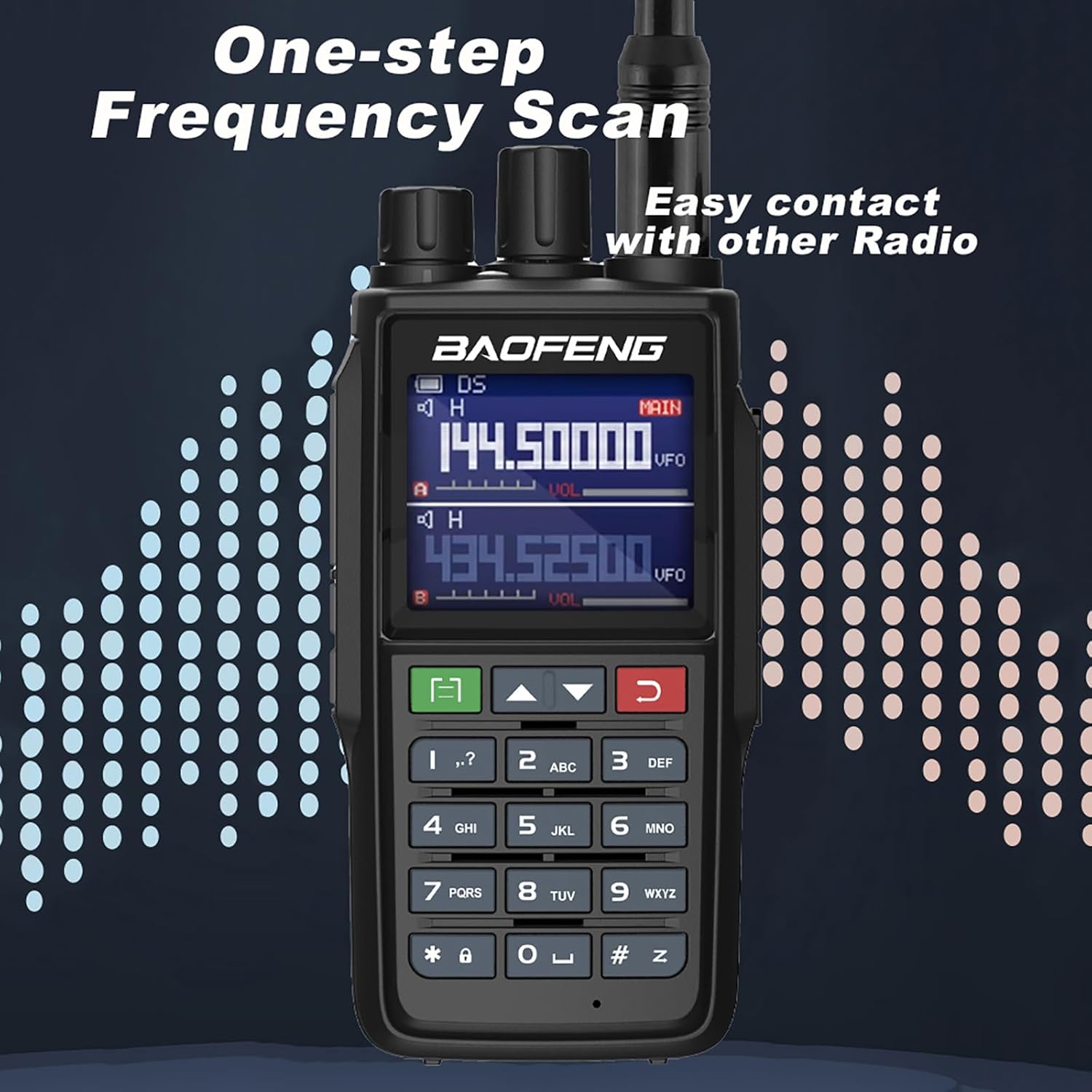
Figure 5: One-step Frequency Scan
This image demonstrates the one-step frequency scan feature of the BAOFENG UV-22R, showing the radio actively scanning and displaying two frequencies. This function allows for easy detection of active transmissions.
5.2 CTCSS/DCS Tones
CTCSS (Continuous Tone-Coded Squelch System) and DCS (Digital-Coded Squelch) tones are used to filter out unwanted signals. When a tone is set, your radio will only open its squelch to receive signals that transmit the matching tone.
Refer to the full user manual for detailed instructions on setting CTCSS/DCS tones via the menu system.
5.3 VOX (Voice Activated Transmit)
The VOX function allows you to transmit without pressing the PTT button. The radio will automatically transmit when it detects your voice. This feature is adjustable for sensitivity.
To activate/deactivate VOX and adjust its sensitivity, navigate through the radio's menu settings.
5.4 DTMF Function
DTMF (Dual-Tone Multi-Frequency) signaling is used for various purposes, including remote control of repeaters or selective calling. The UV-22R supports DTMF encoding and manual dialing.
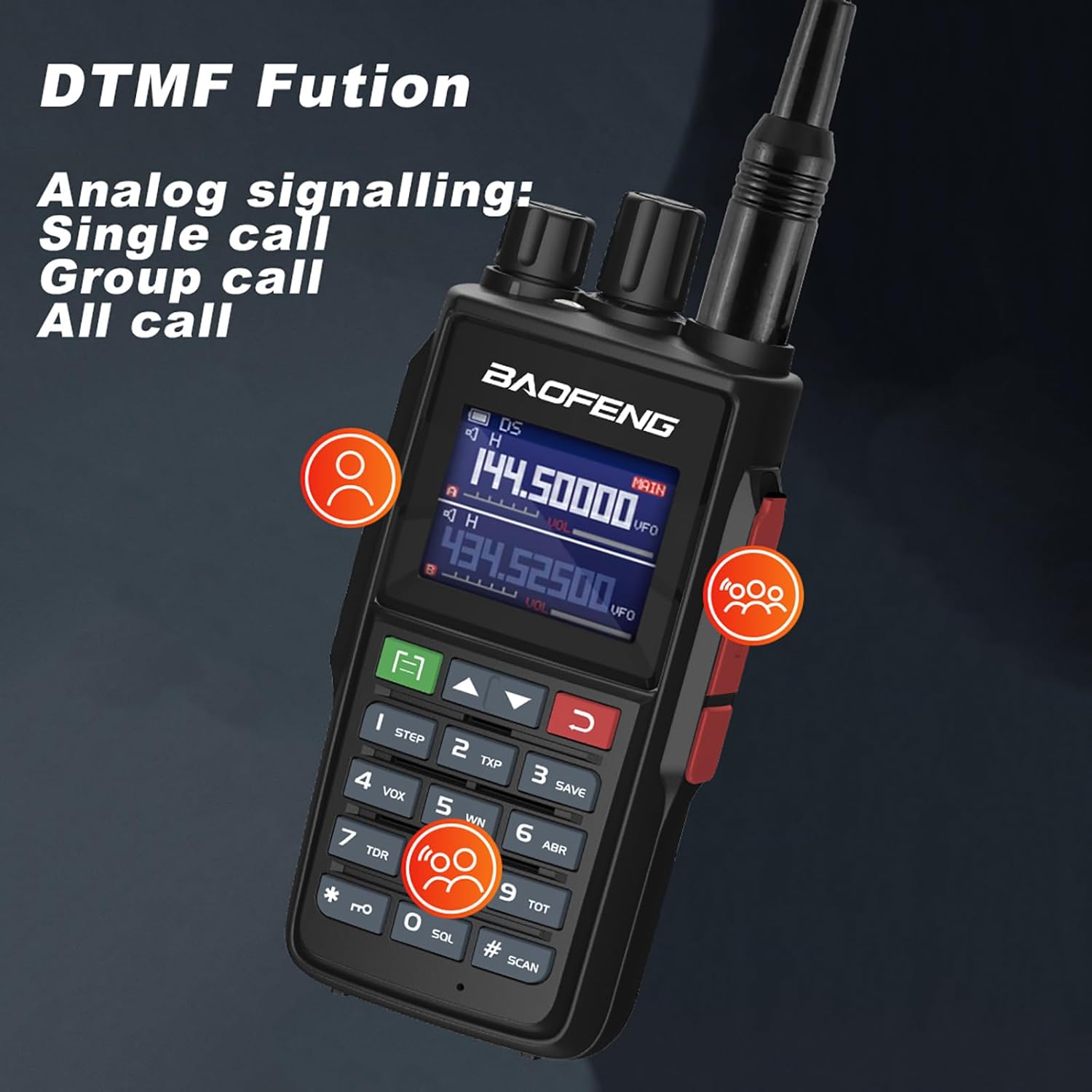
Figure 6: DTMF Function
This image highlights the DTMF (Dual-Tone Multi-Frequency) function of the BAOFENG UV-22R, demonstrating its capability for analog signaling, including single call, group call, and all call options. This feature is crucial for advanced communication protocols.
5.5 NOAA Weather Radio
The integrated NOAA Weather Radio function allows you to receive weather alerts and broadcasts, providing critical information during adverse weather conditions.
5.6 FM Radio Receiver
The UV-22R includes a broadcast FM radio receiver for entertainment. To activate, typically press the FM button or access via the menu.
5.7 High/Low Power Selection
You can select between high and low power output modes to conserve battery life or reduce interference when communicating over short distances. This setting is usually found in the radio's menu.
6. Maintenance
6.1 Cleaning
- Wipe the radio's surface with a soft, damp cloth.
- Do not use harsh chemicals or abrasive cleaners.
- Ensure the USB-C port and antenna connector are free from dust and debris.
6.2 Battery Care
- Charge the battery fully before first use.
- Avoid overcharging or completely draining the battery frequently to prolong its lifespan.
- Store the battery in a cool, dry place when not in use for extended periods.
6.3 Storage
When storing the radio for long periods, remove the battery and store both components separately in a dry, temperature-controlled environment.
7. Troubleshooting
| Problem | Possible Cause | Solution |
|---|---|---|
| Radio does not power on. | Battery is dead or not installed correctly. | Charge the battery or re-install it securely. |
| Cannot transmit or receive. | Incorrect frequency/channel, squelch too high, antenna not connected. | Verify frequency/channel, adjust squelch, check antenna connection. |
| Poor audio quality. | Low battery, weak signal, incorrect volume. | Charge battery, move to an area with better signal, adjust volume. |
| Keypad is unresponsive. | Keypad lock is active. | Press and hold the # key to unlock the keypad. |
8. Specifications
| Feature | Detail |
|---|---|
| Model Number | UV-22R |
| Frequency Range | VHF: 144-148MHz, UHF: 420-450MHz |
| Number of Channels | 999 |
| Power Output | 5W |
| Screen | 1.77-inch LCD |
| Battery Type | Lithium Ion |
| Battery Capacity | 2500mAh |
| Charging | Desktop Charger, USB-C |
| Dimensions (H x W x D) | 5 x 2.4 x 1.5 inches (approx. 127 x 61 x 38 mm) |
| Weight | 1.3 pounds (approx. 590g) |
| Special Features | NOAA, VOX, DTMF, FM Radio, Scan, CTCSS/DCS |
| Water Resistance Level | Not Water Resistant |
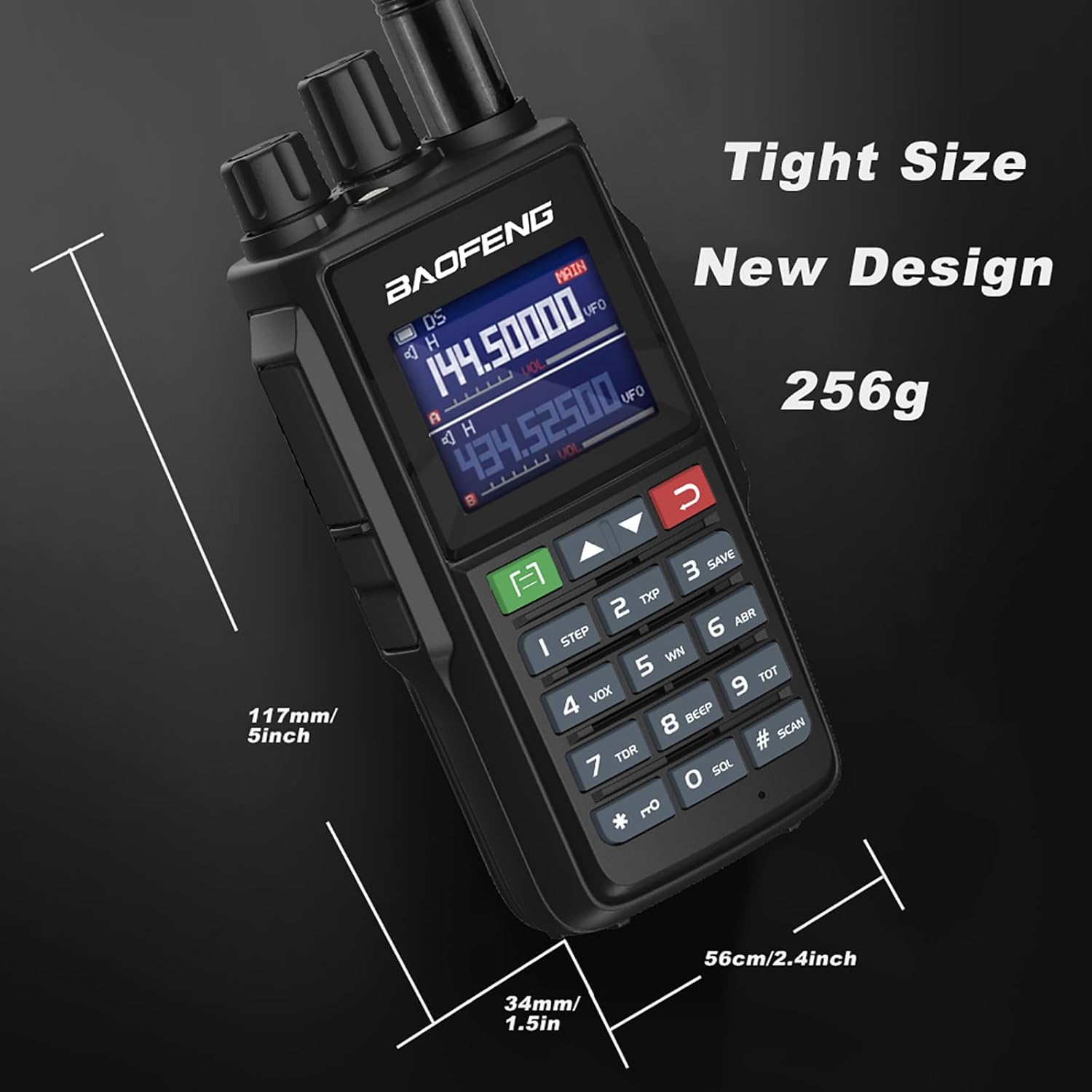
Figure 7: Product Dimensions
This image provides a visual representation of the BAOFENG UV-22R radio's physical dimensions, indicating its height, width, and depth. Note that the product specifications list the weight as 1.3 pounds (approx. 590g), which differs from the 256g shown in this diagram.
9. Warranty and Support
9.1 Warranty Information
The BAOFENG UV-22R radio comes with a 1-year warranty. This warranty is provided exclusively through "Shiqun Electronics Co., Ltd". Please retain your proof of purchase for warranty claims.
9.2 Customer Support
For technical assistance, troubleshooting beyond this manual, or warranty inquiries, please contact the seller or authorized BAOFENG service center. Refer to your purchase documentation for specific contact details.