Introduction
This manual provides essential information for the safe and effective operation of your Sky Viper Type-R Racing Drone. Please read it thoroughly before first use and retain it for future reference. The Sky Viper Type-R is designed for high-performance racing, offering speeds over 30 mph and advanced flight capabilities.
Safety Information
WARNING: Choking hazard. Small parts. Keep out of reach of small children. Always operate the drone in open areas, away from people, animals, and obstacles. Do not fly near airports or restricted airspace. Adult supervision is recommended for users under 12 years of age. Ensure the battery is fully charged and securely installed before each flight. Do not modify the drone or its components.
What's in the Box

Image: All components included in the Sky Viper Type-R Racing Drone package.
- Sky Viper Type-R Racing Drone
- 2.4 GHz Transmitter (Remote Control)
- Removable Rechargeable 3.7V 800 mAh LiPo Battery
- Charging Cable
- Extra set of 4 Replacement Propellers
- Product Manual
Setup
1. Charging the Drone Battery
Connect the drone's LiPo battery to the charging cable, then plug the charging cable into a USB power source. The indicator light on the charger will show charging status. A full charge typically takes approximately 60-90 minutes. Do not overcharge the battery.
2. Installing Batteries in the Remote Control
The remote control requires 3 AAA batteries (not included). Open the battery compartment on the back of the remote, insert the batteries according to the polarity indicators, and close the compartment securely.
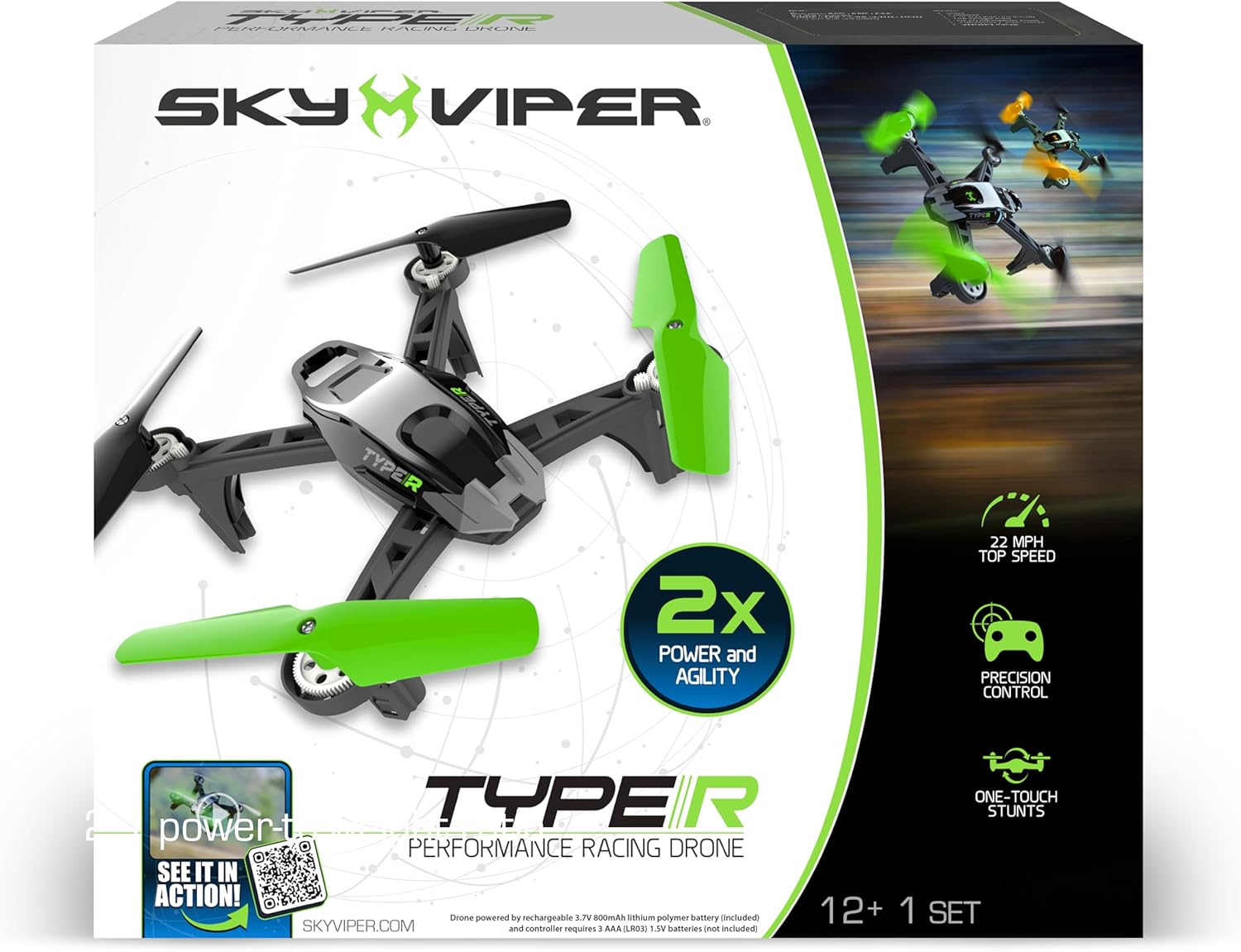
Image: The Sky Viper Type-R Racing Drone and its accompanying remote control.
3. Propeller Installation/Replacement
Ensure propellers are correctly oriented. Each propeller is marked with an 'A' or 'B' and must match the corresponding motor arm. Incorrect installation will prevent proper flight. Use the included screwdriver for replacement if needed.
4. Pairing the Drone and Remote
Turn on the drone, then turn on the remote control. Push the left joystick (throttle) all the way up, then all the way down. The drone's lights will stop flashing and become solid, indicating successful pairing.
Operating Instructions
Auto Launch and Land

Image: Visual representation of the auto-launch and auto-land functions.
To automatically launch, press the "LAUNCH" button on the remote. The drone will ascend to a stable hover. To automatically land, press the "LAND" button. The drone will descend gently and land.
Flight Modes: Sport & Race

Image: The Sky Viper Type-R drone in flight, illustrating its suitability for various skill levels.
The Type-R offers multiple flight modes to suit different skill levels. Sport Mode is ideal for casual flying and beginners, providing stable and responsive control. For experienced pilots seeking aggressive performance, switch to Race Mode to increase agility and responsiveness, allowing for speeds over 30 mph.

Image: The Sky Viper Type-R Racing Drone demonstrating its high-speed capability.
One-Touch Stunts

Image: Instructions for performing 360-degree flips with the drone.
Perform impressive stunts with ease. Hold the dedicated stunt button on the remote, then tap the directional stick to execute barrel rolls in one of four directions or flips from a stationary hover.
Official Product Video
Video: An official product video showcasing the Sky Viper Type-R Racing Drone's features and flight capabilities.
Maintenance
- Cleaning: Use a soft, dry cloth to clean the drone and remote. Do not use harsh chemicals or liquids.
- Propeller Care: Regularly inspect propellers for damage. Replace bent or chipped propellers immediately to ensure stable flight.
- Battery Care: Store the LiPo battery in a cool, dry place. Do not expose it to extreme temperatures. Always allow the battery to cool down before recharging.
- Storage: When not in use for extended periods, remove batteries from the remote control and store the drone in a safe, dry environment.
Troubleshooting
| Problem | Solution |
|---|---|
| Drone does not respond to remote. | Ensure both drone and remote are powered on and properly paired. Check remote control batteries. |
| Drone does not lift off or flies erratically. | Check if the drone battery is fully charged. Verify that all propellers are correctly installed and undamaged. Perform a calibration if necessary (refer to quick start guide for calibration steps). |
| Short flight time. | Ensure the battery is fully charged before each flight. Battery performance may decrease over time. |
| Drone drifts during flight. | Perform a trim adjustment using the remote control. If drifting persists, recalibrate the drone. |
Specifications
| Feature | Detail |
|---|---|
| Brand | Sky Viper |
| Model Name | Sky Viper Type-R Racing Drone |
| Model Number | 18727 |
| UPC | 810017187270 |
| Age Range (Description) | Youth (12 years and up) |
| Color | White/Black |
| Connectivity Technology | USB (for charging) |
| Item Weight | 1.15 pounds |
| Battery Capacity | 800 mAh LiPo |
| Product Dimensions | 13.5"L x 3"W x 11.5"H |
| Control Type | Remote Control |
| Wireless Communication Technology | Radio Frequency |
| Material | Plastic |
Warranty and Support
For warranty information and technical support, please refer to the contact details provided on the product packaging or visit the official Sky Viper website. Keep your purchase receipt as proof of purchase for any warranty claims.


