
Introduction
This manual provides comprehensive instructions for the installation, operation, and maintenance of your FJZKTEG Smart Electric Motor Lock, Model RX2052. This keyless entry door lock offers advanced security features, including Tuya App control and IC card unlocking, designed for concealed installation on wooden doors.
Safety Information
- Read all instructions carefully before installation and use.
- Do not attempt to disassemble or repair the lock yourself. Contact qualified personnel for service.
- Ensure the lock is installed correctly to prevent malfunction and maintain security.
- Keep IC cards and app access credentials secure.
- This lock is designed for indoor non-metallic doors, such as those found in homes and offices.
Package Contents
Please verify that all components are present in your package. Refer to the product packaging for a detailed list of included items.
Product Overview and Features
The FJZKTEG Smart Electric Motor Lock RX2052 is an advanced keyless entry solution with the following features:
- Concealed Installation: Designed for invisible indoor installation, leaving no visible marks on the exterior of the door.
- Multiple Unlocking Methods: Supports Tuya App unlocking, 13.56Mhz IC card unlocking, indoor one-click unlocking, and manual knob unlocking.
- Automatic Locking: The door automatically locks upon closing.
- Voice Broadcasts: Provides live voice prompts for operational feedback.
- Passage Mode: Features a normally open function for temporary passage mode.
- Low Voltage Alarm: Alerts users when battery power is low.
- Unlock Record Monitoring: The Tuya App records IC card and app unlock events for security monitoring.

Image: The FJZKTEG Smart Electric Motor Lock, highlighting its invisible design and dual unlocking methods: Tuya APP and 13.56Mhz IC card.
Installation
This lock is designed for easy, no-drilling installation on wooden doors with a thickness not exceeding 60mm. The installation is concealed, ensuring no visible components from the outside.
- Prepare the Door: Ensure your wooden door meets the thickness requirement (max 60mm) and is clean and free of obstructions.
- Mount the Lock Body: Follow the specific instructions provided in your physical installation guide to mount the main lock unit on the inside of the door. The design allows for a hidden appearance from the exterior.
- Install the Strike Plate/Sensor: Position and install the corresponding strike plate or sensor on the door frame, ensuring proper alignment with the main lock body for automatic locking functionality.
- Test Functionality: After installation, perform initial tests to ensure the lock engages and disengages smoothly, and that the automatic locking feature works correctly when the door is closed.

Image: Demonstrates how the door can be accessed by pushing from the outside after the lock is installed, indicating its concealed nature.

Image: Illustrates the automatic locking feature of the FJZKTEG Smart Electric Motor Lock, showing how it engages when the door is detected as closed.
Operating Instructions
The RX2052 lock offers multiple convenient ways to unlock and manage access.
- Tuya App Unlocking:
Download the Tuya Smart app from your device's app store. Follow the in-app instructions to pair your lock with the app. Once paired, you can remotely unlock the door, manage users, and view unlock records from your smartphone.
Image: A smartphone displaying the Tuya APP interface, demonstrating remote unlocking capabilities for the FJZKTEG Smart Electric Motor Lock.
- IC Card Unlocking:
Present a registered 13.56Mhz IC card to the designated sensor area on the exterior of the door. The lock will respond with a voice prompt and unlock. Refer to the Tuya App for instructions on how to register new IC cards.

Image: A hand presenting a 13.56Mhz IC card to the outdoor sensor of the FJZKTEG Smart Electric Motor Lock, illustrating the quick 0.5-second response for unlocking.
- Indoor One-Click Unlocking:
From the inside, press the designated one-click unlock button on the lock unit. This provides convenient and fast exit.
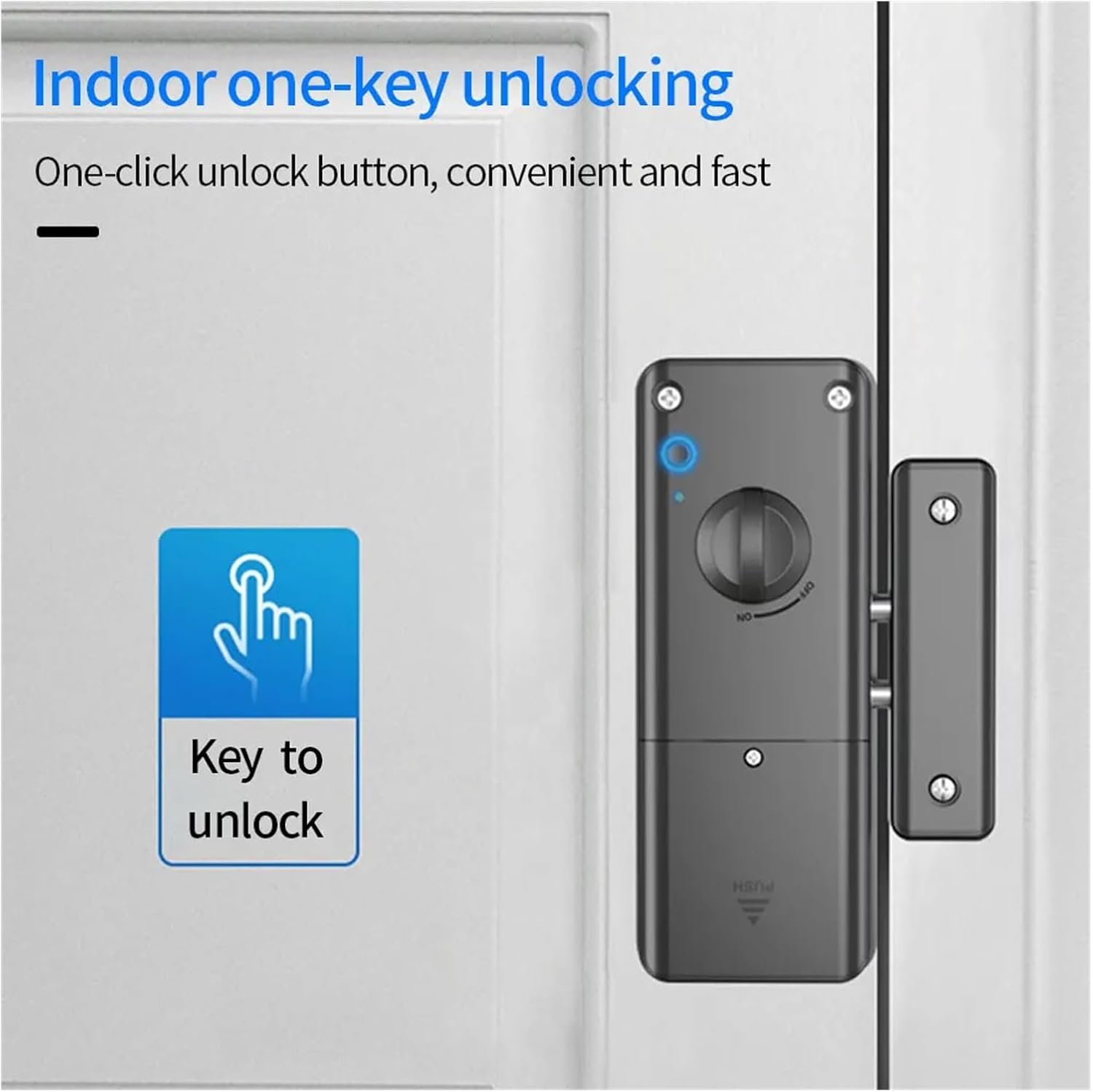
Image: The FJZKTEG Smart Electric Motor Lock's indoor unit, highlighting the one-click unlock button for convenient and fast access from inside.
- Manual Knob Unlocking:
In case of power failure or emergency, the lock can be manually operated using the internal knob.
- Passage Mode (Normally Open Function):
Activate passage mode via the Tuya App or a specific sequence on the lock (refer to app for details) to keep the door unlocked for extended periods, useful for high-traffic situations.
- Low Voltage Alarm:
When the battery level is low, the lock will emit an audible alarm. Replace batteries promptly to ensure continuous operation.
Maintenance
- Cleaning: Wipe the lock's surface with a soft, dry cloth. Avoid using abrasive cleaners or solvents that could damage the finish.
- Battery Replacement: When the low voltage alarm sounds, replace the batteries immediately. Use only the recommended battery type.
- Regular Checks: Periodically check the lock for any signs of wear or damage. Ensure all screws are tight and the lock operates smoothly.
Troubleshooting
- Lock Not Responding: Check battery levels. If batteries are low, replace them. Ensure the lock is properly installed and aligned.
- IC Card Not Unlocking: Verify the IC card is registered in the Tuya App. Ensure the card is presented correctly to the sensor.
- Tuya App Connectivity Issues: Ensure your smartphone has a stable internet connection. Check if the lock is within Bluetooth/Wi-Fi range. Restart the app and the lock if necessary.
- Automatic Locking Malfunction: Check for any obstructions preventing the door from closing fully. Ensure the strike plate/sensor is correctly aligned with the main lock unit.
Specifications
| Feature | Specification |
|---|---|
| Model | RX2052 |
| Brand | FJZKTEG |
| Application | Indoor non-metallic doors (e.g., wooden doors) |
| Door Thickness | Not exceeding 60mm |
| Unlocking Methods | Tuya App, 13.56Mhz IC Card, Indoor One-Click, Manual Knob |
| Item Weight | 50 Grams |
| Assembly Required | No (referring to complex assembly, basic installation is needed) |
Warranty and Support
For warranty information and technical support, please refer to the documentation included with your product or contact FJZKTEG customer service through their official channels. Keep your purchase receipt for warranty claims.