
Introduction
This manual provides instructions for the assembly, operation, and maintenance of your AHB 13 Gallons Tilt Out Trash Cabinet, Model 072/122. Designed to conceal a 13-gallon trash can, this cabinet helps maintain a clean appearance in your kitchen or living space and can prevent pets from accessing the trash. It also features a top drawer for additional storage.
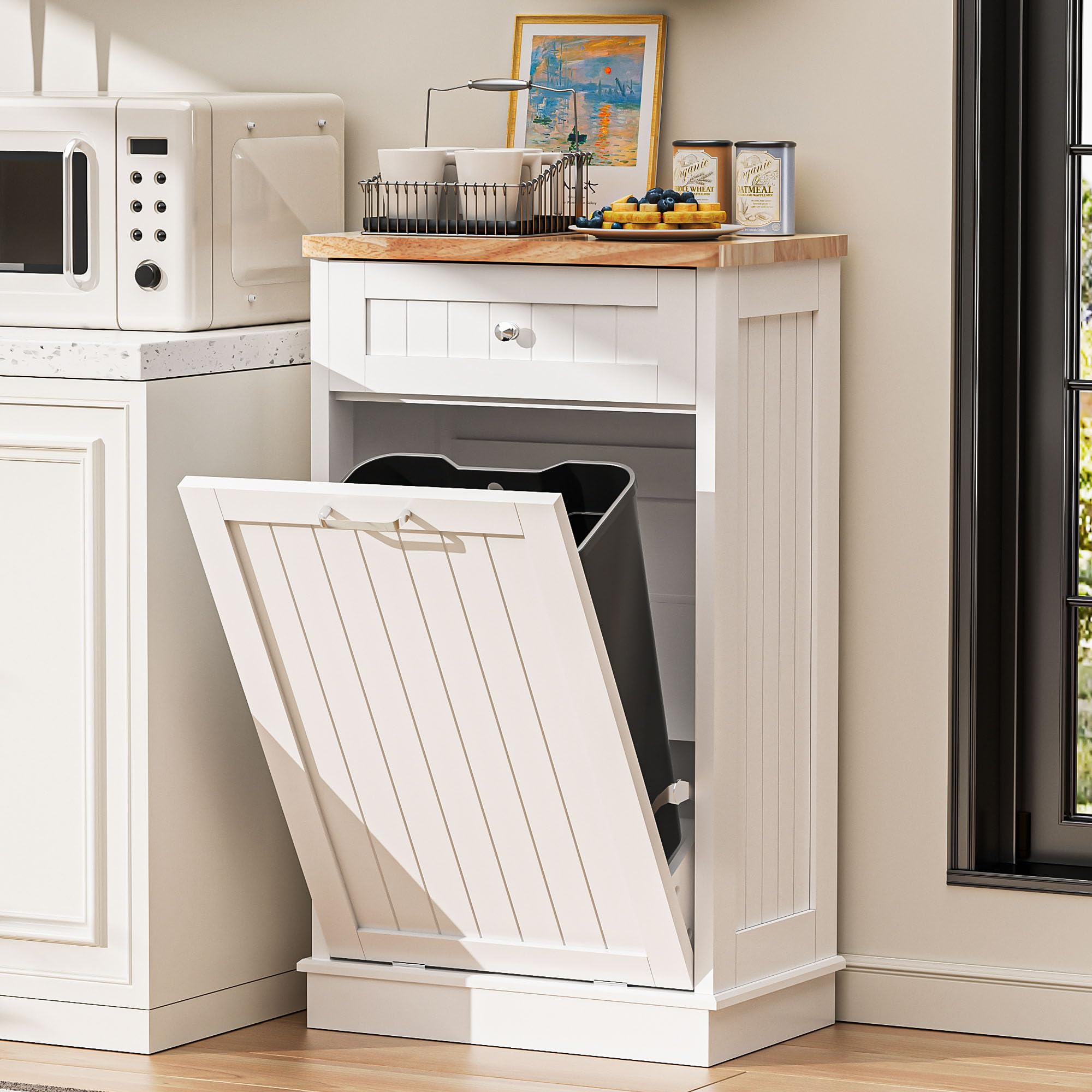
Image: The AHB 13 Gallons Tilt Out Trash Cabinet in white, featuring a top drawer and a tilt-out door.
Safety Information
Read all instructions before assembly and use. Keep these instructions for future reference.
- Ensure all parts are present and undamaged before assembly.
- Do not overtighten screws during assembly to avoid damaging the wood.
- Place the cabinet on a flat, stable surface.
- Utilize the anti-tip hardware provided to secure the cabinet to a wall, especially if children or pets are present. This prevents accidental tipping.
- Do not exceed the weight capacity of the drawer or tabletop.
- Keep small parts away from children during assembly.

Image: Illustration of the anti-tip mechanism, showing how to secure the cabinet to a wall for stability.
Package Contents
Verify that all components and hardware are included before beginning assembly. If any parts are missing or damaged, contact customer support.
Setup and Assembly Instructions
Assembly is required for this product. Please follow the steps below carefully.
- Unpack Components: Carefully remove all parts from the packaging and lay them out on a clean, soft surface to prevent scratches.
- Identify Parts: Refer to the included hardware and parts list (not provided in this manual, typically included with product) to identify each component.
- Assemble the Frame: Connect the side panels to the base and top panel using the provided screws and dowels. Ensure all connections are secure.
- Install Drawer Slides: Attach the drawer slides to the cabinet frame and the drawer box according to the instructions.
- Assemble the Drawer: Construct the drawer box and install the drawer handle. Insert the assembled drawer into the cabinet.
- Attach Tilt-Out Door: Secure the tilt-out door to the cabinet using the flexible hinges. Ensure the door opens and closes smoothly.
- Install Anti-Tip Hardware: Attach the anti-tip bracket to the top rear of the cabinet and secure it to a wall stud using appropriate wall anchors and screws. This step is crucial for stability and safety.
- Final Check: Verify that all screws are tightened and the cabinet is stable.
Tools typically required for assembly include a screwdriver (Phillips head) and possibly a hammer.

Image: Detailed view of the cabinet's components: metal handle, sturdy tabletop, flexible hinge, and storage drawer, which are key parts for assembly.
Operating Instructions
Your AHB Tilt Out Trash Cabinet is designed for ease of use and discreet waste management.
- Inserting a Trash Can: Open the tilt-out door. Place a standard 13-gallon or smaller trash can inside the cabinet. Ensure the trash can fits securely and does not obstruct the door mechanism.
- Using the Tilt-Out Feature: To dispose of trash, gently pull the handle on the front door. The door will tilt forward, allowing access to the trash can. Push the door back into place to conceal the trash can.
- Using the Storage Drawer: The top drawer provides additional storage for kitchen essentials, pet food, or other items. Pull the knob to open and push to close.

Image: The tilt-out door of the cabinet is open, revealing a trash can inside, demonstrating the primary function.

Image: The top drawer of the cabinet is open, showcasing its internal storage capacity for various items.
Maintenance
Proper care will extend the life and appearance of your AHB Tilt Out Trash Cabinet.
- Cleaning: Wipe the cabinet surfaces with a damp cloth. Avoid harsh chemicals or abrasive cleaners, which can damage the finish.
- Spills: Clean up spills immediately to prevent staining or damage to the engineered wood.
- Trash Can Care: Regularly empty and clean the internal trash can to prevent odors and maintain hygiene. Excessive garbage can cause damage to the cabinet door mechanism.
- Hardware Check: Periodically check all screws and connections to ensure they remain tight. Retighten if necessary.
Troubleshooting
If you encounter issues with your AHB Tilt Out Trash Cabinet, refer to the following common solutions:
- Cabinet is Wobbly:
- Ensure all assembly screws are tightened.
- Verify the cabinet is on a level surface. Use the adjustable feet (if present) to stabilize.
- Confirm the anti-tip hardware is securely installed.
- Tilt-Out Door Does Not Close Properly:
- Check if the internal trash can is obstructing the door.
- Inspect the flexible hinges for any damage or misalignment.
- Ensure no debris is caught in the mechanism.
- Drawer is Sticking:
- Check if the drawer slides are properly aligned and free of obstructions.
- Ensure the drawer is not overloaded.
For further assistance, please contact customer support.
Specifications
| Feature | Detail |
|---|---|
| Brand | AHB |
| Model Number | 072/122 |
| Color | White |
| Material | Engineered Wood |
| Product Dimensions (D x W x H) | 13.98"D x 20.87"W x 38.58"H |
| Item Weight | 44 pounds |
| Storage Volume | 13 gallons (fits 13-gallon trash cans or smaller) |
| Recommended Uses | Indoor (Kitchen, Living Room, Laundry Room) |
| Number of Drawers | 1 |
| Number of Doors | 1 (tilt-out) |
| Additional Features | Adjustable Feet, Anti-tip mechanism |
| Product Care Instructions | Wipe with Damp Cloth |

Image: Diagram illustrating the dimensions of the AHB Tilt Out Trash Cabinet and the maximum size for a compatible trash can.
Warranty and Support
AHB is committed to providing quality products. For any questions regarding assembly, missing parts, or product issues, please contact AHB customer support. Specific warranty details may be included with your product packaging.