
1. Introduction
Thank you for choosing the UTRAI JS-9 Jstar 9 Portable Jump Starter and Tire Inflator. This versatile device combines a powerful jump starter, a high-capacity power bank, a tire inflator, and an LED flashlight, making it an essential tool for roadside emergencies and outdoor activities. Please read this manual carefully before use to ensure safe and optimal operation.
2. Product Overview and Components
Familiarize yourself with the main components of your UTRAI JS-9 device and its accessories.

Image Description: The main product unit, a grey and black portable device, is shown alongside its accessories. These include the smart jump starter clamps (red and black), various nozzle adapters for the tire inflator, and a carrying case. The device features an LCD screen and control buttons on its front panel.
- Main Unit: Portable jump starter, tire inflator, power bank, and LED flashlight.
- Smart Jump Starter Clamps: For connecting to vehicle battery terminals.
- Air Hose: For tire inflation.
- Nozzle Adapters: For various inflatables (balls, bicycles, etc.).
- USB-C Charging Cable: For recharging the device.
- Storage Case: For convenient portability and protection.
3. Setup and Initial Use
3.1 Charging the Device
Before first use, fully charge the UTRAI JS-9. It is recommended to keep the device charged above 50% for optimal performance and longevity.
- Connect the provided USB-C charging cable to the device's USB-C input port.
- Connect the other end of the cable to a suitable USB wall adapter (not included) or a car charger.
- The LCD screen will display the charging status. Charge until the battery indicator shows full.
3.2 Understanding the Display and Controls

Image Description: A close-up of the UTRAI JS-9's LCD screen, highlighting various indicators. These include "IN" for input, "OUT" for output, a large digital display for pressure or battery level, and units like PSI, KPA, BAR. Icons for car, motorcycle, bicycle, and ball inflation modes are also visible.
The LCD screen provides real-time information, and the buttons allow you to control various functions:
- Power Button: Turns the device on/off, and cycles through flashlight modes.
- Mode Button: Switches between inflation modes (car, motorcycle, bicycle, ball, custom).
- +/- Buttons: Adjusts target pressure for inflation.
- Unit Button: Changes pressure units (PSI, KPA, BAR).
4. Operating Instructions
4.1 Jump Starting a Vehicle
The UTRAI JS-9 is designed to jump start 12V vehicles, including cars, motorcycles, and light trucks. Ensure the device is at least 50% charged before attempting a jump start.
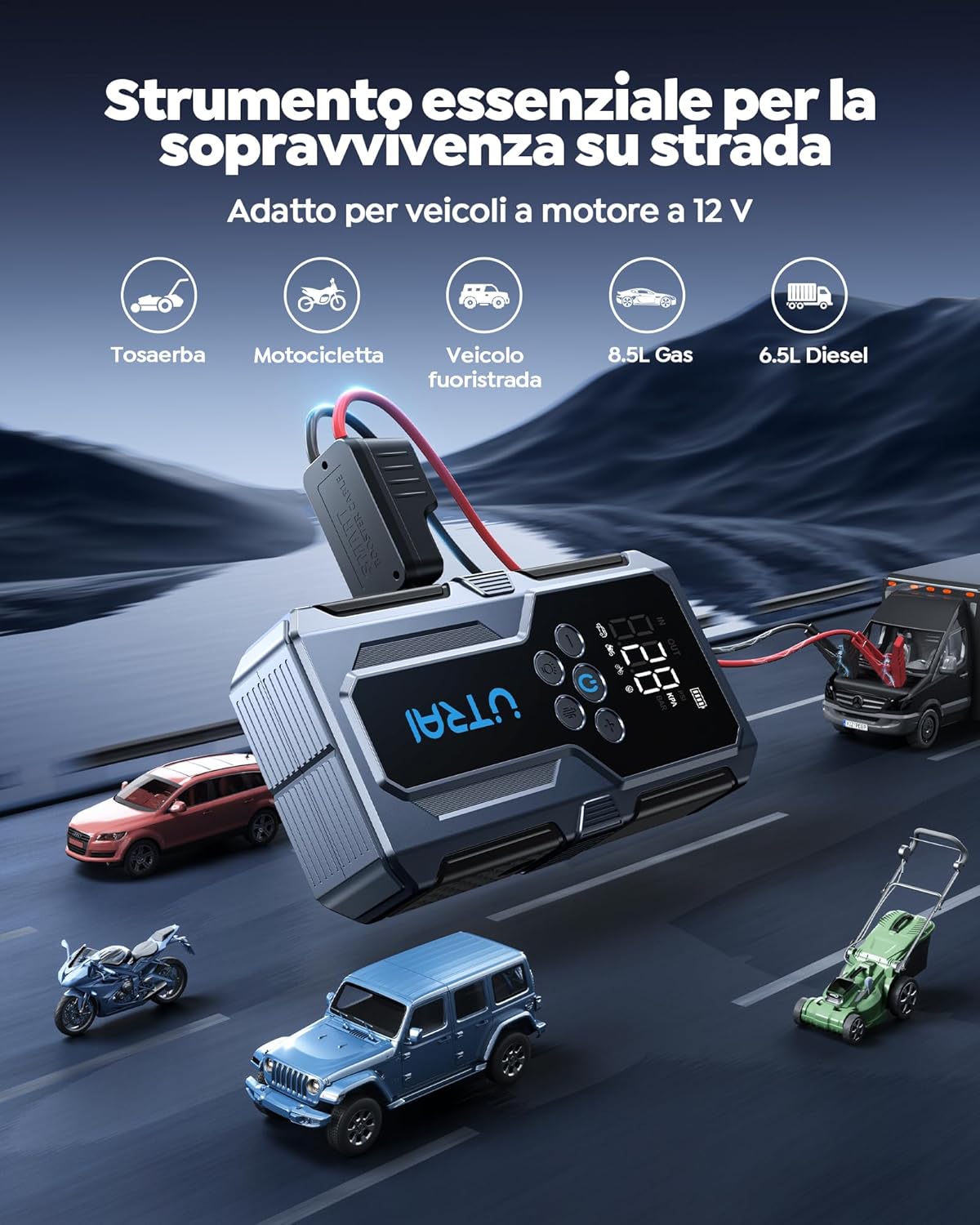
Image Description: The UTRAI JS-9 device is depicted in a road setting, illustrating its compatibility with various 12V vehicles such as lawnmowers, motorcycles, off-road vehicles, and cars (up to 8.5L gas and 6.5L diesel engines).
- Ensure the vehicle's ignition is off and all accessories are unplugged.
- Connect the red (+) clamp to the positive (+) terminal of the vehicle's battery.
- Connect the black (-) clamp to the negative (-) terminal of the vehicle's battery.
- Plug the smart clamp connector into the jump starter port on the UTRAI JS-9.
- Once connected correctly, the indicator on the smart clamp will turn solid green. If it flashes or turns red, check connections.
- Start the vehicle's engine. If it doesn't start immediately, wait 30 seconds and try again. Do not crank for more than 3 seconds per attempt.
- Once the vehicle starts, immediately remove the smart clamp connector from the jump starter, then disconnect the black (-) clamp, followed by the red (+) clamp from the vehicle battery.
Safety Protections:

Image Description: The UTRAI JS-9 device is shown with its smart clamps, illustrating various built-in safety protections. Icons represent protection against short circuit, overheating, low temperature, overvoltage, undervoltage, overcurrent, over-discharge, and overload.
The UTRAI JS-9 features multiple safety protections including short-circuit protection, over-temperature protection, low-temperature protection, over-voltage protection, under-voltage protection, over-current protection, over-discharge protection, and overload protection.
4.2 Inflating Tires and Other Inflatables
The integrated air compressor can inflate car tires, motorcycle tires, bicycle tires, and various sports balls.

Image Description: The UTRAI JS-9 device is shown actively inflating a car tire. The air hose is connected to the tire valve, and the device's LCD screen displays the current pressure reading.
- Connect the air hose to the inflation port on the device.
- Screw the air hose nozzle onto the tire valve stem. For other inflatables, use the appropriate adapter.
- Press the power button to turn on the device. The current pressure will be displayed.
- Press the Mode button to select the desired inflation mode (car, motorcycle, bicycle, ball, or custom).
- Use the +/- buttons to set the target pressure. Press the Unit button to cycle through PSI, KPA, or BAR.
- Press the inflation start button (usually the power button or a dedicated start button) to begin inflation. The compressor will automatically stop when the target pressure is reached.
- Disconnect the air hose from the tire valve.

Image Description: A close-up of the UTRAI JS-9's digital display, clearly showing the pressure units PSI, KPA, and BAR, indicating the device's capability to measure and display pressure in different scales.
4.3 Using as a Power Bank
The UTRAI JS-9 can charge various electronic devices via its USB output port.
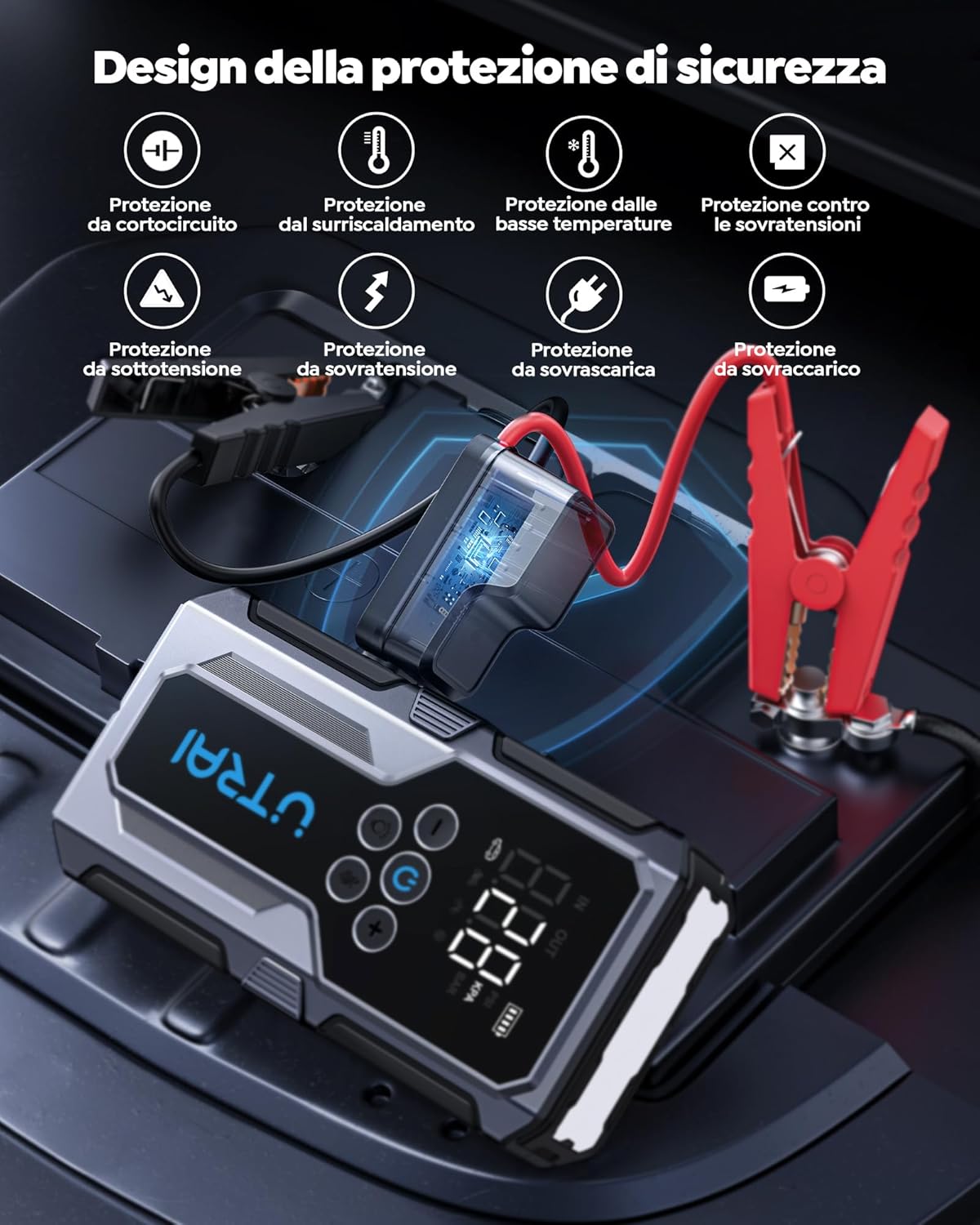
Image Description: The UTRAI JS-9 device is shown connected via USB cables to charge a smartphone and a laptop, demonstrating its function as a portable power bank. The display shows a high battery percentage, indicating readiness for charging.
- Connect your device's charging cable to the USB output port on the UTRAI JS-9.
- The device will automatically begin charging your electronic device.
4.4 Using the LED Flashlight
The built-in LED flashlight offers multiple modes for various situations.

Image Description: The UTRAI JS-9 device is shown with its powerful LED flashlight illuminated, demonstrating its use in a low-light environment. The image also highlights the different modes: illumination, strobe, and SOS.
- Press and hold the power button for 3 seconds to turn on the flashlight.
- Press the power button again to cycle through modes: Solid Light > Strobe Light > SOS Signal > Off.
5. Maintenance and Storage
- Recharge the device every 3-6 months, even if not used, to maintain battery health.
- Store the device in a cool, dry place, away from direct sunlight and extreme temperatures.
- Keep the device and accessories clean. Use a soft, dry cloth to wipe surfaces.
- Do not disassemble the device. Refer to qualified personnel for repairs.
6. Troubleshooting
| Problem | Possible Cause | Solution |
|---|---|---|
| Device does not turn on. | Battery is depleted. | Recharge the device fully. |
| Vehicle does not jump start. | Incorrect clamp connection; device battery too low; vehicle battery severely damaged. | Check clamp polarity and connection; ensure device is sufficiently charged; consult a mechanic if vehicle battery is faulty. |
| Tire inflator not working or inaccurate pressure reading. | Air hose not properly connected; target pressure not set; device battery low. | Ensure air hose is securely attached; set target pressure; recharge device. |
| Device overheats during use. | Prolonged continuous operation. | Allow the device to cool down before further use. The device has built-in overheat protection. |
7. Specifications
The following specifications are based on product information and packaging details:
- Brand: UTRAI
- Model: JS-9
- Battery Capacity: 15000 mAh (55.5 Wh)
- Peak Current: 1500A
- Vehicle Service Type: 12V Passenger Car (up to 8.5L Gas, 6.5L Diesel)
- Battery Cell Composition: Lithium Polymer
- USB Output: 5V/3A, 9V/2A, 12V/1.5A
- USB-C Input: 5V/2A, 9V/2A
- Maximum Inflation Pressure: 150 PSI
- Discharge Temperature Range: -20°C to 60°C (-4°F to 140°F)
- Charging Temperature Range: 0°C to 45°C (32°F to 113°F)
8. Warranty and Support
Specific warranty details are typically provided with your purchase documentation or on the manufacturer's official website. Please refer to those resources for comprehensive warranty information.
For technical support, troubleshooting assistance, or any inquiries regarding your UTRAI JS-9 device, please contact the seller or manufacturer directly through the contact information provided at the point of purchase or on the official UTRAI website.


