
NGTeco AS10-B
NGTeco Fingerprint Time Clock AS10-B User Manual
Model: AS10-B | Brand: NGTeco
Product Overview
The NGTeco Fingerprint Time Clock AS10-B is a standalone smart time card machine designed for small to mid-sized businesses. It offers a reliable and efficient way to track employee attendance without the need for complex software or monthly fees. Data can be easily managed via a USB flash drive, providing reports in Excel format. Its robust design and versatile mounting options make it suitable for various environments.

Key Features
- Standalone Use: Operates without complex software; uses a USB flash drive for data uploads and downloads. Reports are available in Excel format.
- Large Capacity: Stores up to 500 fingerprints and 50,000 records, suitable for businesses with up to 500 employees.
- Upgrade from Paper Cards: Eliminates the need for paper time cards, reducing costs and manual errors.
- Reliable Power Protection: Built-in backup protects time data during power outages, preventing data loss.
- Wide Application: Made from high-quality ABS plastic, supports multi-angle mounting (wall or desktop) for use in offices, factories, hotels, schools, restaurants, retail stores, and hospitals.

Setup Guide
Initial Setup and Unboxing
Upon receiving your NGTeco AS10-B, ensure all components are present: the time clock unit, power adapter, mounting tools, and a USB thumb drive. The device can be wall-mounted or placed on a desktop. Connect the power adapter to the device and a suitable power outlet. The bright screen will display the current time and status.
User Enrollment
To begin tracking attendance, you must enroll users. The device supports fingerprint and password authentication. For fingerprint enrollment, users will be prompted to scan their finger multiple times from different angles to ensure accurate recognition. This multi-scan process helps improve the reliability and speed of future clock-ins.


Department and Shift Configuration
The AS10-B allows for the creation of departments and the configuration of shift schedules. This enables precise tracking of employee hours based on their assigned work patterns. You can define on-duty and off-duty times, and even set up bell schedules for important time periods.

Operation
Clocking In/Out
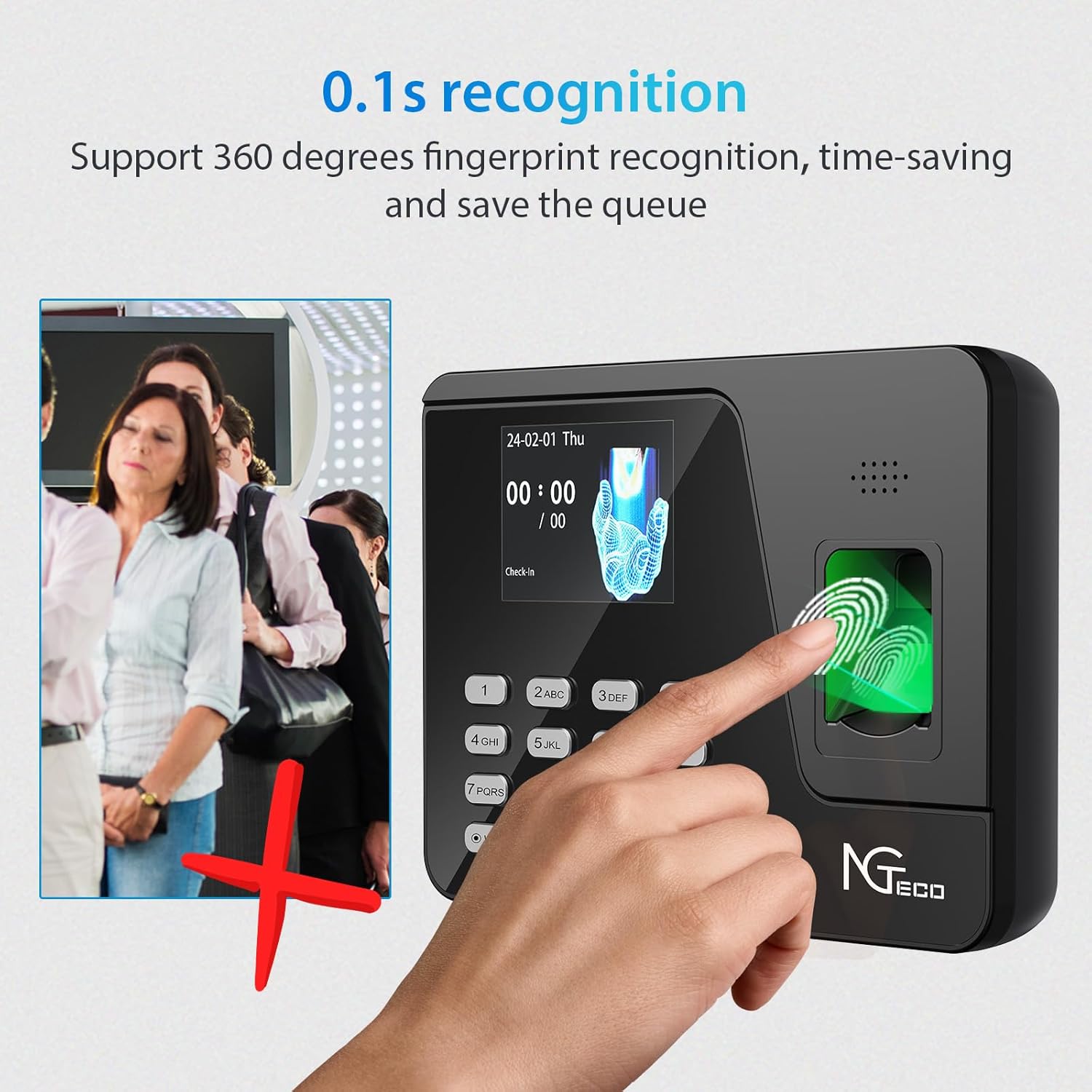
Employees can clock in or out quickly using their registered fingerprint or a password. The device features a rapid 0.1-second recognition speed, minimizing queues and ensuring efficient time tracking. The bright display provides immediate feedback on successful clock-ins.
Data Management
The NGTeco AS10-B simplifies data management by allowing direct transfer of attendance records to a USB flash drive. This eliminates the need for network connectivity or complex software installations. Once downloaded, reports are available in Excel format for easy review and payroll processing.


Maintenance
To ensure the longevity and optimal performance of your NGTeco Fingerprint Time Clock, regular maintenance is recommended:
- Cleaning: Gently wipe the fingerprint scanner and screen with a soft, dry, lint-free cloth. Avoid using abrasive cleaners or solvents.
- Data Backup: Regularly download attendance data to your USB drive and back it up to a computer or cloud storage to prevent loss.
- Power Protection: The built-in backup battery helps protect data during power outages. Ensure the device is connected to a stable power source.
- Firmware Updates: Check the NGTeco official website periodically for any available firmware updates to ensure your device has the latest features and security enhancements.
Troubleshooting
If you encounter issues with your NGTeco Fingerprint Time Clock, consider the following common solutions:
- Fingerprint Recognition Issues:
- Ensure the finger is clean and dry.
- Place the finger flat and centered on the scanner.
- Try re-enrolling the fingerprint if issues persist, ensuring multiple angles are captured during enrollment.
- Setup Difficulty:
- Refer to the user interface flow image in the Setup section for navigation guidance.
- Ensure correct input when setting up user IDs, names, and passwords.
- Data Transfer Problems (USB):
- Ensure the USB flash drive is properly inserted into the device's USB port.
- Verify the USB drive is formatted correctly (FAT32 is usually recommended).
- Try a different USB drive if the issue persists.
- Device Not Responding:
- Check the power connection.
- Perform a soft reset by unplugging and re-plugging the power adapter.
Technical Specifications
| Feature | Detail |
|---|---|
| Brand | NGTeco |
| Model Number | AS10-B |
| Color | Black |
| Display Type | Digital |
| Product Dimensions | 7"W x 5"H |
| Power Source | Corded Electric |
| Material | Acrylonitrile Butadiene Styrene (ABS) |
| Mounting Type | Wall Mount |
| Item Weight | 0.5 Pounds (8 ounces) |
| Special Features | Daylight Saving, Supports Shift Schedules |
| Fingerprint Capacity | 500 |
| Record Capacity | 50,000 |
Warranty and Support
The NGTeco Fingerprint Time Clock AS10-B comes with a one-year warranty period. NGTeco is committed to providing lifetime customer support for its products.
For any inquiries, technical assistance, or support, please contact NGTeco customer service:
- Phone: +1(770)800-2321
- E-mail: ngtime@ngteco.com
- Service Hours: Mon-Fri 6:00am-6:00pm (EST)

Related documentsAS10-B


Ask a question about this manual
Ask about setup, troubleshooting, compatibility, parts, safety, or missing instructions. Manuals+ will review the question and use this page’s manual context to help answer it.