
1. Introduction
Thank you for choosing the CIAO TECH Ice Cream LED Desk Lamp. This manual provides essential information for the safe and efficient use of your new LED lamp. Please read it thoroughly before operation and retain it for future reference.
2. Safety Information
- Ensure the product is placed on a stable, flat surface to prevent tipping.
- Do not expose the lamp to water or excessive moisture. This product is for indoor use only.
- Avoid direct eye exposure to the LED light for prolonged periods.
- Keep out of reach of children and pets.
- Use only the provided USB cable or specified AA batteries (3x AA 1.5V, not included).
- Do not attempt to disassemble or modify the lamp. This will void the warranty and may cause damage or injury.
- Unplug the USB cable or remove batteries if the lamp will not be used for an extended period.
- This product is classified as a Class 1 LED product, meeting stringent safety standards.
3. Package Contents
Verify that all items are present in the package:
- 1x Ice Cream LED Lamp
- 1x Desk Stand Base
- 1x USB to DC 5V Power Cable
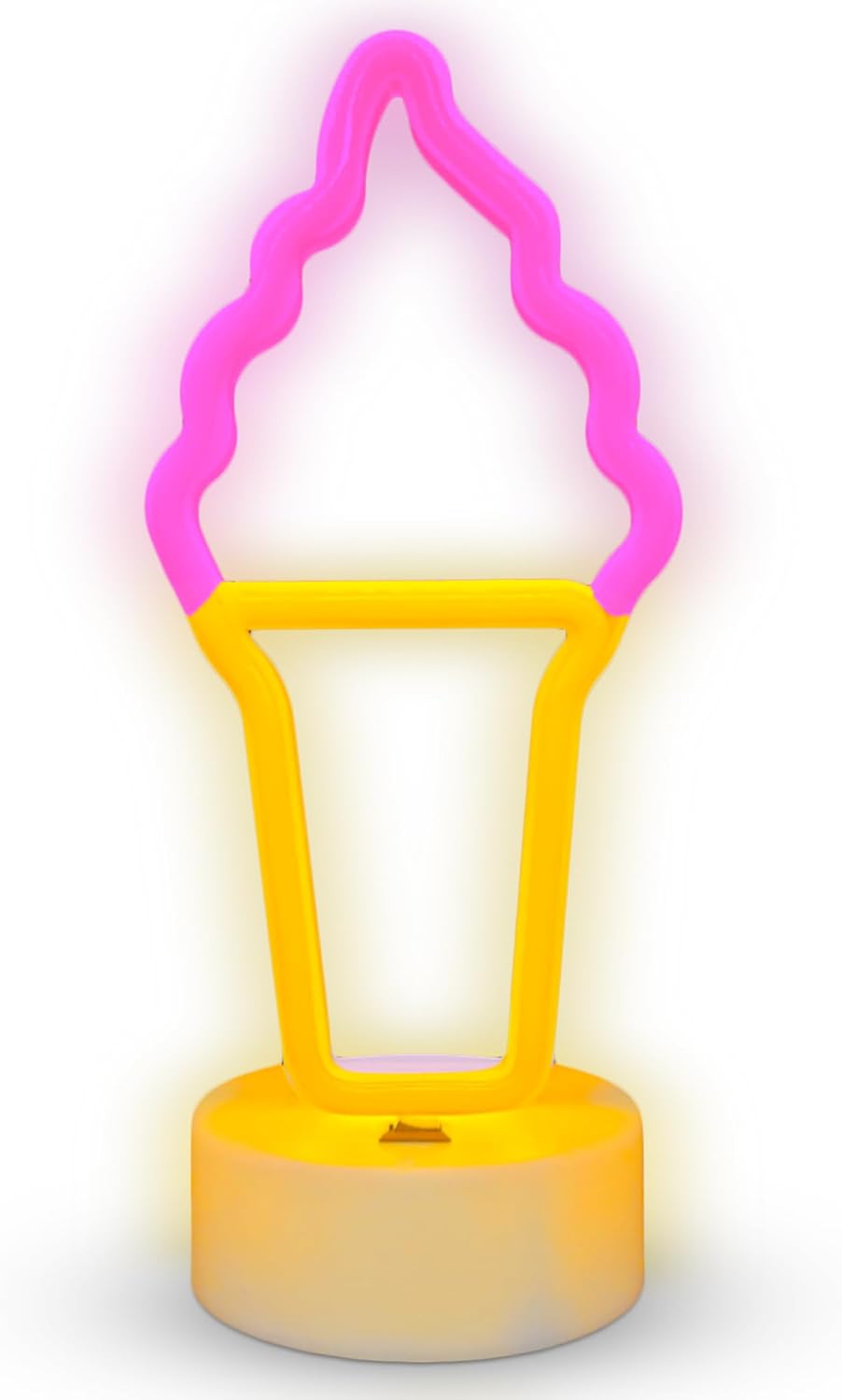
Image 1: The CIAO TECH Ice Cream LED Desk Lamp, including the pink and yellow ice cream shaped light, its circular base, and the USB power cable.
4. Setup
- Assemble the Lamp: Gently insert the Ice Cream LED Lamp into the slot on the Desk Stand Base. Ensure it is securely seated.
- Choose Power Source:
- USB Power: Connect the small end of the USB to DC 5V Power Cable to the port on the back of the Desk Stand Base. Plug the larger USB end into any standard USB power adapter (not included), computer USB port, or power bank.
- Battery Power: Locate the battery compartment on the underside of the Desk Stand Base. Insert 3x AA 1.5V batteries (not included), ensuring correct polarity (+/-). Close the battery compartment securely.
- Placement: Place the assembled lamp on a stable, flat surface in your desired indoor location.
5. Operation
The CIAO TECH Ice Cream LED Desk Lamp features a simple touch control for operation.
- Turning On/Off: Gently touch the designated area on the Desk Stand Base (usually indicated by a small icon or slight indentation) to turn the lamp on or off.
- The lamp will illuminate with a soft, eye-friendly pink and yellow glow.
6. Maintenance
- Cleaning: Disconnect the power source (unplug USB or remove batteries) before cleaning. Wipe the lamp and base with a soft, dry, or slightly damp cloth. Do not use abrasive cleaners or solvents.
- Storage: If storing for an extended period, remove the batteries and store the lamp in a cool, dry place.
7. Troubleshooting
| Problem | Possible Cause | Solution |
|---|---|---|
| Lamp does not turn on. | No power supply; batteries are dead or incorrectly inserted; USB cable is loose or faulty. | Check USB connection or replace batteries. Ensure batteries are inserted with correct polarity. Try a different USB port or power adapter. |
| Light is dim or flickers. | Low battery power; insufficient USB power. | Replace batteries or ensure USB power source provides adequate 5V DC. |
| Lamp is unstable. | Not properly assembled; placed on an uneven surface. | Ensure the lamp is fully inserted into the base. Place on a flat, stable surface. |
8. Specifications
- Model: ESL4M64-028
- Dimensions: 4.5"D x 4"W x 10.75"H (11.43 cm D x 10.16 cm W x 27.3 cm H)
- Weight: 8.8 ounces (249 grams)
- Light Source: LED
- Color: Pink and Yellow
- Material: Plastic
- Power Input: DC 5V via USB cable or 3x AA 1.5V batteries (not included)
- Control Method: Touch Switch
- Usage: Indoor Only
- Special Features: Energy Efficient, Eye-Friendly Illumination, Class 1 LED Product
9. Warranty and Support
This product is manufactured by Lifeware Group LLC under the CIAO TECH brand.
For warranty information or technical support, please refer to the retailer where the product was purchased or visit the official CIAO TECH website. Please retain your proof of purchase for warranty claims.
Note: Specific warranty terms may vary by region and retailer.