
Sunbeam 32810037
Sunbeam Royal Ultra Fleece Heated Electric Blanket King Size Instruction Manual
Model: 32810037
1. Introduction
Thank you for choosing the Sunbeam Royal Ultra Fleece Heated Electric Blanket. This King size blanket, measuring 90" x 100", is designed to provide customizable warmth and comfort. It features 12 heat settings, a 12-hour auto shut-off, and is made from soft royal ultra fleece. This manual provides essential information for safe and effective use, setup, operation, and maintenance.
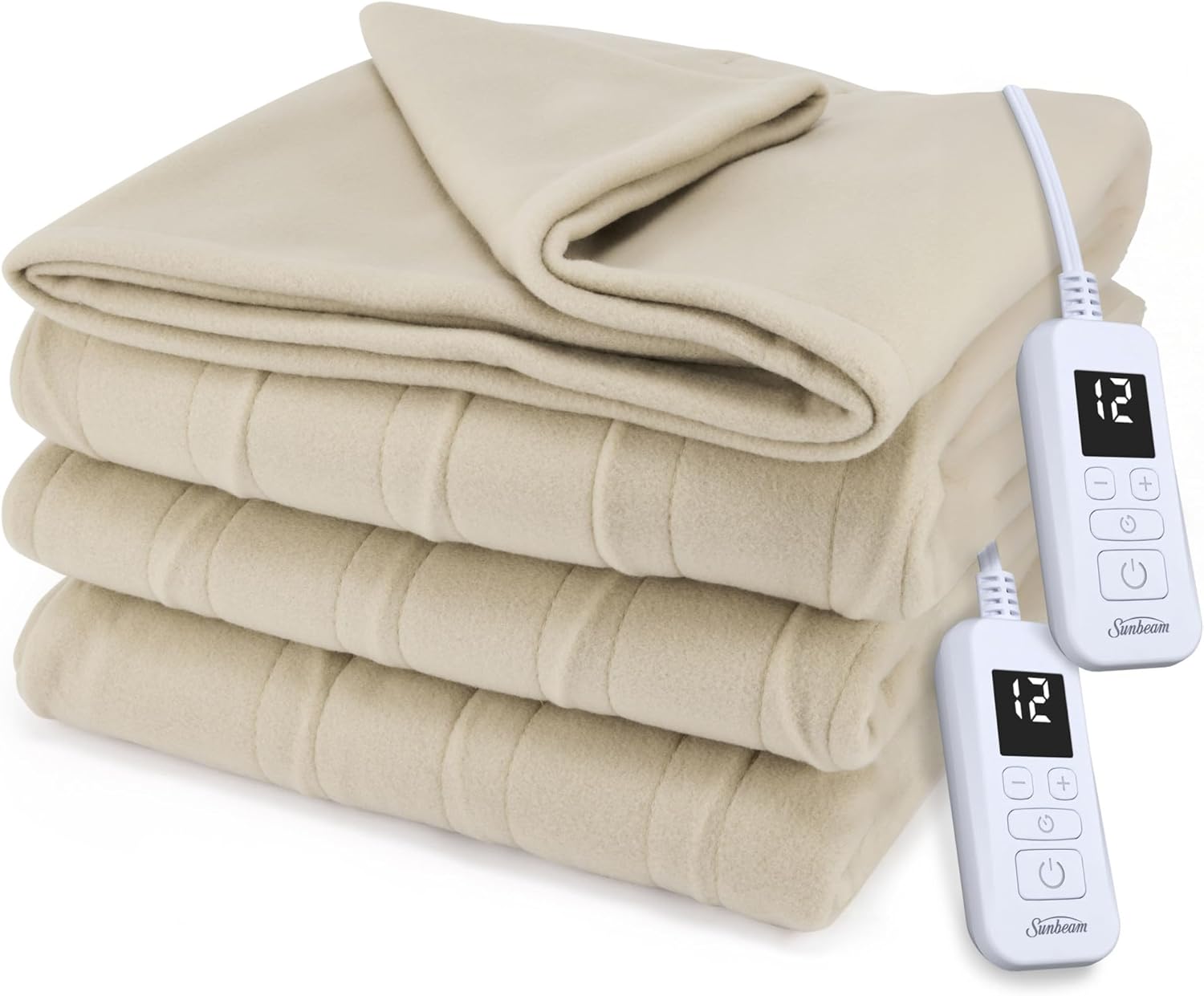
Image 1.1: The Sunbeam Royal Ultra Fleece Heated Electric Blanket, folded, showing its soft texture and the two digital controllers.

Image 1.2: A close-up view of the blanket's soft Royal Ultra Fleece material, emphasizing its comfortable texture.
2. Important Safety Information
Please read all safety instructions carefully before using your heated blanket. Failure to follow these instructions may result in fire, electric shock, or injury.
- Do not use with infants, children, incapacitated persons, or persons insensitive to heat. This blanket is not intended for medical use in hospitals.
- Do not use with pets.
- Do not use if wet. Always ensure the blanket and controls are completely dry before plugging in.
- Inspect regularly: Check the blanket, cord, and controller for any signs of wear, damage, or malfunction before each use. Do not use if damaged.
- Avoid sharp folds: Do not sharply crease or fold the blanket, as this can damage the internal heating wires.
- Proper placement: Ensure the control unit is not covered or placed under the blanket, mattress, or pillows during operation.
- Unplug when not in use: Always unplug the blanket from the electrical outlet when not in use or before cleaning.
- Power source: Use only with a 120V AC electrical outlet. Do not use with generators, power converters, or extension cords.
- Overheat Protection: The blanket is equipped with an overheat protection system for enhanced safety.

Image 2.1: The blanket's safety features, including even heat distribution, energy efficiency, and overheat protection, are designed for user comfort and safety.
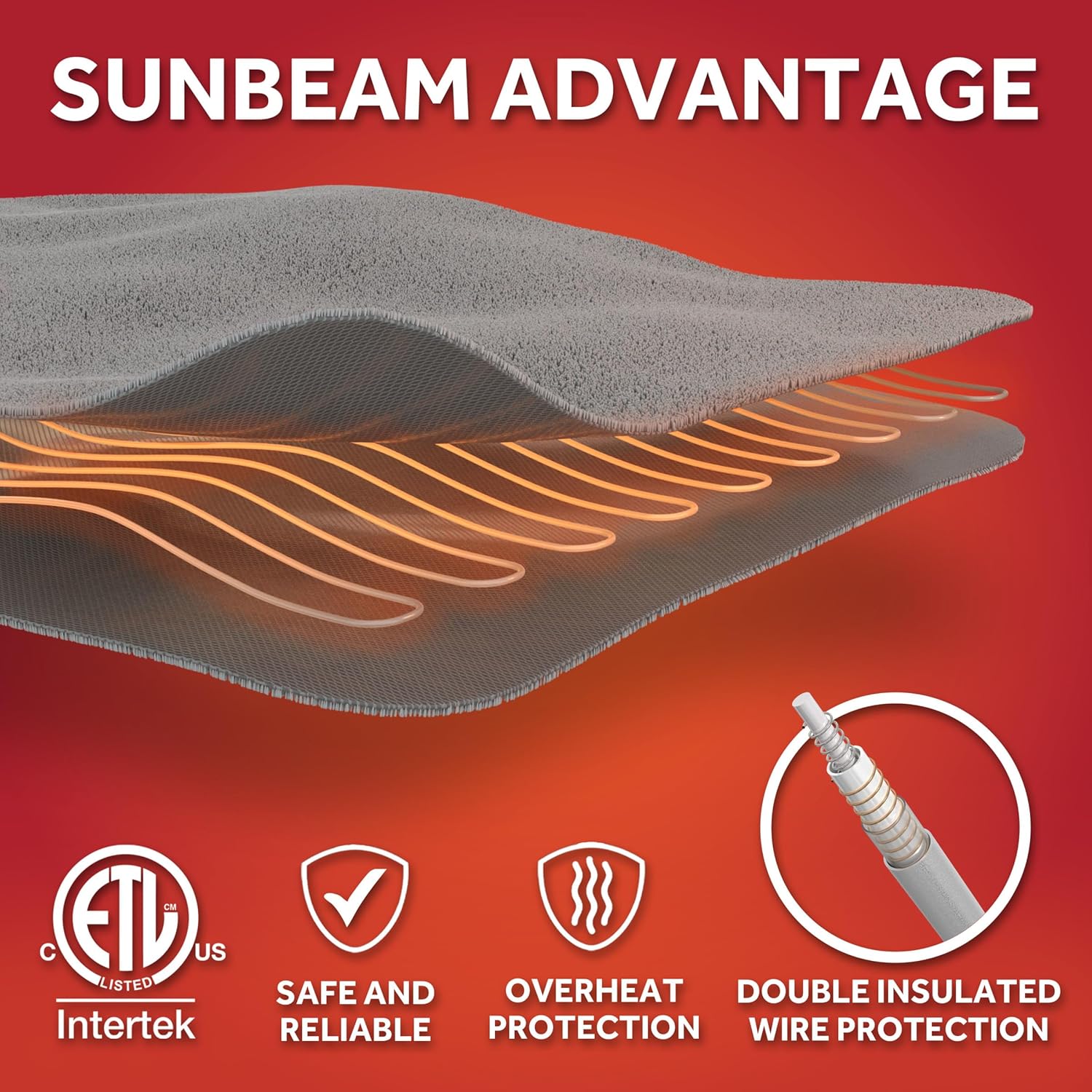
Image 2.2: An illustration detailing the internal structure of the heated blanket, highlighting the premium heated wires and double insulated wire protection, alongside ETL Intertek certification.
3. Package Contents
Please verify that all items are present in the package:
- 1 x Sunbeam Royal Ultra Fleece Heated Electric Blanket (King Size, Pebble)
- 2 x Digital Controllers (for dual control)
4. Setup Instructions
Follow these steps to properly set up your heated blanket:
- Unpack: Carefully remove the blanket and controllers from the packaging. Retain packaging for storage if desired.
- Position the Blanket: Lay the heated blanket flat on your bed, ensuring it is evenly spread and not bunched or folded. The connector for the controller should be positioned at the foot of the bed.
- Connect Controllers: Locate the connector ports on the blanket. Firmly plug each digital controller into its respective port until it clicks securely into place. For King size blankets, there are typically two controllers for individualized comfort.
- Route Cords: Route the power cords from the controllers to a nearby electrical outlet, ensuring they are not pinched or tangled.
- Plug In: Plug the power cords into a standard 120V AC wall outlet. Avoid using extension cords or power strips.
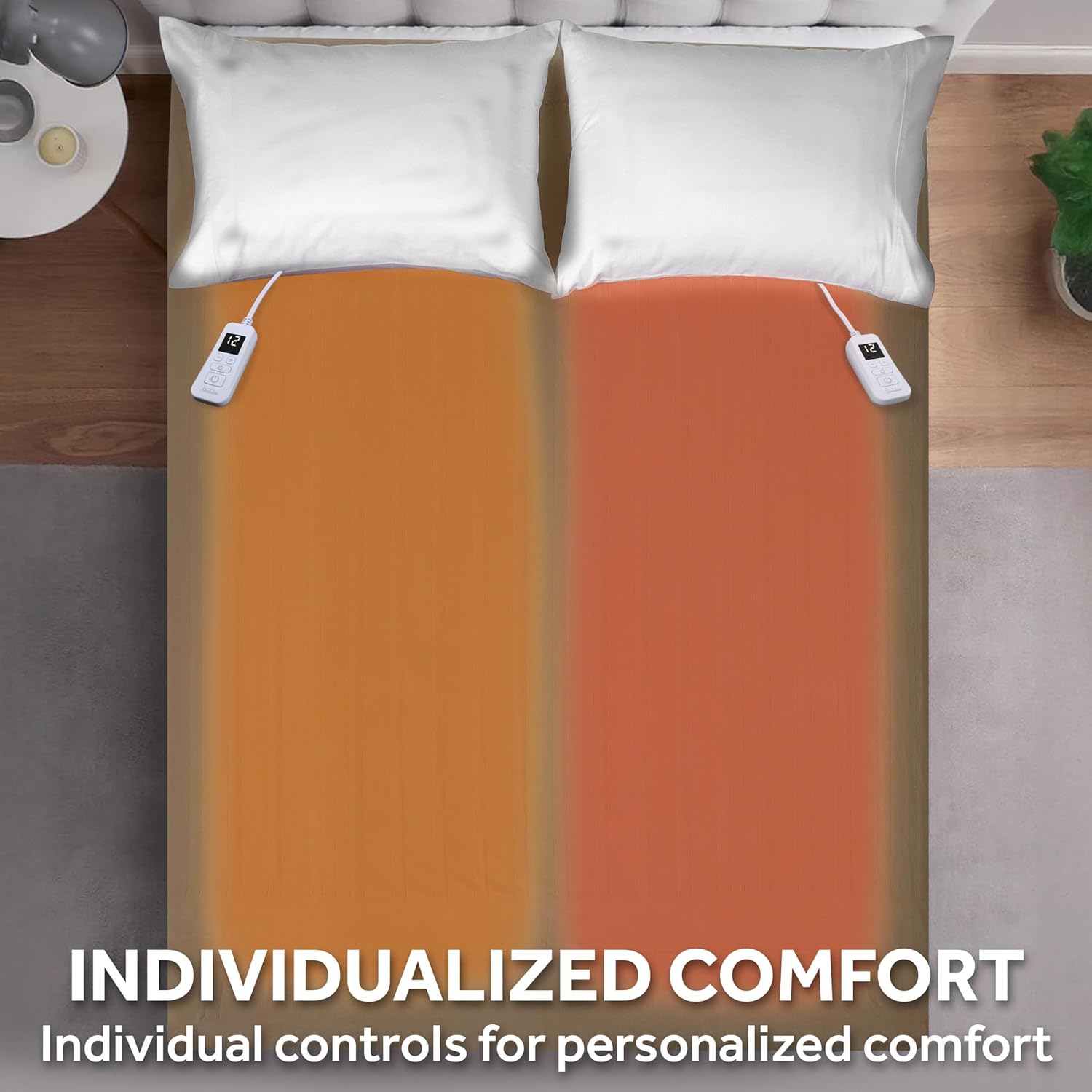
Image 4.1: The King size blanket features dual controls, allowing for individualized temperature settings on each side of the bed.
5. Operating Instructions
Your Sunbeam heated blanket offers personalized warmth with easy-to-use digital controls.
5.1. Turning On/Off
- To turn on, press the Power button (
 ) on the digital controller. The display will illuminate.
 - To turn off, press the Power button again. The display will turn off.
5.2. Adjusting Heat Settings
- The blanket has 12 heat settings. Use the Plus (+) and Minus (-) buttons to increase or decrease the heat level. The current setting will be displayed on the LED screen.
- Start with a lower setting and adjust as needed for your preferred comfort level.
5.3. Auto Shut-Off Feature
- The blanket is equipped with a 12-hour selectable auto shut-off for safety and energy conservation.
- The controller remembers your last heat setting for convenience upon next use.
- The LED display dims automatically after 10 seconds to minimize light disturbance in the bedroom.
6. Care and Maintenance
Proper care ensures the longevity and performance of your heated blanket.
6.1. Before Cleaning
- Always unplug the blanket from the wall outlet.
- Detach the digital controllers from the blanket by squeezing the sides of the connector and pulling gently. Ensure the connectors are completely dry before reattaching.
6.2. Washing Instructions
The blanket is machine washable and dryer safe.
- Pre-soak (Optional): For best results, pre-soak the blanket for 15 minutes in mild soap and cold water.
- Machine Wash: Wash on the gentle or delicate cycle in cold water (maximum 86°F / 30°C). Do not bleach.
- Rinse: Rinse in cold water on the normal cycle.
6.3. Drying Instructions
- Tumble Dry: Tumble dry on low heat for 5-10 minutes.
- Line Dry: Remove from dryer while still damp and gently stretch to its original size. Line dry or drape over a clothesline to finish drying. Ensure the blanket is completely dry before storing or reconnecting to power.
- Do not iron.
- Do not dry clean. Dry cleaning solvents may damage the insulation of the heating element.
6.4. Storage
When not in use, store the blanket in its original packaging or a breathable bag in a cool, dry place. Avoid placing heavy items on top of the blanket, which could cause damage to the internal wiring.

Image 6.1: The blanket is machine washable and dryer safe. Always detach the controller before washing.
7. Troubleshooting
If you experience issues with your heated blanket, please refer to the following common problems and solutions:
| Problem | Possible Cause | Solution |
|---|---|---|
| Blanket is not heating. | 1. Blanket not plugged in. 2. Controller not securely connected. 3. Power outage or circuit breaker tripped. 4. Auto shut-off activated. | 1. Ensure the power cord is firmly plugged into a working electrical outlet. 2. Disconnect and firmly re-connect the controller to the blanket. 3. Check your household's power supply. 4. Turn the blanket off and then on again to reset. |
| Controller display is off or flashing. | 1. Blanket is off. 2. Error code (if applicable, consult manual for specific codes). 3. Controller malfunction. | 1. Press the Power button to turn on. 2. Unplug the blanket for 5 minutes, then plug back in. If error persists, contact customer support. 3. Contact customer support. |
| Blanket heats unevenly. | Blanket may be bunched, folded, or tucked in. | Ensure the blanket is spread flat on the bed and not tucked under the mattress or bunched up. |
If the problem persists after trying these solutions, please contact Sunbeam Customer Support.
8. Specifications
| Feature | Detail |
|---|---|
| Model Name | Royal Ultra Fleece |
| Model Number | 32810037 |
| Size | King (90"L x 100"W) |
| Material | 100% Polyester (Royal Ultra Fleece) |
| Color | Pebble |
| Heat Settings | 12 personalized settings |
| Auto Shut-Off | 12-hour selectable |
| Care Instructions | Machine Washable, Dryer Safe |
| Included Components | Heated Blanket, Dual Remote Controls |
| Certifications | cETLus, OEKO-TEX Standard 100 |

Image 8.1: Size chart for Sunbeam heated blankets, showing dimensions for Twin, Full, Queen, and King sizes. This model is King size (90" x 100").
9. Warranty and Customer Support
9.1. Limited Warranty
Your Sunbeam Royal Ultra Fleece Heated Electric Blanket is backed by a 5-year limited warranty. This warranty covers defects in materials and workmanship under normal household use. Please retain your proof of purchase for warranty claims.
9.2. Customer Support
For product inquiries, troubleshooting assistance, or warranty service, please contact Sunbeam Customer Support. Refer to the contact information provided on the product packaging or visit the official Sunbeam website for the most up-to-date support details.
Online Support: www.sunbeam.com/support
Related documents32810037


Ask a question about this manual
Ask about setup, troubleshooting, compatibility, parts, safety, or missing instructions. Manuals+ will review the question and use this page’s manual context to help answer it.