
ECOVACS X5 OMNI White
ECOVACS DEEBOT X5 Omni Robot Vacuum Cleaner User Manual
Model: X5 OMNI White
1. Introduction
Thank you for choosing the ECOVACS DEEBOT X5 Omni Robot Vacuum Cleaner. This manual provides essential information for the safe and efficient operation, maintenance, and troubleshooting of your new robot vacuum. Please read this manual thoroughly before use and keep it for future reference.
2. Safety Information
Always follow basic safety precautions when using electrical appliances to reduce the risk of fire, electric shock, and injury.
- Read all instructions before using the appliance.
- Do not operate the robot in areas with open flames or flammable materials.
- Keep hair, loose clothing, fingers, and all parts of the body away from openings and moving parts.
- Ensure the charging station is placed on a level surface against a wall.
- Do not allow children to play with the robot.
- Unplug the charging station when not in use for extended periods.
3. Package Contents
Verify that all items are present in the package:
- DEEBOT x 1 (with filter x 1)
- OMNI Station x 1 (with dust bag x 1)
- Mop Pad Plate x 1 pair
- Washable Mop Pad x 1 pair
- Power Cord x 1
- Side Brush x 1
- User Manual x 1
- Main Brush x 1
- Multi-function Cleaning Tool x 1
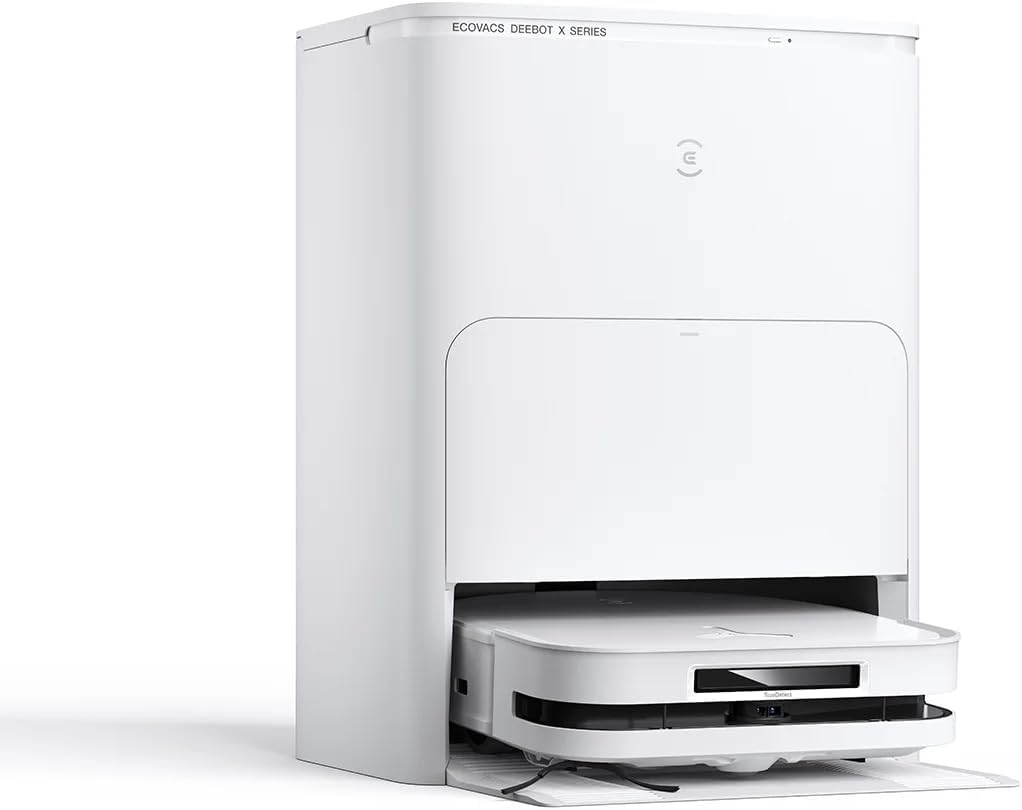
Image: The ECOVACS DEEBOT X5 Omni robot vacuum and its accompanying OMNI Station, showcasing the complete system.
4. Setup
4.1 Unpacking and Placement
- Carefully remove all components from the packaging.
- Choose a suitable location for the OMNI Station. Ensure it is placed against a wall with at least 0.5 meters of clear space on both sides and 1.5 meters in front.
- Connect the power cord to the OMNI Station and plug it into a power outlet.

Image: The OMNI Station positioned against a wall in a living space, demonstrating ideal placement for optimal operation.
4.2 Initial Charging
Place the DEEBOT onto the OMNI Station. Ensure the charging contacts align. The robot will begin charging automatically. For first-time use, fully charge the robot before operation.
4.3 App Connection
Download the ECOVACS HOME app from your app store. Follow the in-app instructions to connect your DEEBOT X5 Omni to your home Wi-Fi network and complete the initial setup. This app allows for advanced control, scheduling, and mapping features.
5. Operating Instructions
5.1 Starting a Cleaning Cycle
- Press the Auto Mode button on the robot or use the ECOVACS HOME app to start a cleaning cycle.
- The DEEBOT will automatically map your home and begin cleaning.

Image: The DEEBOT X5 Omni robot vacuum actively cleaning a hard floor surface, demonstrating its compact design and edge cleaning capabilities.
5.2 Mopping Function (OZMO Turbo 2.0)
The DEEBOT X5 Omni features the OZMO Turbo 2.0 rotating mopping system. Ensure the mop pads are attached and the water tank in the OMNI Station is filled.
- The robot will automatically lift the mop pads by 15mm when detecting carpets to prevent wetting.
- The OMNI Station uses 70°C hot water for mop washing, ensuring effective stain removal and hygiene.

Image: The DEEBOT X5 Omni robot vacuum transitioning from a hard floor to a carpeted area, illustrating its ability to navigate different surfaces and lift its mop pads.
5.3 Advanced Navigation and Obstacle Avoidance (TrueDetect 3D 3.0)
The DEEBOT X5 Omni utilizes TrueDetect 3D 3.0 technology for precise obstacle avoidance and navigation. It scans and avoids obstacles in real-time, including household items, rugs, and wires.

Image: The DEEBOT X5 Omni robot vacuum navigating smoothly around furniture, showcasing its advanced obstacle avoidance capabilities.
5.4 ZeroTangle Technology
This technology prevents hair entanglement on the main brush, ensuring consistent and effective vacuuming. The newly designed anti-tangle brush and dual comb matrices guide hair efficiently into the dustbin.
5.5 Smart Deep Cleaning
The robot detects highly soiled areas and automatically provides an additional mopping pass for thorough cleaning, ensuring floors are impeccably disinfected.
6. Maintenance
Regular maintenance ensures optimal performance and extends the lifespan of your DEEBOT X5 Omni.
6.1 OMNI Station Maintenance
- Auto-Emptying: The OMNI Station automatically empties the robot's dustbin. Replace the dust bag when full.
- Auto-Clean & Hot Water Mop Washing: The station cleans and dries the mop pads. Periodically clean the dirty water tank and refill the clean water tank.
- Auto-Drying: Ensures mop pads are dry to prevent odors.

Image: The ECOVACS DEEBOT X5 Omni robot vacuum docked in its OMNI Station, illustrating the integrated design and automatic maintenance features.
6.2 Robot Components Maintenance
- Main Brush: Remove and clean the main brush regularly using the multi-function cleaning tool. Check for tangled hair, especially with ZeroTangle technology, which minimizes this.
- Side Brushes: Check for wear and tear. Replace if damaged.
- Dustbin Filter: Tap out dust and rinse the filter under running water. Allow to air dry completely before reinserting.
- Sensors: Wipe all sensors (anti-drop, anti-collision, edge detection) with a clean, dry cloth.
- Mop Pads: Wash mop pads after each use. They are washable and reusable.
7. Troubleshooting
If your DEEBOT X5 Omni encounters issues, refer to the following common problems and solutions:
| Problem | Possible Cause | Solution |
|---|---|---|
| Robot does not start or respond. | Low battery; Power switch off; Robot stuck. | Charge the robot; Turn on the power switch; Clear obstacles. |
| Poor cleaning performance. | Full dustbin; Clogged filter; Worn brushes. | Empty dustbin; Clean/replace filter; Clean/replace brushes. |
| Robot cannot return to OMNI Station. | Station blocked; Robot too far; Dirty charging contacts. | Ensure clear path to station; Manually place robot on station; Clean charging contacts. |
| App connection issues. | Incorrect Wi-Fi password; Router issues; Robot offline. | Re-enter password; Restart router; Restart robot and app. |
For more detailed troubleshooting, refer to the ECOVACS HOME app or the official ECOVACS support website.
8. Specifications
| Feature | Detail |
|---|---|
| Brand | ECOVACS |
| Model Number | X5 OMNI White (DX5) |
| Color | White |
| Dimensions (L x W x H) | 39.4 x 44.3 x 52.8 cm |
| Item Weight | 16 Kilograms |
| Suction Power | 12800Pa |
| Mopping System | OZMO Turbo 2.0 with 70°C Hot Water Wash |
| Navigation | TrueDetect 3D 3.0 |
| Battery Type | Lithium-ion (1 included) |
| Filter Type | HEPA |
| Control Type | App Control (Apple Watch, Google Home, Amazon Alexa compatible) |
9. Warranty and Support
For warranty information and technical support, please refer to the official ECOVACS website or contact their customer service. Keep your purchase receipt as proof of purchase for warranty claims.
Online Support: www.ecovacs.com
Related Documents - X5 OMNI White
 |
ECOVACS DEEBOT T50 OMNI: Powerful Robot Vacuum with Intelligent OMNI Station Discover the ECOVACS DEEBOT T50 OMNI, a slim and powerful robot vacuum featuring 15,000 Pa suction, intelligent OMNI station with hot water washing and drying, YIKO voice control, and advanced navigation technologies for a spotless home. |
 |
ECOVACS DEEBOT N20 PRO PLUS : Robot Aspirateur Intelligent avec Station Auto-Vidante Découvrez le DEEBOT N20 PRO PLUS d'ECOVACS, un robot aspirateur avancé doté de la technologie PureCyclone, d'une navigation TrueMapping et d'une station d'auto-vidage sans sac pour un nettoyage sans effort. |
 |
Manuel d'instructions DEEBOT N8 PRO+ Manuel d'instructions pour le robot aspirateur intelligent ECOVACS DEEBOT N8 PRO+. Apprenez à installer, utiliser, entretenir et dépanner votre appareil pour un nettoyage optimal. |
 |
DEEBOT T80S OMNI Instruction Manual - ECOVACS This comprehensive instruction manual guides users through the setup, operation, maintenance, and troubleshooting of the ECOVACS DEEBOT T80S OMNI robotic vacuum cleaner, ensuring optimal performance and a clean home environment. |
 |
ECOVACS DEEBOT T10 OMNI Instruction Manual This instruction manual provides detailed safety guidelines, operating instructions, and product diagrams for the ECOVACS DEEBOT T10 OMNI robot vacuum cleaner and its OMNI station. Learn how to safely use, maintain, and troubleshoot your device. |
 |
ECOVACS DEEBOT X12 FAMILY Instruction Manual User guide and instructions for the ECOVACS DEEBOT X12 FAMILY robot vacuum cleaner, covering setup, operation, maintenance, and troubleshooting. Learn about safety, app connectivity, and technical specifications. |