
Introduction
Thank you for choosing the Doublepow 8-Inch 10000mAh Rechargeable Clip-On Personal Fan. This manual provides essential information for the safe and efficient operation of your new fan. Please read it thoroughly before use and retain it for future reference.
This versatile fan is designed for personal cooling in various environments, including outdoor activities, camping, office use, and during power outages. It features a powerful airflow, long-lasting battery, and multiple control options for your convenience.
Product Overview
The Doublepow Clip-On Fan is an 8-inch portable device equipped with a 10000mAh rechargeable battery. It offers 9 adjustable wind speeds, 7 LED night light modes, and automatic oscillation. The fan can be controlled via a full touch screen display or a remote control.
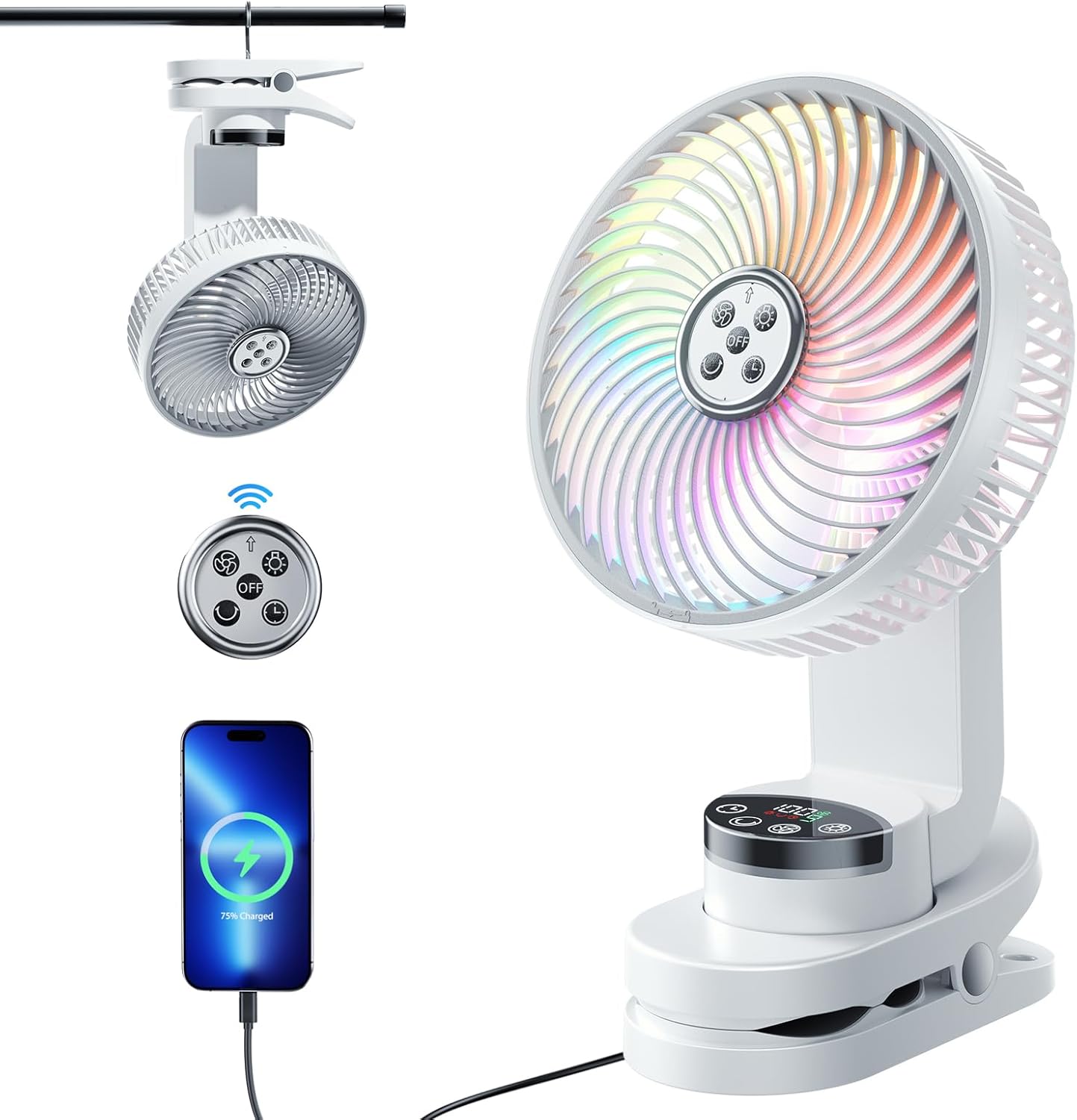
Figure 1: Doublepow 8-Inch Rechargeable Clip-On Personal Fan with included accessories (remote and charging cable).
Key Components:
- Fan Head: 8-inch fan with protective grille.
- Control Panel: Touch screen display for fan speed, lighting, and timing.
- Clip Base: Sturdy 3-inch clamp with protective rubber pads for secure attachment.
- Hanging Hook: Integrated into the base for suspension.
- USB-C Input Port: For charging the fan.
- USB-A Output Port: For charging external devices (power bank function).
- Remote Control: For convenient operation from a distance.
Setup
1. Charging the Fan
Before first use, fully charge the fan. The fan is equipped with a 10000mAh rechargeable battery.
- Locate the USB-C input port on the back of the fan's base.
- Connect the provided USB charging cable to the fan and a 5V-3A charger (not included).
- A full charge typically takes 4-5 hours. The display will indicate the charging status.

Figure 2: The fan's base showing the USB input and output ports for charging and power bank functionality.
2. Remote Control
The remote control is powered by a battery (not rechargeable) and is stored magnetically in the middle of the fan's base.
Video 1: This video demonstrates the fan's features, including the remote control and night light function. The remote control is shown being used to change settings.
3. Placement Options
The fan offers multiple placement options:
- Clip-On: Use the sturdy 3-inch clamp to attach the fan to surfaces like desk edges, treadmill frames, golf cart windows, or stroller bars. The clamp includes protective rubber pads to prevent damage.
- Desktop: Place the fan on any flat surface. The base provides stability.
- Hanging: Utilize the integrated hook on the bottom of the base to hang the fan, for example, inside a camping tent.
- Wall Mount: The base also features a keyhole slot for wall mounting.
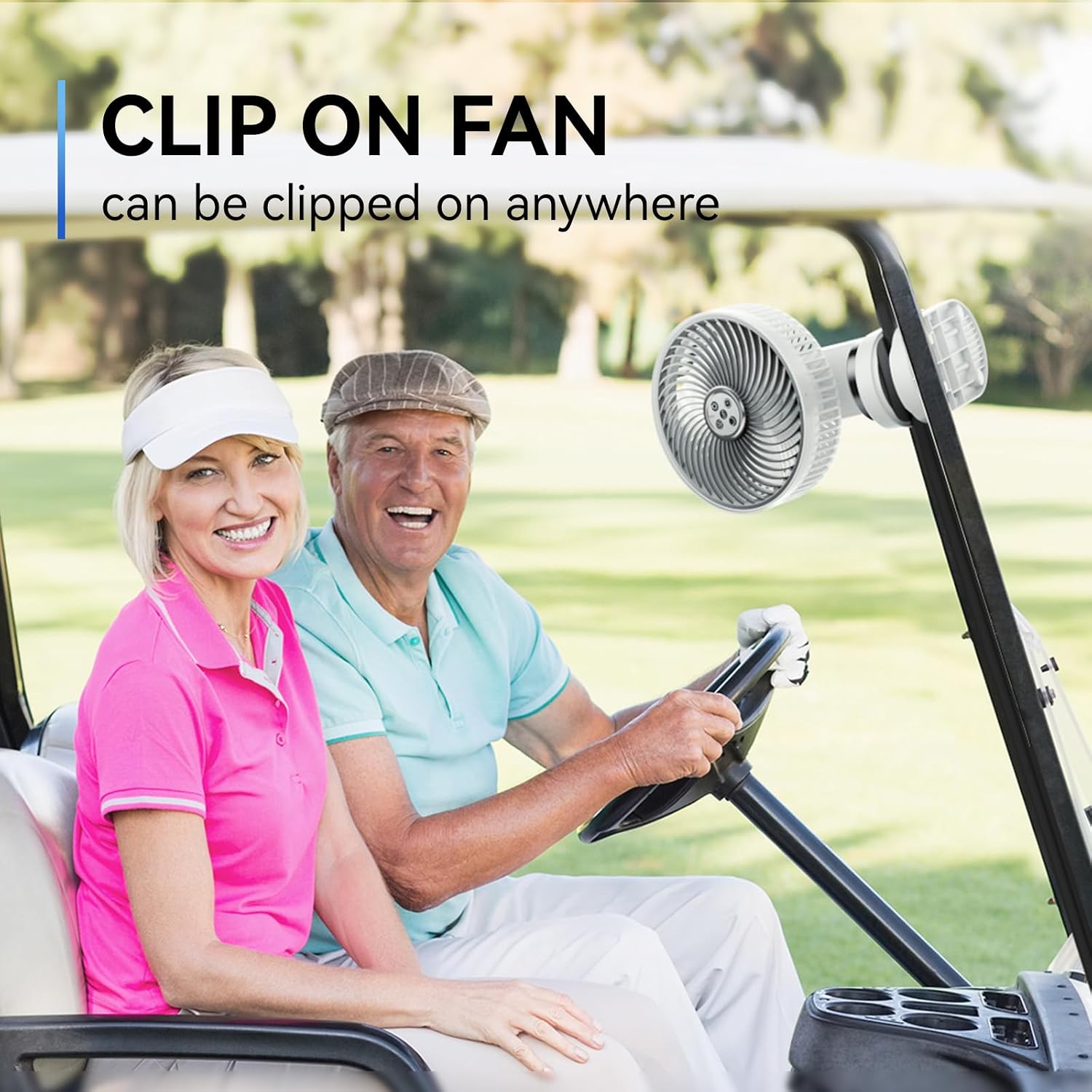
Figure 3: The fan demonstrating its clip-on functionality, attached to a golf cart frame.

Figure 4: The fan utilizing its integrated hook to hang from the top of a camping tent.
Operating Instructions
1. Power On/Off and Fan Speed Adjustment
- Press the power button on the touch screen display or the remote control to turn the fan on or off.
- Use the fan speed button (often indicated by a fan icon or up/down arrows) on the control panel or remote to cycle through 9 adjustable wind speeds. Speeds 1-8 increase in intensity, while speed 9 provides a natural wind mode.

Figure 5: The fan's touch screen display, illustrating controls for fan speed, oscillation, timing, and lighting.
2. Oscillation
- The fan supports 45° and 90° automatic oscillation. Press the oscillation button (often indicated by rotating arrows) on the control panel or remote to activate or change the oscillation angle.
- The fan head can also be manually pivoted up to 270° to direct airflow precisely.

Figure 6: The fan's head can be rotated 360 degrees for multi-angle adjustment.
3. LED Night Light
- Press the light button (often indicated by a light bulb icon) on the control panel or remote to cycle through 7 different LED night light modes. These include 5 single color modes and 2 auto-changing color modes.
- The night light can be used independently of the fan function.

Figure 7: The fan operating in night light mode, providing ambient lighting.
4. Timer Function
- Set a timer for the fan to automatically turn off. Press the timer button (often indicated by a clock icon) on the control panel or remote to select desired durations (e.g., 1H, 2H, 4H, 8H).
5. Power Bank Function
- The fan features a USB-A output port (5V-3A) that allows it to function as a power bank.
- Connect your mobile phone or other USB-powered devices to this port to charge them using the fan's internal battery.
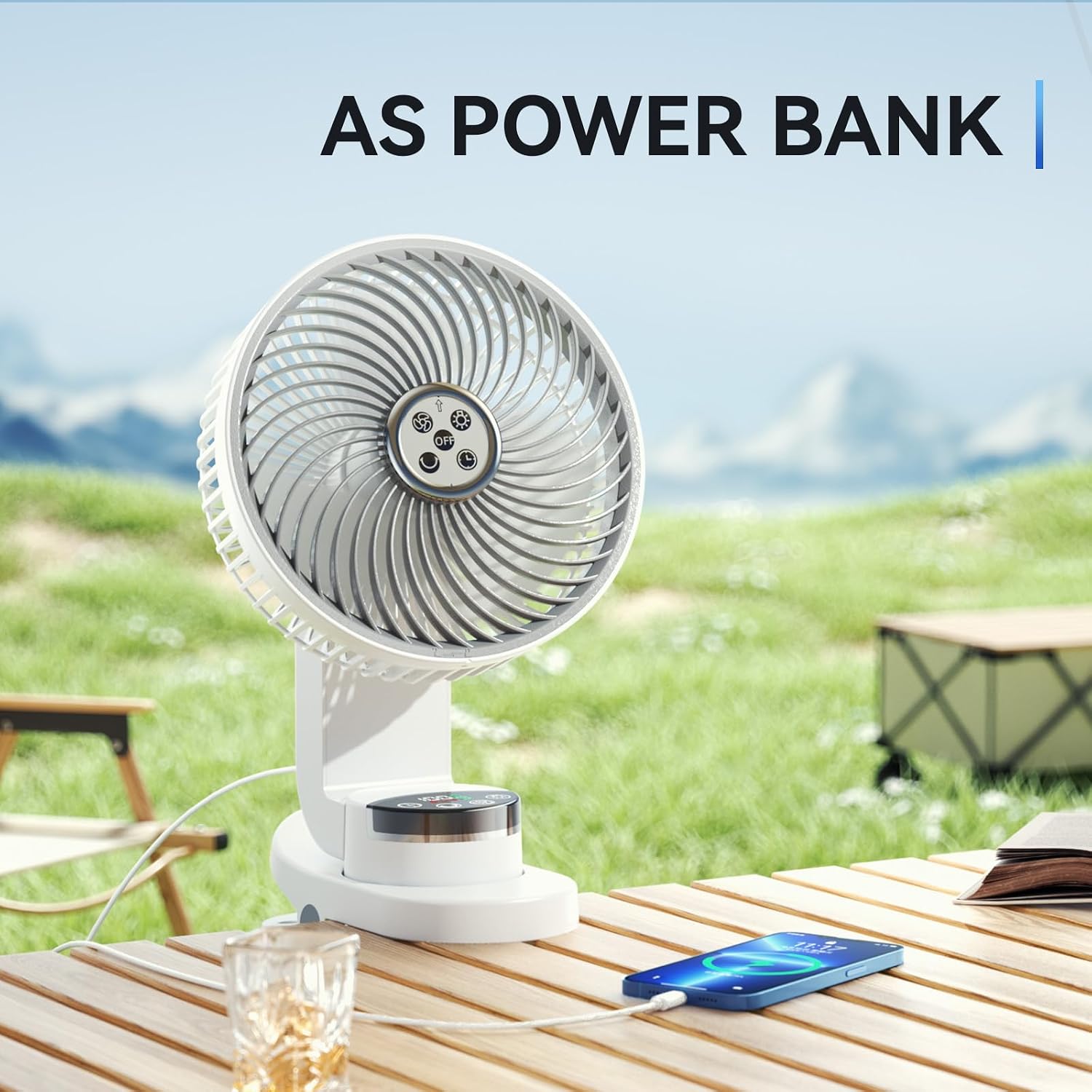
Figure 8: The fan being used to charge a smartphone, demonstrating its power bank capability.
Maintenance
Cleaning
- Ensure the fan is turned off and unplugged before cleaning.
- The fan is designed for easy disassembly to facilitate cleaning of the blades and grille. Gently twist or unclip the front grille as per the design to access the fan blades.
- Use a soft, dry cloth to wipe down the fan blades and exterior surfaces. For stubborn dirt, a slightly damp cloth can be used, followed by immediate drying.
- Do not immerse the fan in water or use harsh chemical cleaners.
- Reassemble the fan securely after cleaning.
Troubleshooting
If you encounter issues with your Doublepow fan, please refer to the following common troubleshooting steps:
- Fan not turning on: Ensure the battery is charged. Connect the fan to a power source using the provided USB cable and allow it to charge for at least 30 minutes before attempting to power it on again.
- Weak airflow: Check the selected fan speed. Increase the speed setting using the control panel or remote. Ensure the fan grille and blades are clean and free from obstructions.
- Remote control not working: Verify that the remote control's battery is functional. Ensure there are no obstructions between the remote and the fan's sensor.
- Fan not oscillating: Ensure the oscillation function is activated via the control panel or remote. Check for any physical obstructions preventing rotation.
- Battery life shorter than expected: Battery life varies significantly based on fan speed, oscillation, and night light usage. Using the fan at higher speeds or with the night light and oscillation simultaneously will consume battery power more quickly. Charging external devices via the USB output will also reduce the fan's operational time.
If these steps do not resolve the issue, please contact customer support for further assistance.
Specifications
| Feature | Detail |
|---|---|
| Brand | Doublepow |
| Model Name | Rechargeable Clip On Fan |
| Item Model Number | ed96e2a5-94b2-4659-a58e-483b368d681e |
| Color | White |
| Electric Fan Design | Table Fan |
| Power Source | Battery Powered |
| Battery Capacity | 10000mAh (Lithium Polymer, included) |
| Charging Time | 4-5 hours (with 5V-3A charger) |
| Battery Life | 5-56 hours (depending on usage) |
| Number of Power Levels | 9 (including natural wind mode) |
| Control Method | Remote, Touch Screen |
| Oscillation | 45°/90° Automatic, 270° Manual Pivoting |
| Night Light Modes | 7 (5 single colors, 2 auto-changing) |
| Timer Settings | 1H/2H/4H/8H |
| USB Output | Yes (5V-3A, for charging external devices) |
| Product Dimensions | 7.8"D x 4.1"W x 11.9"H |
| Item Weight | 3.05 pounds (1.39 Kilograms) |
| Noise Level | 45 Decibels |
| Indoor/Outdoor Usage | Outdoor |
Warranty and Support
For warranty information or technical support, please refer to the product packaging or contact Doublepow customer service directly. Keep your purchase receipt as proof of purchase.
For further assistance, please visit the official Doublepow website or contact their customer support channels.