
Rocktone TY-DP04
Rocktone Light Bulb Security Camera User Manual
Model: TY-DP04
Brand: Rocktone
1. Introduction
The Rocktone Light Bulb Security Camera offers advanced home security with its innovative design and comprehensive features. This wireless outdoor/indoor camera supports both 5GHz and 2.4GHz WiFi, providing stable connectivity. Equipped with AI human detection, motion tracking, 2-way talk, and color night vision, it ensures 24/7 monitoring and peace of mind. This manual provides detailed instructions for setup, operation, and maintenance of your new security camera.

Image: The Rocktone Light Bulb Security Camera, designed for easy integration into existing light fixtures.
2. What's in the Box
- 2 x Light Bulb Camera
- Quick Start Guide
3. Setup & Installation
3.1 Easy Connection and Installation
The Rocktone security cameras are designed for quick and easy setup, typically taking less than a minute. Follow these steps to get your camera operational:
- Screw in the Camera: Simply plug the camera into a standard E26/E27 light socket (110V~240V) like a regular light bulb. It can be used both indoors and outdoors.
- Download the App: Download the 'TinoSec' app from your phone's app store (available on iOS and Android).
- Enable Bluetooth: Turn on Bluetooth on your mobile phone.
- Add Device: Open the 'TinoSec' app. The app should automatically detect the new light bulb camera. Click to add the device.
- Enter WiFi Password: Enter your WiFi password when prompted. Ensure your WiFi network is stable.
- Connection Confirmation: Wait for a moment for the connection to be successful. The camera will indicate when it's connected.

Image: Visual guide for connecting and installing the camera in under a minute.
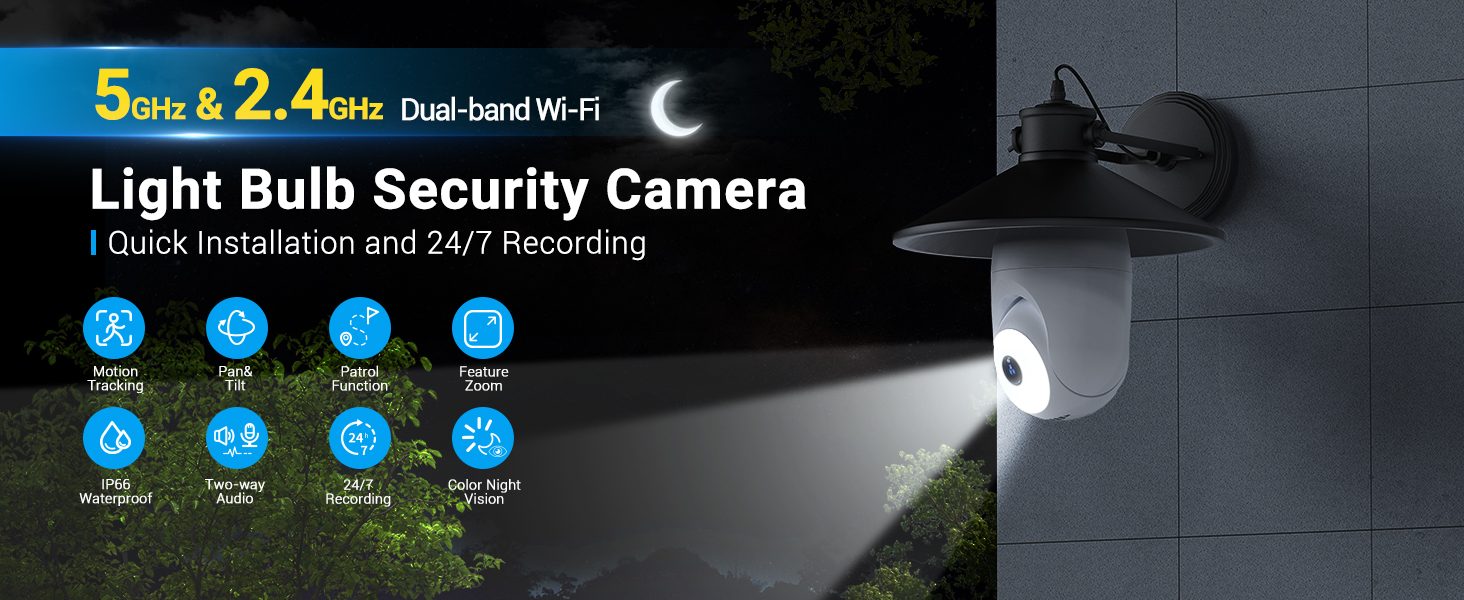
Image: Quick connect, install, and use process.
3.2 Official Setup Guide Video
Video: Official setup guide for the Rocktone Light Bulb Security Camera, demonstrating the installation and initial connection process.
4. Operating Instructions
4.1 5GHz & 2.4GHz Dual Band WiFi
The camera supports both 5GHz and 2.4GHz dual-band Wi-Fi connections. The 5GHz band offers higher transmission rates and less interference, ideal for high-quality video streaming. The 2.4GHz band provides wider coverage and better penetration through walls, ensuring stable connectivity across larger areas. This dual-band capability ensures a stable and efficient video surveillance experience.

Image: Explanation of 5GHz and 2.4GHz dual-band WiFi benefits.
4.2 "Special" Patrol Mode & Auto Detail Zoom
The camera offers two distinct patrol modes for comprehensive surveillance:
- Panoramic Mode: The camera continuously scans all surveillance angles in a cyclical manner.
- Viewpoint Mode: The camera cycles through up to 6 pre-set surveillance points, pausing at each position for 10 seconds.
Both patrol modes support 24/7 or customized time recording. Additionally, the camera features an auto detail zoom function, which automatically magnifies specific details within the image for clearer viewing.

Image: Illustration of panoramic and viewpoint patrol modes.

Image: Demonstration of the camera's detail auto tracking and zoom.
4.3 AI Human Detection and Motion Tracking
Utilizing advanced AI algorithms, the camera accurately detects human bodies and sends real-time alarm notifications to your mobile app. The automatic tracking technology allows the camera to follow and record detected individuals within its 355° panning and 120° ultra-wide viewing angle, up to 30 feet away.

Image: AI human detection and motion tracking in action.
4.4 Two-Way Talk
The camera features a built-in microphone and speaker, enabling real-time two-way communication. You can listen to your surroundings and speak through the camera directly from your mobile app, allowing you to interact with visitors or deter intruders.

Image: Real-time two-way talk functionality.
4.5 24/7 Recording and Optional Storage
The IP66 waterproof light socket security camera supports 24/7 continuous recording, monitoring your environment day and night. It captures every moment, providing continuous surveillance. For storage, you can enjoy a 7-day free cloud storage trial (for first-time users) or utilize an SD card (up to 128GB, not included). The encrypted cloud server is located in the United States, ensuring secure and protected video storage.

Image: Features of 24/7 recording, IP66 waterproofing, and storage options.
4.6 Smart Home Integration
The camera is compatible with popular smart home platforms such as Amazon Alexa and Google Assistant. This allows for convenient voice control and integration into your existing smart home ecosystem, making it easier to monitor your property.

Image: Compatibility with smart home systems like Alexa and Google Assistant.
4.7 Night Vision
The camera features advanced night vision capabilities, including color night vision, allowing for clear and detailed surveillance even in low-light conditions up to 30 feet. It can automatically switch between infrared and full-color night vision modes for optimal clarity.

Image: Different night vision modes for enhanced visibility.
5. Maintenance
To ensure optimal performance and longevity of your Rocktone Light Bulb Security Camera, regular maintenance is recommended:
- Clean the Lens: Gently wipe the camera lens with a soft, lint-free cloth to remove dust and smudges. Avoid abrasive cleaners.
- Firmware Updates: Periodically check the 'TinoSec' app for available firmware updates. Keeping your camera's firmware up-to-date ensures the latest features, security patches, and performance improvements.
- Power Cycle: If you experience minor issues, try power cycling the camera by unscrewing it from the socket, waiting 10 seconds, and then screwing it back in.
- Check Connectivity: Ensure your WiFi signal strength is adequate, especially for outdoor installations or areas far from your router.
6. Troubleshooting
If you encounter issues with your Rocktone Light Bulb Security Camera, refer to the following common troubleshooting steps:
- Camera Not Connecting to WiFi:
- Ensure your WiFi password is correct.
- Verify that your router is broadcasting both 2.4GHz and 5GHz networks if you intend to use 5GHz.
- Move the camera closer to your WiFi router to improve signal strength.
- Reset the camera (refer to the Quick Start Guide for reset button location and procedure).
- Poor Video Quality:
- Check your internet connection speed.
- Ensure the camera lens is clean.
- Adjust the camera's position to avoid direct glare or reflections.
- Motion Detection Not Working:
- Verify that motion detection is enabled in the 'TinoSec' app settings.
- Adjust the motion detection sensitivity.
- Ensure there are no obstructions blocking the camera's view.
- Two-Way Talk Issues:
- Check the volume settings in the app and on your phone.
- Ensure your phone's microphone is enabled for the 'TinoSec' app.
- Verify stable internet connection for both camera and phone.
7. Specifications
| Feature | Specification |
|---|---|
| Model Number | TY-DP04 |
| Connectivity Technology | Wireless, Bluetooth |
| Wireless Communication Technology | Wi-Fi (5GHz & 2.4GHz Dual Band) |
| Power Source | Corded Electric (E26/E27 socket, 110V~240V) |
| Video Capture Resolution | 1080p |
| Viewing Angle | 120 Degrees (355° Pan, 120° Tilt) |
| Night Vision Range | 30 Feet (Color Night Vision) |
| Frame Rate | 15 frames_per_second |
| Water Resistance Level | IP66 Waterproof |
| Flash Memory Supported Size Maximum | 128 GB (Micro SD, not included) |
| Controller Type | Google Assistant, Amazon Alexa |
| Item Weight | 1.21 pounds |
| Material | Acrylonitrile Butadiene Styrene (ABS) |
8. Warranty & Support
Rocktone is committed to providing high-quality products and excellent customer service. The company offers lifetime after-sales service for its products, ensuring ongoing support for your security camera. For any inquiries, technical assistance, or support needs, please refer to the contact information provided in your Quick Start Guide or visit the official Rocktone website.
Related documentsTY-DP04

Ask a question about this manual
Ask about setup, troubleshooting, compatibility, parts, safety, or missing instructions. Manuals+ will review the question and use this page’s manual context to help answer it.