
Introduction
The MLOVE A200 Portable Retro Bluetooth Speaker combines vintage aesthetics with modern audio technology. Designed for versatile use, it features multiple connectivity options and adjustable sound controls to enhance your listening experience at home or during gatherings. This manual provides essential information for setup, operation, maintenance, and troubleshooting to ensure optimal performance of your speaker.
What's in the Box
- Retro Bluetooth Speaker
- Aux Cord
- USB to USB C / USB Cable
- User Manual
Setup
Charging the Speaker
Before first use, fully charge the MLOVE A200 speaker. Connect the provided USB to USB C / USB cable to the USB-C port on the back of the speaker and a compatible USB power adapter (not included). A full charge takes approximately 4 hours and provides up to 10 hours of continuous playtime.
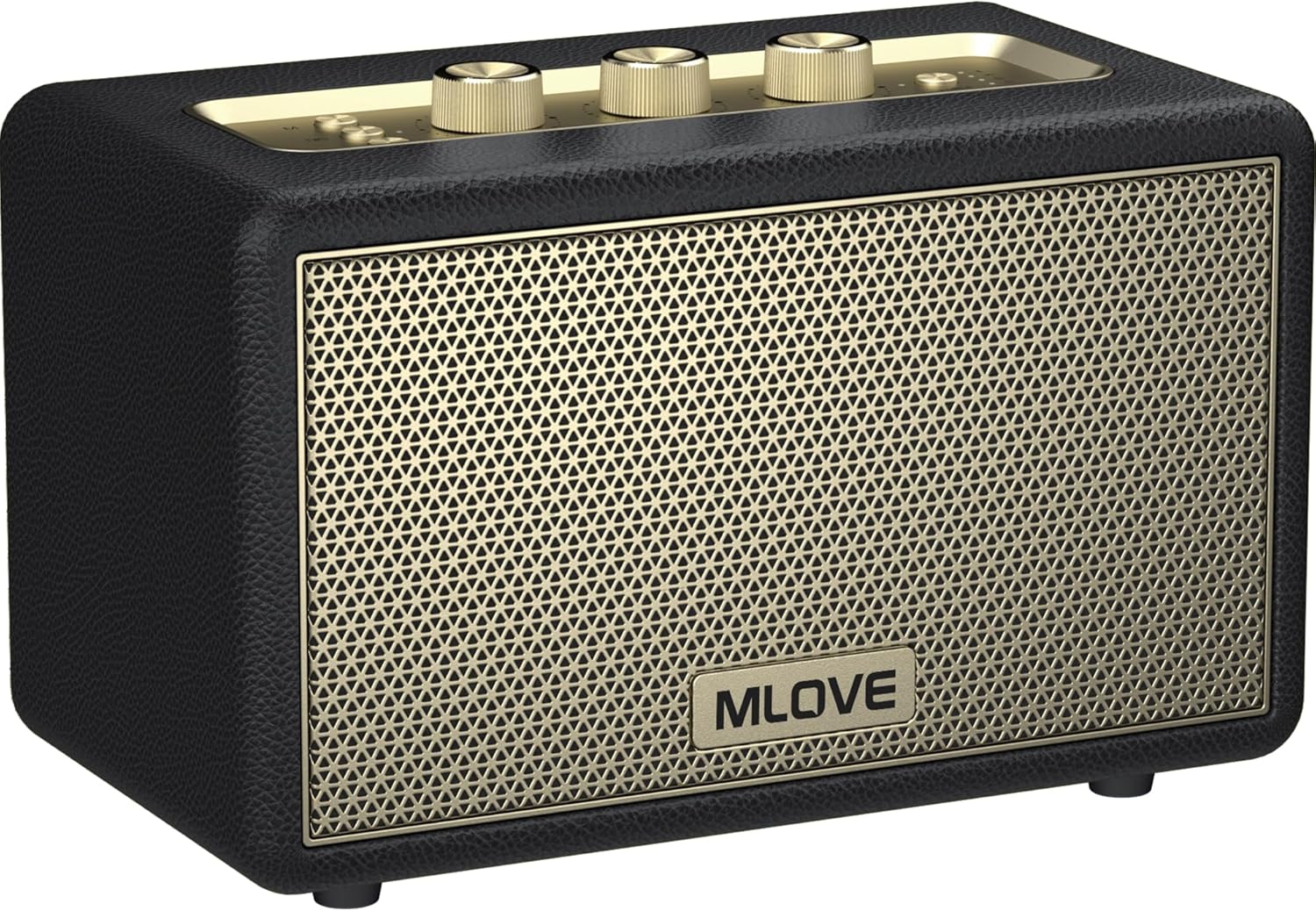
Image: MLOVE A200 speaker with its charging port visible.
Powering On
To power on the speaker, press and hold the "Power" button located on the top panel for 2 seconds until you hear a prompt sound and the Bluetooth indicator flashes rapidly.

Image: Close-up of the speaker's top control panel showing the power button and volume/tone knobs.
Bluetooth Pairing
Once powered on, the speaker will automatically enter Bluetooth pairing mode, indicated by a rapidly flashing Bluetooth indicator light. On your device (smartphone, tablet, etc.), search for "Mlove A200" in the Bluetooth settings and select it to connect. A confirmation sound will indicate successful pairing.
Video: Official MLOVE A200 Retro Bluetooth Speaker demonstration, showing the speaker's features and connectivity.
TWS (True Wireless Stereo) Pairing
For an immersive surround sound experience, you can pair two MLOVE A200 speakers together. Ensure both speakers are powered on and not connected to any other Bluetooth device. Press the "TWS" button on both speakers. They will automatically connect to each other. Once paired, connect your device to one of the speakers via Bluetooth, and audio will play through both speakers in stereo.

Image: Two MLOVE A200 speakers positioned to demonstrate True Wireless Stereo (TWS) functionality.
Operating Modes
The MLOVE A200 speaker supports multiple audio input methods:
- Bluetooth Mode: Connect wirelessly to your smartphone, tablet, or other Bluetooth-enabled devices.
- Aux Input: Use the included 3.5mm aux cord to connect to devices without Bluetooth capabilities.
- Micro SD Card Slot: Insert a Micro SD card (up to 32GB) loaded with your favorite music files.
- USB Port: Connect a USB flash drive (up to 32GB) containing audio files.
Use the "M" (Mode) button on the top panel to switch between these input modes.

Image: Rear view of the MLOVE A200 speaker highlighting the Micro SD, USB, USB-C, and 3.5mm Aux input ports.
Sound Adjustment
Utilize the dedicated knobs on the top panel to fine-tune your audio:
- Bass Knob: Adjust the low-frequency output for deeper or lighter bass.
- Treble Knob: Control the high-frequency output for sharper or softer treble.
- Volume Knob: Adjust the overall volume level.
Maintenance
To ensure the longevity and optimal performance of your MLOVE A200 speaker, follow these maintenance guidelines:
- Cleaning: Use a soft, dry cloth to wipe the exterior of the speaker. Avoid using abrasive cleaners or solvents.
- Storage: Store the speaker in a cool, dry place away from direct sunlight and extreme temperatures.
- Protection: While the speaker has high-standing legs to protect against spills, avoid direct contact with water or other liquids.
- Battery Care: For extended storage, charge the battery to about 50% every few months to maintain battery health.
Troubleshooting
| Problem | Possible Cause | Solution |
|---|---|---|
| Speaker does not power on. | Low battery or no charge. | Charge the speaker fully using the provided USB-C cable. |
| Cannot pair via Bluetooth. | Speaker is not in pairing mode or already connected to another device. | Ensure the speaker's Bluetooth indicator is flashing rapidly. Disconnect from other devices if necessary. Restart both speaker and device. |
| No sound from speaker. | Volume too low, incorrect input mode, or device not playing. | Increase speaker and device volume. Press the "M" button to cycle through input modes. Ensure your device is playing audio. |
| Poor sound quality. | Low battery, device too far from speaker, or interference. | Charge the speaker. Move the device closer to the speaker. Avoid obstacles or other electronic devices causing interference. |
| TWS pairing fails. | Speakers are too far apart or already connected to other devices. | Ensure both speakers are close to each other and not connected to any other device. Restart both speakers and try TWS pairing again. |
Specifications
| Feature | Detail |
|---|---|
| Model Name | A200 |
| Speaker Type | Subwoofer |
| Connectivity Technology | Bluetooth, USB C, Aux Input, Micro SD Card Slot, USB Port |
| Wireless Communication Technology | Bluetooth, AUX, USB, Micro SD Card Slot |
| Bluetooth Range | 15 Meters (approx. 49 feet) |
| Speaker Maximum Output Power | 80 Watts |
| Battery Life | 8 Hours (up to 10 hours as per feature bullets) |
| Charging Time | 4 Hours |
| Battery Capacity | 5000 Milliamp Hours |
| Product Dimensions | 5.91"D x 10.43"W x 6.77"H |
| Item Weight | 6.77 Pounds |
| Material | Wood, Plastic, Metal |
| Water Resistance Level | Water Resistant |
| Included Components | Retro Bluetooth Speaker, User Manual, Aux Cord, USB to USB C / USB Cable |
Warranty & Support
MLOVE is committed to providing quality products and customer satisfaction. Your MLOVE A200 speaker comes with the following:
- 30 Days Return: Hassle-free returns within 30 days of purchase.
- 90 Days Replacement: Free replacement for any manufacturing defects within 90 days.
- 360 Days Warranty: Comprehensive warranty coverage for 360 days from the date of purchase.
For any inquiries or support, MLOVE offers 24x7 customer support, including weekends. Please refer to the contact information provided in your user manual or visit the official MLOVE store on Amazon.

Image: MLOVE support and warranty details, including 24x7 support, 30-day return, 90-day replacement, and 360-day warranty.

