
1. Introduction
The Cuifati 1080P Door Peephole Camera is designed to enhance home security with advanced features. This device offers high-definition video recording, AI human recognition, and remote monitoring capabilities through the HomeEye mobile application. Its compact design allows for easy integration into existing door peepholes.
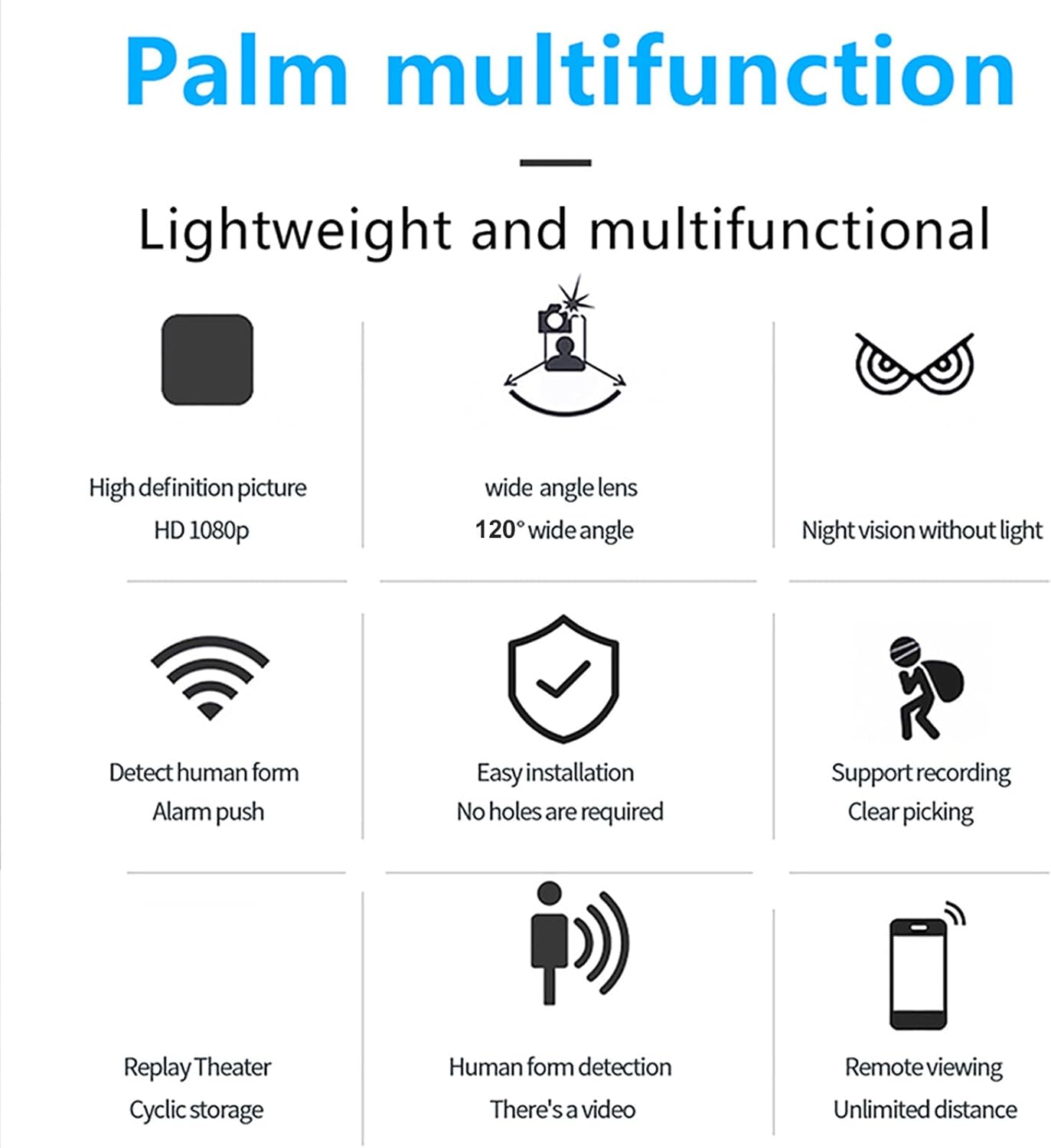
Key features include:
- 1080P HD Resolution: Provides clear and detailed video footage.
- 120-Degree Wide Angle Lens: Offers a broad view of your doorstep.
- AI Human Recognition: Reduces false alarms by accurately detecting human presence.
- Night Vision: Ensures visibility in low-light conditions.
- Loop Recording: Continuously records footage, overwriting older files when storage is full.
- Remote Playback: Access recorded videos anytime via the HomeEye app.
- Easy Installation: Designed for straightforward setup without requiring complex modifications.
2. Package Contents
Verify that all items are present in the package:
- 1 x Door Peephole Camera
- 1 x USB Cable
- 1 x User Manual (this document)
3. Setup and Installation
The Cuifati Door Peephole Camera is designed for easy installation, often without the need for drilling new holes.
3.1 Physical Installation
- Prepare the Door: Ensure the existing peephole is clean and clear.
- Insert the Camera: Gently insert the camera unit into the peephole from the exterior side of the door.
- Secure the Unit: From the interior side, attach the securing mechanism (if provided) to hold the camera firmly in place. The lightweight design facilitates this process.

3.2 Power Connection
The camera uses a Micro USB interface for power. Connect the provided USB cable to the camera and then to a power source.
- Mobile Power Supply: Connect to a portable power bank.
- Wall Socket: Use a standard USB wall adapter (not included) to connect to a power outlet.
- Charging Head: Connect to a USB charging head.

3.3 App Installation and Connection
- Download App: Download and install the HomeEye application from your mobile device's app store (iOS or Android).
- Create Account: Open the HomeEye app and follow the on-screen instructions to create a new user account or log in if you already have one.
- Add Device: Within the app, select the option to "Add Device" or "Add Camera."
- Follow Prompts: The app will guide you through connecting the camera to your Wi-Fi network and linking it to your account. Ensure your camera is powered on during this process.
4. Operating Instructions
Once installed and connected, the Cuifati Door Peephole Camera offers various monitoring and recording functionalities.
4.1 Live View and Remote Monitoring
- Open the HomeEye app on your mobile device.
- Select your camera from the device list to view live footage from your doorstep.
- The camera supports remote viewing from any location with an internet connection.
4.2 Recording Settings
Customize your recording preferences through the HomeEye app:
- Full-Day Recording: Continuous recording throughout the day.
- Alarm Recording: Records only when motion or human presence is detected.
- Timed Recording: Set specific schedules for recording.
- Loop Recording: The camera supports a memory card (up to 256GB). When the card is full, older footage will be automatically overwritten to ensure continuous recording.
4.3 AI Human Recognition and Alerts
- The camera utilizes AI technology to distinguish human figures from other movements, reducing false alarms caused by pets, vehicles, or environmental factors.
- Enable "Alarm Push" notifications in the HomeEye app to receive instant alerts on your mobile device when human presence is detected.
4.4 Night Vision
The integrated infrared night vision allows the camera to capture clear images and videos even in complete darkness without requiring additional light sources.

5. Maintenance
Proper maintenance ensures the longevity and optimal performance of your Cuifati Door Peephole Camera.
- Cleaning: Gently wipe the camera lens and exterior with a soft, dry cloth. Avoid using harsh chemicals or abrasive materials that could scratch the lens or housing.
- Environmental Conditions: Ensure the camera is not exposed to extreme temperatures, direct water spray, or excessive humidity, which can damage electronic components.
- Firmware Updates: Periodically check the HomeEye app for any available firmware updates for your camera. Keeping the firmware updated can improve performance and add new features.
- Storage Management: Regularly review recorded footage and delete unnecessary files to manage storage space, especially if not using loop recording or if you wish to preserve specific events.
6. Troubleshooting
If you encounter issues with your Cuifati Door Peephole Camera, refer to the following common solutions:
- Camera Not Powering On:
- Check the USB cable connection to both the camera and the power source.
- Ensure the power source (adapter, power bank) is functional.
- Cannot Connect to Wi-Fi/App:
- Verify your Wi-Fi network is active and the signal strength is adequate at the camera's location.
- Ensure you have entered the correct Wi-Fi password.
- Restart your Wi-Fi router and the camera.
- Make sure the HomeEye app is updated to the latest version.
- No Video/Poor Video Quality:
- Check the camera lens for any obstructions or dirt and clean it gently.
- Ensure sufficient lighting. If it's dark, verify night vision is active.
- Check your internet connection speed; a slow connection can affect live stream quality.
- False Alarms:
- Adjust the sensitivity settings for human recognition in the HomeEye app.
- Ensure the camera's field of view is not obstructed by moving objects like tree branches or flags.
- Recording Issues:
- Ensure a compatible memory card is inserted correctly (if using local storage).
- Check if the memory card is full; enable loop recording or clear old footage.
- Verify recording settings (full-day, alarm, timed) in the HomeEye app.
7. Specifications
| Feature | Detail |
|---|---|
| Model Number | Cuifatihe1ucxz9t7-12 |
| Resolution | 1920 x 1080 (1080P HD) |
| Pixels | 2 Megapixels |
| Wide Angle Lens | 120 Degrees |
| Night Vision | Supported (Infrared) |
| Connection Method | Mobile APP (HomeEye) |
| Storage | Supports up to 256GB memory card (not included) for loop recording |
| Interface | Micro USB |
| Item Weight | 54 g / 1.9 oz |
| Package Dimensions | 10 x 10 x 4 cm |
| Wattage | 2 watts |
| Special Features | AI Human Recognition, Loop Recording, Remote Playback |
8. Warranty and Support
8.1 Warranty Information
Specific warranty details for the Cuifati 1080P Door Peephole Camera are not provided in this manual. Please refer to the product packaging, your purchase receipt, or the official Cuifati website for warranty terms and conditions.
8.2 Customer Support
For technical assistance, troubleshooting not covered in this manual, or other inquiries, please contact Cuifati customer support through their official channels. Contact information can typically be found on the manufacturer's website or on the product packaging.