
1. Introduction
Welcome to the Bernette B35 Sewing Machine user manual. This guide provides essential information for setting up, operating, and maintaining your new sewing machine. The Bernette B35 is a mechanical sewing machine designed for beginners and hobbyists, offering reliability and simplicity for various sewing projects, from clothing to quilting and crafts.
Important Safety Instructions:
- Always unplug the machine from the electrical outlet immediately after using and before cleaning, removing covers, or making any user servicing adjustments.
- Do not allow children to operate the machine without supervision.
- Keep fingers away from all moving parts. Special care is required around the sewing machine needle.
- Use the correct needle plate. The wrong plate can cause the needle to break.
- Do not use bent needles.
- Do not pull or push fabric while stitching. This may deflect the needle, causing it to break.
- Turn the sewing machine off when making any adjustments in the needle area, such as threading the needle, changing the needle, threading the bobbin, or changing the presser foot.
2. Package Contents
Your Bernette B35 Sewing Machine package includes the following items:
- Bernette B35 Sewing Machine
- Foot Pedal
- 7 Presser Feet (Zigzag, Buttonhole, Zipper, Satin, etc.)
- Bobbins
- Needle Set
- Seam Ripper
- Screwdriver
- Lint Brush
- Spool Holders
- Dust Cover
- Instruction Manual
- Additional accessories may include: Rotary Cutting Mat, Rotary Cutter, Non-slip Frosted Acrylic Ruler, Tailor Scissors, Needle Threader.
3. Setup
3.1 Unpacking and Placement
Carefully remove the machine from its packaging. Place the machine on a stable, flat surface. Ensure there is adequate lighting and space for your sewing projects.
3.2 Power Connection
Connect the foot pedal cord to the machine's power socket. Plug the power cord into a suitable electrical outlet. Ensure the machine's power switch is in the "OFF" position before connecting.
3.3 Winding the Bobbin
Follow these steps to wind the bobbin correctly:
- Place a spool of thread on the spool pin.
- Guide the thread through the upper thread guide and around the bobbin winding tension disc.
- Place an empty bobbin onto the bobbin winder spindle.
- Wind the thread clockwise a few times around the bobbin.
- Push the bobbin winder spindle to the right.
- Gently press the foot pedal to start winding. The machine will stop automatically when the bobbin is full.
- Cut the thread and push the bobbin winder spindle back to the left.

Image: Close-up view of the bobbin winding area on the Bernette B35 sewing machine, showing the bobbin case and thread path.
3.4 Threading the Upper Thread
Proper threading is crucial for good stitch quality. Follow the numbered guides on the machine:
- Raise the presser foot lifter.
- Place the thread spool on the spool pin.
- Guide the thread through the upper thread guide.
- Bring the thread down through the right channel, around the tension discs, and up through the left channel.
- Hook the thread into the take-up lever from right to left.
- Guide the thread down through the remaining guides to the needle.
- Thread the needle from front to back.
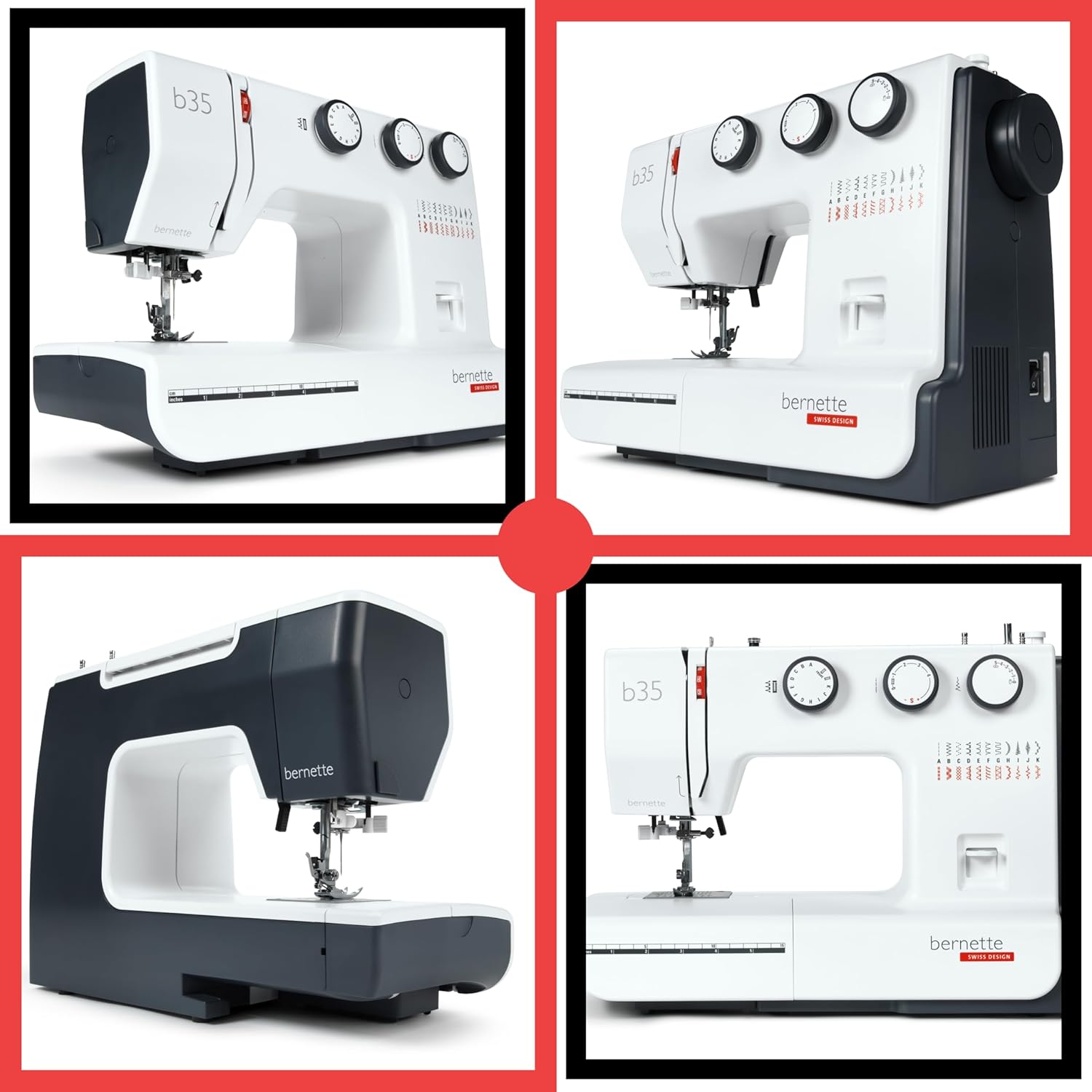
Image: Detailed view of the Bernette B35 sewing machine's needle area, illustrating the correct upper thread path and the needle threader mechanism.
3.5 Inserting the Bobbin
After winding, insert the bobbin into the bobbin case and then into the machine's bobbin compartment. Ensure the thread feeds smoothly from the bobbin.
3.6 Attaching the Presser Foot
To change a presser foot, raise the presser foot lifter. Press the release lever at the back of the presser foot holder to detach the current foot. Align the new presser foot with the pin on the holder and lower the presser foot lifter until it snaps into place.
4. Operating Instructions
4.1 Stitch Selection
The Bernette B35 offers 23 built-in stitches. Use the stitch selector dial on the front of the machine to choose your desired stitch pattern. Refer to the stitch chart printed on the machine for available options.

Image: Front view of the Bernette B35 sewing machine, highlighting the stitch selection dial and the stitch pattern chart.
4.2 Adjusting Stitch Length and Width
Use the dedicated dials to adjust the stitch length and width according to your fabric and project requirements. Shorter stitch lengths are for stronger seams, while longer lengths are for basting or decorative stitches. Stitch width controls the zigzag or decorative stitch spread.
4.3 One-Step Automatic Buttonhole
The B35 features a convenient one-step automatic buttonhole function. Attach the buttonhole presser foot, place the button in the foot's holder, and select the buttonhole stitch. The machine will automatically sew all four sides of the buttonhole to the correct size.
4.4 Using Different Presser Feet
Your machine comes with 7 snap-on presser feet for various tasks:
- Zigzag Foot: Standard foot for most sewing tasks.
- Zipper Foot: For sewing zippers and cording.
- Buttonhole Foot: For creating automatic buttonholes.
- Satin Stitch Foot: For dense decorative stitches.
- Consult your machine's accessory guide for specific uses of all 7 included feet.

Image: A person operating the Bernette B35 sewing machine, demonstrating its compact design and ease of use for various projects.
5. Maintenance
Regular maintenance ensures the longevity and optimal performance of your Bernette B35.
5.1 Cleaning
- Always unplug the machine before cleaning.
- Use the provided lint brush to remove lint and dust from the bobbin area and feed dogs.
- Wipe the exterior of the machine with a soft, dry cloth. Do not use harsh chemicals.
5.2 Needle Replacement
Change the needle regularly, especially after 8-10 hours of sewing or if it becomes bent or dull. A dull needle can cause skipped stitches or fabric damage. Use only needles suitable for home sewing machines.
5.3 Lubrication
The Bernette B35 is designed for minimal lubrication. Refer to the full instruction manual for specific lubrication points if required, or consult an authorized service center.
6. Troubleshooting
Here are solutions to common issues you might encounter:
| Problem | Possible Cause | Solution |
|---|---|---|
| Skipped Stitches | Incorrect needle, bent needle, improper threading. | Change needle, re-thread machine, ensure correct needle insertion. |
| Thread Breaking | Incorrect tension, poor quality thread, bent needle, improper threading. | Adjust tension, use good quality thread, change needle, re-thread. |
| Fabric Not Feeding | Feed dogs lowered, presser foot pressure too low. | Raise feed dogs, increase presser foot pressure. |
| Machine Not Starting | Power cord not plugged in, foot pedal not connected, power switch off. | Check all connections, ensure power switch is on. |
If you encounter persistent issues, please refer to the comprehensive troubleshooting section in your full instruction manual or contact Bernette customer support.
7. Specifications
Key technical specifications for the Bernette B35 Sewing Machine:
- Model: B35
- Brand: Bernette
- Product Dimensions: 11.8 x 14 x 17.1 inches (29.97 x 35.56 x 43.43 cm)
- Item Weight: 15.8 pounds (7.17 kg)
- Material: Metal frame
- Color: White
- Power Source: AC (Electric)
- Built-in Stitches: 23 (Utility and Decorative)
- Presser Feet Included: 7
- Buttonhole Type: One-Step Automatic
- Lighting: LED

Image: Illustration highlighting the heavy-duty metal frame construction and LED lighting feature of the Bernette B35 sewing machine.

Image: The Bernette B35 sewing machine shown with an extension table, emphasizing its suitability for everyday sewing and repairs, and providing extra workspace.
8. Product Overview Video
Watch this official product video for a comprehensive overview of the Bernette B35 Sewing Machine's features and basic operation.
Video: A detailed product overview of the Bernette B35 Sewing Machine, demonstrating its various functions and capabilities.
9. Warranty and Support
The Bernette B35 Sewing Machine comes with a manufacturer's warranty. Please refer to the warranty card included in your package for specific terms and conditions, including coverage duration and claim procedures.
For technical support, service, or to purchase genuine Bernette accessories, please visit the official Bernette website or contact an authorized Bernette dealer. Keep your purchase receipt as proof of purchase for warranty claims.
Online Resources: For additional tutorials and FAQs, visit the official Bernette support page: www.bernette.com/en-US/Support


