
1. Introduction
Thank you for choosing the Imetec EcoSmart Steam Iron. This appliance is designed to provide efficient and effective ironing results while optimizing energy and water consumption. Featuring Eco Technology, a super flat Glide Ceramic soleplate, and powerful steam functions, this iron is suitable for a variety of fabrics.
Please read this manual carefully before using the iron for the first time and keep it for future reference. Proper use and maintenance will ensure optimal performance and extend the life of your appliance.
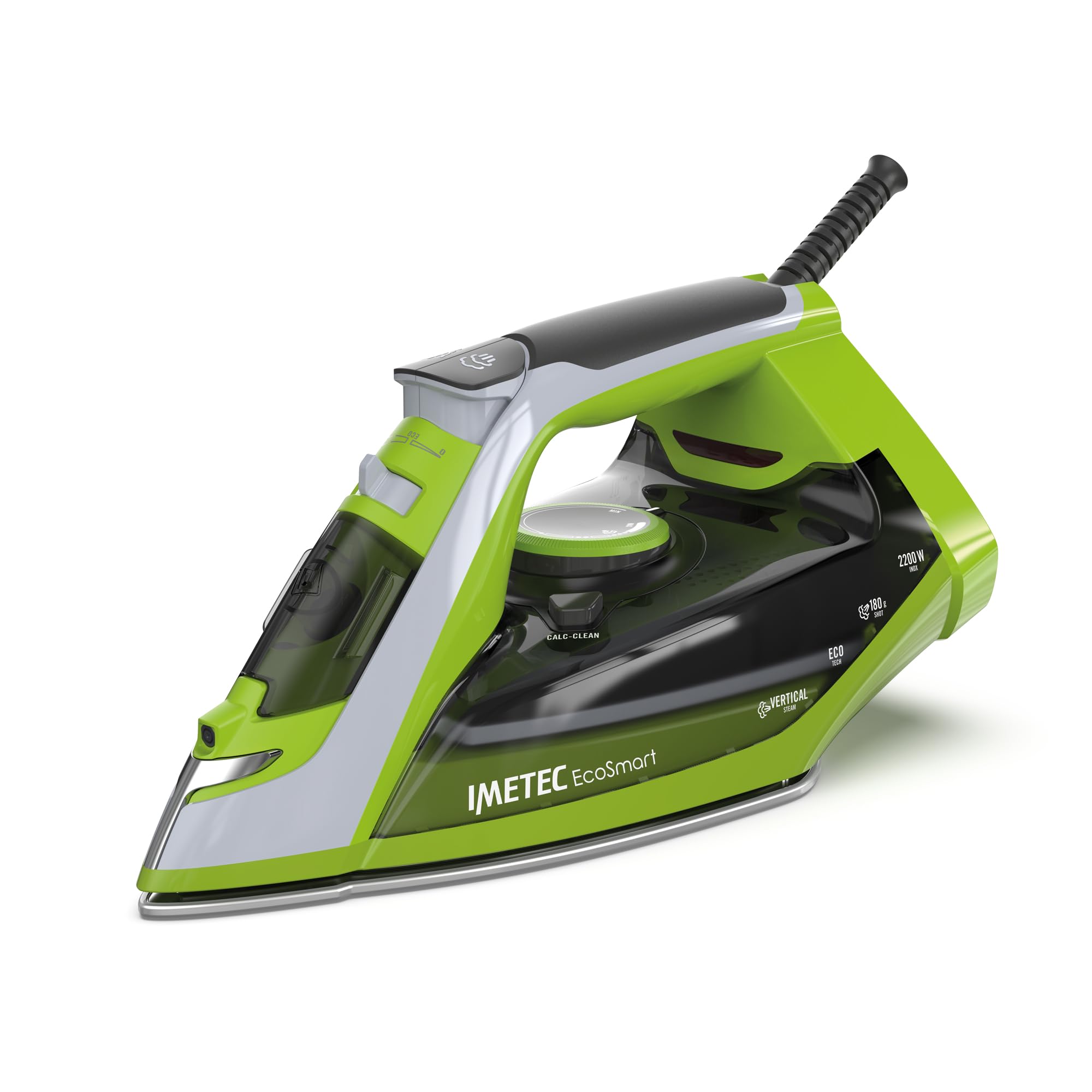
Image 1.1: The Imetec EcoSmart Steam Iron, showcasing its sleek design and ergonomic handle.
2. Safety Instructions
Always observe basic safety precautions when using electrical appliances to reduce the risk of fire, electric shock, and personal injury.
- Ensure the voltage indicated on the appliance corresponds to your mains voltage before connecting.
- Do not immerse the iron, power cord, or plug in water or other liquids.
- Keep the iron out of reach of children and individuals with reduced physical, sensory, or mental capabilities.
- Never leave a hot iron unattended. Always place it on its heel or on a heat-resistant surface.
- Do not touch the hot soleplate. Allow the iron to cool completely before storing.
- Unplug the iron from the power outlet before filling or emptying the water tank, and when not in use.
- Do not operate the iron with a damaged cord or plug, or if the iron has been dropped or damaged. Contact customer support for repair.
- Use the iron only for its intended household purpose.
3. Product Components
Familiarize yourself with the main parts of your Imetec EcoSmart Steam Iron:
- Water Tank Inlet: For filling the water tank.
- Spray Nozzle: Emits a fine mist of water.
- Steam Control Dial/Button: Adjusts steam output or activates steam shot.
- Temperature Control Dial: Selects the desired ironing temperature.
- Glide Ceramic Soleplate: The heating surface that glides over fabrics.
- Power Cord: Connects the iron to the electrical outlet.
- Self-Clean/Anti-Calc Button: For maintenance of the anti-calc system.
4. Setup
4.1 First Use
- Remove all packaging materials, labels, and protective film from the soleplate.
- Before first use, iron an old piece of fabric to remove any manufacturing residues from the soleplate. A slight odor or smoke may occur initially; this is normal and will dissipate.
4.2 Filling the Water Tank
- Ensure the iron is unplugged from the power outlet.
- Open the water tank inlet cover.
- Fill the water tank with clean tap water up to the 'MAX' fill line. The tank capacity is 250 ml. Do not overfill.
- Close the water tank inlet cover securely.
5. Operating Instructions
5.1 Temperature Selection
- Plug the iron into a suitable power outlet.
- Turn the temperature control dial to the desired setting based on the fabric type. Refer to the fabric care labels on your garments.
- The indicator light will illuminate, indicating the iron is heating. It will turn off when the selected temperature is reached.
5.2 Steam Ironing
- For steam ironing, ensure the water tank is filled and the temperature dial is set to a steam-appropriate setting (usually indicated by steam symbols).
- Once the indicator light turns off, steam is ready. Adjust the steam control dial for continuous steam.
- For stubborn creases, press the steam shot button to release a powerful burst of 180g steam. Wait a few seconds between shots to allow the iron to reheat.
5.3 Vertical Steam
- The vertical steam function is ideal for refreshing hanging garments, curtains, or delicate fabrics.
- Hold the iron vertically, about 15-30 cm away from the fabric.
- Press the steam shot button to release bursts of steam. Do not allow the soleplate to touch the fabric.
5.4 Dry Ironing
- For dry ironing, ensure the water tank is empty or the steam control is set to the 'no steam' position.
- Select the desired temperature and wait for the indicator light to turn off.
5.5 Eco Technology
- The Eco Technology balances temperature and steam output to achieve effective ironing with reduced energy consumption (up to 20% energy saving) and water usage (up to 50% water saving).
- To activate, set the temperature dial to the 'ECO' position. The iron will automatically adjust for optimal eco-friendly performance.

Image 5.1: A user demonstrating the ironing process with the Imetec EcoSmart Steam Iron.
6. Maintenance and Cleaning
6.1 Cleaning the Soleplate
- Always ensure the iron is unplugged and completely cool before cleaning.
- Wipe the Glide Ceramic soleplate with a damp cloth and a non-abrasive cleaner if necessary. Do not use harsh scouring pads or metallic cleaners, as these can damage the coating.
6.2 Anti-Calc System
The iron features a double anti-calc protection system to prolong its lifespan. Regular use of the self-clean function is recommended, especially in areas with hard water.
- Fill the water tank to the MAX line.
- Set the temperature to maximum and allow the iron to heat up until the indicator light goes out.
- Unplug the iron and hold it horizontally over a sink.
- Press and hold the self-clean button (if available, otherwise refer to specific model instructions for anti-calc cleaning). Hot water and steam will be expelled from the soleplate, carrying away scale particles.
- Release the button when the tank is empty.
- Allow the iron to cool completely before storing.
6.3 Storage
- After use, unplug the iron and empty any remaining water from the tank.
- Allow the iron to cool down completely.
- Store the iron upright on its heel in a dry, safe place.
7. Troubleshooting
If you encounter issues with your iron, refer to the following common problems and solutions:
| Problem | Possible Cause | Solution |
|---|---|---|
| Iron does not heat up. | Not plugged in; power outlet fault; temperature dial set to OFF. | Check power connection; try another outlet; set temperature dial to desired heat. |
| No steam or insufficient steam. | Water tank empty; temperature too low for steam; steam control set to OFF; steam vents blocked. | Fill water tank; set temperature to steam-appropriate level; adjust steam control; perform self-clean. |
| Water leakage from soleplate. | Temperature too low for steam; water tank overfilled; iron left horizontal when hot. | Increase temperature; do not overfill; store iron upright when hot. |
| White flakes coming from soleplate. | Mineral deposits (limescale). | Perform the anti-calc/self-clean function. |
If the problem persists after trying these solutions, please contact customer support.
8. Specifications
| Feature | Detail |
|---|---|
| Brand | Imetec |
| Model Name | Imetec EcoSmart |
| Model Number | 9043 |
| Wattage | 2200 W |
| Steam Shot | 180 g |
| Soleplate Material | Glide Ceramic |
| Water Tank Capacity | 250 ml |
| Special Features | Anti-calc function, Lightweight, Steam control, Temperature control, Water spray function, Vertical steam |
| Product Dimensions (L x W) | 27.6L x 13.5W cm |
| Item Weight | 1.1 Kilogram |
| Frequency | 50 Hz |
| Manufacturer | Tenacta Group Spa |
| Country of Origin | China |
9. Warranty and Support
9.1 Warranty Information
Your Imetec EcoSmart Steam Iron is covered by a manufacturer's warranty. Please refer to the warranty card included with your purchase for specific terms, conditions, and duration. Keep your proof of purchase for warranty claims.
9.2 Customer Support
For technical assistance, spare parts, or any questions regarding your product, please contact Imetec customer support. Contact details can typically be found on the manufacturer's website or on the warranty card.