
1. Introduction
The M-VAVE SK2 is an isolated power supply unit designed for guitar effect pedals. It provides stable and low-noise power to multiple pedals simultaneously, ensuring optimal performance. This unit features independent power outputs and overcurrent protection for each channel, enhancing reliability and safety for your equipment.
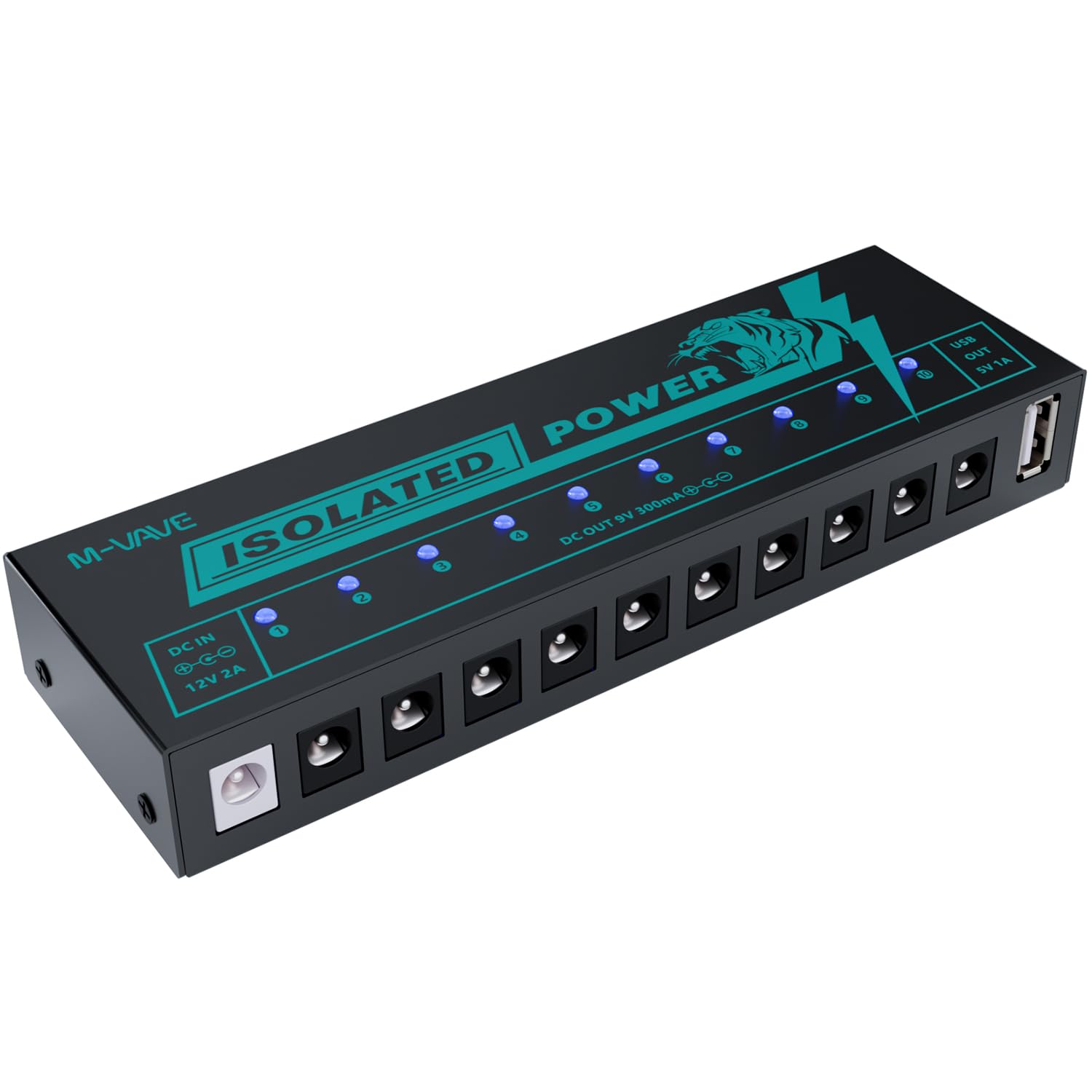
Image 1.1: M-VAVE SK2 Isolated Guitar Pedal Power Supply.
2. Features
- 10 Isolated 9V DC Outputs: Provides clean and stable power to individual pedals, minimizing noise and interference. Each output delivers 300mA.
- 1 USB 5V Output: Dedicated 5V 1A USB output for powering compatible devices or charging.
- Independent Overcurrent Protection: Each output channel is equipped with independent overcurrent protection. If one channel experiences a short circuit, other channels remain operational.
- LED Status Indicators: Blue LED lights indicate the operational status of each channel. An LED will turn off if its corresponding channel experiences an overcurrent condition.
- Noise Reduction Circuit Design: Engineered to minimize unwanted noise, contributing to a superior audio experience.
- Durable Construction: Made from lightweight and robust aluminum alloy.

Image 2.1: Overview of the 11 independent power supply interfaces.

Image 2.2: Short circuit protection with LED indicators for normal operation and short circuit.
3. Package Contents
Verify that all items are present in the package:
- M-VAVE SK2 Isolated Guitar Pedal Power Supply Unit
- Power Adapter (DC 12V 2A input)
- 10 x DC Power Cables (for connecting pedals)

Image 3.1: M-VAVE SK2 unit with its accessories.
4. Setup
- Connect the Power Adapter: Plug the provided DC 12V 2A power adapter into the 'DC IN' port on the M-VAVE SK2 unit. Connect the other end of the adapter to a suitable power outlet.
- Connect Effect Pedals: Use the included DC power cables to connect your guitar effect pedals to the 10 isolated 9V DC outputs. Ensure the polarity of the cables matches your pedals' requirements (center negative is standard for most guitar pedals).
- Connect USB Devices (Optional): If needed, connect a USB-powered device to the 5V 1A USB output port.
- Power On: Once all connections are secure, the blue LED indicators on the M-VAVE SK2 unit will illuminate, indicating that power is being supplied to the connected channels.
5. Operation
The M-VAVE SK2 operates automatically once connected to power and your pedals. Each blue LED light corresponds to an output channel. When a channel is functioning correctly, its LED will be lit. In the event of an overcurrent or short circuit on a specific channel, its corresponding LED light will turn off, indicating a fault without affecting the operation of other channels.
6. Safety Information
- Use only the provided power adapter. Using an incorrect adapter may damage the unit or connected devices.
- Do not expose the unit to water, moisture, or extreme temperatures.
- Avoid dropping or subjecting the unit to strong impacts.
- Do not attempt to open or modify the unit. Refer servicing to qualified personnel.
- Ensure proper ventilation around the unit during operation.
7. Troubleshooting
- No power to a pedal:
- Check if the LED indicator for that specific output channel is off. If it is, disconnect the pedal from that output and check the pedal for faults. The LED turning off indicates an overcurrent or short circuit on that channel. Reconnect the pedal only after resolving the issue.
- No power to any pedal:
- Ensure the power adapter is securely connected to both the M-VAVE SK2 unit and a working power outlet. Verify that the power adapter itself is functional.
- Unwanted noise in the audio signal:
- While the SK2 features noise reduction, external factors can still introduce noise. Ensure all cables are properly shielded and connected. Test pedals individually to identify if a specific pedal is generating noise. Check for ground loops in your setup.
8. Specifications
| Parameter | Value |
|---|---|
| Model Number | SK2 |
| Power Input | DC 5V-12V (via 12V 2A adapter) |
| DC Output Channels | 10 x DC 9V 300mA (isolated) |
| USB Output Channel | 1 x USB 5V 1A |
| Product Dimensions (L x W x H) | 4 x 1.9 x 6 inches (158 x 50 x 25 mm) |
| Item Weight | 1.15 pounds (225g) |
| Construction Material | Aluminum Alloy |
| Cooling Method | Air |
| Compatible Devices | Guitar Effect Pedals |

Image 8.1: Dimensions of the M-VAVE SK2 unit.
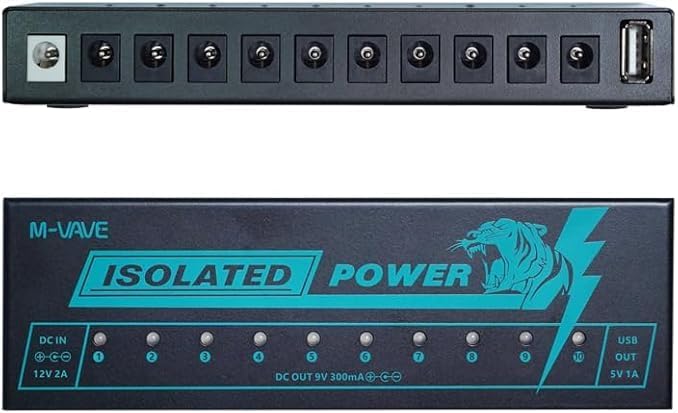
Image 8.2: Top and side view of the M-VAVE SK2 unit.
9. Maintenance
- Cleaning: Use a soft, dry cloth to clean the exterior of the unit. Do not use liquid cleaners or solvents.
- Storage: Store the unit in a cool, dry place away from direct sunlight and extreme temperatures when not in use.
- Cable Management: Ensure power cables are not kinked or strained to prevent damage.
10. Warranty and Support
The M-VAVE SK2 Isolated Guitar Pedal Power Supply comes with a one-year warranty from the date of purchase. For any product-related issues or support inquiries, please contact M-VAVE customer service. When contacting support, provide your purchase details and a clear description of the issue.