
1. Introduction
This manual provides essential information for the safe and effective operation, maintenance, and troubleshooting of your GYMAX GM1940 Walking Pad. Please read this manual thoroughly before using the product and retain it for future reference.
The GYMAX GM1940 Walking Pad is a compact and portable under-desk treadmill designed for walking and light jogging, suitable for home and office environments. It features a 2.25HP motor, a 7-layer running belt, LED display, and smart app control for a personalized fitness experience.

Image 1.1: GYMAX GM1940 Walking Pad in an office setting.
2. Safety Information
To ensure safe operation and prevent injury, adhere to the following safety guidelines:
- Always place the walking pad on a flat, stable surface.
- Ensure adequate clear space around the walking pad (at least 20 inches on each side and 40 inches at the rear).
- Do not allow children or pets near the walking pad during operation.
- The maximum user weight capacity is 220 lbs (100 kg). Do not exceed this limit.
- Wear appropriate athletic footwear. Do not use the walking pad barefoot or in loose-fitting clothing.
- If you experience dizziness, nausea, chest pain, or any other abnormal symptoms, stop your workout immediately and consult a physician.
- Unplug the power cord from the outlet when not in use, before cleaning, or before performing any maintenance.
- Keep the power cord away from hot surfaces.
- This appliance is for household use only. Do not use outdoors.
3. Package Contents
Verify that all components are present in the package:
- 1 x GYMAX GM1940 Walking Pad
- 1 x Silicone Treadmill Lubricant
- 1 x Power Cord
- 1 x User Manual (this document)
4. Product Features
The GYMAX GM1940 Walking Pad offers a range of features designed for convenience and effective exercise:
- 3-in-1 Functionality: Supports working (0.6-2 MPH), walking (2-3 MPH), and jogging (2.8-3.8 MPH) to suit various activity levels.
- High-Performance Motor: Equipped with a 2.25 HP motor for smooth and quiet operation, ideal for apartments and offices.
- 7-Layer Running Belt: Features a diamond-textured, anti-slip, and wear-resistant surface for enhanced safety and durability.
- Shock-Absorbing Design: Provides knee protection and reduces impact during use.
- LED Display: Shows real-time fitness data including speed, time, distance, and calories burned.
- Smart App Control: Connects via Bluetooth to the Gymax App for advanced control, training courses, and community interaction.
- Portable and Space-Saving: With a 5-inch thickness and 2 built-in wheels, it is easy to move and store under furniture.
- Durable Construction: Features an outer beech wood frame for extended service life.

Image 4.1: Illustrates the 3-in-1 functionality of the walking pad.
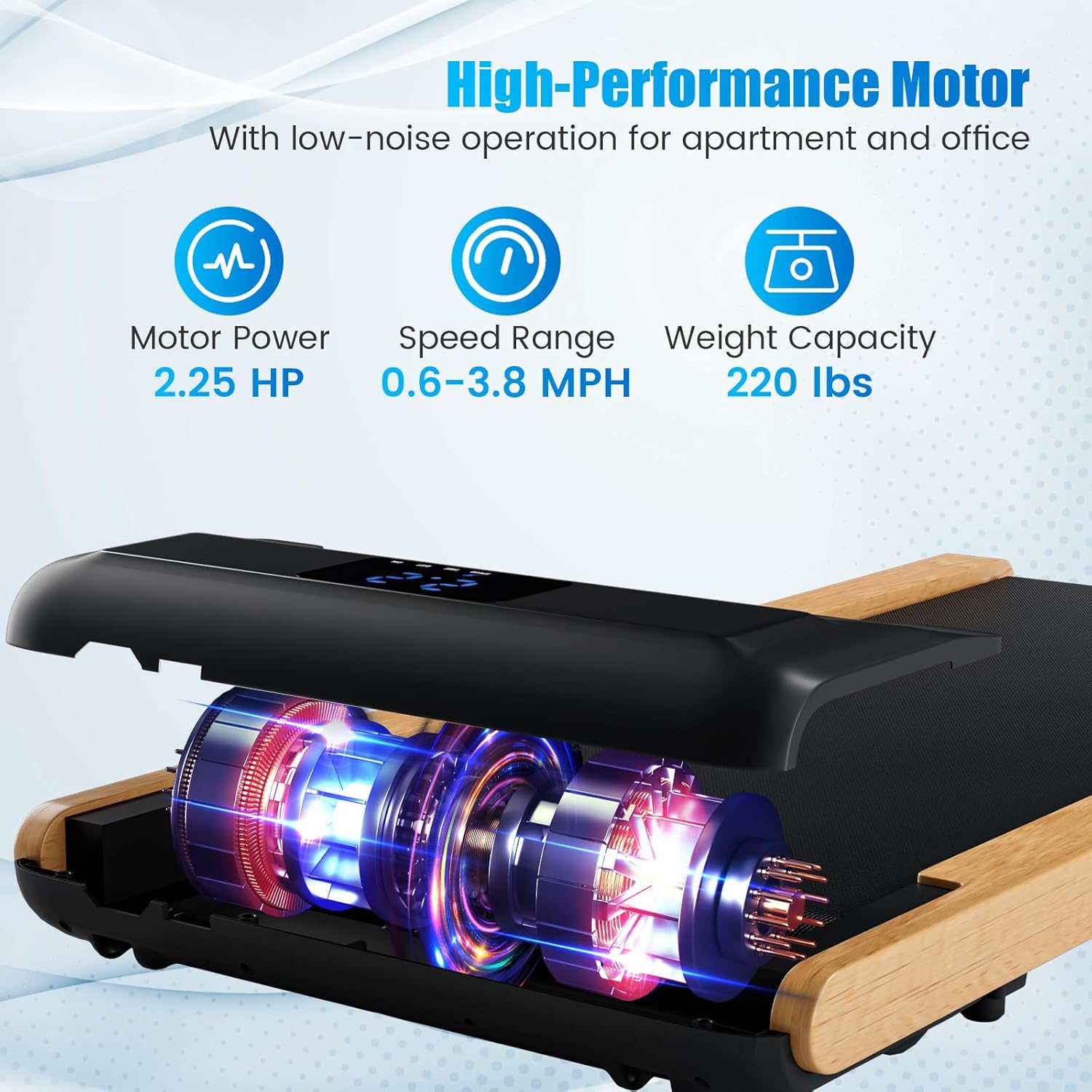
Image 4.2: Details of the high-performance motor and key specifications.

Image 4.3: Real-time fitness data displayed on the LED screen.
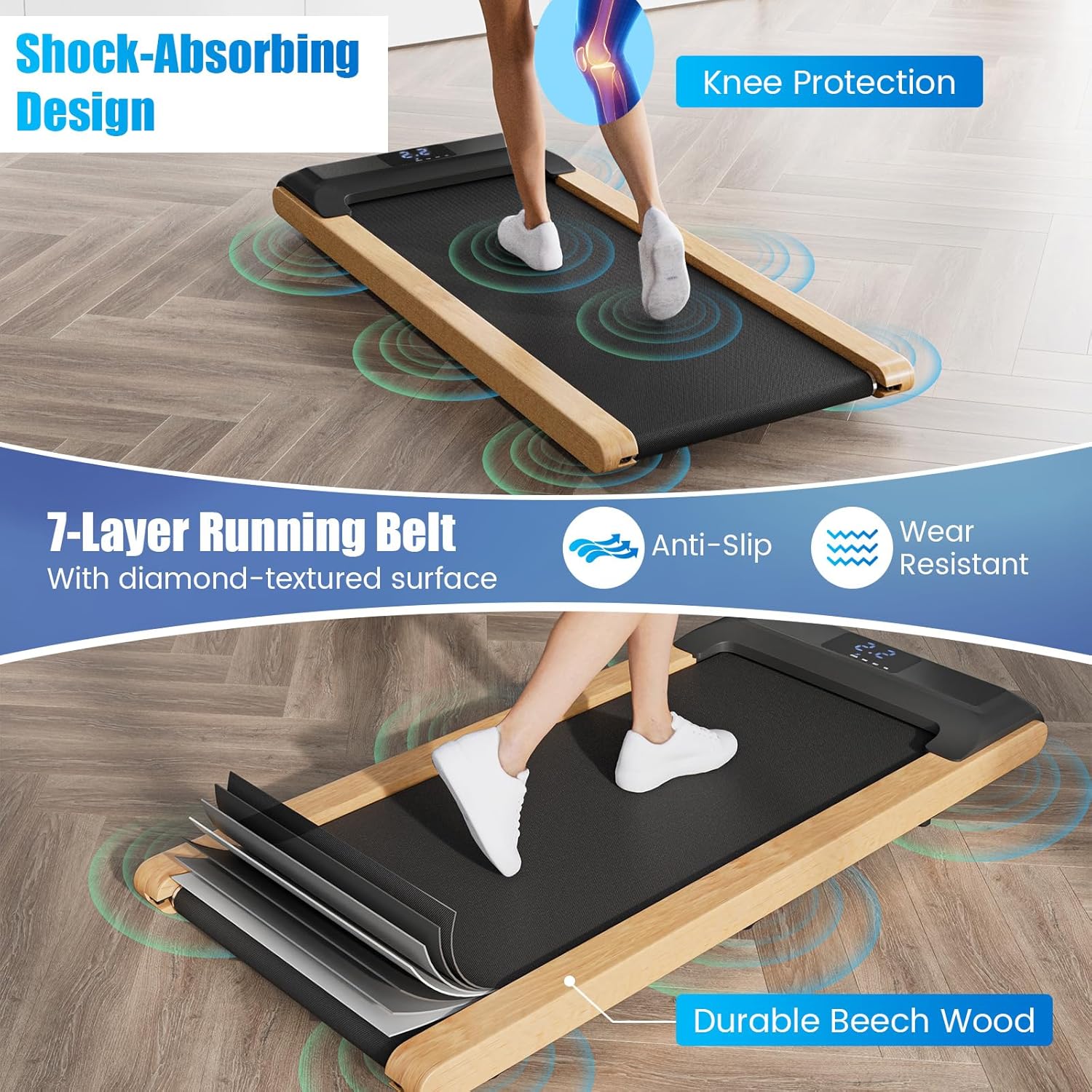
Image 4.4: Illustration of the shock-absorbing design and 7-layer running belt.
5. Setup
The GYMAX GM1940 Walking Pad comes fully assembled. Follow these steps for initial setup:
- Unpack: Carefully remove the walking pad from its packaging.
- Placement: Place the walking pad on a firm, level surface. Ensure there is sufficient space around the unit for safe operation.
- Power Connection: Connect the power cord to the walking pad and then plug it into a standard 110V/60Hz electrical outlet.
- Initial Lubrication: Although pre-lubricated, it is recommended to check the running belt lubrication before first use. Refer to the Maintenance section for instructions on how to apply lubricant.

Image 5.1: Demonstrates the portability and space-saving design with built-in wheels.
6. Operating Instructions
The walking pad can be controlled via the included remote control or the Gymax App.
6.1 Using the Remote Control
- Power On: Plug in the walking pad. The LED display will illuminate.
- Start: Press the 'Start' button on the remote control. The belt will begin moving at the lowest speed (0.6 MPH).
- Adjust Speed: Use the '+' and '-' buttons on the remote to increase or decrease the speed. The speed range is 0.6 MPH to 3.8 MPH.
- Stop: Press the 'Stop' button on the remote control to halt the belt.
6.2 LED Display Information
The integrated LED display shows the following metrics:
- Speed: Current speed in Miles Per Hour (MPH).
- Time: Duration of your workout.
- Distance: Total distance covered during the workout.
- Calories: Estimated calories burned.

Image 6.1: The walking pad integrated into a home fitness routine.
7. Smart App Control
Enhance your workout experience by connecting your GYMAX Walking Pad to the Gymax App.

Image 7.1: Overview of Smart App Control features.
- Download App: Search for "Gymax" in the App Store (iOS) or Google Play Store (Android) and download the application.
- Bluetooth Connection: Enable Bluetooth on your smartphone. Open the Gymax App and follow the on-screen instructions to connect to your walking pad.
- App Features: Once connected, you can:
- Control the walking pad (start, stop, adjust speed).
- Access multiple training courses.
- Track and upload your exercise data to a community.
- Explore additional fitness functions.
8. Maintenance
Regular maintenance ensures the longevity and optimal performance of your walking pad.
8.1 Cleaning
- Always unplug the walking pad before cleaning.
- Wipe down the surface of the walking pad with a damp cloth. Do not use abrasive cleaners or solvents.
- Keep the display panel dry.
8.2 Lubrication of the Running Belt
The running belt requires periodic lubrication to reduce friction and extend its lifespan. Use the provided silicone lubricant.
- Frequency: Lubricate the belt every 30-50 hours of use, or every 1-2 months, depending on usage.
- Procedure:
- Unplug the walking pad.
- Gently lift one side of the running belt.
- Apply a small amount (approx. 5-10 ml) of silicone lubricant in a Z-pattern directly onto the center of the deck, underneath the belt.
- Repeat on the other side of the belt.
- Plug in the walking pad and run it at a low speed (e.g., 1 MPH) for 5 minutes to distribute the lubricant evenly.
9. Troubleshooting
If you encounter issues with your walking pad, refer to the following common problems and solutions:
| Problem | Possible Cause | Solution |
|---|---|---|
| Walking pad does not power on. | Power cord not properly connected; Power outlet malfunction. | Ensure power cord is securely plugged into both the walking pad and a working electrical outlet. Check the circuit breaker. |
| Running belt slips or hesitates. | Belt requires lubrication; Belt tension is incorrect. | Apply silicone lubricant as per Maintenance section. If slipping persists, contact customer support for belt tension adjustment guidance. |
| Unusual noise during operation. | Loose components; Lack of lubrication. | Check for any loose screws or parts. Lubricate the running belt. If noise persists, discontinue use and contact customer support. |
| Remote control not responding. | Battery depleted; Obstruction between remote and walking pad. | Replace the remote control battery (CR2032). Ensure a clear line of sight between the remote and the walking pad's receiver. |
| Gymax App cannot connect. | Bluetooth not enabled; App not updated; Walking pad not powered on. | Ensure Bluetooth is enabled on your device and the walking pad is powered on. Update the Gymax App to the latest version. Restart both the app and the walking pad. |
If the problem persists after attempting these solutions, please contact GYMAX customer support.
10. Specifications
Detailed technical specifications for the GYMAX GM1940 Walking Pad:

Image 10.1: Product dimensions and electrical specifications.
| Feature | Specification |
|---|---|
| Model Name | GM1940 (Walking Pad with Wood Frame) |
| Motor Power | 2.25 HP |
| Speed Range | 0.6 - 3.8 MPH |
| Weight Capacity | 220 lbs (100 kg) |
| Running Belt Dimensions (L x W) | 39" x 16" (100 cm x 41 cm) |
| Overall Dimensions (L x W x H) | 48" x 21" x 5" (122 cm x 54 cm x 13 cm) |
| Net Weight | 48.5 lbs (22 kg) |
| Voltage | 110V / 60Hz |
| AMP | 6.3A (Note: Image shows 12A, using product description's 6.3A) |
| Material | Metal, Beech Wood, ABS, PVC, MDF |
| Display Type | LED |
| Special Features | Compact Design, Lightweight, Portable, Shock Absorbent, Wheeled, Smart App Control |
11. Warranty and Support
11.1 Warranty Information
The GYMAX GM1940 Walking Pad comes with a 90-day warranty from the date of purchase. This warranty covers manufacturing defects under normal use. It does not cover damage resulting from misuse, accidents, unauthorized modifications, or improper maintenance.
11.2 Customer Support
For technical assistance, warranty claims, or any questions regarding your GYMAX Walking Pad, please contact GYMAX customer support through the retailer where the product was purchased. You can also visit the official GYMAX store for more information: GYMAX Store on Amazon.