
OTL Technologies HK1281
OTL Technologies Hello Kitty Slide TWS Earbuds User Manual
Model: HK1281
Introduction
Welcome to the user manual for your OTL Technologies Hello Kitty Slide True Wireless Sound (TWS) Earbuds. These lightweight earbuds are designed to be the perfect companion for your mobile lifestyle, featuring a unique slider function with an LED light-up display for a complete audio experience. This manual provides essential information on setup, operation, maintenance, and troubleshooting to ensure you get the most out of your new earbuds.

Image: The OTL Technologies Hello Kitty Slide TWS Earbuds, showing both earbuds and the open charging case with the Hello Kitty display.
What's Included
Your OTL Technologies Hello Kitty Slide TWS Earbuds package includes the following components:
- User Manual
- USB Type-C Charging Cable
- Wireless Charging Case
- Hello Kitty Slide TWS Earbuds (Left and Right)
- Two sizes of soft silicone ear tips (small and large)

Image: The OTL Technologies Hello Kitty Slide TWS Earbuds, charging case, and USB-C cable, displayed alongside the product packaging.
Setup
Initial Charging
Before first use, fully charge your earbuds and charging case. The USB Type-C charging case provides up to 6 hours of listening time with 3 additional charges.
- Connect the provided USB Type-C cable to the charging port on the case.
- Plug the other end of the cable into a compatible USB power source (e.g., wall adapter, computer USB port).
- The LED indicator on the case will show charging status. A full charge typically takes approximately 2 hours.
- Once fully charged, disconnect the cable.

Image: The OTL Technologies Hello Kitty Slide TWS Earbuds and charging case connected to a USB-C charging cable.
Bluetooth Pairing
The earbuds utilize Bluetooth 5.3 technology for a reliable and stable connection.
- Ensure the earbuds are in the charging case and the case is charged.
- Open the charging case. The earbuds will automatically enter pairing mode, indicated by a flashing LED light.
- On your device (smartphone, tablet, laptop), go to Bluetooth settings and turn Bluetooth on.
- Search for available devices. Select "OTL Hello Kitty Slide TWS" (or similar name) from the list.
- Once connected, the LED indicator on the earbuds will stop flashing, and your device will confirm the connection.
- The earbuds will automatically reconnect to the last paired device when taken out of the case, if Bluetooth is enabled on the device.

Image: A hand holding the OTL Technologies Hello Kitty Slide TWS Earbuds charging case, with the earbuds visible inside.
Operating Your Earbuds
Touch Controls
Your Hello Kitty Slide TWS Earbuds feature smart touch controls for easy management of your audio and calls:
- Play/Pause: Single tap on either earbud.
- Next Track: Double tap on the right earbud.
- Previous Track: Double tap on the left earbud.
- Answer/End Call: Single tap on either earbud during an incoming call.
- Reject Call: Press and hold either earbud for 2 seconds during an incoming call.
- Activate Voice Assistant: Triple tap on either earbud.
Wearing the Earbuds
For optimal sound quality and comfort, choose the silicone ear tips that best fit your ears. The package includes small and large sizes. A proper fit helps create an acoustic seal for an immersive listening experience.
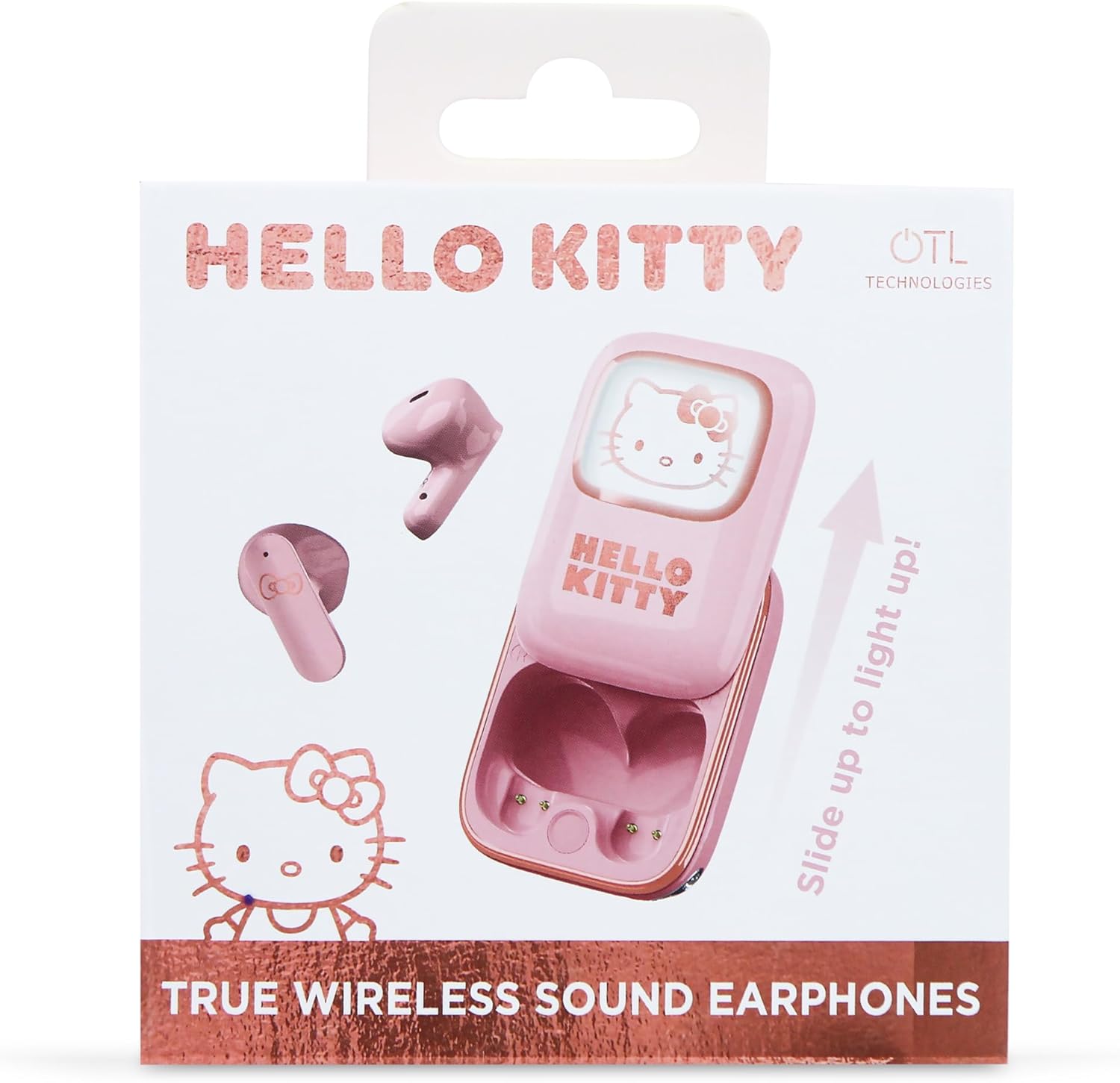
Image: A person wearing the OTL Technologies Hello Kitty Slide TWS Earbuds, demonstrating their in-ear fit.
Maintenance
To ensure the longevity and optimal performance of your earbuds, follow these maintenance guidelines:
- Cleaning: Regularly clean the earbuds and charging case with a soft, dry, lint-free cloth. Do not use harsh chemicals or abrasive materials.
- Ear Tips: Remove and clean the silicone ear tips periodically with water and mild soap. Ensure they are completely dry before reattaching.
- Charging Contacts: Gently clean the charging contacts on both the earbuds and inside the case with a dry cotton swab to ensure proper charging.
- Storage: When not in use, store the earbuds in their charging case to protect them from dust and damage.
- Avoid Moisture: Keep the earbuds and case away from water, humidity, and extreme temperatures.
Troubleshooting
If you encounter any issues with your earbuds, refer to the following common problems and solutions:
| Problem | Possible Cause | Solution |
|---|---|---|
| Earbuds not pairing | Earbuds not in pairing mode; Bluetooth off on device; previously paired device interfering. | Ensure earbuds are in case and open lid to activate pairing. Turn Bluetooth off/on on your device. Forget previous pairings and try again. |
| No sound from earbuds | Earbuds not connected; low battery; volume too low. | Check Bluetooth connection. Charge earbuds. Increase volume on your device and earbuds. |
| One earbud not working | Low battery on one earbud; connection issue. | Place both earbuds in the case and close the lid, then open again. Ensure both are charged. Re-pair if necessary. |
| Charging issues | Dirty charging contacts; faulty cable/adapter. | Clean charging contacts. Try a different USB-C cable and power adapter. |
| Touch controls unresponsive | Temporary software glitch; dirty sensor. | Place earbuds back in case, close, then reopen. Clean the touch sensor area on the earbuds. |
Specifications
| Feature | Specification |
|---|---|
| Wireless Communication Technology | Bluetooth |
| Components Included | User manual, Cable, Wireless charging case |
| Specific Uses for Product | General Use |
| Charging Time | 2 hours |
| Recommended Uses for Product | General |
| Compatible Devices | Most Bluetooth-enabled devices, including smartphones, tablets, laptops, car audio systems, and smart speakers |
| Cartoon Character | Hello Kitty |
| Control Type | Touch Control |
| Item Weight | 47 Grams |
| Frequency Range | 20 Hz - 20,000 Hz |
| Style | Retro |
| Connections | Wireless Bluetooth |
| Special Features | Microphone included, Touch control, Rechargeable battery |
| Battery Composition | Lithium-polymer |
| Rechargeable Battery | Yes |
| Manufacturer Warranty | 2 years manufacturer |
| Item Model Number | HK1281 |
| Manufacturer | OTL Technologies |
| Country of Origin | China |
| Brand | OTL Technologies |
| Color | Pink |
| Ear Placement | On-Ear (Supra-aural) |
| Form Factor | In-Ear |
| Impedance | 30 ohms |
| Sound Insulation | None |
| Sensitivity (dB) | 95 dB |
| Headphone Jack | Wireless |
| Model Name | Hello Kitty Slide |
| Connectivity Technology | Wireless |
Warranty and Support
Manufacturer's Warranty
Your OTL Technologies Hello Kitty Slide TWS Earbuds come with a 2-year manufacturer's warranty. Please retain your proof of purchase for warranty claims. The warranty covers defects in materials and workmanship under normal use.
Customer Support
For further assistance, troubleshooting beyond this manual, or warranty inquiries, please contact OTL Technologies customer support through their official website or the retailer where you purchased the product. Please have your model number (HK1281) and proof of purchase ready when contacting support.
Related documentsHK1281


Ask a question about this manual
Ask about setup, troubleshooting, compatibility, parts, safety, or missing instructions. Manuals+ will review the question and use this page’s manual context to help answer it.