
Product Overview
The NutriBullet Portable Blender is a compact and lightweight blending solution designed for convenience and mobility. It features a powerful 4-point stainless steel extractor blade, a durable 475ml Tritan cup, and a USB-C charging system, making it ideal for preparing healthy shakes and smoothies anywhere.

Image: The NutriBullet Portable Blender, black base with a clear cup filled with strawberries, blueberries, kiwi, and ice, ready for blending.
Key features include:
- Portable Design: Compact and lightweight for easy transport.
- Powerful Blending: 4-point stainless steel, performance-optimized blade for ice, frozen fruit, and nuts.
- Long-lasting Battery: Delivers 15+ blending cycles per 90-minute USB-C charge.
- Durable Cup: 475ml BPA-free Tritan plastic cup with a handled lid.
- Pulse Mode: Allows for a variety of textures, from smooth to chunky.
What's Included
Your NutriBullet Portable Blender package contains the following components:
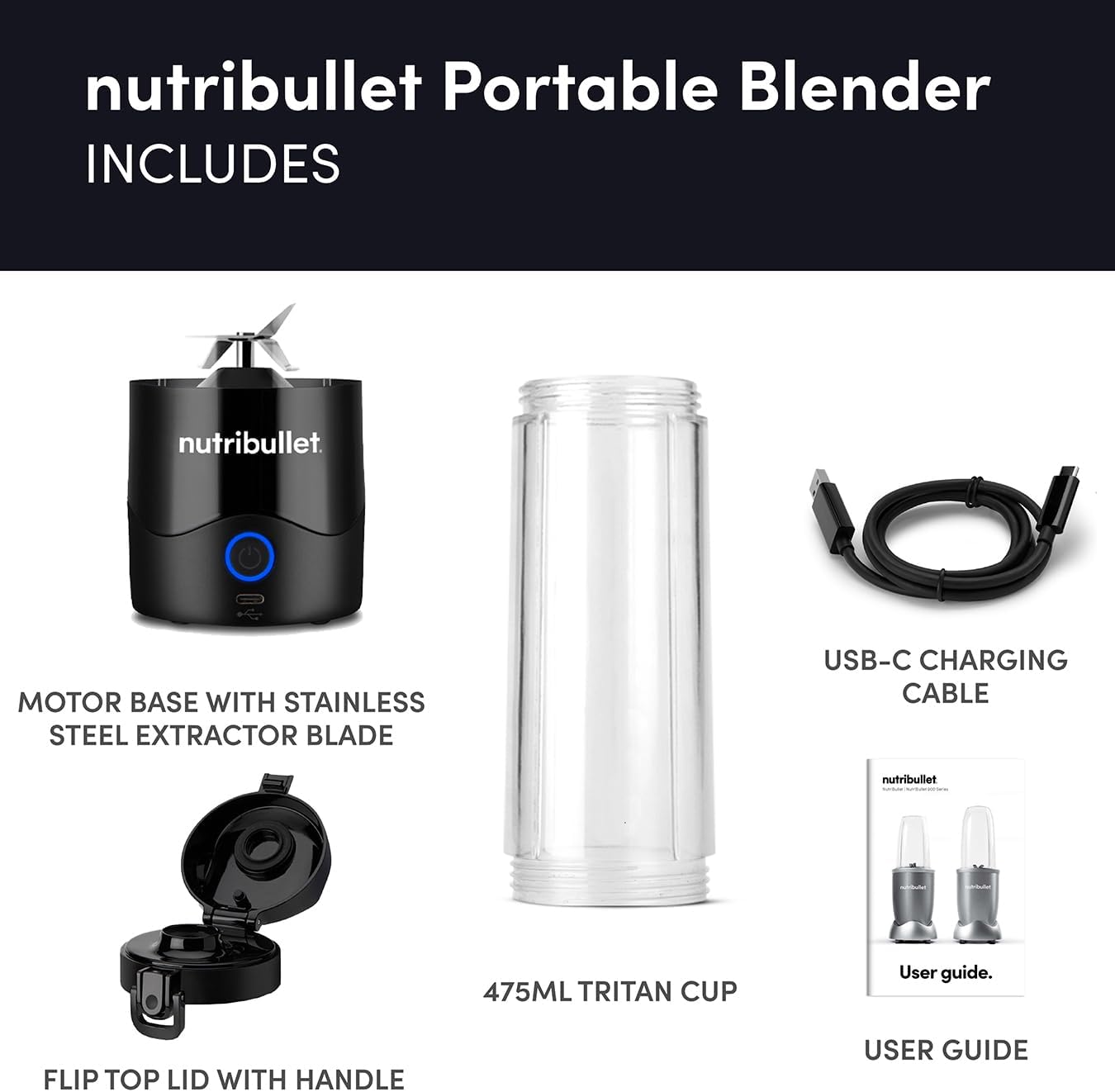
Image: An exploded view showing all included parts: the motor base with integrated stainless steel extractor blade, the 475ml Tritan cup, the flip-top lid with handle, the USB-C charging cable, and the user guide booklet.
- Motor Base with Stainless Steel Extractor Blade
- 475ml Tritan Cup
- Flip Top Lid with Handle
- USB-C Charging Cable
- User Guide (this manual)
Setup
Before first use, ensure your NutriBullet Portable Blender is fully charged.
- Charging: Connect the provided USB-C charging cable to the port on the motor base. Plug the other end into a compatible USB power adapter (not included). The indicator light will illuminate during charging. A full charge takes approximately 90 minutes and provides over 15 blending cycles.
- Assembly: Once charged, ensure the motor base is clean and dry. Place the 475ml Tritan cup onto the motor base.

Image: Close-up of the NutriBullet Portable Blender's base, showing the USB-C charging port and the illuminated power button, indicating it is charging.
Operating Instructions
Follow these steps to blend your ingredients:
- Add Ingredients: Fill the 475ml Tritan cup with your desired ingredients. Do not exceed the "MAX" fill line indicated on the cup. For best results, add liquids first, followed by soft ingredients, then harder ingredients like ice or frozen fruit.
- Secure Lid: Twist the flip-top lid with handle securely onto the cup. Ensure it is tightly sealed to prevent leaks during blending.
- Start Blending: Press the power button on the motor base to begin blending. The blender will run for a set cycle.
- Pulse Mode: For thicker mixtures or to achieve a specific texture (e.g., salsa, slushies), you can use the pulse mode by repeatedly pressing and releasing the power button.
- Finish Blending: Once blending is complete, the blender will stop automatically. You can then open the lid and enjoy your blend directly from the cup or pour it into another container.

Image: The clear Tritan cup of the NutriBullet Portable Blender, filled with a pink smoothie, clearly showing the measurement markings and the "MAX" fill line.
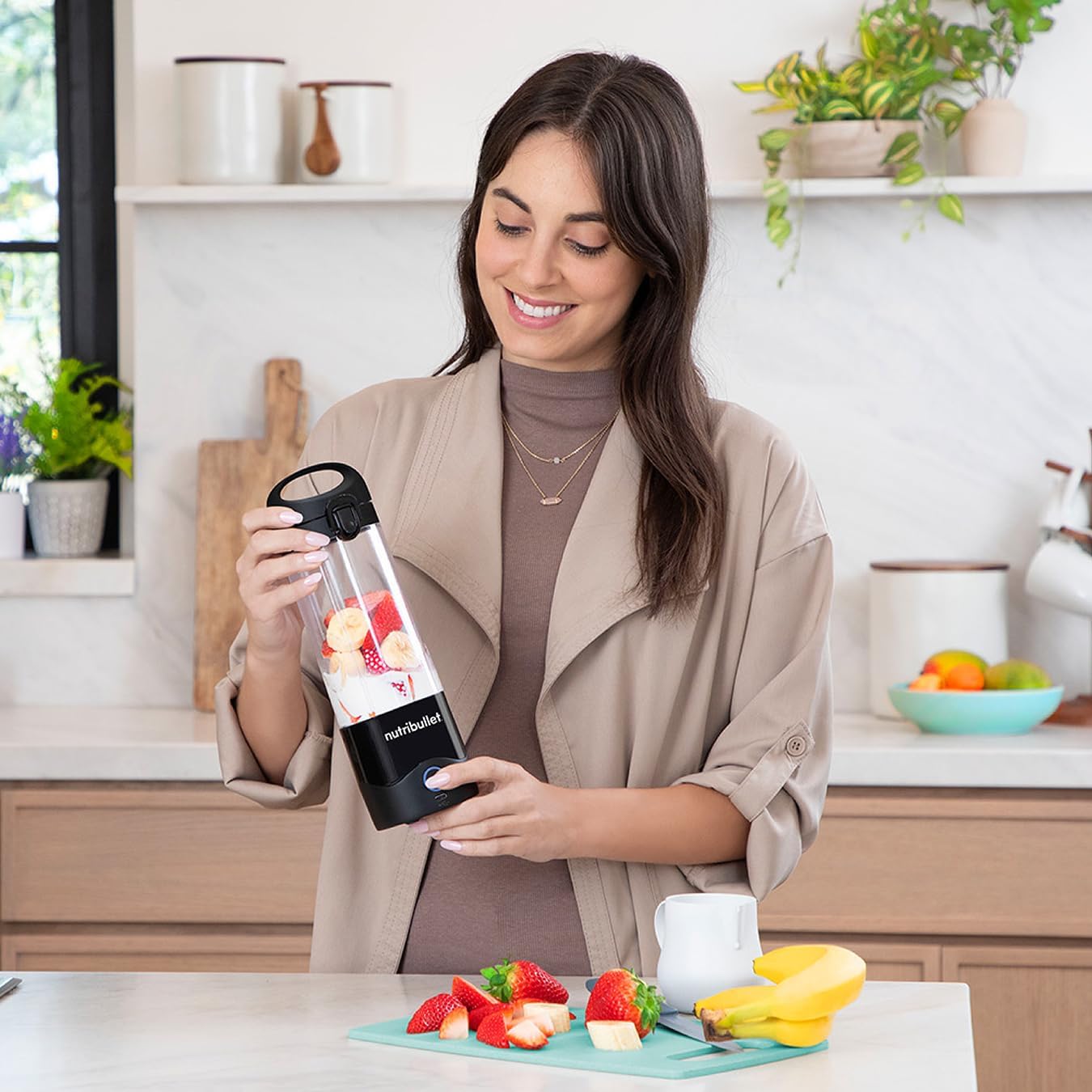
Image: A woman in a kitchen holds the NutriBullet Portable Blender, which is filled with strawberries, bananas, and other fruits, demonstrating its use in a home environment.
Maintenance and Cleaning
Proper cleaning ensures the longevity and hygiene of your blender.
- Cup and Lid: After each use, rinse the Tritan cup and flip-top lid with warm water and a drop of dish soap. You can use a brush to clean any residue. These parts are generally dishwasher safe (top rack only), but hand washing is recommended for extended life.
- Motor Base: The motor base contains electrical components and should NEVER be submerged in water or placed in a dishwasher. Wipe the motor base clean with a damp cloth. If necessary, use a small brush to clean around the blade area, being careful of the sharp blades. Ensure the charging port remains dry.
- Storage: Store the blender in a clean, dry place when not in use.
Troubleshooting
If you encounter issues with your NutriBullet Portable Blender, refer to the common solutions below:
| Problem | Possible Cause | Solution |
|---|---|---|
| Blender does not turn on or stops quickly. | Low battery charge. | Ensure the blender is fully charged (approx. 90 minutes). The indicator light will confirm charging status. |
| Motor struggles or jams during blending. | Overfilling the cup, ingredients too large/hard, or insufficient liquid. | Do not exceed the "MAX" fill line. Cut hard ingredients into smaller pieces. Ensure adequate liquid is added. If jammed, shake gently or add more liquid. |
| Leaking from the cup during blending. | Lid not securely fastened. | Ensure the flip-top lid is twisted on tightly and securely before operating. |
| Difficulty cleaning the motor base. | Attempting to submerge or rinse directly. | The motor base is not waterproof. Wipe clean with a damp cloth only. Do not submerge or place in dishwasher. |
Specifications
- Model Number: NBG-200
- Capacity: 475 Millilitres
- Voltage: 7.4V
- Special Features: Portable, Manual, Cordless
- Item Weight: 870 g
- Product Dimensions: 8 x 9.5 x 27.2 cm
- Blade Type: 4-point Stainless Steel Extractor Blade
- Charging: USB-C, approx. 90 minutes for full charge
- Battery Life: 15+ blending cycles per charge
Warranty and Support
Your NutriBullet Portable Blender is covered by a manufacturer's warranty. Please refer to the warranty card included in your packaging for specific terms and conditions, including warranty period and coverage details.
For technical support, replacement parts, or further assistance, please visit the official NutriBullet website or contact their customer service department. Contact information can typically be found on the NutriBullet packaging or their official website.
Official NutriBullet Store: Visit the NutriBullet Store on Amazon


