1. Introduction
This manual provides detailed instructions for the assembly, operation, and maintenance of your new WOODYNLUX 50-Inch L-Shaped Computer Desk. Please read this manual thoroughly before assembly and use to ensure proper setup and to maximize the lifespan of your product. Keep this manual for future reference.

Figure 1: The WOODYNLUX 50-Inch L-Shaped Computer Desk in a typical setup.
2. Product Features
- Large Desktop & Multi-Function: Dimensions: 43.3" D x 50.39"W x 29.5" H. This L-shaped desk provides a spacious workstation suitable for writing, studying, gaming, and other home office activities.
- Reversible Shelves & Perfect for Corner Space: The side shelves of the L-shaped gaming desk can be assembled on either the left or right side, depending on your space arrangement. This design is ideal for optimizing corner spaces.
- 2-Tier Storage Shelf: The corner desk includes a 2-tier open shelf, offering ample storage space for desk accessories and keeping items within reach. The generous space under the desk allows for comfortable leg relaxation during extended use.
- Durable & Sturdy Construction: Constructed with a premium metal frame and high-quality MDF board, this L-shaped computer desk ensures stability and durability. The desktop surface is anti-scratching, waterproof, and easy to clean.
- Easy to Assemble: The product includes detailed assembly instructions, a user manual, complete parts, and all necessary assembly tools, making installation straightforward.
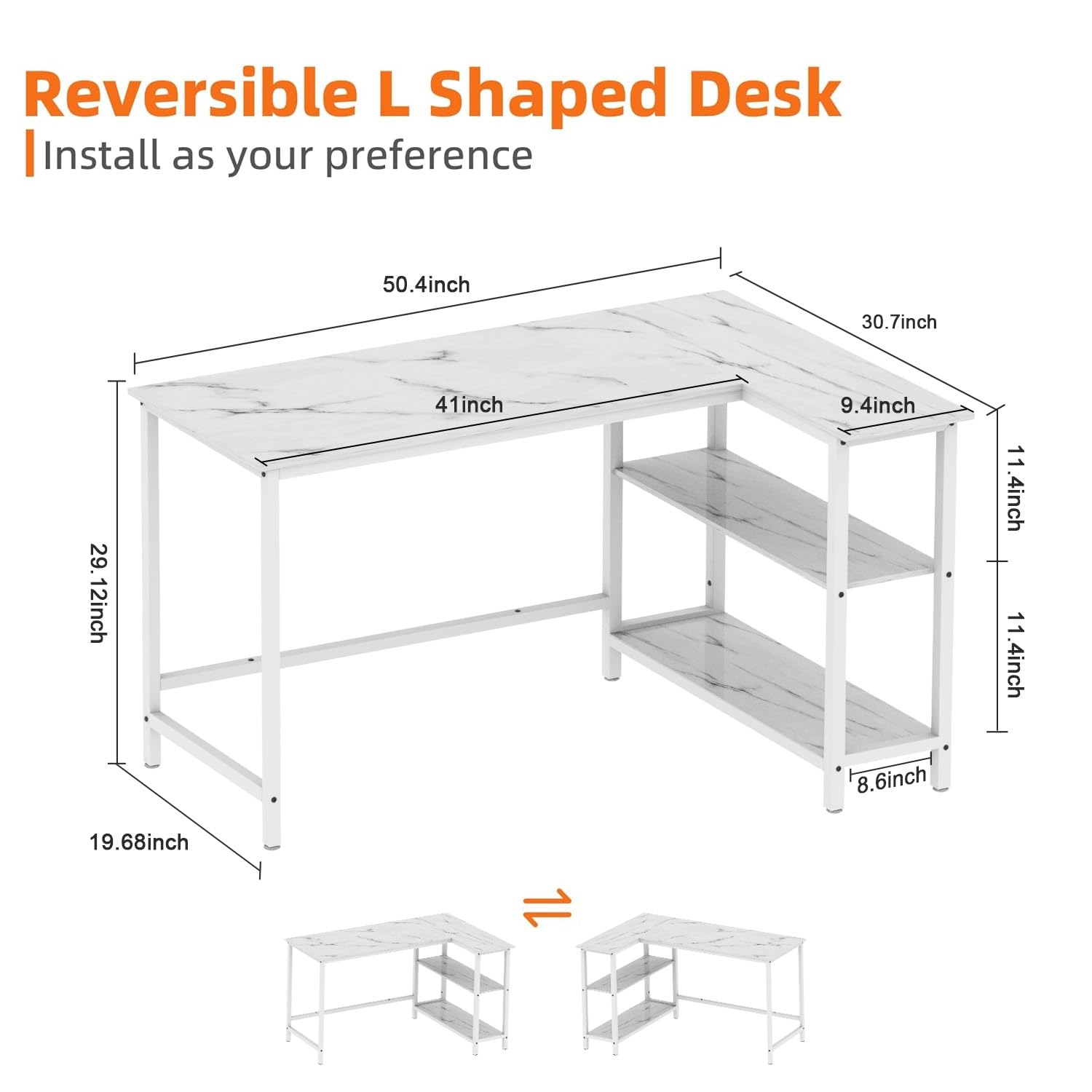
Figure 2: Key dimensions of the L-shaped desk.
3. Specifications
| Brand | WOODYNLUX |
| Model Number | 045-251025 |
| Colour | All White |
| Product Dimensions | 77.98 x 128.02 x 74.93 cm (D x W x H) |
| Item Weight | 454 g (approx. 1 lbs) |
| Shape | Rectangular (L-shaped configuration) |
| Desk Design | Computer Desk |
| Style | Modern |
| Top Material Type | Engineered Wood |
| Finish Type | Wood |
| Special Feature | Unlit (No integrated lighting) |
4. Setup and Assembly
The WOODYNLUX L-Shaped Computer Desk is designed for straightforward assembly. All necessary parts and tools are included in the package, along with a detailed instruction manual.
4.1 Unpacking
- Carefully open the packaging and remove all components.
- Verify that all parts listed in the included parts list are present and undamaged. Contact customer support immediately if any parts are missing or damaged.
- Keep all small parts (screws, bolts, etc.) in a designated area to prevent loss.
4.2 Assembly Steps
Follow the step-by-step instructions provided in the separate assembly manual included with your product. Ensure all screws are tightened securely, but do not overtighten to avoid damaging the materials. The side shelves can be configured on either the left or right during assembly to best suit your space.
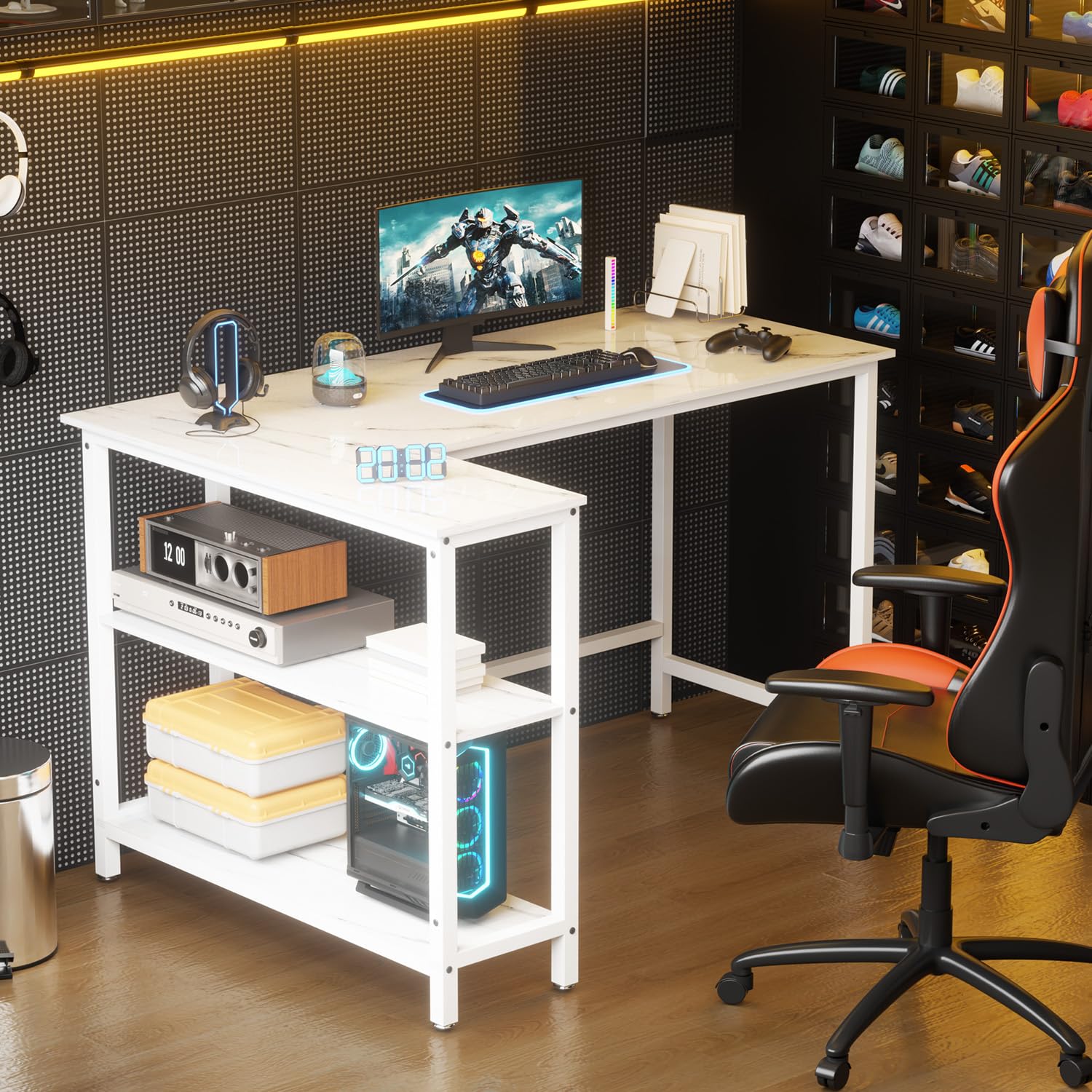
Figure 3: Assembled desk in a home office setting.
5. Operating and Usage
Your WOODYNLUX L-Shaped Computer Desk is designed to provide a functional and comfortable workspace. Utilize the spacious desktop for your computer, monitor(s), keyboard, and mouse. The 2-tier open shelves offer convenient storage for books, documents, office supplies, or personal items, keeping your main workspace clutter-free.
5.1 Ergonomics
Position your monitor(s) at eye level to reduce neck strain. Ensure your chair allows your feet to be flat on the floor and your arms to be at a comfortable angle for typing. The ample legroom under the desk is designed to enhance comfort during long periods of use.
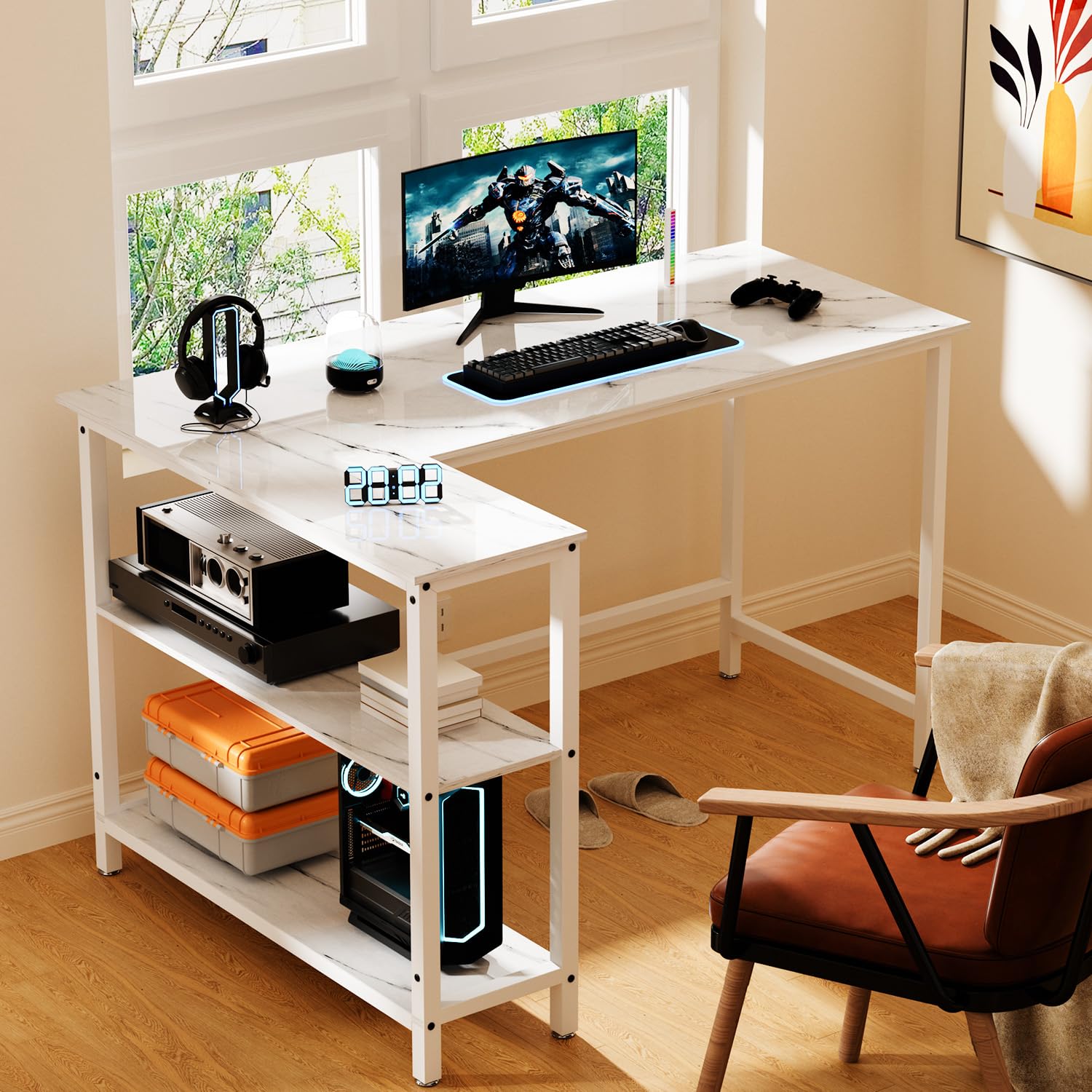
Figure 4: Desk configured for study or work.
6. Maintenance
To maintain the appearance and longevity of your desk, follow these simple maintenance guidelines:
- Cleaning: The desktop surface is waterproof and easy to clean. Use a soft, damp cloth to wipe down the surface. Avoid abrasive cleaners or harsh chemicals that could damage the finish.
- Spills: Wipe up spills immediately to prevent staining or water damage, especially on the engineered wood surfaces.
- Protection: Use coasters for drinks and placemats for hot items to protect the desktop from heat and moisture rings.
- Inspection: Periodically check all screws and connections to ensure they remain tight. Retighten if necessary.
- Avoid Overloading: Do not place excessive weight on the desk or shelves beyond their intended capacity to prevent structural damage.
7. Troubleshooting
If you encounter any issues with your WOODYNLUX L-Shaped Computer Desk, please refer to the following common solutions:
- Wobbling: If the desk feels wobbly, check that all assembly screws are securely tightened. Ensure the desk is placed on a flat, even surface. Adjust the leveling feet (if applicable) on the bottom of the legs to stabilize the desk.
- Missing Parts: If you find any parts missing during unpacking or assembly, refer to the parts list in your assembly manual and contact WOODYNLUX customer support for assistance.
- Difficulty Assembling: Double-check the assembly instructions. Ensure you are using the correct hardware for each step. Do not force parts together. If issues persist, contact customer support.
8. Warranty and Support
For warranty information or customer support, please refer to the documentation included with your purchase or visit the official WOODYNLUX website. Please have your model number (045-251025) and proof of purchase ready when contacting support.


