
1. Introduction
This user manual provides comprehensive instructions for setting up, operating, maintaining, and troubleshooting your GEEKOM XT12 Pro Mini PC. Designed for high performance and versatility, this compact computer is ideal for various applications, from home office tasks to demanding creative work and entertainment.
The GEEKOM XT12 Pro Mini PC is powered by the 12th Gen Intel i7-12650H processor, offering robust performance with 10 cores and 16 threads, and a max turbo frequency of 4.7GHz. It comes equipped with 32GB of dual-channel DDR4 RAM and a 1TB PCIe 4.0 SSD, ensuring fast and efficient operation. Its advanced IceFlow 1.5 Cooling System maintains optimal temperatures even under heavy workloads. With extensive connectivity options including USB4.0, HDMI 2.0, Wi-Fi 6E, Bluetooth 5.2, and 2.5GbE LAN, the XT12 Pro is ready to meet your computing needs.

Figure 1: GEEKOM XT12 Pro Mini PC
2. What's in the Box
Upon unboxing your GEEKOM XT12 Pro Mini PC, please verify that all the following items are included:
- GEEKOM XT12 Pro Mini PC
- User Manual
- HDMI Cable
- Power Adapter

Figure 2: Package Contents
3. Product Overview
The GEEKOM XT12 Pro Mini PC is engineered for powerful performance in a compact form factor. Key features include:
- Processor: 12th Gen Intel Core i7-12650H (10 Cores, 16 Threads, up to 4.7GHz)
- Graphics: Intel UHD Graphics-64EU, Max Frequency 1.4GHz
- Memory: 32GB DDR4-3200MHz RAM (expandable to 64GB)
- Storage: 1TB M.2 PCIe4.0 SSD (expandable up to 2TB, plus 2.5" SSD slot)
- Cooling System: IceFlow 1.5 Technology with dual copper pipes and high-volume silent fan
- Connectivity: Wi-Fi 6E, Bluetooth 5.2, 2.5GbE LAN
- Display Support: Up to four 4K displays or two 8K displays via USB4.0 and HDMI 2.0
3.1. Ports and Interfaces
The XT12 Pro offers a comprehensive set of ports for versatile connectivity:

Figure 3: Front and Rear Ports
- Front: 2 x USB 3.2 Gen 2 ports, 1 x 3.5mm Audio Jack, Power Button
- Rear: 2 x USB4.0 ports (8K@30Hz), 2 x HDMI 2.0 ports (4K@60Hz), 1 x 2.5GbE LAN port, 1 x USB 3.2 Gen 2 port, 1 x USB 2.0 port, 1 x DC-in, 1 x SD Card Reader
3.2. Internal Components and Cooling
The XT12 Pro features an easily accessible internal design for upgrades and maintenance. It includes two SO-DIMM slots for dual-channel DDR4 RAM and an M.2 2280 slot for PCIe 4.0 SSDs.

Figure 4: Internal Components (RAM & SSD)
The IceFlow 1.5 Cooling System is designed to keep the Mini PC cool and stable during intensive use, preventing thermal throttling and ensuring consistent performance.

Figure 5: IceFlow 1.5 Cooling System
3.3. Product Video Overview
Video 1: Official overview of the GEEKOM XT12 Pro Mini PC, showcasing its design, internal components, and connectivity options.
4. Setup Guide
Follow these steps to set up your GEEKOM XT12 Pro Mini PC:
- Unpack: Carefully remove the Mini PC and all accessories from the packaging.
- Connect Peripherals: Connect your monitor(s) to the HDMI or USB4.0 ports. Connect your keyboard and mouse to the available USB ports.
- Network Connection: For wired internet, connect an Ethernet cable to the 2.5GbE LAN port. For wireless, ensure your Wi-Fi network is available during initial setup.
- Power Connection: Connect the power adapter to the DC-in port on the Mini PC, then plug the adapter into a power outlet.
- Initial Boot: Press the power button on the front of the Mini PC. The system will boot into Windows 11 Pro. Follow the on-screen instructions to complete the initial Windows setup.
5. Operating Instructions
The GEEKOM XT12 Pro Mini PC comes pre-installed with Windows 11 Pro, providing a familiar and efficient operating environment. Its powerful hardware supports a wide range of tasks:
- Multitasking: With its 10-core Intel i7 processor and 32GB RAM, the XT12 Pro handles multiple applications simultaneously with ease. This is ideal for productivity, content creation, and general computing.
- Connectivity: Utilize Wi-Fi 6E for high-speed wireless internet, Bluetooth 5.2 for connecting wireless peripherals, and the 2.5GbE LAN for ultra-fast wired network access.
- Display Configuration: Connect up to four 4K displays or two 8K displays for an expansive workspace, perfect for professional applications or immersive entertainment.

Figure 6: Multitasking Performance
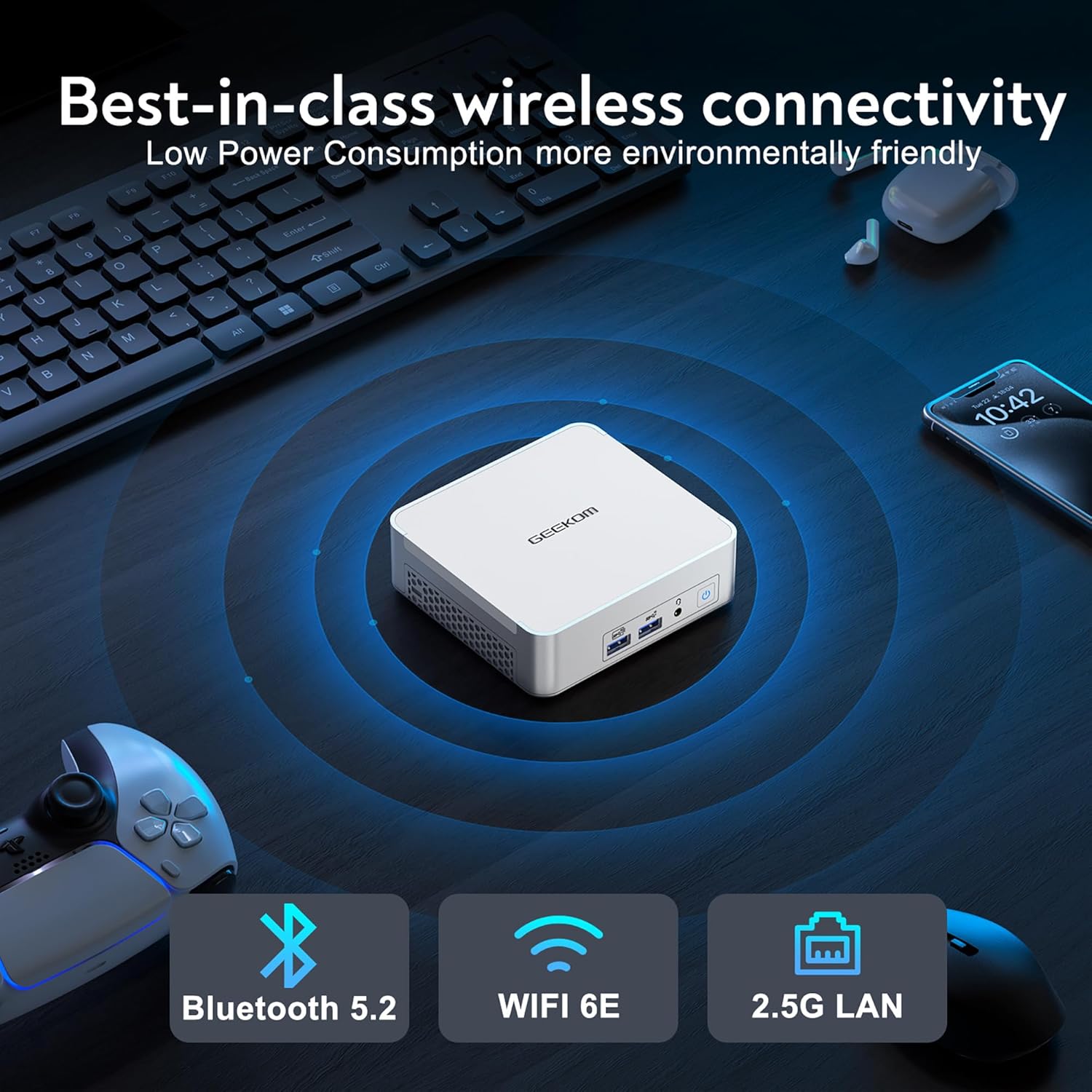
Figure 7: Wireless and Wired Connectivity

Figure 8: Quad Screen Display Support
6. Maintenance
To ensure the longevity and optimal performance of your GEEKOM XT12 Pro Mini PC, consider the following maintenance tips:
- Keep Vents Clear: Ensure the ventilation grilles on the Mini PC are not obstructed to allow for proper airflow and cooling. Regularly clean dust from the vents using compressed air.
- Software Updates: Keep your Windows operating system and drivers updated to the latest versions for security, performance, and compatibility.
- Storage Management: Periodically clean up unnecessary files and applications to free up storage space and maintain system speed.
- Hardware Upgrades: The XT12 Pro supports RAM upgrades up to 64GB and additional storage via a 2.5" SSD (not included) or a larger M.2 PCIe 4.0 SSD. Refer to the detailed upgrade guide on the GEEKOM support website for specific instructions.
7. Troubleshooting
If you encounter issues with your GEEKOM XT12 Pro Mini PC, try the following common troubleshooting steps:
- No Power:
- Ensure the power adapter is securely connected to both the Mini PC and a working power outlet.
- Try a different power outlet.
- No Display:
- Check that the monitor is powered on and the video cable (HDMI/USB4.0) is securely connected to both the Mini PC and the monitor.
- Try a different video cable or monitor if available.
- Ensure the correct input source is selected on your monitor.
- Slow Performance:
- Close unnecessary applications running in the background.
- Check for and install any pending Windows updates.
- Run a disk cleanup to remove temporary files.
- Consider upgrading RAM or storage if performance issues persist during demanding tasks.
- Network Connectivity Issues:
- For Wi-Fi, ensure your router is working and the Wi-Fi adapter is enabled in Windows settings.
- For wired connection, check the Ethernet cable and router connection.
- Restart your router and the Mini PC.
For more complex issues or if the problem persists, please refer to the Warranty and Support section for assistance.
8. Specifications
| Feature | Specification |
|---|---|
| Brand | GEEKOM |
| Series | XT12 Pro 32G+1TB |
| Item Model Number | GEEKOM Mini XT12PRO |
| Operating System | Windows 11 Pro |
| Processor | 12th Gen Intel Core i7-12650H (10 Cores, 16 Threads, up to 4.70GHz) |
| RAM | 32 GB DDR4 (3200MHz, dual-channel, expandable to 64GB) |
| Hard Drive | 1 TB PCIe 4.0 NVMe SSD (M.2 2280, expandable to 2TB) |
| Graphics Coprocessor | Intel UHD Graphics (64EU, 1.4GHz) |
| Screen Resolution | Up to 7680 x 4320 (8K) via USB4.0 |
| Max Screen Resolution | 4096x2160 4K@60Hz Pixels (HDMI) |
| Wireless Type | 802.11ax (Wi-Fi 6E) |
| Bluetooth | Bluetooth 5.2 |
| LAN | 2.5GbE Ethernet |
| USB Ports | 2 x USB4.0, 3 x USB 3.2 Gen 2, 1 x USB 2.0 |
| Video Output | 2 x HDMI 2.0, 2 x USB4.0 |
| Audio Output | 3.5mm Audio Jack |
| Item Weight | 3.47 pounds (approx. 1.57 kg) |
| Product Dimensions | 4.61 x 4.37 x 1.52 inches (approx. 11.7 x 11.1 x 3.85 cm) |
9. Warranty and Support
GEEKOM is committed to providing excellent customer service and support for your XT12 Pro Mini PC. Your product includes:
- 3-Year Free Warranty: Covers manufacturing defects and hardware failures under normal use.
- Lifetime Technical Support: Access to technical assistance for the lifespan of your product.
- 24/7 After-Sales Service: Dedicated support available around the clock for any inquiries or issues.
9.1. How to Contact Support
If you require assistance, please use one of the following methods:
- Find the Seller on Amazon:
- Log in to your Amazon buyer's account.
- Navigate to 'Your Orders'.
- Find your GEEKOM XT12 Pro order.
- Click 'Get help' or 'Contact Seller' to initiate a support request.
- Send Email to After-Sales Team:
- You can send an email directly to the GEEKOM after-sales team at shirley.li@geekom.tw.
- Please include your product model (XT12 Pro) and a detailed description of your issue for faster resolution.

Figure 9: Warranty and Support Contact Options