
Yagud STEPPER
Yagud Mini Stair Stepper with Resistance Bands User Manual
Model: STEPPER | Brand: Yagud
1. Introduction
Thank you for choosing the Yagud Mini Stair Stepper. This compact and versatile exercise machine is designed to provide an effective low-impact cardio workout, targeting your lower body muscles while also offering a full-body workout with the included resistance bands. Its quiet operation and portable design make it ideal for use in any home or office setting. Please read this manual thoroughly before initial use to ensure proper assembly, operation, and maintenance.

Figure 1.1: Yagud Mini Stair Stepper with Resistance Bands
2. Safety Information
To ensure your safety and prolong the life of your stepper, please adhere to the following guidelines:
- Consult your physician before starting any new exercise program.
- Place the stepper on a flat, stable, and non-slip surface. Ensure adequate space around the unit.
- The maximum user weight capacity for this stepper is 300 lbs (136 kg). Do not exceed this limit.
- Keep children and pets away from the stepper during operation.
- Always wear appropriate athletic footwear when using the stepper.
- Inspect the stepper for any loose or damaged parts before each use. Do not use if any damage is found.
- Do not place hands or feet near moving parts during operation.
- Stop exercising immediately if you feel dizzy, faint, or experience any pain.
3. Package Contents
Please check the box for the following items:
- Yagud Mini Stair Stepper (Main Unit)
- Resistance Bands (Pair)
- LCD Digital Monitor (Pre-installed)
- User Manual (This document)
4. Setup
4.1 Assembly
The Yagud Mini Stair Stepper comes largely pre-assembled. Only minimal setup is required:
- Carefully remove all components from the packaging.
- Attach the resistance bands: Locate the attachment points on the front of the stepper's frame. Securely clip or loop the resistance bands onto these points. Ensure they are firmly attached before use.
- Adjust the resistance knob (optional for initial setup): The stepper features an adjustable resistance knob. For initial use, you may want to set it to a comfortable level. Turn the knob clockwise to increase resistance and counter-clockwise to decrease it.

Figure 4.1: Stepper with resistance bands attached

Figure 4.2: Close-up of the resistance adjustment mechanism
5. Operating Instructions
5.1 Basic Stepping Operation
- Step onto the pedals one foot at a time, ensuring your feet are centered and stable.
- Maintain balance by holding onto a stable object or using the resistance bands for support.
- Begin stepping by pressing down on one pedal, then the other, in a continuous motion.
- For accurate tracking by the LCD monitor, ensure you step fully to the bottom of each stroke. The tip of your shoe should be close to the top of the pedal.
5.2 Adjusting Resistance
The stepper's resistance can be adjusted to customize your workout intensity. Locate the large knob at the front of the stepper:
- Turn the knob clockwise to increase the stepping resistance, making the workout harder. This results in a higher stride.
- Turn the knob counter-clockwise to decrease the stepping resistance, making the workout easier. This results in a lower stride, suitable for jogging-like motions.

Figure 5.1: Adjustable Resistance for varied workouts
5.3 Using the LCD Monitor
The integrated LCD digital monitor tracks your workout progress:
- COUNT: Displays the total number of steps taken during the current session.
- TIME: Shows the duration of your current workout session.
- CAL: Estimates the calories burned during the workout.
- REPS/MIN: Indicates your stepping speed (repetitions per minute).
- SCAN: Cycles through all the metrics (COUNT, TIME, CAL, REPS/MIN) automatically.
The monitor typically activates automatically when you begin stepping. To reset the values, press and hold the button on the monitor for a few seconds.

Figure 5.2: LCD Digital Monitor
5.4 Using Resistance Bands
The included resistance bands allow for a comprehensive full-body workout, engaging your arms, shoulders, and chest while you step. Hold the handles firmly and perform various upper body exercises such as bicep curls, tricep extensions, or shoulder presses while stepping.
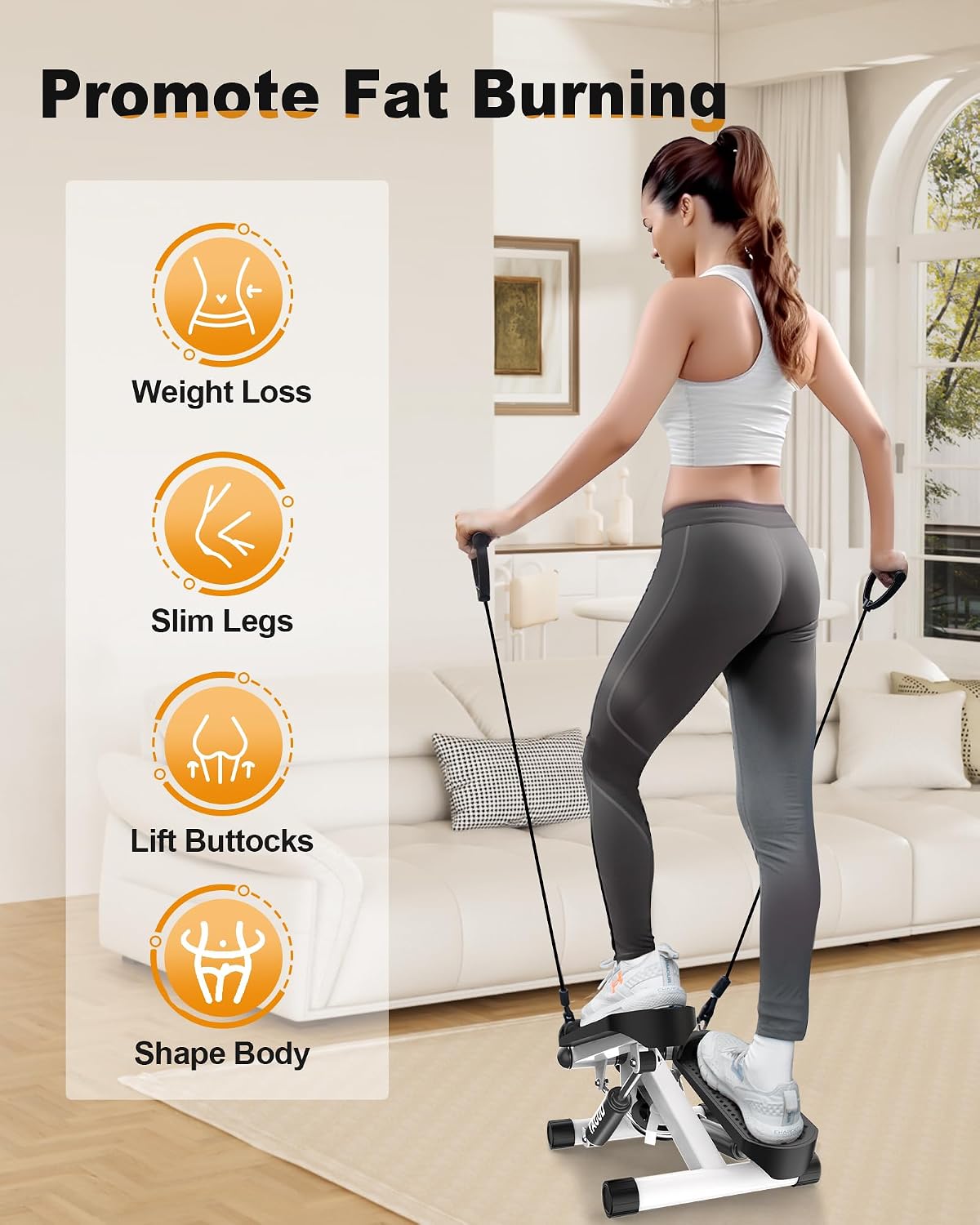
Figure 5.3: Full-body workout with resistance bands
6. Maintenance
Regular maintenance ensures the longevity and optimal performance of your Yagud Mini Stair Stepper:
- Cleaning: Wipe down the stepper with a damp cloth after each use to remove sweat and dust. Avoid using abrasive cleaners or solvents.
- Lubrication: The stepper utilizes a hydraulic system. If you notice any squeaking or stiffness in the stepping motion, apply a small amount of silicone-based lubricant to the hydraulic cylinders and pivot points. Do not use oil-based lubricants.
- Inspection: Periodically check all nuts, bolts, and moving parts to ensure they are secure. Tighten any loose fasteners.
- Storage: Store the stepper in a cool, dry place away from direct sunlight and extreme temperatures. Its compact size allows for easy storage under a desk or in a closet.
7. Troubleshooting
If you encounter any issues with your stepper, refer to the following table for common problems and solutions:
| Problem | Possible Cause | Solution |
|---|---|---|
| Stepper is noisy (squeaking/clunking) | Lack of lubrication; foot holds hitting base. | Apply silicone lubricant to hydraulic cylinders and pivot points. Ensure proper stepping technique to avoid pedals hitting the base forcefully. |
| Pedals not returning smoothly or fully | Insufficient lubrication; resistance knob too tight. | Lubricate hydraulic cylinders. Try loosening the resistance knob slightly. |
| LCD monitor not displaying data or inaccurate readings | Loose connection; battery low; improper stepping. | Check the wiring connection to the monitor. Replace the battery if necessary. Ensure you are stepping fully to the bottom of each stroke for accurate counting. |
8. Specifications
Key technical specifications for the Yagud Mini Stair Stepper:
| Feature | Detail |
|---|---|
| Model Name | STEPPER |
| Brand | Yagud |
| Material | Alloy Steel |
| Color | White |
| Weight Capacity | 300 Pounds (136 kg) |
| Item Package Dimensions (L x W x H) | 16.85 x 13.46 x 7.72 inches |
| Package Weight | 5.98 Kilograms |
| Included Components | Resistance Bands |
| Noise Level (Approx.) | Less than 25DB during normal operation |

Figure 8.1: 300 lbs Loading Capacity

Figure 8.2: Quiet Operation
9. Warranty & Support
Yagud is committed to providing high-quality products and customer satisfaction. If you have any questions or concerns regarding your Mini Stair Stepper, please do not hesitate to contact us. We are here to assist you.
For further assistance or to report any issues, please refer to the contact information provided with your purchase or visit the official Yagud website.
You can also refer to the official User Guide PDF for more detailed information: Download User Guide (PDF)
Related Documents - STEPPER
 |
Yagud Stepper User Guide: Tips, Operation, and Troubleshooting Get the most out of your Yagud Stepper with this comprehensive user guide. Learn essential tips for use, understand how to troubleshoot common issues, and ensure proper maintenance for effective home workouts. |
 |
Stepper Fitness Machine Instruction Manual Comprehensive instruction manual for the Stepper fitness machine, covering safety guidelines, product features, usage notes, troubleshooting, maintenance, and exercise recommendations for effective home workouts. |
 |
YAGUD Treadmill User Manual: Safe Use, Operation, and Maintenance Comprehensive user manual for the YAGUD treadmill (Model: ZF-0301). Learn about safe operating procedures, product features, remote control functions, lubrication, belt adjustment, exercise advice, troubleshooting, and warranty information. |
 |
SportsRoyals Stepper Machine: User Manual and Exercise Guide Comprehensive instruction manual for the SportsRoyals Stepper Machine, including safety information, usage instructions, exercise routines, and cleaning methods. Learn how to use your stepper effectively for a full-body workout. |
 |
KitGody Mini Stepper Instruction Manual Instruction manual for the KitGody Mini Stepper, detailing product structure, electronic display functions, usage tips, exercise frequency, and important attention points for safe and effective use. |
Ask a question about this manual
Ask about setup, troubleshooting, compatibility, parts, safety, or missing instructions. Manuals+ will review the question and use this page’s manual context to help answer it.