
1. Introduction
This manual provides detailed instructions for assembling, operating, and programming your Freenove Bipedal Robot Kit. This kit is designed around the Raspberry Pi Pico, a tiny, fast, and versatile board built using a dual-core processor, and is compatible with the Arduino IDE. The robot features multiple functions including LED matrix expressions, obstacle avoidance, colorful lights, a buzzer, a speaker, and can be controlled via a dedicated mobile application.
Please note that assembly is required for this robot kit. A battery is not included and must be purchased separately; refer to the downloaded tutorial for battery specifications.
2. Packing List
The following components are included in your Freenove Bipedal Robot Kit. Please verify all items upon opening the package.

Image: Detailed view of all components included in the Freenove Bipedal Robot Kit, laid out on a white surface. Key components visible include various mechanical parts, acrylic parts, a Raspberry Pi Pico board, a Pico Robot Shield, a dot matrix module, an ultrasonic module, a wireless module, a speaker, servo packages, jumper wires, screwdrivers, and a cable tidy. A prominent red banner at the bottom states 'Battery is not included! (Refer to tutorial to buy.)'.
2.1. Package Includes:
- 1 x Pico
- 1 x Pico (W) Robot Shield
- 1 set x Machinery Parts (8 kinds)
- 1 set x Acrylic Parts
- 1 x Dot Matrix Module
- 1 x Ultrasonic Module
- 1 x Wireless Module
- 1 x Speaker
- 4 x Servo Package
- 2 x Jumper Wire F/F(4)
- 1 x Cross Screwdriver (3mm)
- 1 x Cross Screwdriver (2mm)
- 1 x M3 Spanner
- 1 x Cable Tidy (40cm)
2.2. Needed but Not Included:
- 1 x 9V Battery (Refer to downloaded tutorial to buy.)
3. Setup and Assembly
The Freenove Bipedal Robot requires assembly. A detailed, step-by-step tutorial is provided digitally. You will find the download link for the tutorial and complete code on the product box. No paper tutorial is included in the package.
Ensure you have all necessary components as listed in the packing list before beginning assembly. Follow the digital tutorial carefully for proper construction and wiring.

Image: A close-up view of the green Raspberry Pi Pico board, highlighting its compact size and various components. Text overlays describe its features: Dual-core Arm Cortex-M0+ processor, flexible clock up to 133 MHz, 264KB on-chip SRAM, 2MB on-board QSPI flash, 26 multifunction GPIO pins, 3 analogue inputs, and 2x UART, 2x SPI, 2x I2C, 16x PWM.
4. Operating the Robot
The Freenove Bipedal Robot offers a variety of functions and control methods to enhance your interactive experience.
4.1. Key Functions:
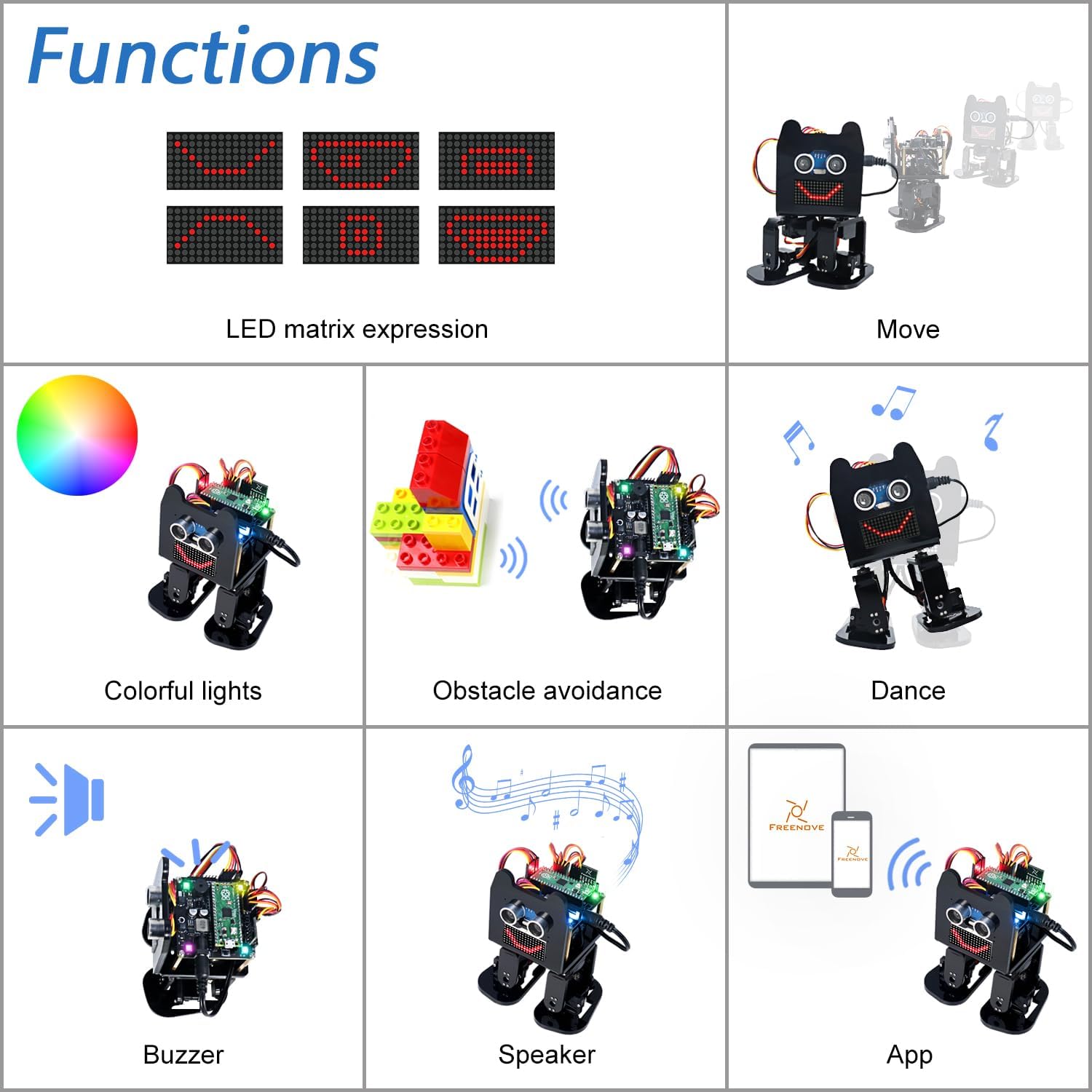
Image: A grid displaying various functions of the Freenove Bipedal Robot. These include LED matrix expressions (showing different faces), movement, colorful lights, obstacle avoidance (robot detecting a LEGO structure), dancing, a buzzer, a speaker, and app control (showing a smartphone with the Freenove app).
- LED Matrix Expressions: The robot's LED matrix can display various expressions, adding personality to its movements.
- Movement: Capable of walking, turning, and other bipedal movements.
- Colorful Lights: Integrated LEDs provide dynamic lighting effects.
- Obstacle Avoidance: Utilizes sensors to detect and navigate around obstacles.
- Buzzer & Speaker: Provides audio feedback and can play sounds.
4.2. Control Methods:
You can control the robot wirelessly using a dedicated Freenove App on your mobile device.

Image: Displays various devices that can control the Freenove Bipedal Robot. An Android tablet, an Android phone, and an iPhone are shown with the Freenove app interface. Below them, the robot is depicted with arrows pointing from the mobile devices to the robot, indicating wireless control.
- Android Device: Use an Android phone or tablet (running Android 5.0 or later) with the Freenove App (search 'Freenove' on Google Play).
- iPhone: Use an iPhone (running iOS 10 or later) with the Freenove App (search 'Freenove' on the App Store).
5. Programming the Robot
The Freenove Bipedal Robot Kit comes with a detailed tutorial and complete code, guiding you through programming each function separately and assembling a complete robot. The Raspberry Pi Pico is compatible with the Arduino IDE, allowing for flexible programming.
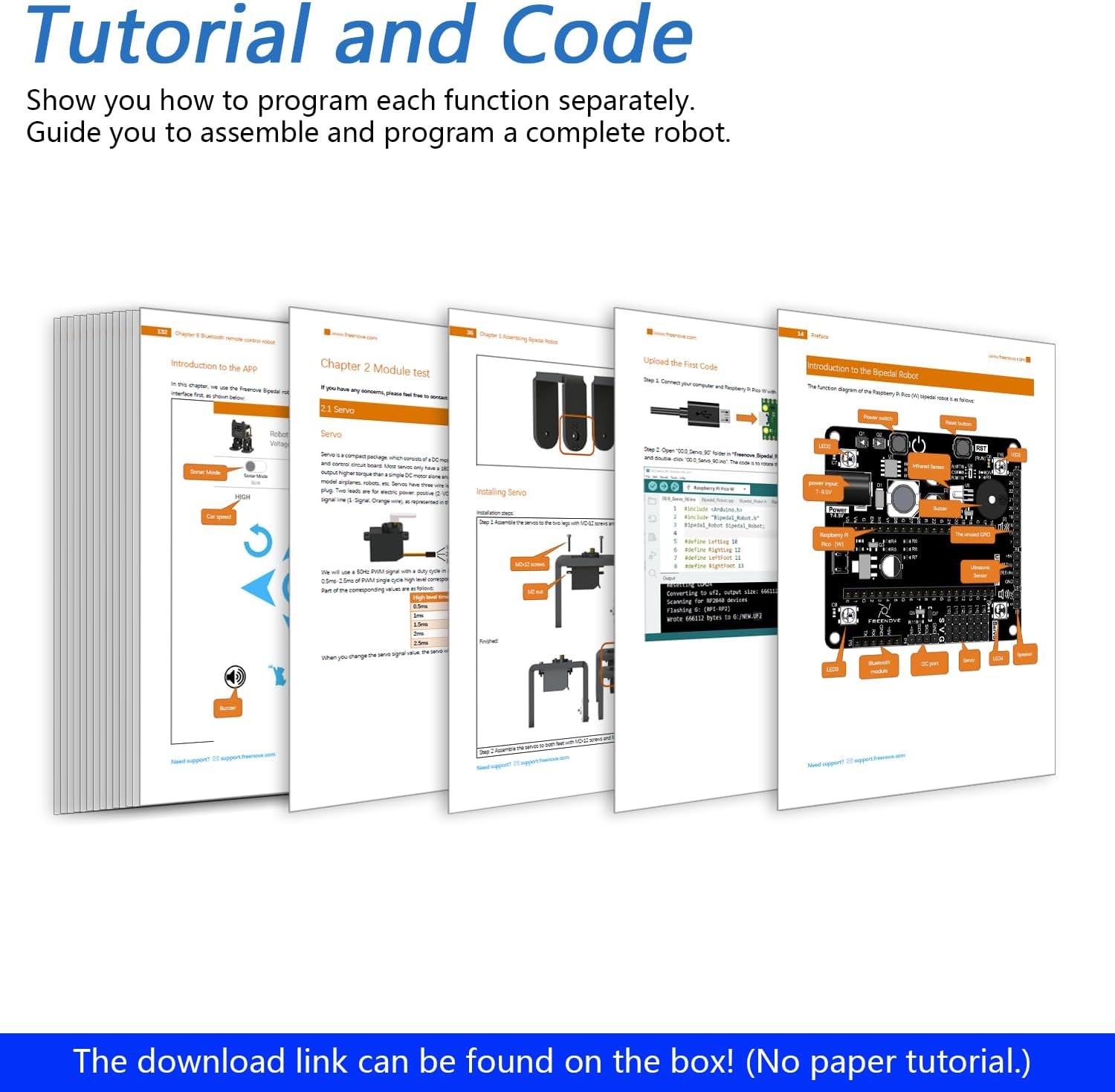
Image: A stack of tutorial pages is shown, with the top page displaying circuit diagrams and component layouts. The text below states: 'The download link can be found on the box! (No paper tutorial.)' This illustrates the comprehensive digital resources available for programming and assembly.
The tutorial will show you how to use the Raspberry Pi Pico as a controller and provide examples for various functionalities. You can download the tutorial and code using the link provided on the product box.
6. Specifications
| Feature | Detail |
|---|---|
| Model Name | FNK0033A |
| Manufacturer | Freenove |
| Parcel Dimensions | 19.5 x 9 x 9 cm; 467 g |
| Country of Origin | China |
| Included Components | Bipedal Robot Kit |
| CPU Model | Core i7 (Note: This refers to the Raspberry Pi Pico's dual-core ARM Cortex-M0+ processor, not an Intel Core i7.) |
| CPU Speed | 133 MHz |
| RAM Memory Installed Size | 264 KB |
| RAM Memory Technology | LPDDR4 |
| Connectivity Technology | Bluetooth |
| Operating System | Linux (Note: This refers to the typical OS for Raspberry Pi development, not necessarily the Pico's firmware.) |
| Compatible Devices | Android phone or tablet, iPhone |
7. Maintenance
To ensure the longevity and optimal performance of your Freenove Bipedal Robot, follow these general maintenance guidelines:
- Keep the robot clean and free from dust and debris. Use a soft, dry cloth for cleaning.
- Avoid exposing the robot to extreme temperatures or moisture.
- Regularly check all connections and screws to ensure they are secure.
- Store the robot in a safe place when not in use to prevent accidental damage.
8. Troubleshooting
If you encounter any issues with your Freenove Bipedal Robot, consider the following common troubleshooting steps:
- Robot not responding: Check battery levels and ensure all power connections are secure. Verify that the correct code is uploaded to the Raspberry Pi Pico.
- Movement issues: Ensure servos are correctly installed and calibrated as per the tutorial. Check for any physical obstructions.
- App connectivity problems: Confirm Bluetooth is enabled on your mobile device and the robot. Ensure the Freenove App is up to date.
- Code upload errors: Double-check your wiring and ensure the Arduino IDE is correctly configured for the Raspberry Pi Pico. Refer to the tutorial for specific setup instructions.
For more detailed troubleshooting or persistent issues, please refer to the comprehensive digital tutorial or contact Freenove technical support.
9. Warranty Information
The Freenove Bipedal Robot Kit comes with a 1-year warranty. Please retain your proof of purchase for warranty claims. For any warranty-related inquiries, contact Freenove customer support.
10. Technical Support
Freenove is committed to providing excellent technical support. If you have any questions or encounter problems that are not covered in the tutorial, please feel free to contact us. You can find the contact information on the product box.
Video: This video demonstrates the Freenove Tank Robot Kit for Raspberry Pi, showcasing its ability to grab objects, perform line tracking, and avoid obstacles. It also highlights the availability of tutorials, code, and technical support, illustrating Freenove's commitment to user assistance.
Video: This video features the Freenove Mecanum Wheel Car Kit for Raspberry Pi Pico (W), demonstrating its omnidirectional movement, line tracking, light tracing, obstacle avoidance, and control via app and infrared remote. It provides insight into the capabilities and control options available with Freenove's Pico-based robot kits.
Video: This video showcases the Freenove Robot Dog Kit for Raspberry Pi, highlighting its various movements like crawling, turning, body movements, and balancing. It also demonstrates features such as ultrasonic distance sensing, camera functions (face recognition, red ball tracing), and control via mobile app and programming, offering a broader view of Freenove's advanced robot capabilities.