
1. Introduction
Thank you for purchasing the Satechi 2-in-1 Wireless Charger. This Qi2-certified dual wireless charging stand is designed to provide fast and efficient power to your iPhone and AirPods simultaneously. Its magnetic, foldable design makes it ideal for both desktop use and travel. Please read this manual thoroughly before use to ensure optimal performance and safety.

Image: The Satechi 2-in-1 Wireless Charger in its compact, folded state, showcasing its sleek Space Gray finish.
2. Key Features
- Ultra-Fast Charging: Qi2-certified for up to 15W wireless charging for iPhone and 5W for AirPods.
- MagSafe Optimized: Seamless integration with MagSafe for secure magnetic attachment and support for Standby mode in both portrait and landscape orientations.
- Sturdy Magnetic Grip: Powerful magnets ensure a secure hold for your device, even with compatible cases.
- Travel-Friendly Design: Compact and foldable, making it easy to transport and store.
- Built-in Safety Features: Includes foreign object detection, overvoltage protection, and temperature control for safe charging.

Image: The Satechi 2-in-1 Wireless Charger actively charging an iPhone at 15W and AirPods at 5W, highlighting the USB-C connection and minimum 30W power requirement.
3. What's in the Box
The Satechi 2-in-1 Wireless Charger package includes:
- Satechi 2-in-1 Wireless Charger
- USB-C to USB-C cable
4. Setup Guide
- Unpack the Charger: Carefully remove the Satechi 2-in-1 Wireless Charger and the included USB-C to USB-C cable from its packaging.
- Connect Power: Insert one end of the USB-C to USB-C cable into the USB-C female port on the back of the charging stand.
- Connect to Power Adapter: Connect the other end of the USB-C to USB-C cable to a compatible USB-C power adapter (not included). For optimal 15W charging, a power adapter with a minimum output of 30W is recommended.
- Placement: Place the charging stand on a stable, flat surface. Ensure there is adequate ventilation around the device.
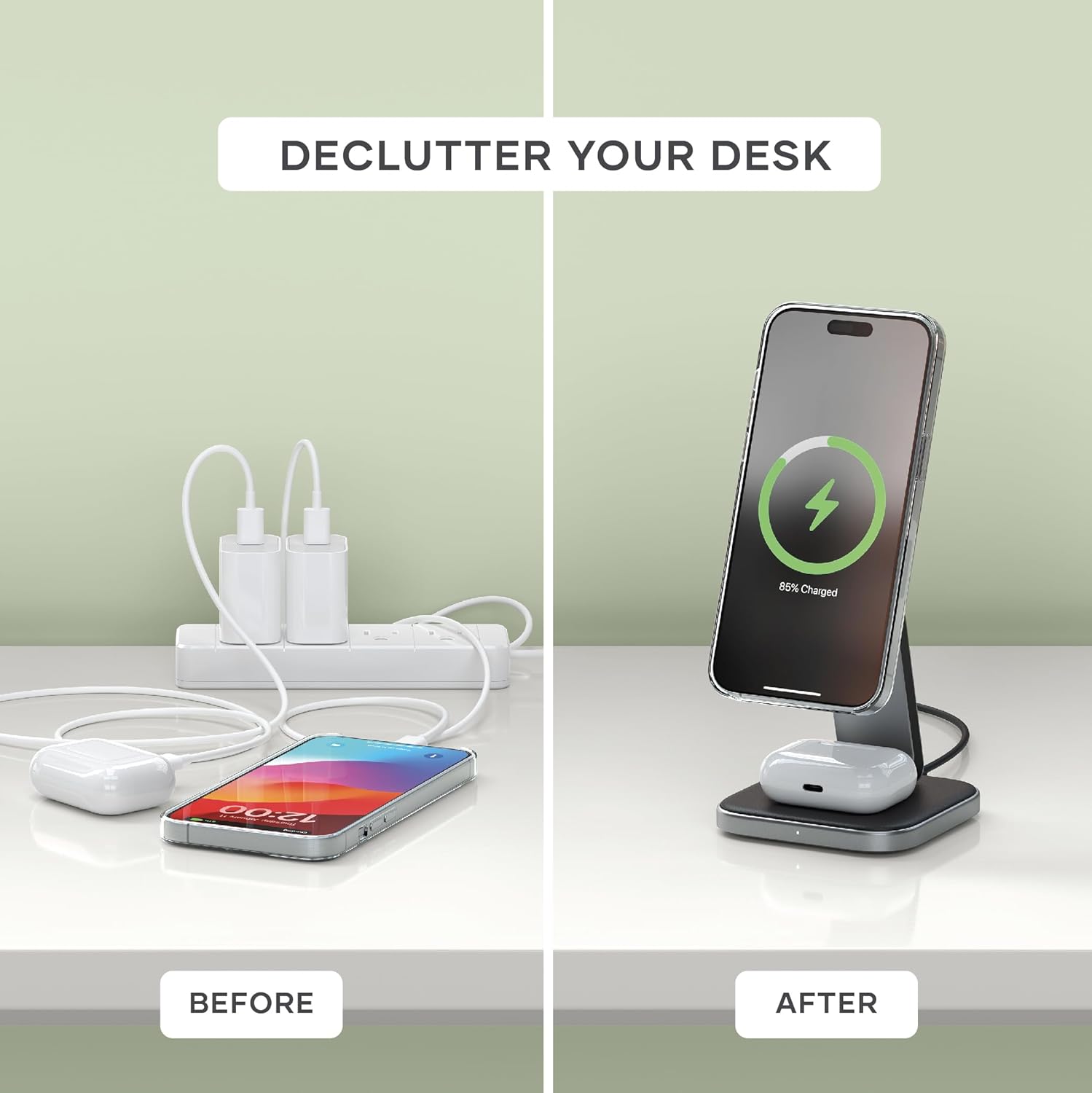
Image: A visual comparison of a cluttered desk with multiple cables and chargers versus an organized desk featuring the compact Satechi 2-in-1 Wireless Charger, illustrating its space-saving benefit.
5. Operating Instructions
5.1 Charging Your iPhone
- Ensure the charger is connected to a power source.
- Align your MagSafe-compatible iPhone (iPhone 12 series and newer) with the magnetic charging pad on the stand. The magnets will securely snap your iPhone into place.
- Your iPhone will begin charging at up to 15W.
- The stand supports both portrait and landscape orientations, allowing you to utilize Standby mode on compatible iOS versions.
5.2 Charging Your AirPods
- Place your AirPods (Pro/3/2 or Gen 1/2 with Wireless Charging Case) or other compatible wireless earbuds on the charging pad located at the base of the stand.
- Ensure the charging case is centered on the pad for optimal contact.
- Your AirPods will begin charging at up to 5W.

Image: The Satechi 2-in-1 Wireless Charger supporting an iPhone in landscape orientation, showcasing the device's ability to display information like time and weather in Standby mode while charging.
6. Maintenance
To ensure the longevity and optimal performance of your Satechi 2-in-1 Wireless Charger, follow these simple maintenance guidelines:
- Cleaning: Disconnect the charger from the power source before cleaning. Use a soft, dry, lint-free cloth to wipe down the surface. Do not use abrasive cleaners, solvents, or aerosol sprays.
- Storage: When not in use, especially during travel, fold the charger into its compact form to protect the charging surfaces and hinges. Store in a cool, dry place away from direct sunlight.
- Avoid Liquids: Keep the charger away from water and other liquids. If it comes into contact with liquid, disconnect it immediately and allow it to dry completely before reuse.

Image: The Satechi 2-in-1 Wireless Charger in its folded, compact state, positioned alongside an iPhone and AirPods to illustrate its small footprint and travel-friendly design, with dimensions listed.
7. Troubleshooting
| Problem | Possible Cause | Solution |
|---|---|---|
| Device not charging or charging slowly. | Incorrect power adapter, misaligned device, thick phone case, foreign object. | Ensure you are using a 30W or higher USB-C power adapter. Realign your device on the charging pad. Remove any thick or non-MagSafe compatible cases. Check for any foreign objects between the device and charger. |
| Charger or device getting hot during charging. | Normal heat generation, poor ventilation, thick case, background apps. | Some heat is normal during wireless charging. Ensure adequate ventilation around the charger. Remove thick cases. Close unnecessary background applications on your device. If overheating persists, discontinue use and contact support. |
| Magnetic attachment is weak. | Non-MagSafe case, misaligned device. | Ensure your iPhone case is MagSafe compatible. Realign your iPhone on the magnetic charging pad. |
| LED indicator not lighting up. | No power, faulty cable. | Check if the USB-C cable is securely connected to both the charger and the power adapter. Try a different USB-C cable or power adapter. |
8. Product Specifications
| Attribute | Detail |
|---|---|
| Model Number | ST-Q21FM |
| Product Dimensions | 3.54 x 3.54 x 6.3 inches |
| Item Weight | 9.7 ounces |
| Connectivity Technology | Wireless |
| Connector Type | USB-C female port |
| Input Voltage | 5 Volts |
| Wireless Charging Output (iPhone) | Up to 15W (Qi2 Certified) |
| Wireless Charging Output (AirPods) | Up to 5W |
| Compatible Devices | iPhone 16/15/14/13/12 series (Pro Max/Pro/Mini/Plus), AirPods Pro 2/1, AirPods Gen 3/2/1 with Wireless Charging Case, Samsung Galaxy buds, Google Pixel buds |
| Included Components | USB-C to USB-C cable |
| Color | Space Gray |
9. Warranty & Support
9.1 Warranty Information
Satechi products are covered by a 2-year limited warranty against defects in materials and workmanship under normal use. This warranty period begins from the date of original purchase.
9.2 Customer Support
For technical assistance, warranty claims, or any other inquiries, please contact Satechi customer support. You can find more information and contact details on the official Satechi website or through their Amazon Brand Store:
Visit the Satechi Amazon Brand Store

Image: The Satechi brand logo, representing quality and innovation in tech accessories.