Important Safety Information
Please read all instructions carefully before using this appliance. Keep this manual for future reference.
- Except when charging, always unplug this appliance from the electrical outlet immediately after using.
- Unplug this appliance before cleaning.
- Do not use this product beyond the rated voltage.
- Do not modify or repair the electric shaver yourself. Contact authorized service for repairs.
- Do not immerse the USB power adapter or USB cable in water.
- Ensure hands are dry when handling the power adapter or USB cable.
Product Overview
The Panasonic ES-RM3B Electric Wet Dry Shaver features a 3-blade cutting system designed for a close and comfortable shave. Its ergonomic handle and USB-C charging capability enhance user convenience.

Figure 1: Key features of the Panasonic ES-RM3B Shaver, including hypoallergenic blades, powerful motor, wet/dry use, and USB-C charging.

Figure 2: The ergonomic design of the ES-RM3B shaver, fitting comfortably in the hand for ease of use.
Setup
Charging the Shaver
Before first use, fully charge the shaver. A full charge takes approximately 1 hour and provides up to 50 minutes of shaving time.
- Ensure the shaver is turned off.
- Locate the USB-C charging port at the bottom of the shaver.
- Connect the provided USB-C cable to the shaver and a compatible USB power adapter (not included).
- Plug the power adapter into an electrical outlet. The charging indicator light will illuminate.
- Once fully charged, unplug the shaver from the power source.

Figure 3: Connecting the USB-C cable to the shaver for charging. A 1-hour charge provides 60 minutes of use.
Operating Instructions
General Shaving
The ES-RM3B shaver is designed for both wet and dry shaving, offering flexibility for your grooming routine.
- Dry Shaving: For a quick shave, ensure your face is clean and dry.
- Wet Shaving: Apply shaving gel or foam to your face. The shaver is waterproof (IPX7 rated) and can be used in the shower.
- Press the power button to turn on the shaver.
- Hold the shaver at a right angle to your skin and move it slowly against the direction of your beard growth.
- Stretch your skin with your free hand to ensure a smooth surface for the shaver.
- The 3-blade cutting system with floating outer foils will adapt to your facial contours for a close shave.
- After shaving, press the power button to turn off the shaver.
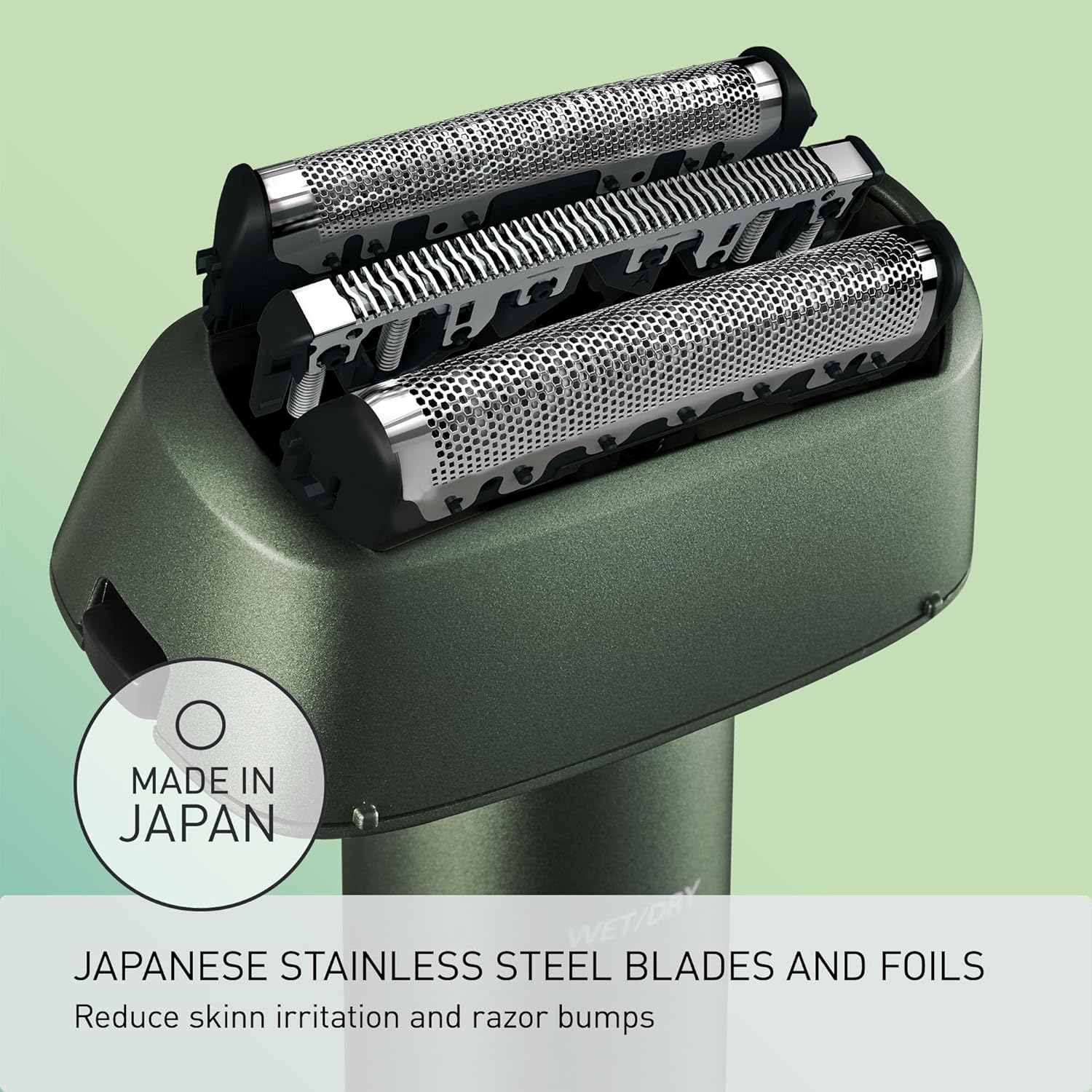
Figure 4: The shaver features Japanese stainless steel blades and foils designed to reduce skin irritation.
Travel Lock Function
To prevent accidental activation during travel, the shaver is equipped with a travel lock function.
- To activate the travel lock: Press and hold the power button for 3 seconds until the lock indicator light illuminates.
- To deactivate the travel lock: Press and hold the power button for 3 seconds until the lock indicator light turns off.
Shaving Demonstration Video
Video 1: A detailed demonstration of the Panasonic ES-RM3B shaver in use, highlighting its performance and handling.
Maintenance
Cleaning the Shaver
Regular cleaning ensures optimal performance and hygiene.
- Turn off the shaver and unplug it from any power source.
- Remove the outer foil frame by pressing the release buttons on the sides.
- Rinse the outer foil frame and inner blades under cool running water. For a more thorough clean, you can use a mild soap.
- Shake off excess water and allow the parts to air dry completely before reattaching.
- Use the provided cleaning brush to remove any stubborn hair clippings from the shaver body and inner blades.
- Reattach the outer foil frame until it clicks into place.

Figure 5: The Panasonic ES-RM3B shaver is available in multiple colors to suit personal style.
Blade and Foil Replacement
For continued optimal shaving performance, it is recommended to replace the outer foil and inner blades periodically. The lifespan of the blades can vary depending on usage, but typically ranges from 12 to 24 months.
- Replacement parts can be purchased from authorized Panasonic retailers or service centers.
- Follow the instructions provided with the replacement parts for proper installation.
Troubleshooting
| Problem | Possible Cause | Solution |
|---|---|---|
| Shaver does not turn on. | Battery is depleted. Travel lock is activated. | Charge the shaver. Deactivate the travel lock by pressing and holding the power button for 3 seconds. |
| Poor shaving performance. | Blades/foils are dull or clogged. Insufficient charge. | Clean the shaver thoroughly. Replace blades/foils if necessary. Ensure shaver is fully charged. |
| Skin irritation after shaving. | Incorrect shaving technique. Dull blades/foils. | Ensure you are shaving against the grain and stretching the skin. Replace blades/foils. Consider using shaving gel for wet shaving. |
If the problem persists after trying these solutions, please contact Panasonic customer support.
Specifications
| Feature | Detail |
|---|---|
| Model Number | ES-RM3B-G |
| Power Source | Battery Powered (1 Lithium Ion battery included) |
| Charging | USB-C (1 hour for full charge, 50 minutes use) |
| Blade System | 3-Blade Cutting System, Hypoallergenic Stainless Steel |
| Motor Speed | ~8,000 RPM |
| Waterproof Rating | IPX7 (Wet/Dry use) |
| Recommended Use | Face |
| Dimensions | 8.31 x 4.92 x 2.24 inches |
| Weight | 10.23 ounces |
| UPC | 885170432680 |
Warranty and Support
This Panasonic product is covered by a manufacturer's warranty. Please refer to the warranty card included in your product packaging for specific terms and conditions.
For technical support, replacement parts, or warranty claims, please contact Panasonic customer service. Contact information can typically be found on the official Panasonic website or on your product's packaging.
Keep your proof of purchase for warranty purposes.


