
Linique B0D22K3YDF
Linique Full Size Gaming Loft Bed User Manual
Model: B0D22K3YDF | Brand: Linique
Introduction
Thank you for choosing the Linique Full Size Gaming Loft Bed. This versatile and space-saving furniture piece combines a comfortable full-size bed with an L-shaped desk, integrated LED lighting, a convenient charging station, a wardrobe, and adjustable shelving. Designed for kids, teens, and adults, it optimizes your living space while providing a functional and immersive environment. This manual will guide you through the assembly, operation, and maintenance of your new loft bed to ensure a safe and enjoyable experience.
Safety Information
Please read and understand all safety instructions before assembly and use. Failure to follow these instructions may result in serious injury.
- The maximum weight capacity for the upper bunk is 350 lbs. Do not exceed this limit.
- Ensure all parts are securely fastened and checked periodically for tightness. Loose parts can lead to instability.
- Parental supervision is recommended for children using the loft bed, especially during climbing.
- Do not attach or hang items on any part of the bed that are not designed for such use.
- Always use the provided stairs for climbing to and from the upper bunk. Do not jump on the bed.
- Keep small children away from the assembly area during installation to prevent choking hazards from small parts.
- Do not use harsh chemicals or abrasive cleaners on the bed frame or wooden components.
Package Contents
Your Linique Full Size Gaming Loft Bed is typically shipped in multiple boxes. Please ensure all boxes have arrived before beginning assembly. Carefully unpack all components and verify against the parts list provided in your physical instruction manual. If any parts are missing or damaged, please contact customer support immediately.
- Metal Bed Frame Components
- L-Shaped Desk Panels
- Wardrobe and Shelf Components
- Staircase Components
- Bed Slats
- LED Light Strip with Remote
- Built-in Charging Station (2 AC outlets, 2 USB ports)
- Hardware Pack (screws, bolts, Allen wrench, etc.)
Setup and Assembly
Assembly of the Linique Gaming Loft Bed requires patience and is best performed by two adults. Please allocate approximately 4-5 hours for complete assembly. Follow the numbered instructions in your physical manual for detailed steps. The following visual aids provide an overview of the assembly process and key features.
Video: Gaming Loft Bed Installation Process
This video provides a visual guide to the assembly steps for the Linique Gaming Loft Bed, demonstrating the sequence of connecting the main frame, desk, wardrobe, and stairs.


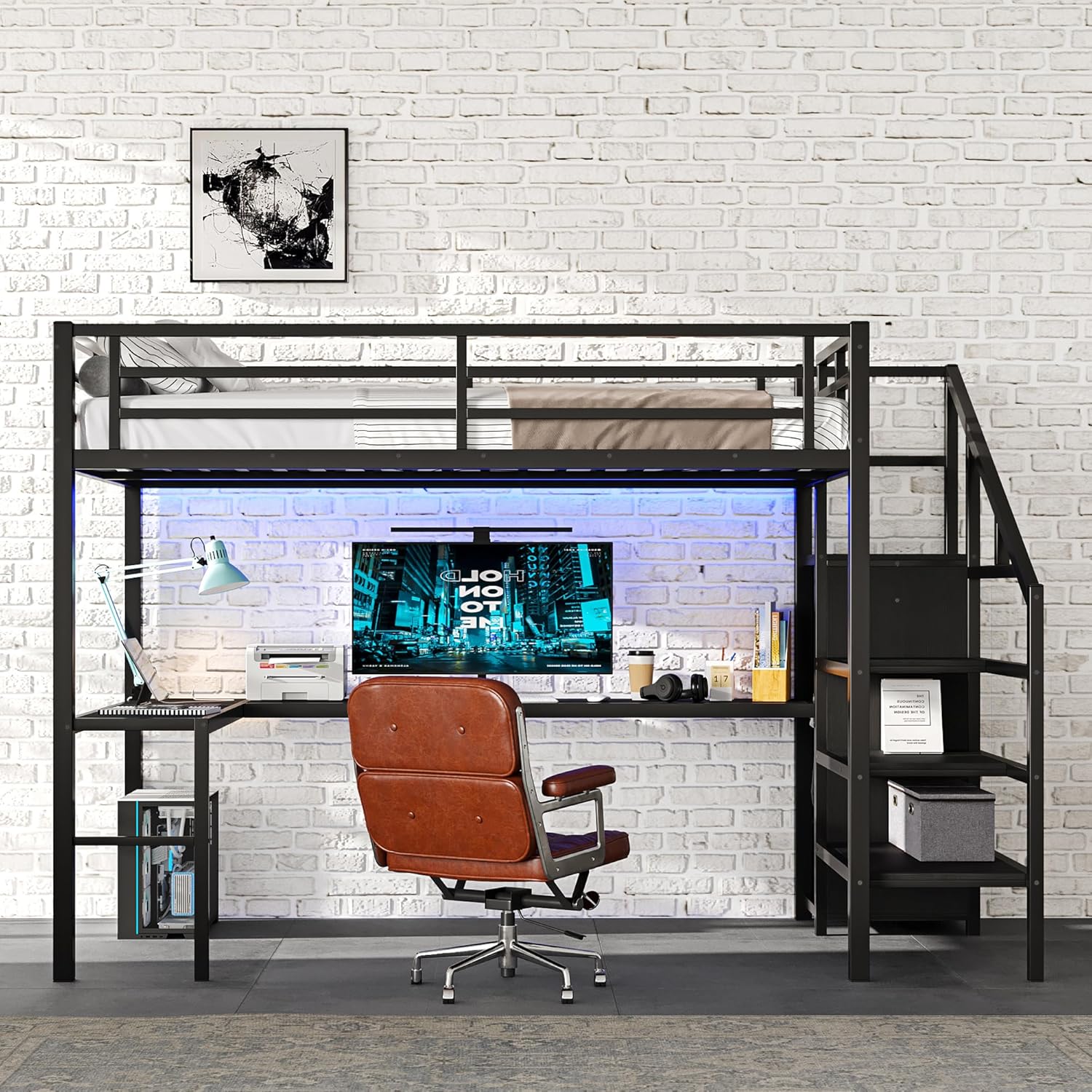
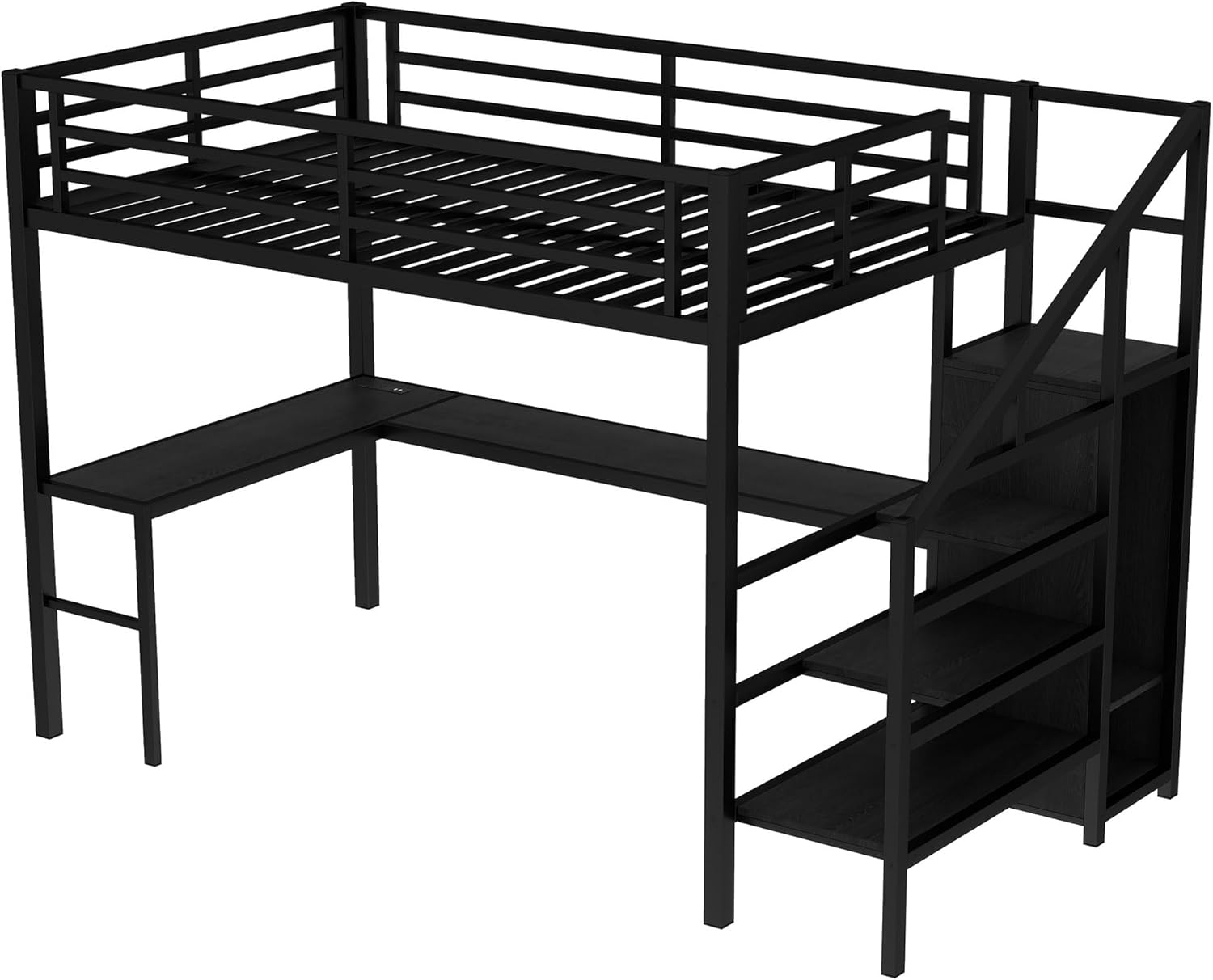
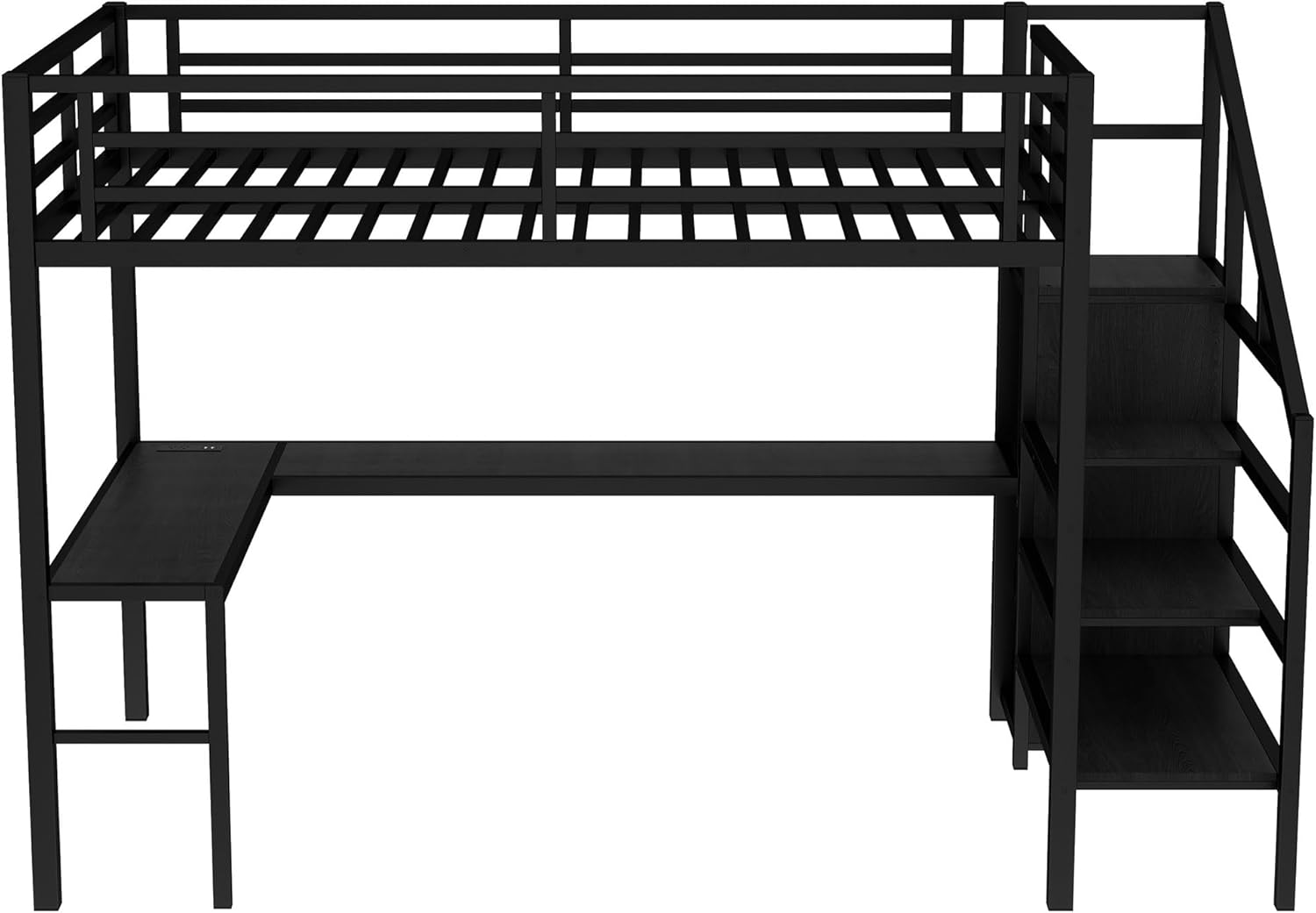


General Assembly Steps:
- Unpack and Organize: Lay out all parts and hardware. Identify each component using the provided parts list.
- Assemble Main Bed Frame: Connect the vertical and horizontal metal beams to form the basic structure of the loft bed.
- Install L-Shaped Desk: Attach the desk frame and panels to the main bed structure.
- Assemble Wardrobe and Stairs: Construct the wardrobe and staircase sections. These can be positioned on either the left or right side based on your preference.
- Attach Bed Slats: Securely place and fasten the metal bed slats onto the upper bunk frame.
- Integrate LED Lights and Charging Station: Install the LED light strip under the bed frame above the desk area. Connect the charging station to the designated cutout on the desk surface.
- Final Checks: Double-check all screws and connections to ensure they are tight and secure before use.
Operating Instructions
LED Lights
The integrated LED lights enhance your gaming or study environment. They feature 16 customizable colors and adjustable brightness.
- Power On/Off: Use the remote control to turn the LED lights on or off.
- Change Colors: Select from 16 available colors using the color buttons on the remote.
- Adjust Brightness: Use the brightness control buttons on the remote to increase or decrease the light intensity.
- Mode Selection: The remote may include various modes (e.g., flash, fade, strobe) for dynamic lighting effects.
Charging Station
The built-in charging station provides convenient power access for your electronic devices.
- AC Outlets: Plug in standard electronic devices such as laptops, monitors, or lamps into the two AC outlets.
- USB Ports: Use the two USB ports to charge smartphones, tablets, or other USB-powered devices.
- Ensure the loft bed is connected to a power source for the charging station and LED lights to function.
Maintenance
Regular maintenance will help prolong the life and appearance of your Linique Gaming Loft Bed.
- Cleaning: Wipe down metal and wooden surfaces with a soft, damp cloth. For stubborn marks, a mild soap solution can be used, followed by drying with a clean cloth.
- Hardware Check: Periodically inspect all bolts, screws, and connections to ensure they remain tight. Re-tighten as necessary to maintain structural integrity.
- LED Light Care: Avoid pulling on the LED light strip. If the adhesive weakens, use appropriate adhesive strips to re-secure it.
- Avoid Overloading: Do not place excessive weight on the desk, shelves, or bed. Adhere to the stated weight capacities.
- Ventilation: Ensure adequate air circulation around the bed, especially if electronic devices are frequently used on the desk.
Troubleshooting
| Issue | Possible Cause | Solution |
|---|---|---|
| LED lights not working or remote unresponsive | Loose connection; remote battery dead; LED strip adhesive failure | Check all power connections. Replace the remote battery (CR2025 or similar). Re-secure the LED strip with stronger adhesive if needed. |
| Charging station not providing power | Not plugged into wall outlet; circuit breaker tripped | Ensure the bed's power cord is securely plugged into a functional wall outlet. Check your home's circuit breaker. |
| Bed feels wobbly or unstable | Loose bolts/screws; uneven floor | Re-tighten all assembly hardware. Ensure the bed is on a level surface; use shims if necessary. |
| Missing parts upon delivery | Multiple box shipment; packaging error | Verify all boxes have arrived. Contact Linique customer support with your order details and the specific missing parts. |
| Assembly taking longer than expected | Complex assembly; single person assembly | Assembly can take 4-5 hours. It is highly recommended to have two people for assembly. Refer to the video guide for visual assistance. |
Specifications
- Size: Full
- Product Dimensions: 93.7"L x 56.7"W x 68.7"H
- Special Feature: Lighted (LED)
- Color: Black
- Included Components: Desk, LED, Charging Station, Wardrobe, Adjustable Shelf
- Compatible Mattress Size: Full
- Brand: Linique
- Furniture Finish: Black
- Assembly Required: Yes
- Item Weight: 173.1 pounds
- Manufacturer: Linique
- Form Factor: Loft Bed
Warranty and Support
Linique is committed to providing high-quality products. For specific warranty information regarding your loft bed, please refer to the warranty card included in your product packaging or visit the official Linique website. If you encounter any issues, require replacement parts, or need further assistance, please contact Linique customer support. You may also consider purchasing extended protection plans for additional coverage, if available.
Ask a question about this manual
Ask about setup, troubleshooting, compatibility, parts, safety, or missing instructions. Manuals+ will review the question and use this page’s manual context to help answer it.