
Introduction
The BN-LINK 7 Day Outdoor Heavy Duty Digital Programmable Timer is designed to automate your outdoor and indoor electrical devices, offering convenience and energy savings. This robust timer features two grounded outlets that can be programmed simultaneously with up to 8 on/off cycles per day, across individual days or pre-set combinations. Its durable, weatherproof construction ensures reliable performance in various outdoor conditions, making it ideal for Christmas lights, garden lighting, pool pumps, and more. The built-in rechargeable battery provides blackout memory, retaining your settings even during power outages.
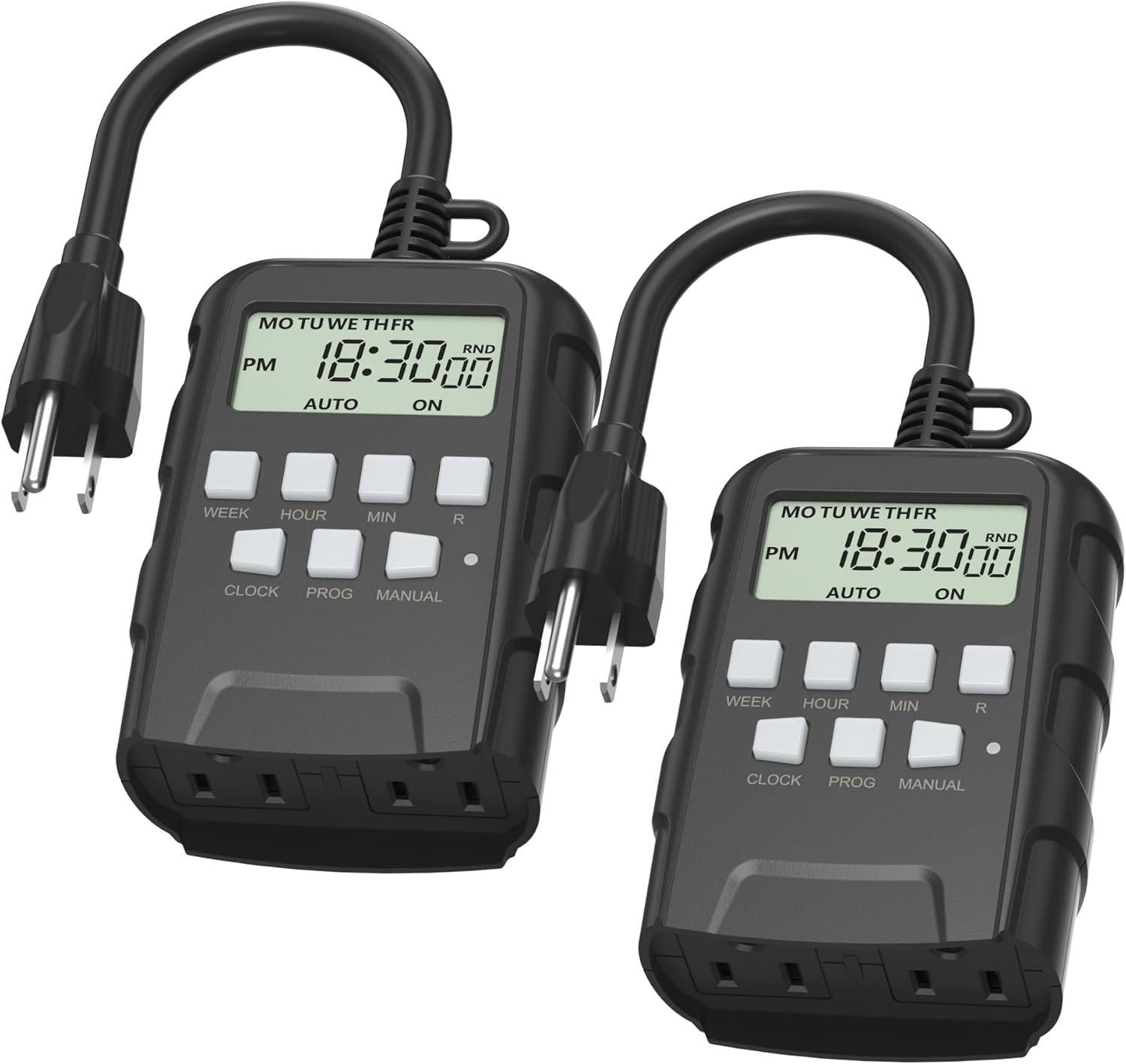
Image: Two BN-LINK 7 Day Outdoor Heavy Duty Digital Programmable Timers, showcasing their compact design and digital display.
Key Features
- Versatile & Customizable: Easily set up to 8 on/off programs for the timer’s two grounded outlets. Outlets are controlled simultaneously, and settings can be as short as one minute.
- Just Set & Go: Choose your own individual days or simply select one of the convenient pre-set combination days. Switch to Daylight Savings mode with a press of a button. Equipped with a rechargeable built-in battery for long-lasting backup, retaining settings during power outages.
- Protect Your Home: Activate the “Random” Vacation mode to randomize your programmed lights, making your home look “lived in” even when you’re away.
- Outdoor and Indoor Use: Crafted from flame retardant PC housing, this digital timer is resistant to the elements. Its weatherproof and waterproof features make it perfect for outdoor applications, including Christmas and garden lights, holiday decorations, pool pumps, fountains, and other electrical outlets.
- Safe & Reliable: Heavy duty material, 5.9 inch cord, and two grounded outlets ensure safety and durability. Rating: 125V, 60 Hz, 15A/1875W Resistive, 10A/1250W Tungsten.

Image: A visual representation of the timer's multifunctional capabilities, highlighting its 8 ON/OFF programs, 7-day programmability, and dual 3-prong outlets.

Image: The BN-LINK timer in an outdoor setting, connected to string lights during rainfall, demonstrating its waterproof and ETL Listed features.
Setup
- Initial Charge: Before first use, plug the timer into a standard wall outlet for at least 30 minutes to charge the internal battery. This ensures the display is active and settings can be retained.
- Resetting the Timer: If the display is blank or erratic, use a small pointed object (like a paperclip) to press the 'R' (Reset) button located on the front panel. This will clear all current settings and restore the timer to its default state.
- Mounting: For optimal waterproofing and longevity, mount the timer vertically at least 2 feet (60 cm) above the ground. Ensure the outlets face downwards to prevent water accumulation.
- Connecting Devices: Plug your outdoor or indoor electrical devices into the two grounded outlets at the bottom of the timer.
Video: An official BN-LINK video demonstrating the features and setup of the Outdoor Digital Timer, including its dual outlets and user interface.

Image: A detailed view of the timer's control panel, illustrating the buttons for setting schedules, switching between auto/manual modes, and activating daylight saving.
Operating Instructions
Setting the Clock
- Press and hold the CLOCK button.
- While holding CLOCK, press WEEK to select the current day of the week.
- While holding CLOCK, press HOUR to set the current hour (AM/PM).
- While holding CLOCK, press MIN to set the current minute.
- Release the CLOCK button to save the time.
Programming ON/OFF Times
The timer allows for up to 8 ON/OFF programs. Each program consists of an ON time and an OFF time.
- Press the PROG button once to enter Program 1 ON setting. The display will show "1 ON".
- Press WEEK to select the desired day(s) for this program (e.g., MO, TU, WE, TH, FR, SA, SU, or various combinations).
- Press HOUR and MIN to set the desired ON time.
- Press PROG again to enter Program 1 OFF setting. The display will show "1 OFF".
- Press WEEK to select the desired day(s) for this OFF program (usually matching the ON program).
- Press HOUR and MIN to set the desired OFF time.
- Repeat steps 1-6 for additional programs (2 ON/OFF through 8 ON/OFF).
- After setting all desired programs, press the CLOCK button to return to the current time display. Ensure the timer is in AUTO mode for programs to run.
Manual Override
Press the MANUAL button to cycle through different modes:
- AUTO ON: The timer will follow programmed ON times.
- AUTO OFF: The timer will follow programmed OFF times.
- ON: The outlets are continuously ON, overriding all programs.
- OFF: The outlets are continuously OFF, overriding all programs.
Always ensure the timer is in AUTO ON or AUTO OFF mode for your programs to execute as scheduled.
Daylight Saving Time (DST)
To adjust for Daylight Saving Time, press and hold the HOUR button, then press the MIN button. The display will show "+1h" or "-1h" to indicate the time adjustment. Repeat the action to revert the change.
Random Mode (Vacation Mode)
To activate the Random mode, press and hold the WEEK button, then press the HOUR button. The display will show "RND" (Random). In this mode, the timer will randomly turn your lights ON and OFF within a 30-minute window of your programmed times, creating a lived-in appearance to deter intruders. Repeat the action to deactivate Random mode.

Image: An outdoor setting with string lights and a fountain, demonstrating how the timer automates devices for convenience and energy saving.

Image: A family departing from their home, with the BN-LINK timer prominently displayed, emphasizing its 'Vacation Mode' feature for enhanced home security.
Maintenance
- Cleaning: Wipe the timer with a soft, damp cloth. Do not use harsh chemicals or abrasive cleaners. Ensure the unit is unplugged before cleaning.
- Storage: When not in use for extended periods, store the timer in a cool, dry place away from direct sunlight and extreme temperatures.
- Inspection: Periodically inspect the cord and outlets for any signs of damage, wear, or corrosion. Discontinue use if any damage is found.
- Battery Life: The internal rechargeable battery is designed for long-term use. If the display becomes dim or loses settings frequently, ensure the timer is plugged in regularly to maintain the charge.

Image: A collage showcasing diverse applications of the BN-LINK timer, from managing Christmas lights and pool pumps to controlling garden fountains and patio lighting.
Troubleshooting
| Problem | Possible Cause | Solution |
|---|---|---|
| Display is blank or dim. | Internal battery is low or depleted. | Plug the timer into a live outlet for at least 30 minutes to charge the battery. |
| Programs are not running. | Timer is not in AUTO mode; incorrect program settings; battery depleted. | Press MANUAL until "AUTO ON" or "AUTO OFF" is displayed. Verify program times and days. Ensure battery is charged. |
| Outlets have no power. | Timer is OFF; circuit breaker tripped; device connected exceeds rating. | Press MANUAL to switch to "ON" or "AUTO ON". Check your home's circuit breaker. Ensure connected devices do not exceed 15A/1875W. |
| Timer settings are lost. | Battery completely depleted or unit was reset. | Re-program the timer. Ensure the battery is charged by keeping it plugged in. |
| Buttons are unresponsive. | Unit may be frozen or require a hard reset. | Press the 'R' (Reset) button with a pointed object. |
Specifications
| Attribute | Value |
|---|---|
| Brand | BN-LINK |
| Model Number | U78-2Pack |
| Color | Black |
| Material | Plastic |
| Number of Settings | 8 (ON/OFF Programs) |
| Voltage | 125V |
| Frequency | 60 Hz |
| Resistive Rating | 15A/1875W |
| Tungsten Rating | 10A/1250W |
| Product Dimensions | 6.57 x 3.58 x 3.31 inches |
| Item Weight | 1.1 pounds |
| Certifications | ETL Listed |
| Batteries Required | Yes (Built-in rechargeable) |

Image: A diagram illustrating the physical dimensions of the BN-LINK timer, including its cord length, height, width, and depth.
Warranty and Support
BN-LINK products are designed for reliability and durability. For specific warranty information, product support, or technical assistance, please refer to the contact details provided on the product packaging or visit the official BN-LINK website. Keep your purchase receipt for warranty claims.
For further assistance, you may also contact BN-LINK customer service through their official channels. Please have your model number (U78-2Pack) and UPC (810079584482) ready when contacting support.


