
Fanbulous Y24FSD0003-6801
Fanbulous 52" Ceiling Fan with Lights and Remote Control User Manual
Brand: Fanbulous
Model: Y24FSD0003-6801
Product Overview
The Fanbulous 52" Ceiling Fan is designed for both indoor and outdoor use, featuring a modern three-blade design, integrated LED lighting, and a remote control for convenient operation. It incorporates a reversible DC motor for energy efficiency and year-round comfort.
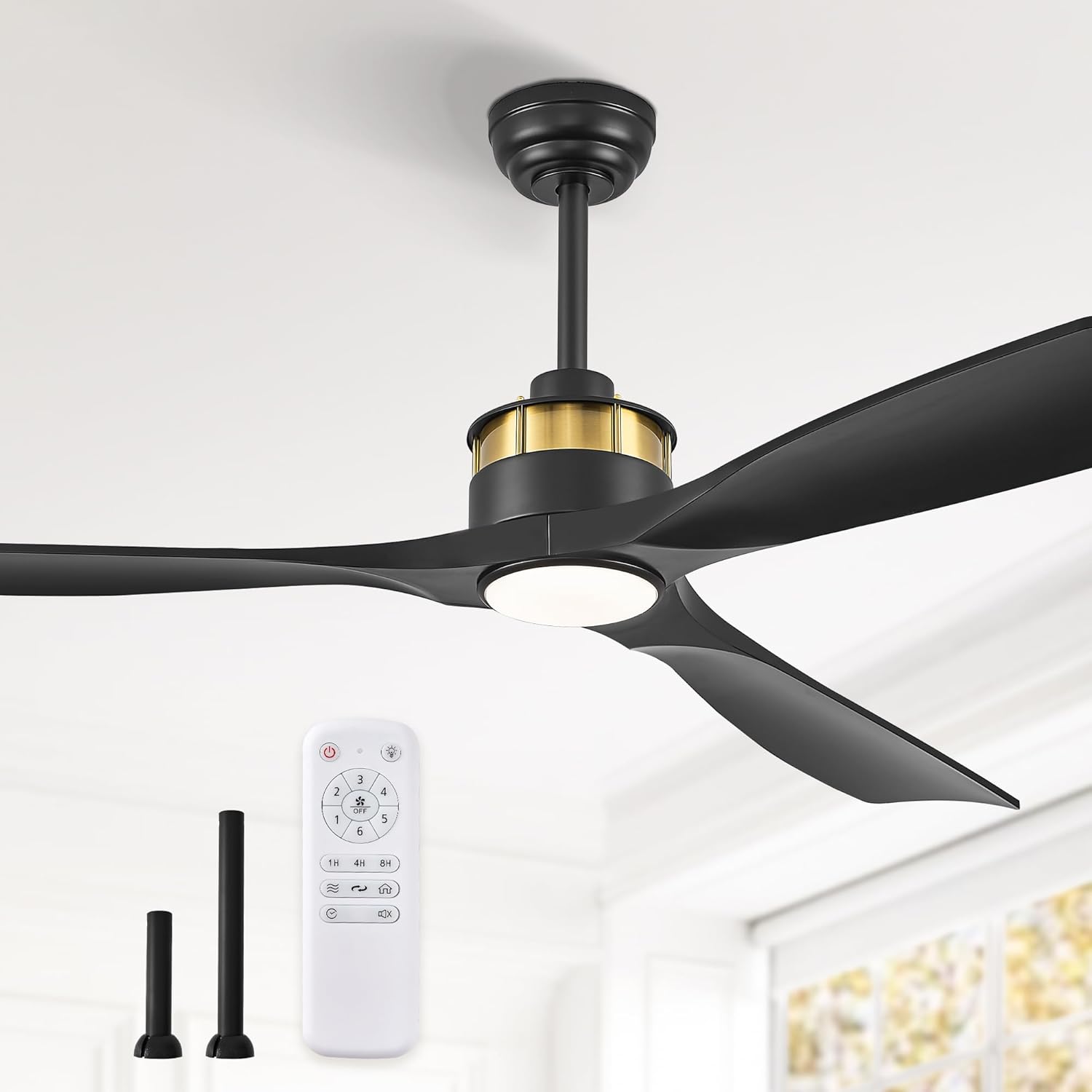
Image: The Fanbulous 52-inch ceiling fan in black with a gold accent, featuring three blades, an integrated light, and a remote control. Two downrod options are also shown.
Safety Information
Please read all instructions carefully before installation and use. Failure to follow these instructions may result in electric shock, fire, or personal injury.
- Ensure power is disconnected at the circuit breaker before installation or servicing.
- All wiring must be in accordance with national and local electrical codes.
- Consult a qualified electrician if you are unsure about wiring or installation.
- Mount the fan to a ceiling outlet box marked "Acceptable for Fan Support of 35 lbs (15.9 kg) or less" and use the mounting screws provided with the outlet box.
- Do not bend the blade holders during installation or cleaning.
- Keep hands, tools, and other objects clear of the fan blades when in operation.
Setup and Installation
Unpacking and Contents
Carefully remove all components from the packaging. Verify that all parts listed in the manual are present and undamaged before beginning installation.
Mounting Options
The Fanbulous ceiling fan offers versatile installation options to suit various ceiling heights and types, including standard flat ceilings and slanted ceilings (up to 15 degrees). It comes with two downrod options (6 inches and 10 inches) to accommodate different room requirements.

Image: Illustrates the fan installed on a slanted ceiling (less than 15 degrees) and provides guidance for choosing between the 6-inch downrod for low ceilings and the 10-inch downrod for high ceilings.
Wiring and Assembly
Follow the detailed wiring diagrams and assembly steps provided in the included installation guide. Ensure all electrical connections are secure and properly insulated. The fan operates on 120V DC power.
Operating Instructions
The Fanbulous ceiling fan is controlled by a handheld remote, offering comprehensive control over fan speed, light settings, and other functions.
Remote Control Functions
- Power Button: Turns the fan and light on/off.
- Fan Speed Control (1-6): Adjusts the fan speed from gentle breeze (1) to powerful airflow (6).
- Light Color Temperature (CCT) Adjustment: Cycles through Warm White (3000K), Neutral White (4000K), and Cool White (6000K).
- Timer Settings (1H/4H/8H): Sets the fan to automatically turn off after 1, 4, or 8 hours.
- Forward/Reverse Function: Changes the direction of blade rotation for seasonal use.
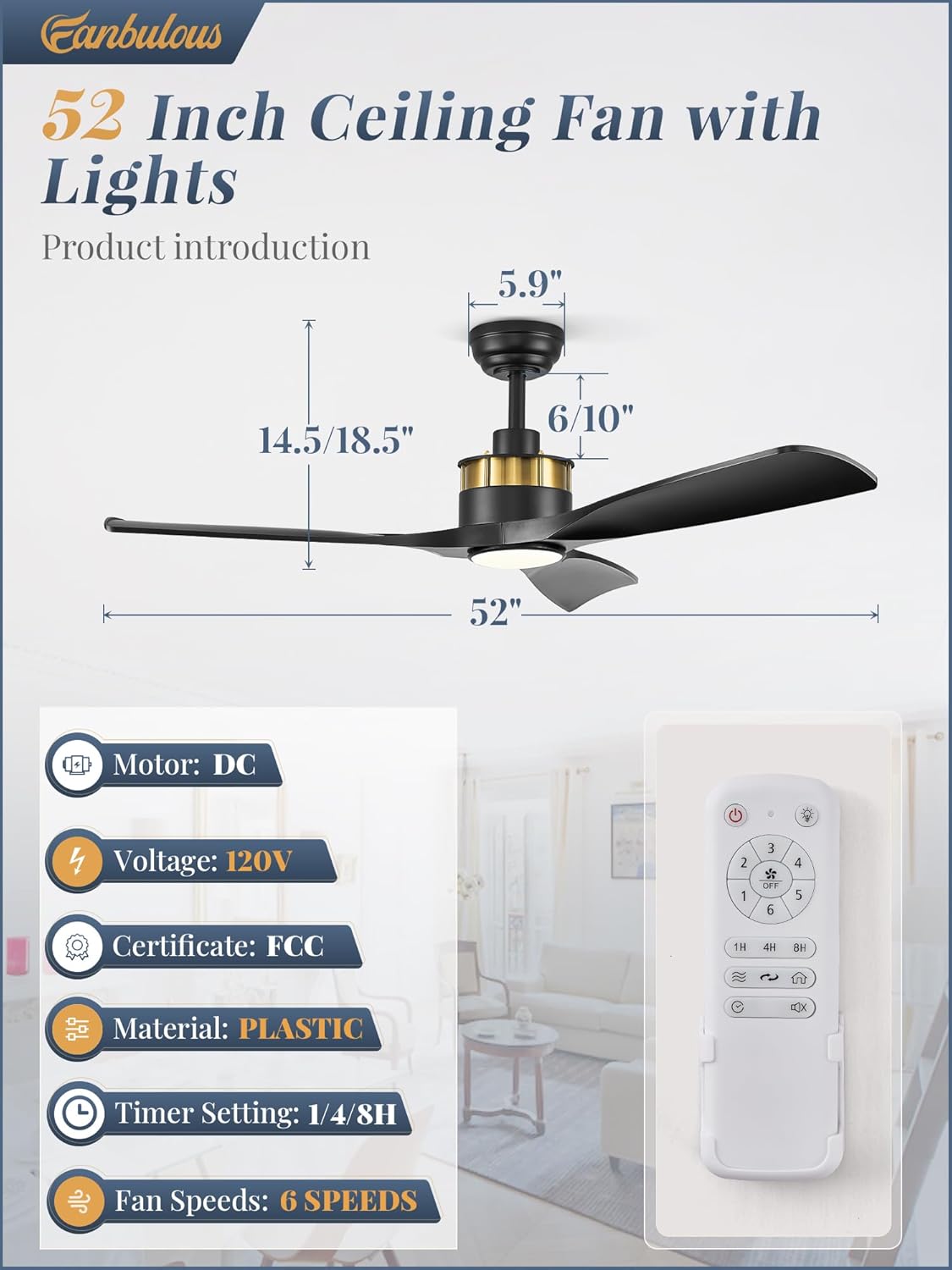
Image: A detailed diagram illustrating the dimensions of the 52-inch ceiling fan and the layout of the remote control buttons, including fan speeds, timer, and light controls.
Light Color Temperature Adjustment
The integrated LED light allows you to select from three distinct color temperatures to match your preference and room ambiance:
- 3000K (Warm White): Ideal for creating a cozy and relaxing atmosphere.
- 4000K (Neutral White): Suitable for general illumination and daily activities.
- 6000K (Cool White): Provides bright, crisp light, often preferred for task lighting.
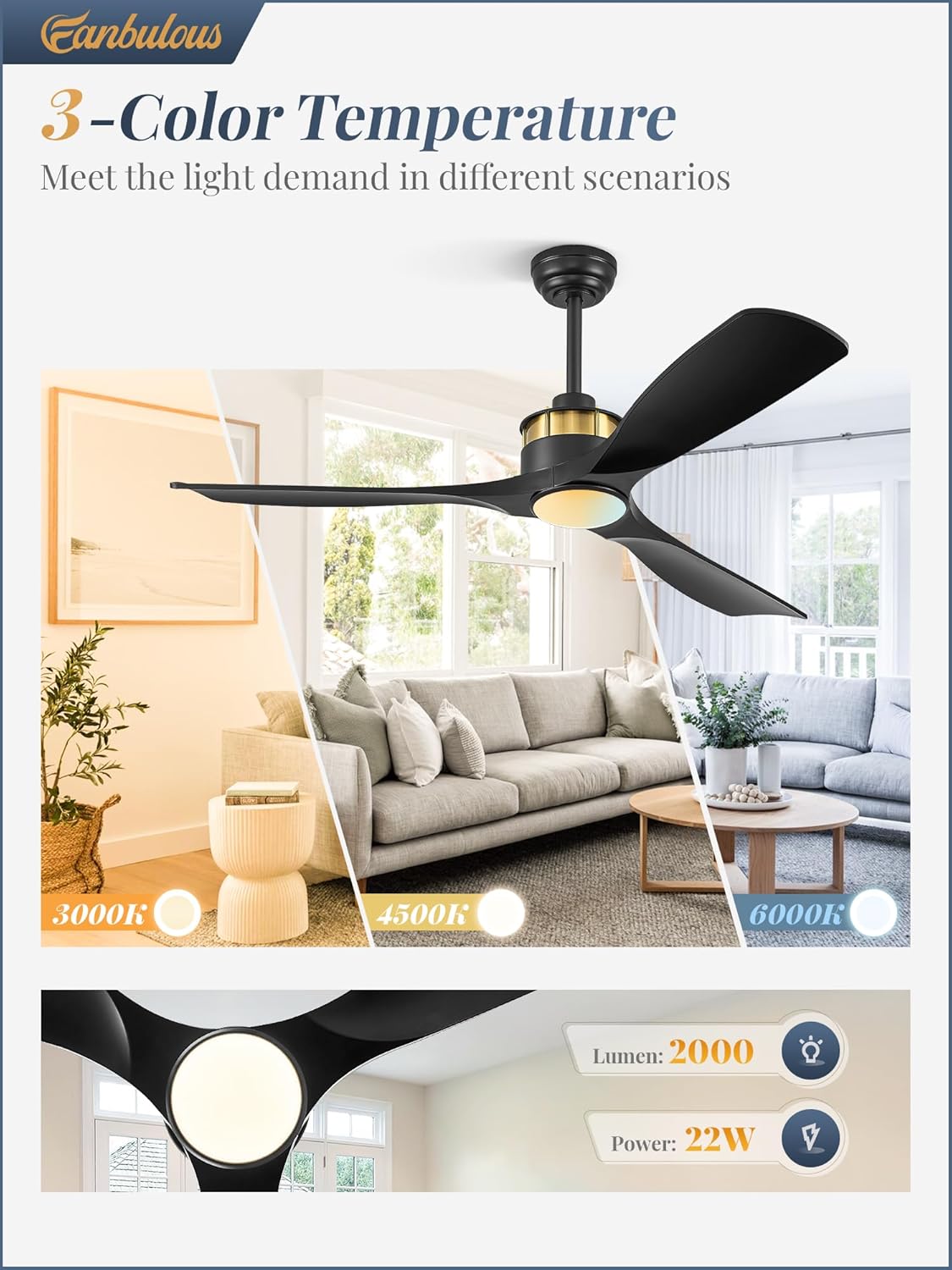
Image: Demonstrates the visual difference between 3000K, 4500K (Neutral White), and 6000K light settings in a living room environment, highlighting the fan's ability to meet various lighting demands.
Reversible DC Motor Technology
The fan features a reversible DC motor, allowing for optimal air circulation throughout the year:
- Summer Mode (Forward Airflow): Blades rotate counter-clockwise, pushing cool air downwards to create a refreshing breeze.
- Winter Mode (Reverse Warm Airflow): Blades rotate clockwise, drawing cool air up towards the ceiling and circulating warm air trapped near the ceiling downwards, helping to evenly heat the room.
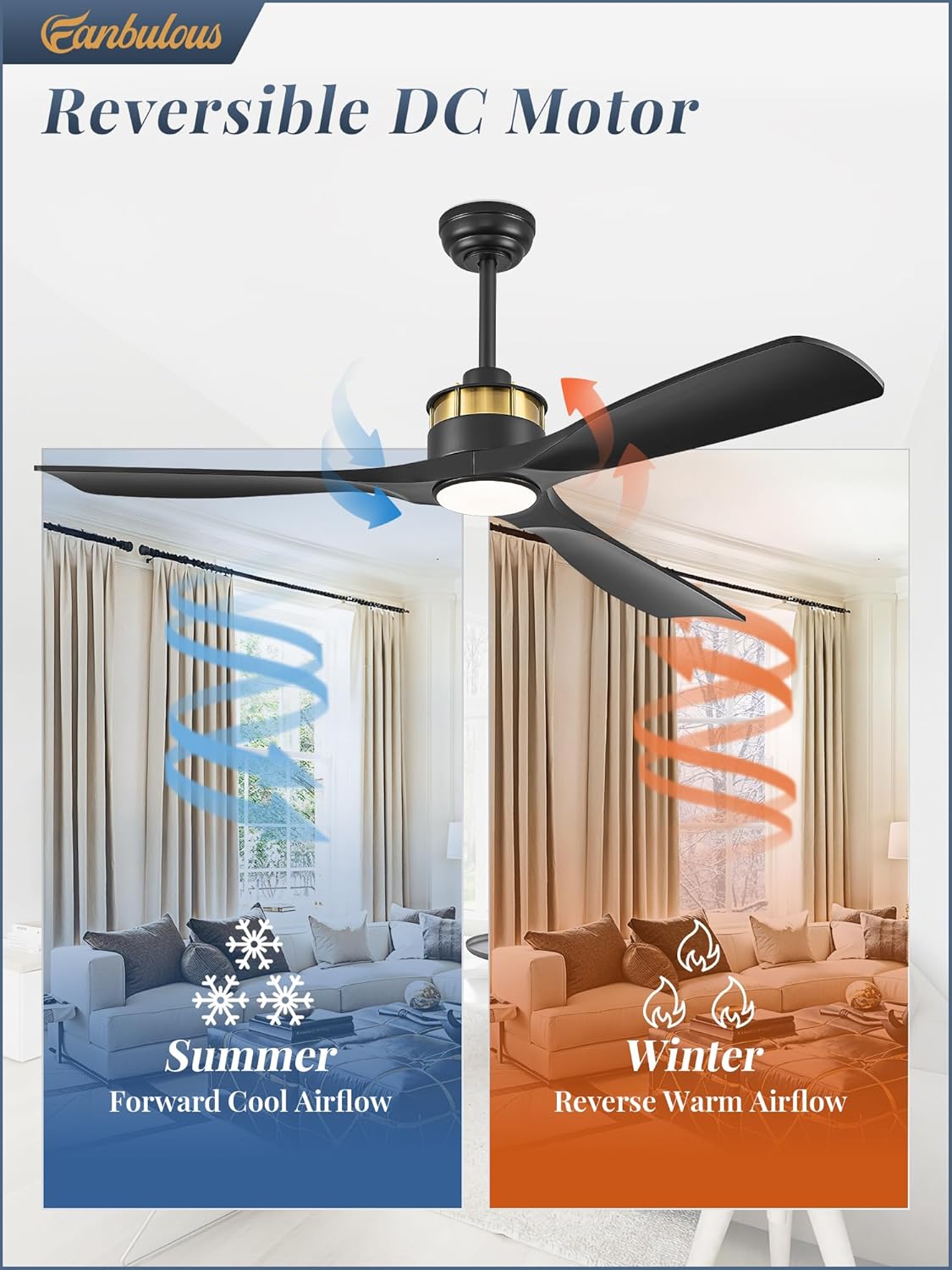
Image: Illustrates the fan's reversible DC motor function, showing forward cool airflow for summer and reverse warm airflow for winter, optimizing comfort in different seasons.
Quiet Operation
The Fanbulous ceiling fan is engineered for quiet operation, with a noise level less than 35 dB, ensuring a peaceful environment while providing powerful airflow.

Image: An infographic comparing the fan's noise level (less than 35 dB) to common sounds like a flower sound (10 dB), library (25 dB), whisper (45 dB), and crowded street (55 dB), highlighting its quiet performance.
Maintenance
Cleaning
To maintain the appearance and performance of your ceiling fan, regular cleaning is recommended. Always ensure the power is turned off at the circuit breaker before cleaning.
- Use a soft, damp cloth to wipe down the fan blades and motor housing.
- Do not use abrasive cleaners or solvents, as these may damage the finish.
- For the light cover, gently wipe with a soft, dry cloth.
General Care
Periodically check all connections and mounting hardware to ensure they remain secure. No lubrication is required for the motor.
Troubleshooting
If you experience issues with your Fanbulous ceiling fan, refer to the following common troubleshooting steps:
| Problem | Possible Cause | Solution |
|---|---|---|
| Fan does not start |
|
|
| Fan makes excessive noise |
|
|
| Light does not work |
|
|
Specifications
| Brand | Fanbulous |
| Model Number | Y24FSD0003-6801 |
| Product Dimensions | 66.04 x 30.48 x 22.86 cm |
| Item Weight | 6.42 kg |
| Material | Plastic (ABS blades) |
| Colour | Black |
| Style | With Light |
| Power Source | DC |
| Control Method | Remote |
| Fan Speeds | 6 Speeds |
| Light Color Temperature | 3000K, 4000K, 6000K (3 CCT) |
| Timer Settings | 1H, 4H, 8H |
| Indoor/Outdoor Usage | Outdoor (suitable for covered outdoor spaces) |
| Certifications | UL rated, FCC-ID |
Warranty and Customer Support
Fanbulous is committed to providing exceptional after-sales service. This product comes with a 2-year warranty from the date of purchase.
Should you have any questions, concerns, or require assistance with your Fanbulous ceiling fan, please do not hesitate to contact our dedicated customer support team. We are ready to assist you and ensure your satisfaction.
For support, please refer to the contact information provided on your purchase receipt or visit the official Fanbulous website.
Related documentsY24FSD0003-6801

Ask a question about this manual
Ask about setup, troubleshooting, compatibility, parts, safety, or missing instructions. Manuals+ will review the question and use this page’s manual context to help answer it.