
Introduction
This manual provides detailed instructions for the assembly, operation, and maintenance of your USX MOUNT Bookshelf Speaker Stands. Please read this manual thoroughly before installation and retain it for future reference. Ensure all components are present and undamaged before beginning assembly.
Safety Information
- Weight Capacity: Do not exceed the maximum load capacity of 11 lbs (5 kg) per stand. Overloading can cause instability and damage.
- Stable Surface: Always place the speaker stands on a flat, stable, and level surface.
- Children and Pets: Keep children and pets away from the speaker stands during assembly and ensure they cannot pull or climb on the assembled stands.
- Component Check: Regularly inspect all connections and components to ensure they remain secure.
- Proper Installation: Follow all installation steps precisely. Incorrect assembly can lead to product failure and injury.
Setup and Assembly
Follow these steps to assemble your USX MOUNT Bookshelf Speaker Stands.
Step 1: Unpack Components
Carefully remove all parts from the packaging. Verify that all components listed in the parts list are present and undamaged.
Step 2: Connect Poles to Base
Attach the lower pole to the square base. Ensure a secure connection. The base provides stability for the stand.
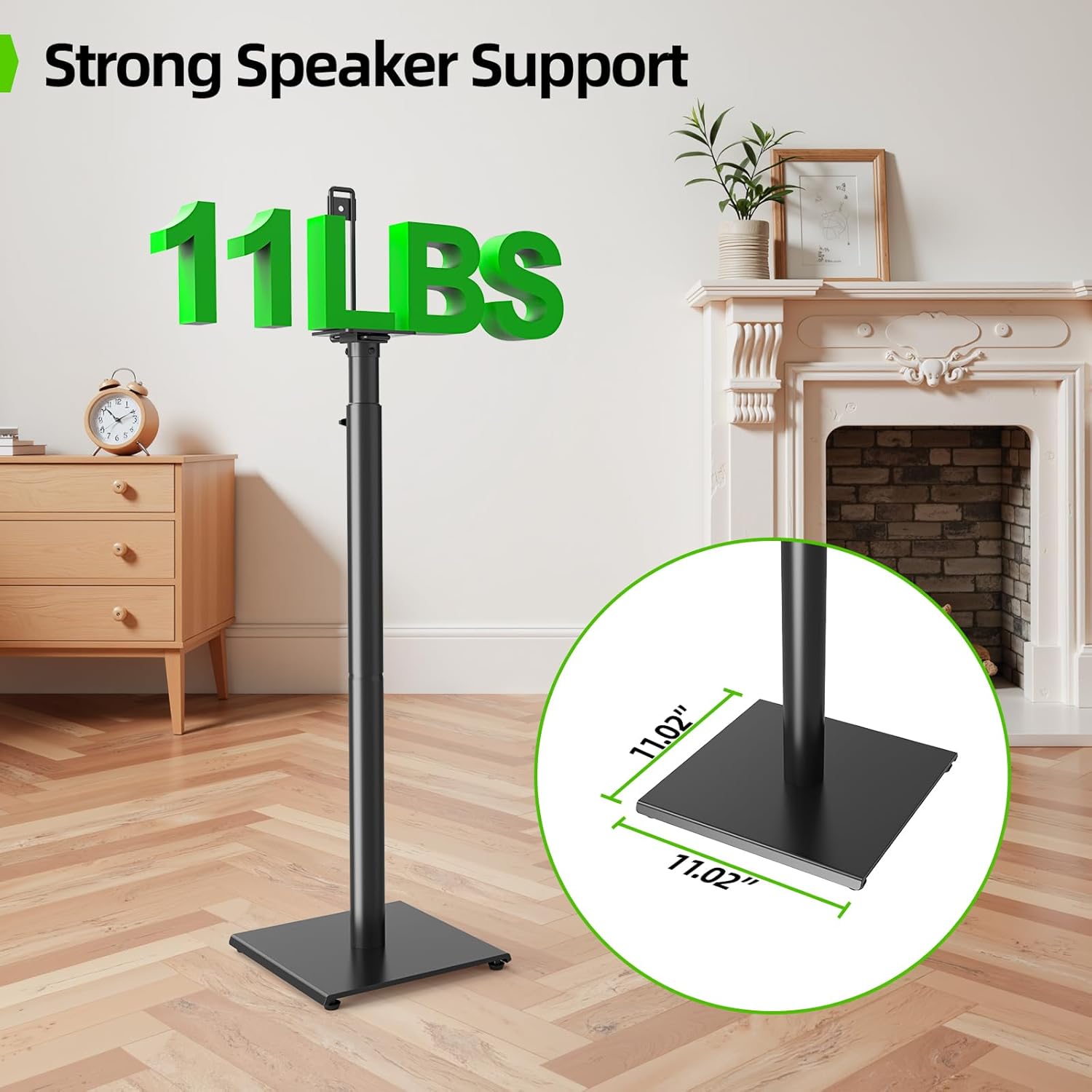
The sturdy square base measures 11.02 inches by 11.02 inches and supports up to 11 lbs (5 kg).
Step 3: Attach Speaker Mounting Bracket
Secure the speaker mounting bracket to the top pole. The stands offer multiple installation options to accommodate various speaker types:
- Vertical Hole/Key Hole: Use the provided screws to attach speakers with vertical or keyhole mounting points.
- Wooden Base: For speakers with a wooden base and no mounting holes, the bracket can provide support.

Various mounting options are available to fit different speaker designs. Ensure your speaker's dimensions are compatible.

Recommended speaker dimensions: up to 18 inches high and 9.4 inches wide.
Step 4: Adjust Height
The speaker stands feature tool-free height adjustment. Use the collar mechanism to set the desired height between 32 inches and 42 inches. This allows for optimal sound positioning.
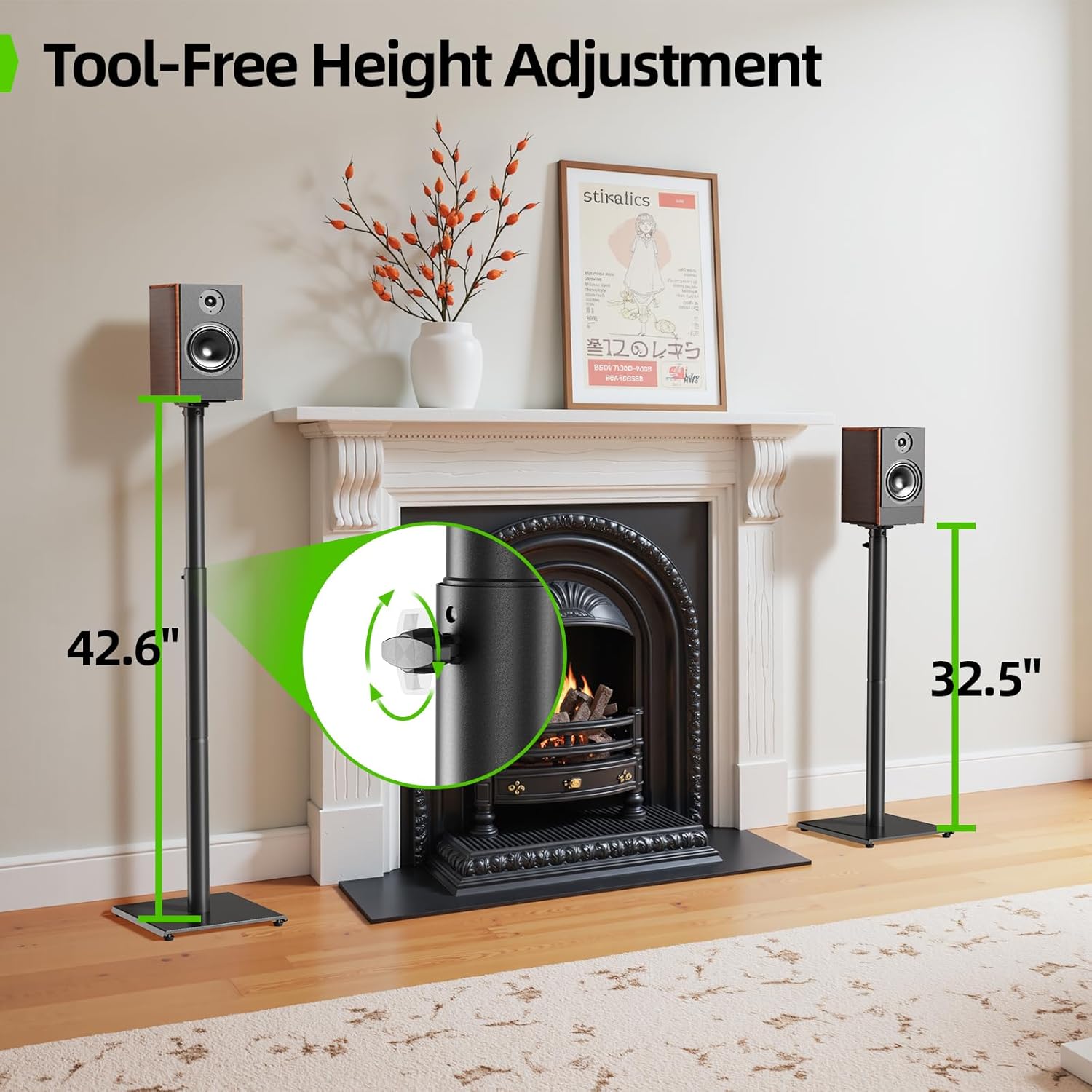
Adjust the stand height from 32 inches to 42 inches for optimal listening.
Step 5: Install Speaker
Mount your speaker onto the attached bracket using the appropriate hardware. Ensure the speaker is securely fastened.
Step 6: Cable Management
Route speaker cables through the internal channel of the stand for a clean and organized appearance. The channel measures 0.6 inches wide by 1.2 inches high.
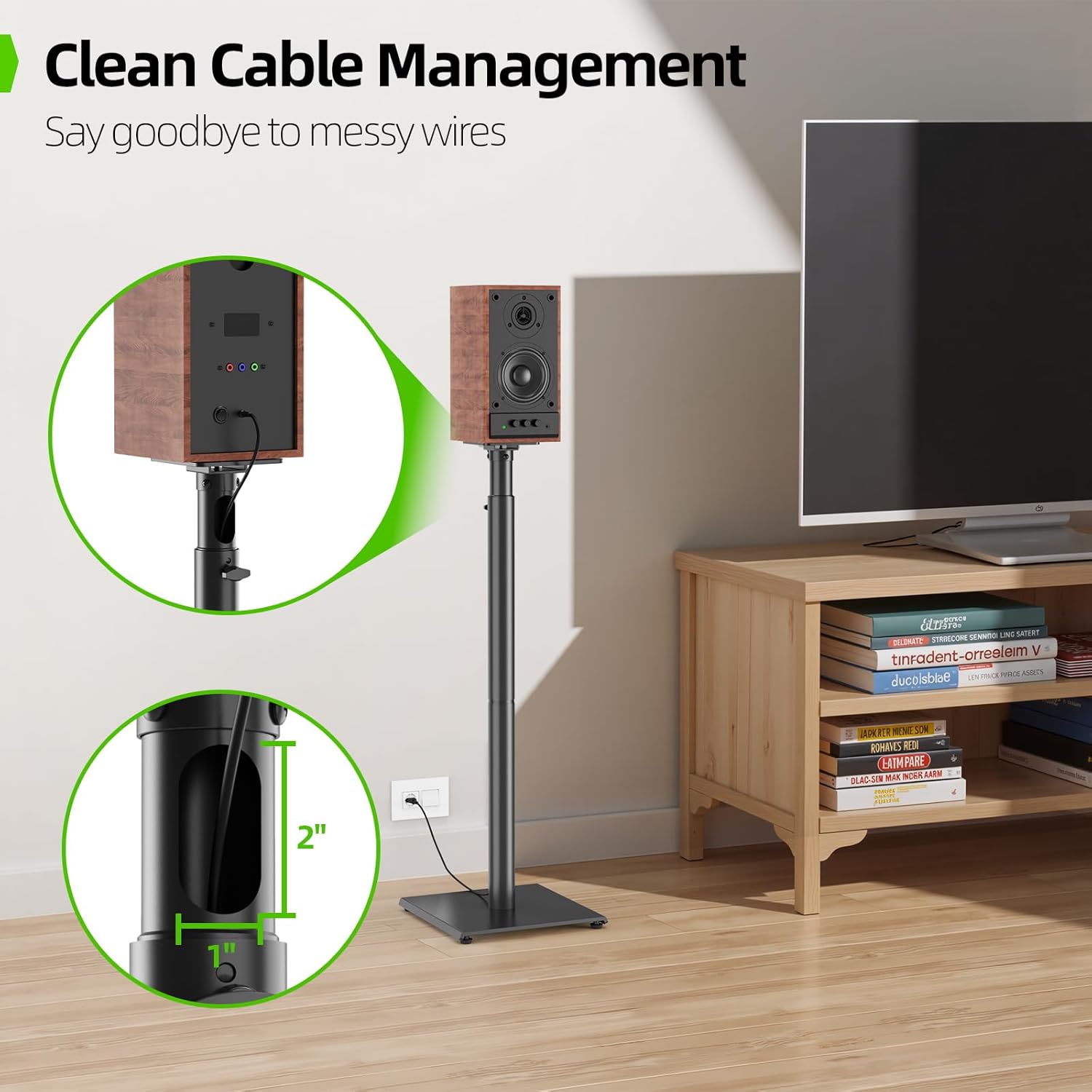
Utilize the internal cable management channel to keep wires neat.
Step 7: Floor Stability
For hard floors (wood, cement, tile), use the included rubber feet. For carpeted surfaces, install the carpet nails for enhanced stability.

Choose between rubber feet for hard floors or carpet nails for carpeted areas to ensure stability.
Installation Videos
Bookshelf Speaker Stands Installation Video
This video provides a visual guide for the installation process of the bookshelf speaker stands.
USX MOUNT Bookshelf Speaker Stands Overview
An overview video showcasing the features and assembly of the USX MOUNT Bookshelf Speaker Stands.
Operating Instructions
Once assembled, the USX MOUNT Bookshelf Speaker Stands are designed for simple operation.
Height Adjustment
To adjust the height, loosen the collar on the main pole, slide the upper pole to the desired height (between 32 and 42 inches), and then tighten the collar securely. Ensure both stands are at the same height for balanced sound projection.
Speaker Placement
Position your speakers on the stands to achieve optimal audio performance. Experiment with placement to find the best soundstage for your listening environment. Ensure speakers are centered and stable on the mounting brackets.
Maintenance
- Cleaning: Wipe the stands with a soft, dry cloth to remove dust. Avoid abrasive cleaners or solvents.
- Regular Checks: Periodically check all screws and connections to ensure they remain tight and secure.
- Stability: Confirm the stands remain stable on your chosen flooring. Re-adjust rubber feet or carpet nails if necessary.
Troubleshooting
| Problem | Possible Cause | Solution |
|---|---|---|
| Stand is wobbly or unstable. | Uneven floor; loose connections; incorrect feet/nails. | Ensure stand is on a level surface. Tighten all screws. Use appropriate rubber feet for hard floors or carpet nails for carpet. |
| Speaker does not fit the mounting bracket. | Speaker dimensions exceed compatibility; incorrect mounting method. | Verify speaker dimensions against specifications (max 11 lbs, 18" H, 9.4" W). Review mounting options in the setup section. |
| Cables are not neatly managed. | Cables not routed through the internal channel. | Guide cables through the designated internal channel in the stand pole. |
| Height adjustment mechanism is stuck. | Collar is too tight or debris is in the pole. | Loosen the collar completely. Check for any obstructions inside the pole. |
Specifications
- Brand: USX MOUNT
- Model Number: Speaker Stands
- Material: Metal
- Color: Black
- Height Adjustment: 32 inches to 42 inches (81.3 cm to 106.7 cm)
- Base Dimensions: 11.02 inches L x 11.02 inches W (28 cm L x 28 cm W)
- Load Capacity: 11 lbs (5 kg) per stand
- Cable Management: Internal channel (0.6 inches W x 1.2 inches H)
- Item Weight: 6.3 kg (for the pair)
- Number of Items: 2 (Pair)
- UPC: 797505421613
Warranty Information
This USX MOUNT product comes with a 2-year warranty. Please retain your proof of purchase for warranty claims. The warranty covers manufacturing defects and material flaws under normal use. It does not cover damage caused by improper installation, misuse, or exceeding the stated weight capacity.
Customer Support
For any questions, concerns, or assistance with your USX MOUNT Bookshelf Speaker Stands, please refer to the contact information provided with your purchase or visit the official USX MOUNT website for support resources.


