
1. Introduction
Thank you for choosing the POWERTEC 30 Micron Dust Collector Bag with 4" Key Hose Clamps. This product is designed to enhance your woodworking environment by effectively capturing fine dust particles, ensuring a cleaner and safer workspace. This manual provides essential information for the proper setup, operation, and maintenance of your dust collection bag.
The 30-micron filtration capability helps protect your respiratory health and prolong the life of your tools by preventing dust accumulation. Its versatile design and included key hose clamp ensure a secure and leak-free connection to compatible woodworking machinery.
2. Safety Information
Always prioritize safety when working with power tools and dust collection systems. Read and understand all instructions before use.
- Eye Protection: Always wear appropriate eye protection when operating woodworking machinery.
- Respiratory Protection: While this bag captures fine dust, it is recommended to wear a dust mask or respirator, especially when working with materials that produce very fine particles.
- Ventilation: Ensure adequate ventilation in your workspace.
- Secure Connection: Always ensure the dust bag is securely attached to the dust port using the provided key hose clamp to prevent accidental detachment and dust leakage.
- Empty Regularly: Do not allow the dust bag to overfill. Overfilling can reduce collection efficiency and potentially strain your dust collector or planer motor.
- Inspect for Damage: Before each use, inspect the dust bag for any tears, holes, or damage to the zipper or seams. Do not use a damaged bag.
- Proposition 65 Warning: This product may expose you to chemicals known to the State of California to cause cancer and birth defects or other reproductive harm. For more information, go to www.P65Warnings.ca.gov.
3. Product Overview
3.1 Components Included
- 1 x 30-Micron Dust Collection Bag
- 1 x 4" Key Hose Clamp
3.2 Key Features
- 30 Micron Filtration: Effectively captures fine dust particles, improving air quality.
- Heavy-Duty Construction: Made from durable polyester for long-lasting performance.
- Clear Viewing Window: Allows for easy monitoring of dust levels, indicating when the bag needs emptying.
- Bottom Zipper: Facilitates quick and effortless emptying of collected dust and chips.
- 4" Key Hose Clamp: Provides a secure and adaptable connection to dust ports.
3.3 Compatibility
This dust collection bag and clamp combo is designed for optimal versatility with various woodworking machines featuring a 4" OD (Outer Diameter) dust port. Compatible models include, but are not limited to:
- DEWALT DW735 Planer
- DEWALT DW734 Planer
- WEN PL1326 Planer
- WEN PL1303 Planer
- WEN DC3401 Dust Collector
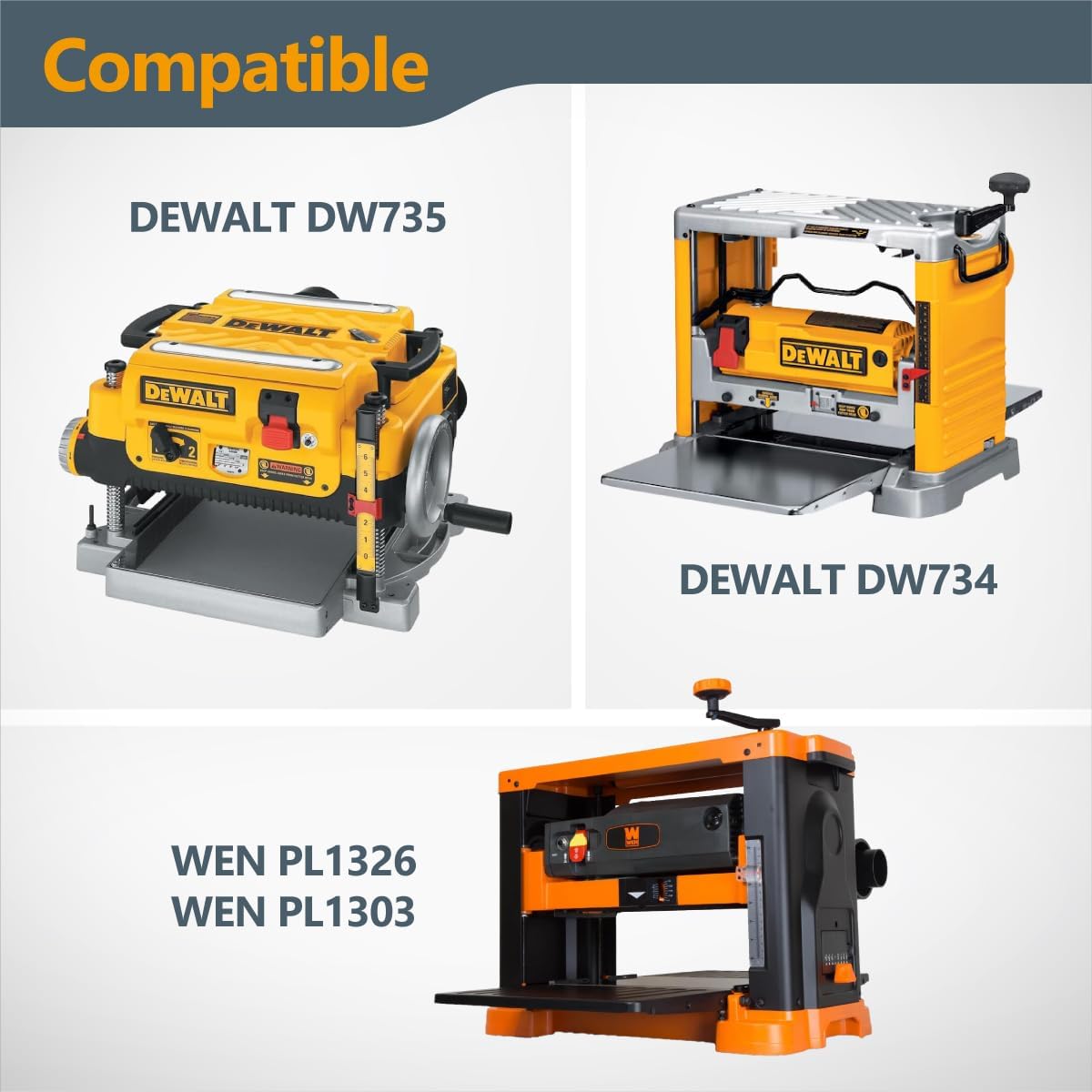
Figure 3.1: Compatible Planer Models. The image displays the POWERTEC logo at the top, with the word "Compatible" prominently featured. Below, images of a DEWALT DW735 planer, a DEWALT DW734 planer, and WEN PL1326/PL1303 planers are shown, indicating their compatibility with the dust bag.
4. Setup Instructions
Follow these steps to properly attach the dust collection bag to your woodworking machine:
- Prepare the Dust Port: Ensure the dust port on your planer or dust collector is clean and free of debris.
- Attach the Bag: Slide the open end of the POWERTEC dust collection bag over the 4" OD dust port of your machine. Ensure the bag is fully seated and covers the port securely.
- Secure with Clamp: Position the 4" key hose clamp around the bag where it overlaps the dust port. Tighten the clamp using the key or a suitable tool until the bag is firmly secured and a tight seal is achieved. Do not overtighten.

Figure 4.1: Dust Bag Attached to Planer. This image shows the white POWERTEC dust collection bag securely attached to the dust port of a yellow DeWalt planer, which is positioned on a wooden workbench. A piece of wood is being fed into the planer.

Figure 4.2: Outlet Compatibility Diagram. A diagram of the dust bag is shown with a measurement indicating its compatibility with planer and woodworking machine outlets ranging from 4" to 4-1/2" in size.
5. Operating Instructions
Once the dust bag is securely installed, you can begin operating your woodworking machine. The bag will automatically collect wood chips and dust as they are expelled from the machine's dust port.
- Monitor Dust Level: Regularly check the clear viewing window on the side of the bag to monitor the accumulated dust and chips.
- Empty When Full: Empty the bag before it becomes completely full to maintain optimal dust collection efficiency and prevent back pressure on your machine.

Figure 5.1: Clear Viewing Window. A close-up view of the POWERTEC dust bag highlights its clear vertical window, which allows users to easily see the level of sawdust collected inside, indicating when it's time to empty the bag.
6. Maintenance
Proper maintenance will ensure the longevity and continued effectiveness of your POWERTEC dust collection bag.
6.1 Emptying the Bag
The bag features a convenient zipper at the bottom for easy emptying:
- Remove from Machine (Optional but Recommended): For easier emptying, you may detach the bag from the dust port by loosening the key hose clamp.
- Unzip and Empty: Hold the bag over a waste receptacle and unzip the bottom. Allow all collected dust and chips to fall out.
- Re-zip: Once empty, securely re-zip the bottom of the bag.
- Reattach (if removed): If you removed the bag, reattach it to the dust port following the setup instructions.

Figure 6.1: Bottom Zipper for Easy Emptying. This image highlights the added zipper at the bottom of the POWERTEC dust bag, illustrating how it opens to make the emptying process quick and effortless.
6.2 Cleaning the Bag
Periodically, you may wish to clean the bag to maintain optimal filtration and airflow:
- Shake Out: After emptying, vigorously shake the bag outdoors to dislodge any fine dust clinging to the interior fabric.
- Light Brushing: For stubborn dust, a soft brush can be used on the exterior of the bag.
- Avoid Washing: Do not machine wash or submerge the bag in water, as this can damage the filtration properties of the material.
7. Troubleshooting
If you encounter issues with your dust collection bag, refer to the following common problems and solutions:
| Problem | Possible Cause | Solution |
|---|---|---|
| Poor dust collection / Excessive dust in air | Bag is full or nearly full Loose connection at dust port Tear or hole in bag | Empty the dust bag Ensure clamp is tightened securely Inspect bag for damage; replace if necessary |
| Bag detaches during operation | Clamp not tightened sufficiently Incorrect size dust port | Re-tighten the key hose clamp Ensure your machine's dust port is 4" OD |
| Difficulty emptying bag | Zipper stuck or damaged Dust compacted inside | Clear any debris from zipper path; lubricate if needed Gently shake or tap the bag to loosen compacted dust |
8. Specifications
| Attribute | Detail |
|---|---|
| Model Number | 70399 |
| Filtration Rating | 30 Micron |
| Material | Polyester |
| Color | White & Clear |
| Item Weight | 7.2 ounces |
| Product Dimensions | 13.58 x 1.65 x 0.47 inches |
| Included Components | 1 x 30-Micron Dust Collection Bag, 1 x 4" Key Hose Clamp |
| Special Features | Easy Removal, Clear Viewing Window, Bottom Zipper |
| Compatible Dust Port Size | 4" OD (Outer Diameter) |
9. Warranty and Support
POWERTEC is committed to providing high-quality woodworking tools and accessories. For any questions, concerns, or support regarding your dust collection bag, please visit the official POWERTEC store or contact their customer service.
For more information and to explore other POWERTEC products, please visit: POWERTEC Amazon Store

