
EUREKA NEW400
Contents
EUREKA NEW400 Cordless Wet & Dry Vacuum Cleaner User Manual
Your comprehensive guide to operating and maintaining your EUREKA NEW400 for optimal cleaning performance.
Product Overview
The EUREKA NEW400 is a versatile cordless wet and dry vacuum cleaner designed for efficient cleaning of various hard floor surfaces. Its lightweight and self-propelled design ensures effortless maneuverability, while the intelligent features and dual tank system provide a hygienic and convenient cleaning experience.

Figure 1: EUREKA NEW400 main unit and included accessories.
1. Setup and Assembly
Follow these steps to assemble your EUREKA NEW400 and prepare it for first use.
- Unpacking: Carefully remove all components from the packaging. Verify that all parts listed in the "What's in the Box" section are present.
- Handle Assembly: Insert the handle into the main body of the vacuum cleaner until it clicks securely into place. Ensure it is firmly attached.
- Charging: Before first use, fully charge the vacuum cleaner. Place the unit on its charging base. The charging indicator lights will show the charging status. A full charge takes approximately 5 hours.
- Filling the Clean Water Tank: Locate the clean water tank (600 ml capacity). Remove the cap and fill it with clean water. For enhanced cleaning and odor neutralization, add the recommended amount of EUREKA cleaning solution. Securely close the cap and reattach the tank to the main unit.
- Initial Self-Cleaning Cycle: It is recommended to run an initial self-cleaning cycle before the first use to prime the system. Refer to the "Self-Cleaning" section for instructions.

Figure 2: Illustration of the dual water tank system (clean water tank 600ml, dirty water tank 400ml).
2. Operating Instructions
2.1 Powering On/Off
To turn on the EUREKA NEW400, press the power button located on the handle. Press it again to turn off the device. The vacuum will automatically stop if left in an upright position during cleaning for safety and efficiency.
2.2 Cleaning Modes
The EUREKA NEW400 offers a 3-in-1 cleaning function: vacuuming, mopping, and water cleaning. It is designed for hard floors such as wood, tile, and marble. Note: This appliance is not suitable for use on carpets.

Figure 3: The EUREKA NEW400 effectively cleans various types of spills and debris on hard surfaces.
2.3 Maneuverability
The vacuum features a self-propelled function and a lightweight design (3.95 kg) for easy navigation. Its flexible head and pivoting steering allow access to tight spaces, enhancing maneuverability and ease of use.
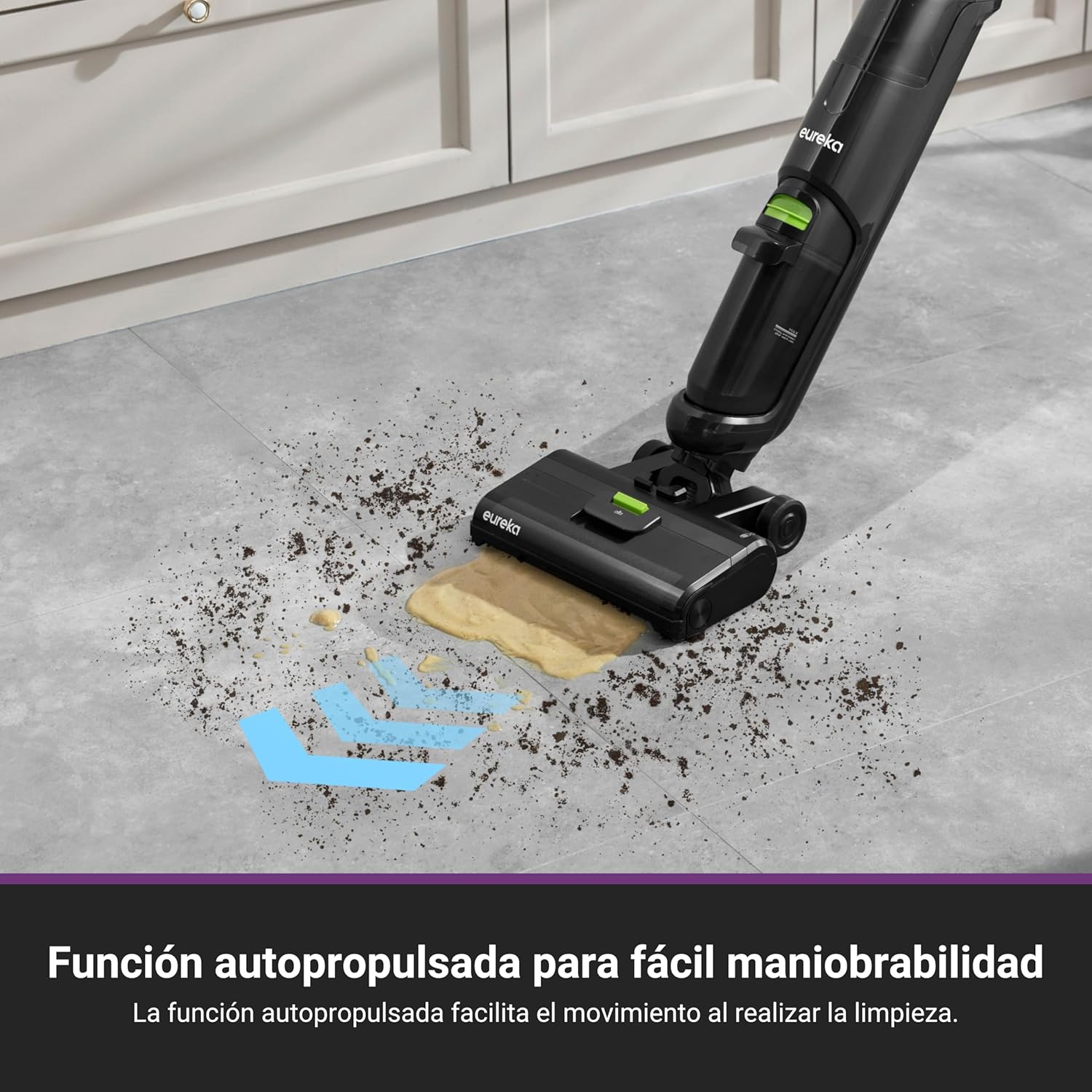
Figure 4: The self-propelled function assists in effortless movement across the floor.
2.4 Battery Life
The robust battery provides up to 30 minutes of cordless cleaning. Battery life may vary based on the power setting used (high power < 20 minutes, low power > 30 minutes). The device is equipped with intelligent technology that automatically alerts users and shuts off when the dirty water tank is full, preventing overflow.
2.5 Noise Reduction
The EUREKA NEW400 is designed for ultra-quiet performance, ensuring a peaceful cleaning experience that won't disturb your family or pets.

Figure 5: The vacuum operates quietly, ideal for households with children or pets.
3. Maintenance
3.1 Self-Cleaning Function
Activate the self-cleaning cycle by pressing and holding the dedicated button for 3 seconds. This ensures the roller brush and internal tubes are cleaned automatically, preventing the need to handle dirty rollers.

Figure 6: The self-cleaning function keeps the mop roller and internal system clean.
3.2 Emptying and Cleaning the Dirty Water Tank
The dirty water tank has a 400 ml capacity. It is crucial to empty and clean this tank after each use to maintain hygiene and prevent odors. The device will alert you when the tank is full.
3.3 Roller Brush and Filter Cleaning
While the self-cleaning function handles most of the roller brush cleaning, occasional manual inspection and cleaning of the roller brush and foam filter are recommended. Remove the roller brush and filter as per the diagram in the manual and rinse them under running water. Allow them to air dry completely before reinserting.
3.4 Storage
Store the EUREKA NEW400 on its charging base in a dry, safe place. Ensure the clean and dirty water tanks are empty and clean before storing for extended periods.
4. Troubleshooting
| Problem | Possible Cause | Solution |
|---|---|---|
| Device does not turn on. | Battery is low or depleted. | Charge the device fully (approx. 5 hours). |
| Poor suction or cleaning performance. | Dirty water tank is full; Clean water tank is empty; Roller brush is clogged; Filter is dirty. | Empty dirty water tank; Refill clean water tank; Clean roller brush; Clean or replace filter. |
| Device stops unexpectedly. | Dirty water tank is full; Device is in upright position. | Empty dirty water tank; Tilt the device to resume operation. |
| Unpleasant odor from the device. | Dirty water tank or roller brush needs cleaning. | Perform self-cleaning cycle; Manually clean dirty water tank and roller brush thoroughly. |
If the problem persists after attempting these solutions, please contact EUREKA customer support.
5. Product Specifications
- Model: NEW400
- Brand: EUREKA
- Dimensions: 29 x 26 x 119 cm (11.4 x 10.2 x 46.8 inches)
- Weight: 3.95 kg (8.7 lbs)
- Power: 120 Watts
- Battery Type: Lithium Ion (6 cells)
- Battery Life: Up to 30 minutes
- Charging Time: Approximately 5 hours
- Clean Water Tank Capacity: 600 ml
- Dirty Water Tank Capacity: 400 ml
- Filter Type: Foam
- Special Features: Lightweight, Wet/Dry Function, Portable, Self-Propelled, Self-Cleaning, Dual Tank System
- Recommended Use: Hard floors (parquet, marble, tiles)
6. Warranty and Support
EUREKA products are engineered for high quality and reliability. For warranty information and customer support, please refer to the official EUREKA website or the warranty card included in your product packaging.
Online Support: Visit the official EUREKA store for FAQs, troubleshooting guides, and contact information: EUREKA Official Store
Contact: For direct assistance, please contact EUREKA customer service through the details provided on their official website.
Documents and downloads
Ask a question about this manual
Ask about setup, troubleshooting, compatibility, parts, safety, or missing instructions. Manuals+ will review the question and use this page’s manual context to help answer it.