
1. Introduction
Thank you for choosing the ROMECH Under Cabinet Light. This manual provides essential information for the safe and efficient use of your new lighting product. Please read these instructions thoroughly before installation and operation, and retain them for future reference.
2. Safety Information
- This product is designed for indoor use only. Do not expose to rain or moisture.
- Do not disassemble, repair, or modify the product. This may cause electric shock, fire, or damage to the product.
- Keep the product away from heat sources, direct sunlight, and flammable materials.
- Ensure the charging cable is not damaged before use. Use only the provided USB charging cable.
- Keep out of reach of children.
3. Product Overview
The ROMECH Under Cabinet Light is a versatile, wireless lighting solution featuring 53 LED beads, three color temperatures, stepless dimming, and a smart motion sensor. It is powered by a 1200mAh rechargeable battery and designed for easy installation in various indoor locations.
3.1 Components
- Under Cabinet Light Unit
- USB-C Charging Cable
- Magnetic Mounting Brackets with Adhesive
3.2 Features
- 53 LED Beads: Provides bright and efficient illumination.
- 3 Color Temperatures: Switch between 3000K (warm), 4000K (natural), and 6000K (white) to suit different environments.
- Stepless Dimming: Adjust brightness continuously from 10% to 100%.
- Smart Motion Sensor: Automatically turns on when motion is detected in dark or low-light conditions within 10ft/120° and turns off after 20 seconds of no motion.
- 1200mAh Rechargeable Battery: Offers long-lasting operation.
- USB-C Charging: Convenient and fast charging.
- Easy Installation: Magnetic adsorption or adhesive mounting.
- Durable Construction: Made from high-quality aluminum alloy for corrosion resistance and heat dissipation.

Figure 1: ROMECH Under Cabinet Light with labeled PIR Motion Sensor, ON/AUTO/OFF button, Type-C port, and buttons for 3 Color Temperatures and Stepless Dimming.
Video 1: An overview of the ROMECH Under Cabinet LED Light, demonstrating its features and applications.
4. Setup & Installation
The ROMECH Under Cabinet Light offers two convenient installation methods: direct magnetic adsorption to metal surfaces or adhesive mounting using the provided magnetic brackets.
4.1 Magnetic Mounting
- Identify a suitable metal surface where you wish to install the light.
- Simply place the light directly onto the metal surface. The built-in magnets will secure it in place.
4.2 Adhesive Mounting
- Clean the desired installation surface thoroughly to ensure it is dry and free of dust or grease.
- Peel off the protective film from the adhesive side of the magnetic mounting brackets.
- Firmly press the brackets onto the cleaned surface and hold for 30 seconds to ensure strong adhesion.
- Allow the adhesive to set for at least 24 hours before attaching the light.
- Once the brackets are secure, the light can be magnetically attached to them. This allows for easy removal for charging.
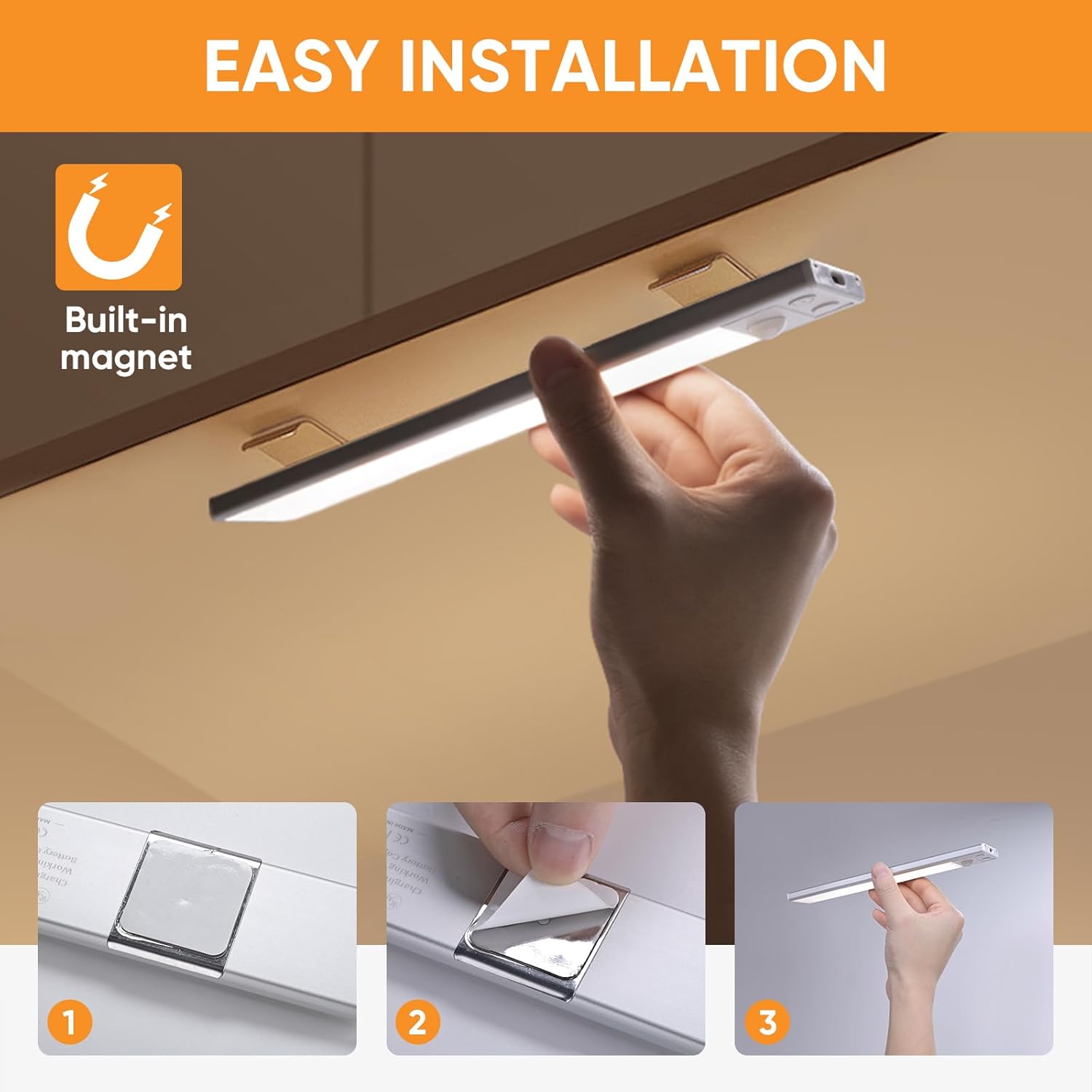
Figure 2: Step-by-step guide for adhesive installation: 1. Attach adhesive to magnetic strip. 2. Peel off protective film. 3. Mount light to the magnetic strip.
5. Operating Instructions
The ROMECH Under Cabinet Light features two control buttons for mode selection, color temperature, and brightness adjustment.
5.1 Mode Selection (ON/AUTO/OFF Button)
Press the ON/AUTO/OFF button to cycle through the following modes:
- ON Mode: The light remains continuously on.
- AUTO Mode (Motion Sensor): The light will only activate in dark or low-light environments when human motion is detected within 10ft/120°. It will automatically turn off after 20 seconds of no motion.
- OFF Mode: The light is turned off.

Figure 3: Smart Motion Sensor detection range (10ft/3m, 120°).
5.2 Color Temperature Adjustment
Short press the dedicated button (often marked with a light bulb icon) to switch between the three available color temperatures:
- 3000K: Warm Light
- 4000K: Natural Light
- 6000K: White Light

Figure 4: Demonstration of the three color temperature options: 3000K, 4000K, and 6000K.
5.3 Brightness Adjustment (Stepless Dimming)
Long press the dedicated button (often marked with a light bulb icon) to activate stepless dimming. The brightness will gradually increase or decrease. Release the button when the desired brightness level is reached.

Figure 5: Stepless dimming feature, allowing adjustment to various brightness levels.
6. Charging
The ROMECH Under Cabinet Light is equipped with a built-in 1200mAh rechargeable battery. When the battery is low, the indicator light will turn red. Charge the device using the provided USB-C cable.
- Connect the USB-C cable to the charging port on the light unit.
- Connect the other end of the cable to a standard USB power adapter (not included) or a computer USB port.
- The indicator light will turn red during charging and turn off when fully charged.
- A full charge provides approximately 6-8 hours of continuous use in ON mode or 60-90 days in AUTO (motion sensor) mode, depending on usage frequency.
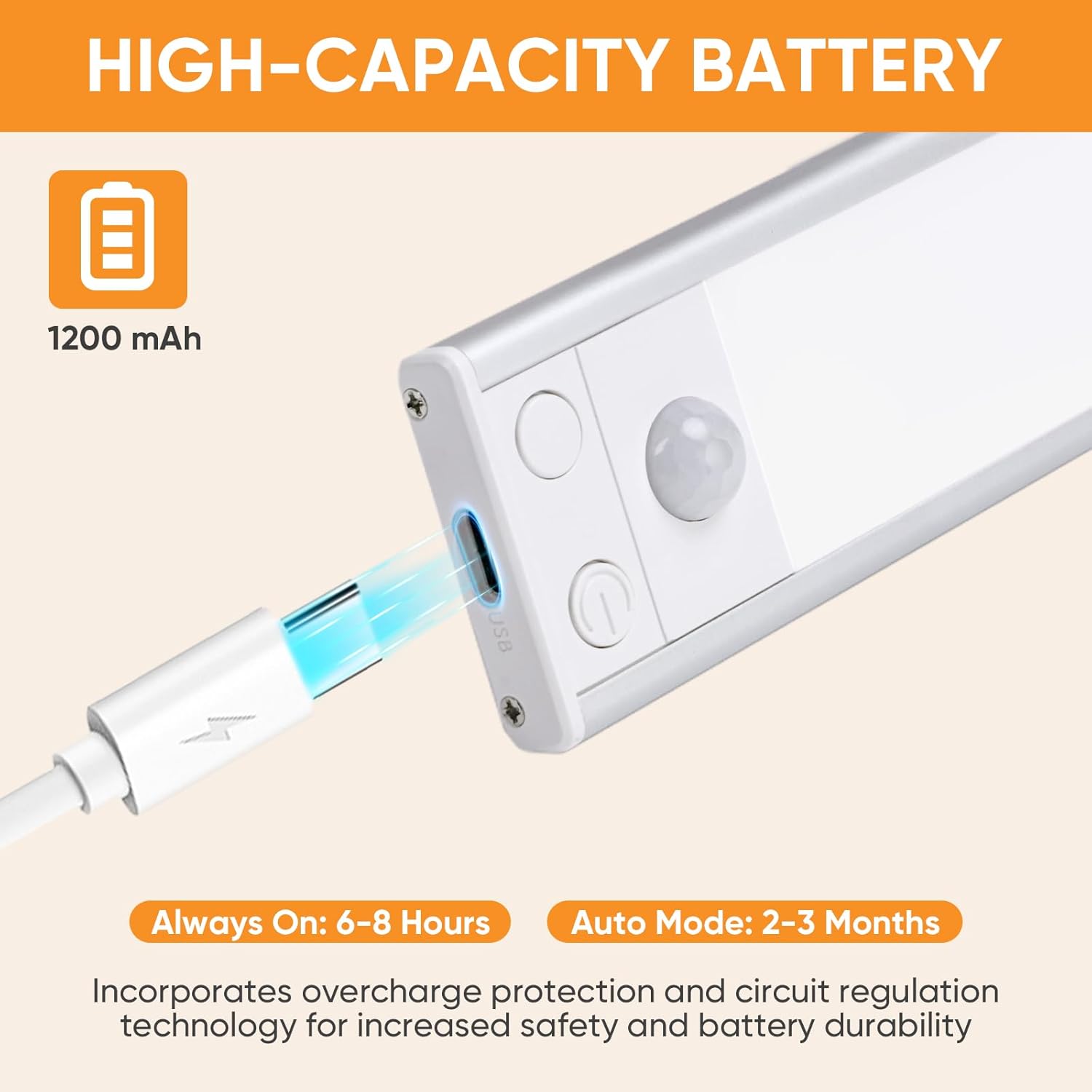
Figure 6: Charging the ROMECH Under Cabinet Light via its USB-C port.
7. Maintenance
- Cleaning: Wipe the light with a soft, dry cloth. Do not use abrasive cleaners or solvents.
- Battery Care: To prolong battery life, avoid fully discharging the battery frequently. Recharge the light when the indicator shows low battery. If storing for an extended period, charge the battery every 3 months.
8. Troubleshooting
| Problem | Possible Cause | Solution |
|---|---|---|
| Light does not turn on. | Battery is depleted. | Charge the light using the USB-C cable. |
| Motion sensor not working. | Light is not in AUTO mode. | Press the ON/AUTO/OFF button until the light is in AUTO mode. |
| Environment is too bright. | The motion sensor only activates in dark or low-light conditions. Test in a darker area. | |
| Light flickers or is dim. | Low battery. | Recharge the light. |
| Light falls off mounting surface. | Adhesive not properly set or surface not clean. | Ensure surface is clean and dry. Allow 24 hours for adhesive to set before mounting the light. Replace adhesive if necessary. |
9. Specifications
| Feature | Specification |
|---|---|
| Model Name | ROMECH-186 |
| Dimensions | 7.87"L x 1.57"W x 0.59"H |
| Light Source | 53 LED Beads |
| Color Temperatures | 3000K (Warm), 4000K (Natural), 6000K (White) |
| Brightness | 160 Lumens (Max) |
| Battery Capacity | 1200mAh |
| Power Source | Battery Powered (USB-C Rechargeable) |
| Motion Sensor Range | 10ft / 120° |
| Auto-Off Time | 20 seconds (in AUTO mode) |
| Material | Aluminum Alloy |
| Installation Type | Direct Adsorption or Adhesive Mounting |
| Indoor/Outdoor Usage | Indoor Only |
10. Warranty & Support
ROMECH is committed to the quality of its products. This product comes with a 45-day money-back guarantee and a 12-month warranty from the date of purchase. If you encounter any issues or have questions regarding your ROMECH Under Cabinet Light, please contact our customer support team for assistance. We aim for 100% satisfaction.
For support, please refer to the contact information provided with your purchase or visit the official ROMECH website.