
Introduction
The iPhanmis T95 Smart Watch is an innovative device that integrates a full-featured smartwatch with convenient TWS Bluetooth earbuds. This manual provides essential information and step-by-step instructions to help you set up, operate, and maintain your device, ensuring you get the most out of its communication, fitness tracking, and music capabilities.
What's in the Box
- 1 x T95 Smartwatch with integrated earbuds
- 1 x Leather strap (pre-installed)
- 1 x Extra silicone strap
- 1 x Extra steel strap
- 1 x Charging cable
- 1 x User manual

Product Features
- Integrated TWS Earbuds: Seamlessly store and charge Bluetooth earbuds within the watch casing.
- 1.52-inch Round IPS HD Display: Features a 360*360 high-definition display for clear visuals and vibrant colors.
- Bluetooth Call Functionality: Make and answer calls directly from the watch, utilizing the integrated earbuds for audio.
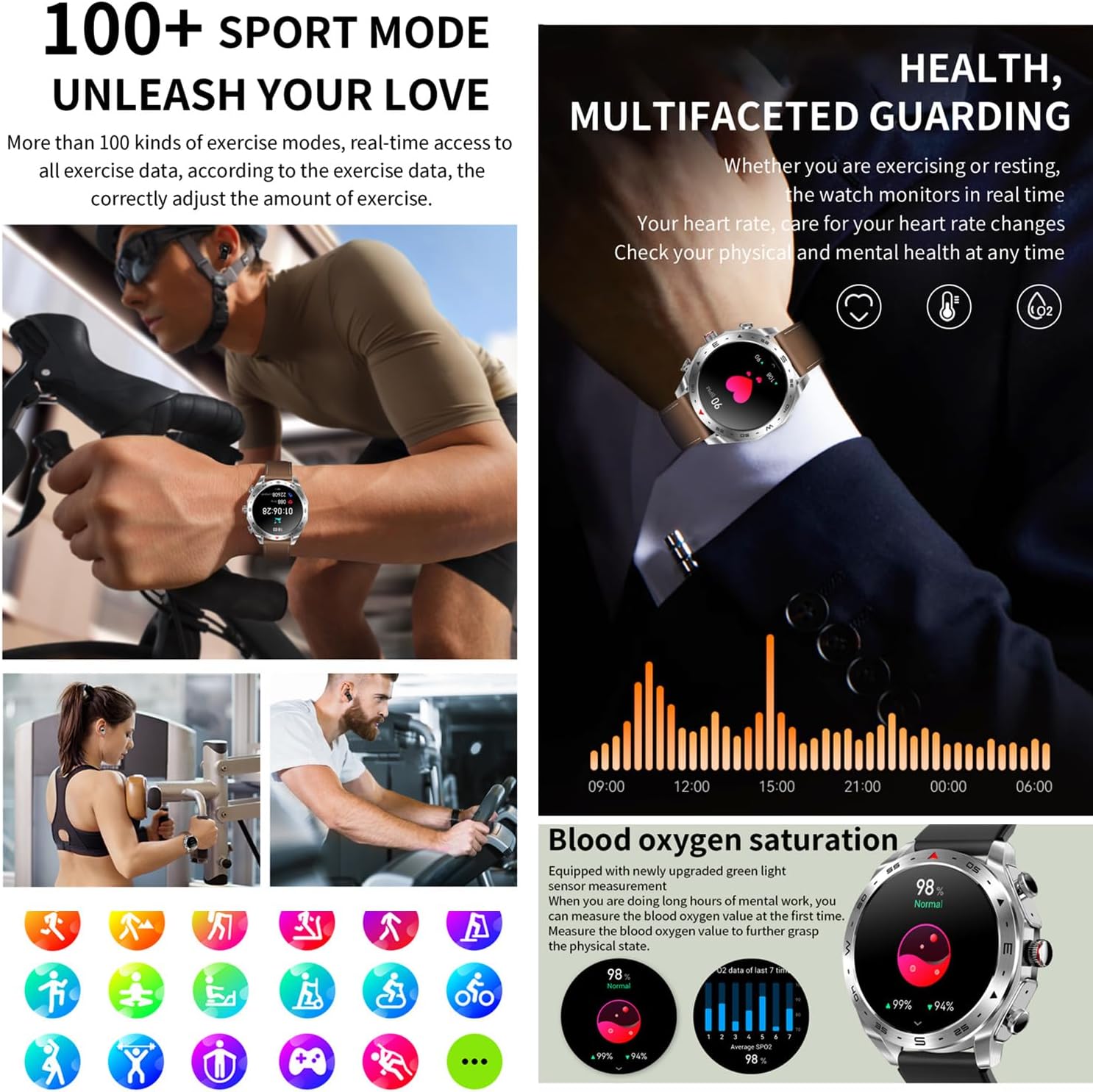
- Comprehensive Health Monitoring: Tracks heart rate, blood oxygen (SpO2), blood pressure, sleep patterns, steps, and calories burned.
- Multi-Sport Modes: Supports over 100 exercise modes for detailed fitness tracking.
- Long Battery Life: Equipped with a 400mAh battery, offering up to 10 days in daily use and over 25 days of standby time.
- Customizable Watch Faces: Access over 100 watch dials via the "Fitcloudpro" App, with options for DIY watch faces.
- Smart Notifications: Receive alerts for incoming calls, SMS messages, and social media applications (e.g., Facebook, Twitter, WhatsApp, Instagram).
- Additional Smart Functions: Includes remote camera control, music player control, alarm clock, sedentary reminder, stopwatch, weather forecast, and a 'find mobile phone' feature.
- Durable and Water-Resistant Design: Features an alloy steel case and an IP67 waterproof rating, suitable for daily wear and light water exposure.
- Broad Compatibility: Compatible with smartphones running Android 4.4 and above, and iOS 8.0 and above.

Setup Guide
1. Initial Charging
Before first use, ensure your T95 Smart Watch is fully charged. Connect the provided magnetic charging cable to the charging points on the back of the watch. A charging indicator will appear on the screen. Allow the watch to charge completely.

2. App Installation
Download and install the "Fitcloudpro" application on your smartphone. This app is available on the Google Play Store for Android devices and the Apple App Store for iOS devices.
3. Device Pairing
- Ensure Bluetooth is enabled on your smartphone.
- Open the "Fitcloudpro" app and create an account or log in.
- Follow the in-app instructions to search for and connect to your T95 Smart Watch.
- Confirm the pairing request on both your phone and the watch when prompted.

Operating Instructions
Basic Navigation
- Touchscreen: Swipe left, right, up, or down to navigate through menus and features. Tap to select an option.
- Rotary Encoder Knob: Rotate the crown on the side of the watch to scroll through options or adjust settings. Press the knob to confirm selections or return to the home screen.

Making and Answering Calls
Once paired with your phone, you can manage calls directly from your watch. The integrated earbuds provide a convenient hands-free communication experience.
- To Answer: Tap the green answer icon on the watch screen when an incoming call is displayed.
- To Make a Call: Access the dialer or contacts list on the watch to initiate a call.
Music Playback Control
Control music playing on your smartphone directly from your watch. The integrated earbuds provide audio output for a seamless listening experience.
- Play/Pause: Tap the play/pause icon on the watch's music control screen.
- Next/Previous Track: Swipe on the music control screen or use the earbuds' touch controls.

Remote Camera Control
Use your watch as a remote shutter for your smartphone camera. Open the camera function in the "Fitcloudpro" app on your phone, then activate the remote camera feature on your watch to take photos.
Health Monitoring
The T95 Smart Watch provides various health monitoring features to help you track and understand your well-being.
- Heart Rate Monitoring: Continuously tracks your heart rate throughout the day.
- Blood Oxygen (SpO2) Monitoring: Measures your blood oxygen saturation levels.
- Blood Pressure Monitoring: Provides estimated blood pressure readings.
- Sleep Tracking: Automatically monitors your sleep patterns, including sleep duration and quality, to help improve sleep habits.
- Step Counting & Calories: Tracks your daily steps and estimates calories burned, encouraging an active lifestyle.


Earbuds Usage
Retrieving and Storing Earbuds
The earbuds are conveniently stored and charged within the watch casing. To retrieve them, gently press on the earbuds to release them from their magnetic compartments. To store, simply place them back into their designated slots; they will magnetically snap into place and begin charging automatically.

Earbud Controls
The earbuds feature touch controls for managing music and calls:
- Play/Pause: Double-tap either earbud.
- Next Track: Long press the right earbud.
- Previous Track: Long press the left earbud.
- Volume Up: Triple-click the right earbud.
- Volume Down: Triple-click the left earbud.
- Answer/End Call: Double-tap either earbud during an incoming call or active call.
Charging and Battery
The T95 Smart Watch is equipped with a 400mAh battery, designed for extended usage. The integrated earbuds charge automatically when placed back into the watch.
- Watch Charging: Use the provided magnetic charging cable. Connect it to a USB power source. A full charge typically takes a few hours.
- Battery Life: Expect up to 10 days in daily use mode, over 25 days in standby mode, and approximately 3 hours of talk time when using the earbuds.

Specifications
| Feature | Detail |
|---|---|
| Model Name | T95 |
| Screen Size | 1.52 Inches |
| Display Type | HD IPS (360x360 Resolution) |
| Operating System | Android (compatible with Android 4.4+ and iOS 8.0+) |
| Connectivity | Bluetooth 5.0 |
| Battery Capacity | 400 mAh Lithium Polymer |
| Water Resistance | IP67 (Waterproof up to 1 meter) |
| Case Material | Alloy Steel |
| Band Material | Leather or Silicone (interchangeable) |
| Supported Application | Fitcloudpro |
| Metrics Measured | Blood Oxygen (SpO2), Blood Pressure, Calories Burned, Heart Rate, Step Count |
| Special Features | BT Call, BT Music Player, Time Sync, Call History, Anti-lost, Redial, Sleep Monitor, Steps, Heart Rate, Alarm, Siri, Smartwatch with earbuds |

Troubleshooting
- Watch not pairing with phone:
- Ensure Bluetooth is enabled on your phone and the watch. Make sure the "Fitcloudpro" app is open and actively attempting to connect. Restart both devices and try the pairing process again. Verify that the watch is not already paired with another device.
- Earbuds not connecting or experiencing sound issues:
- Ensure the earbuds are fully charged by placing them back into the watch. Check your phone's Bluetooth settings to confirm the earbuds are connected. If problems persist, try re-pairing the earbuds through the watch's Bluetooth settings or the "Fitcloudpro" app.
- Inaccurate health data readings:
- Ensure the watch is worn snugly on your wrist, neither too tight nor too loose. Regularly clean the sensor on the back of the watch. Be aware that environmental factors and vigorous movement can affect the accuracy of readings.
- Short battery life:
- To conserve battery, reduce screen brightness, limit the frequency of notifications, and disable continuous heart rate monitoring if not required. Always ensure the watch is fully charged before extended use.
Warranty and Support
The iPhanmis T95 Smart Watch comes with a limited warranty. For specific details regarding your warranty coverage, please refer to the documentation provided at the time of purchase.
- Warranty Period: 30 days (as per Amazon policy).
- Customer Support: For technical assistance, troubleshooting, or warranty claims, please refer to the contact information provided in your product packaging or visit the official iPhanmis website for support resources.